

Camera moves: what each one does and the words that get it
A camera move decides what the viewer looks at and how they feel about it. Here are twelve, each with a clip made in NOLGIA, the exact prompt that got it, and the move it is most often mistaken for.
- 25 min read
- Updated
 Dolly in
 Dolly out
 Pan
Pan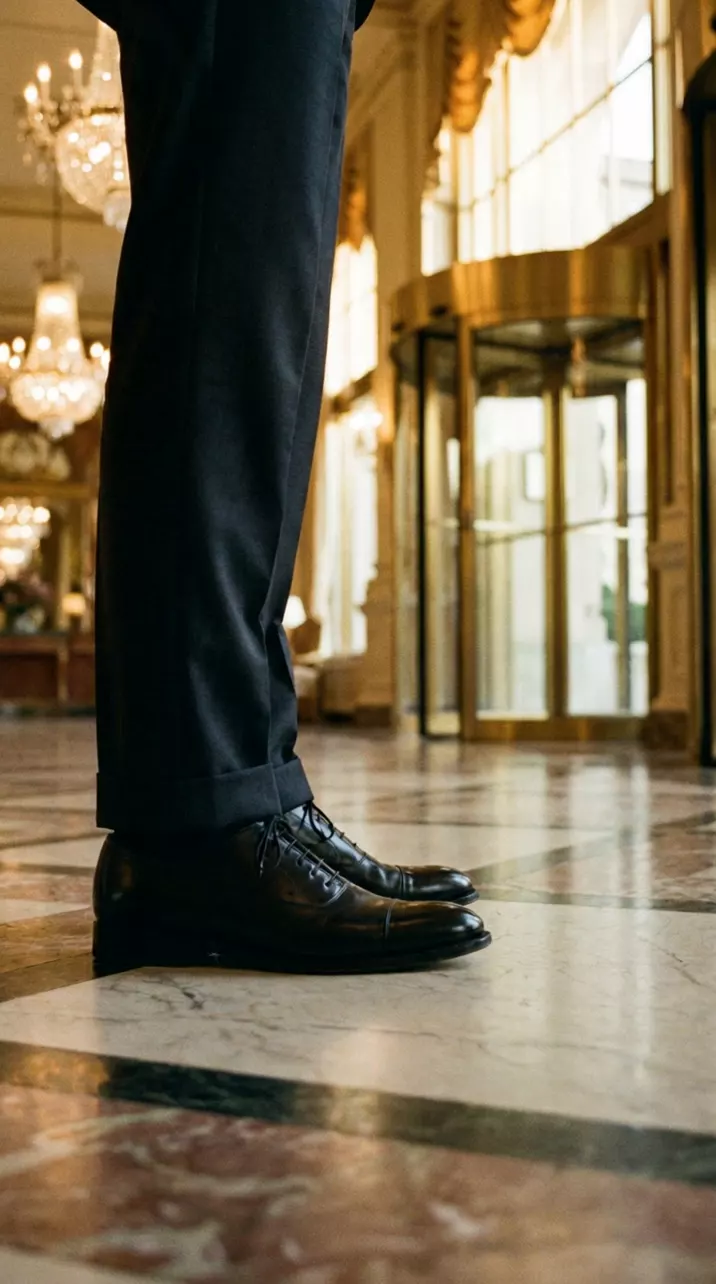 Tilt
Tilt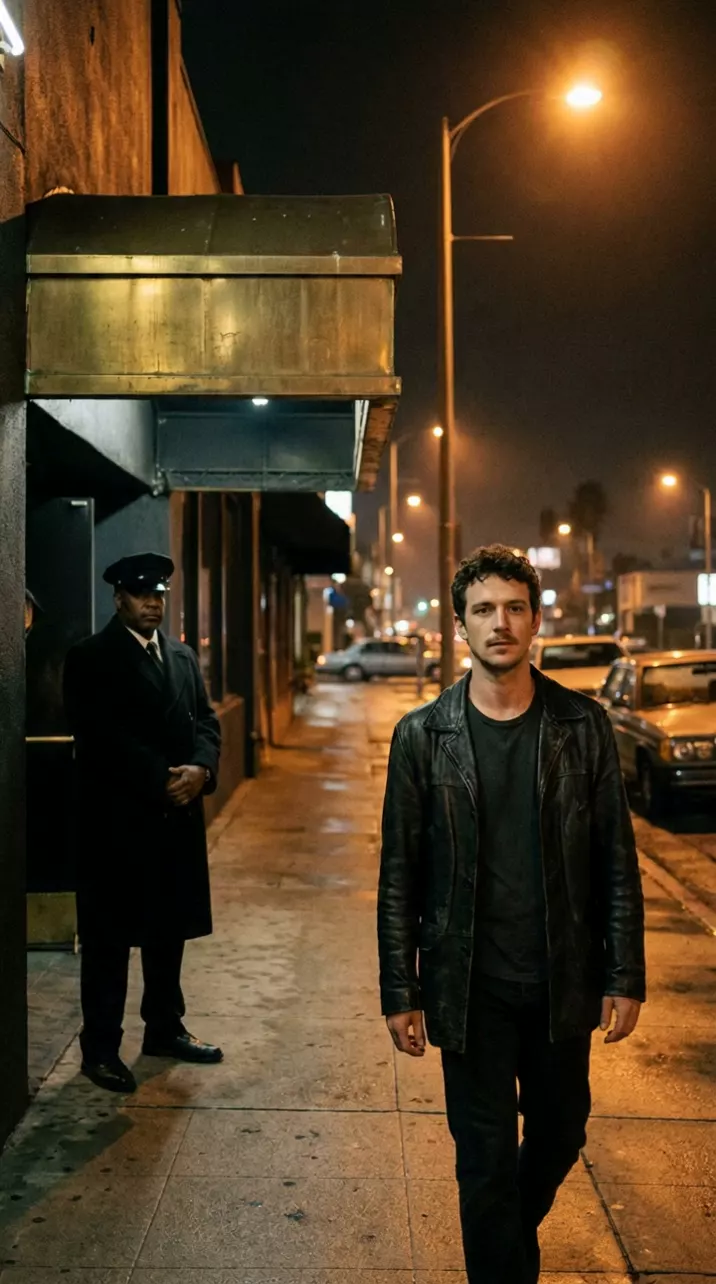 Whip pan
 Crash zoom in
 Crash zoom out
 Tracking
 Handheld
 Orbit
Orbit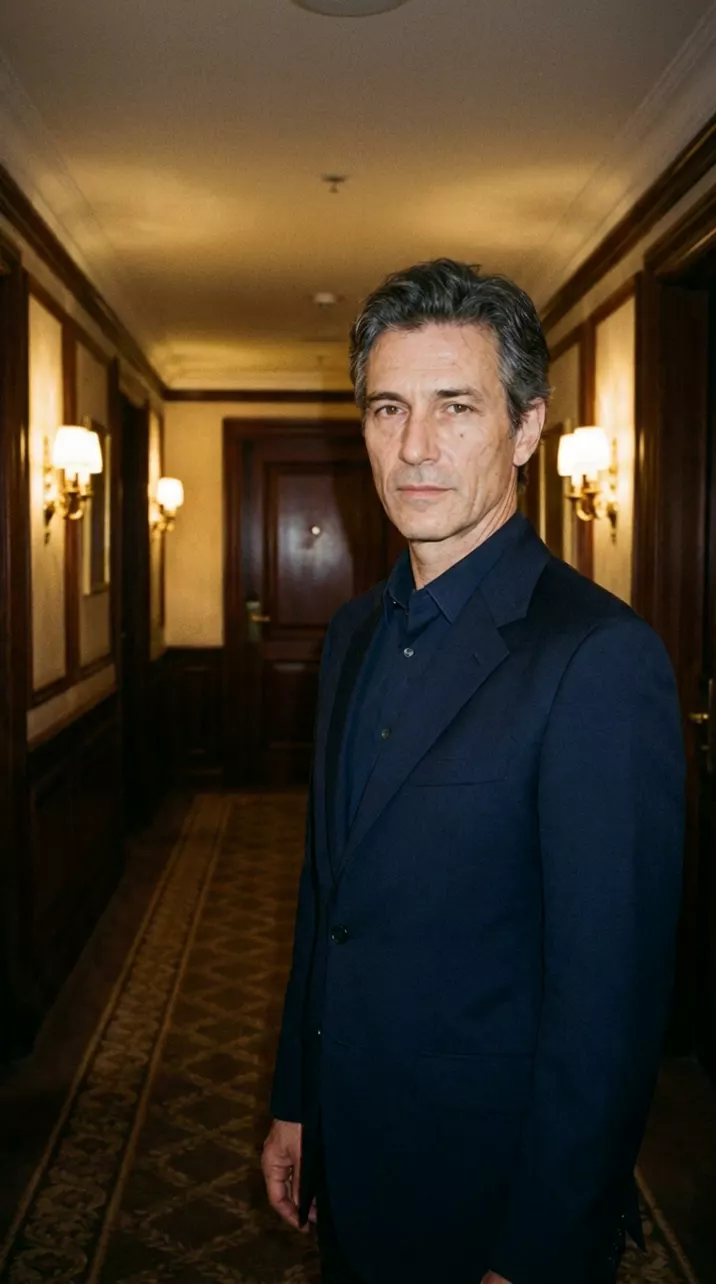 Dolly zoom
 Bullet time
What you make, in order. Tap one to jump to its step.
AI video looks cheap when the camera does nothing, or does something nobody chose. A camera move fixes that, but only if the model knows which move you mean, and most of us use the words loosely: "zoom in" for a dolly, "pan up" for a tilt, "spin around" for an orbit.
Here are the twelve moves people ask for most, from the dolly in to bullet time. For each: what the camera does, how it feels, a clip made in NOLGIA with the prompt that got it, the words to write, and the move it gets confused with. Then the other words worth knowing, the composer's move picker, and six rules for writing any move.
The twelve moves at a glance
Every move clip here was made the same way: a start frame made in NOLGIA with Nano Banana Pro (GPT Image 2.5 Sunburst for the pan), then Seedance 2.5 image to video at 720p, 9:16 and 5 seconds, without sound. Each section quotes both prompts exactly as sent, and shows the takes that missed.
| Move | What the camera does | Use it to |
|---|---|---|
| Dolly in | Travels toward the subject | Pull the viewer into a thought or a decision |
| Dolly out | Travels away from the subject | Reveal where they are, or leave them alone |
| Pan | Turns left or right from one spot | Follow something across a place |
| Tilt | Tips up or down from one spot | Show height, or size someone up from shoes to face |
| Whip pan | A pan so fast the frame blurs | Jump to something new with energy, or hide a cut |
| Crash zoom in | The lens snaps tight | Land a reaction, a detail or a punchline |
| Crash zoom out | The lens snaps wide | Reveal the room all at once, for a laugh or a shock |
| Tracking shot | Travels with a moving subject | Stay with someone on the move |
| Handheld | Held by a person, with natural sway | Make it feel real and unplanned |
| Orbit | Circles the subject | Make a moment feel big |
| Dolly zoom | Travels one way while the lens zooms the other | Show the ground shifting under someone |
| Bullet time | Time stops while the camera keeps moving | Freeze a peak moment and look around it |
Tip:Make the start frame for the move. The first frame decides what the move can show: a tilt up needs a frame that starts low, a crash zoom out a frame that hides the room. Describe people plainly as ordinary people; one of our first frames came back with someone who looked like a real celebrity, and the plainer description in the whip pan frame fixed it. If a frame comes back as two pictures stacked, ask for one continuous photograph, as the dolly zoom frame does.
Dolly in
What the camera does. The whole camera travels forward toward the subject, as if it were on a track. The frame tightens, and things near the lens slide past faster than the background, so you feel yourself moving into the room.
How it feels. It pulls the viewer closer, the way you lean in when something matters. Use it on a decision, a realization, or the line that counts.
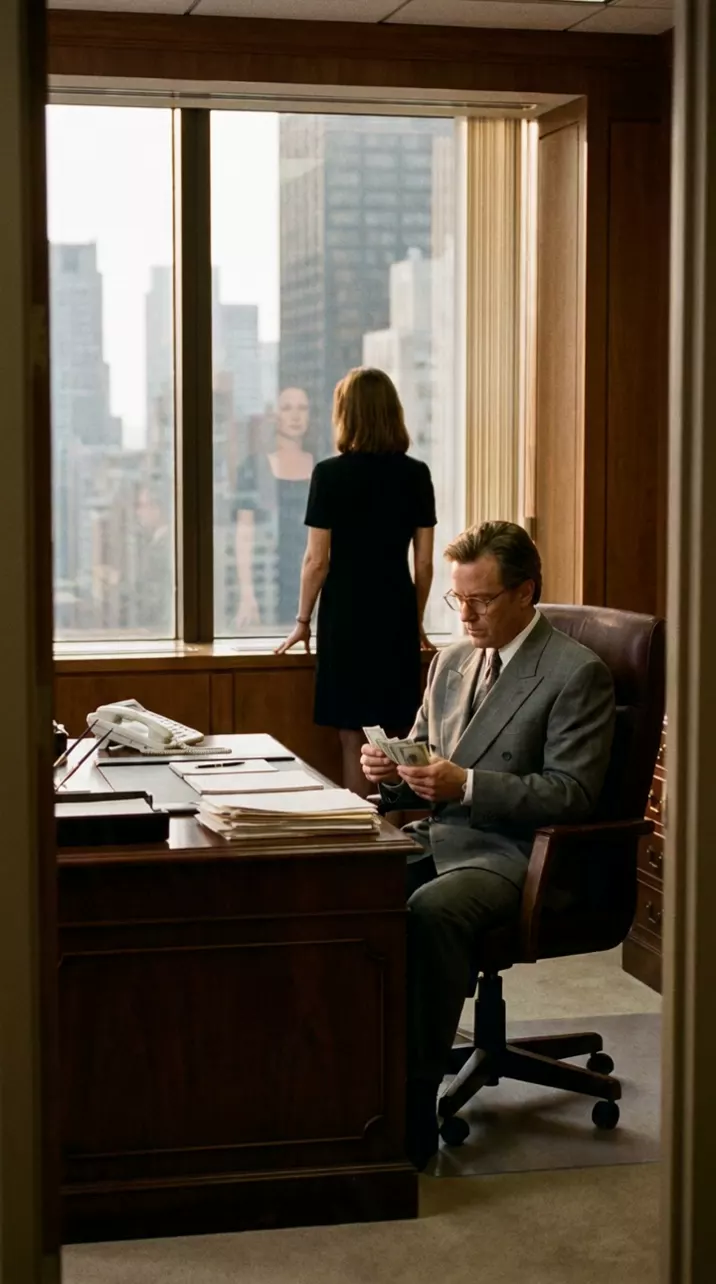
Dolly in. The camera glides slowly and steadily straight forward on a dolly, from this wide shot of the office toward the man at the desk, ending on a medium close-up of him counting the money. A real camera move, not a zoom: the perspective changes as the camera gets closer. He keeps counting; the woman stays at the window.
1990s film still on 35mm: a Manhattan executive office at golden hour. A man in a grey double-breasted suit sits at a large mahogany desk counting a stack of hundred-dollar bills; a woman in a black dress stands by the floor-to-ceiling window behind him, the skyline outside. Wide shot from the doorway, symmetrical, warm window light, true-to-life colour, fine film grain. No text.
Write it like this:
The camera slowly dollies in toward him, from a medium shot to a close-up on his face.Slow push in on her as she reads the letter.
Watch for this:A dolly in is not a zoom in. A zoom changes the lens while the camera stays put: everything grows evenly and the depth flattens. A dolly moves the camera, so the space opens around the lens. Write "dolly in" or "push in" and say the camera moves forward, as the prompt above does: "A real camera move, not a zoom".
Dolly out
What the camera does. The camera travels backward, away from the subject, and the frame widens to show more of the place around them.
How it feels. A reveal: where they are, who else is there, or how alone they are. A slow dolly out at the end of a scene says goodbye.
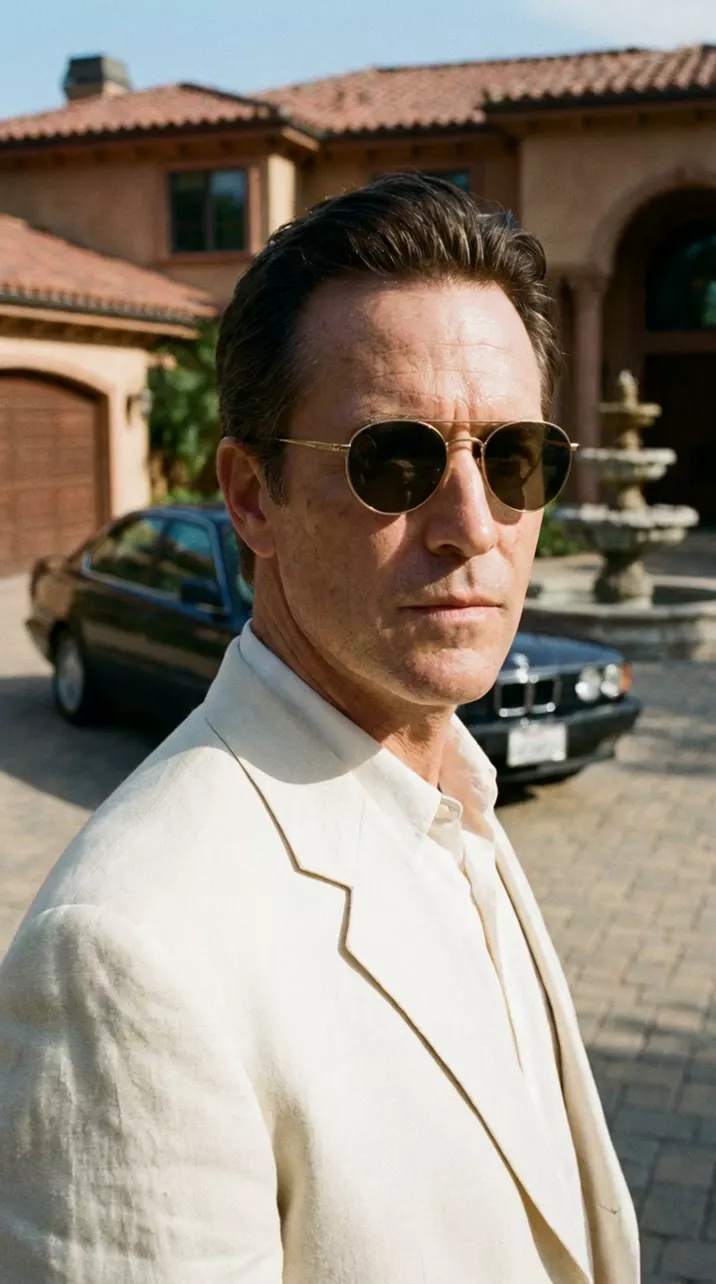
Dolly out. The camera starts close on his face and moves smoothly straight backward on a dolly, revealing the black sedan, the driveway and the fountain around him. A real camera move, not a zoom. He stays still and looks just past the lens. Slow and steady.
1990s film still on 35mm: close-up of a man in a cream linen suit and gold-rimmed sunglasses, standing in a mansion driveway in bright Los Angeles afternoon sun; a black 1990 sedan and a stone fountain softly visible behind him. True-to-life colour, fine film grain. No text.
Write it like this:
The camera slowly dollies out from a close-up of her face to a wide shot of the empty street.Pull back from his hands to reveal the whole workshop.
Watch for this:Say what it reveals. Dolly out, pull back and pull out are the same move, and it is only as good as what it uncovers. Name it, as the prompt names the sedan, the driveway and the fountain, or the model widens onto whatever it invents.
Pan
What the camera does. The camera stays in one spot and turns left or right, like turning your head.
How it feels. The viewer looks around a space from one point of view, or follows someone across it. A slow pan builds a place; a pan that follows a moving car or a walker keeps them in the frame.
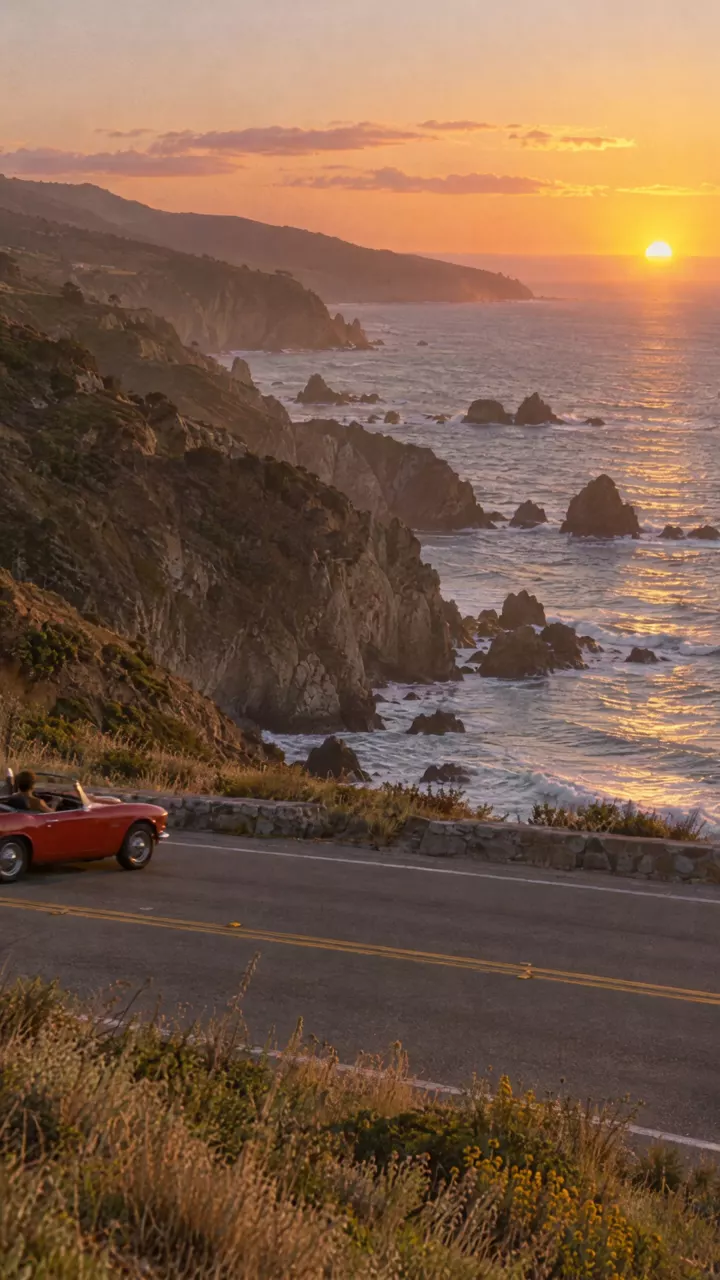
Pan right. The camera stays in one spot at the roadside and only turns horizontally to the right, following the red convertible as it drives from left to right along the coast road, so the cliffs and the ocean sweep past behind it. The camera does not travel or move closer. No camera equipment or people appear at the roadside.
An upright, correctly oriented vertical photograph, 1990s film still on 35mm, golden hour on the Pacific Coast Highway. The sky with a low sun is at the top, the ocean and rocky cliffs in the middle, and in the lower third the two-lane coast road runs horizontally across the frame from left to right. A small red convertible is at the far left edge of the road, driving toward the right. Shot from a tripod at the roadside. True-to-life colour, fine film grain. No text.
The pan took three takes. The first used a different start frame, a diner with a waitress walking down the aisle toward the lens; the second used this coast road but said the camera stood "fixed on a tripod at the roadside".
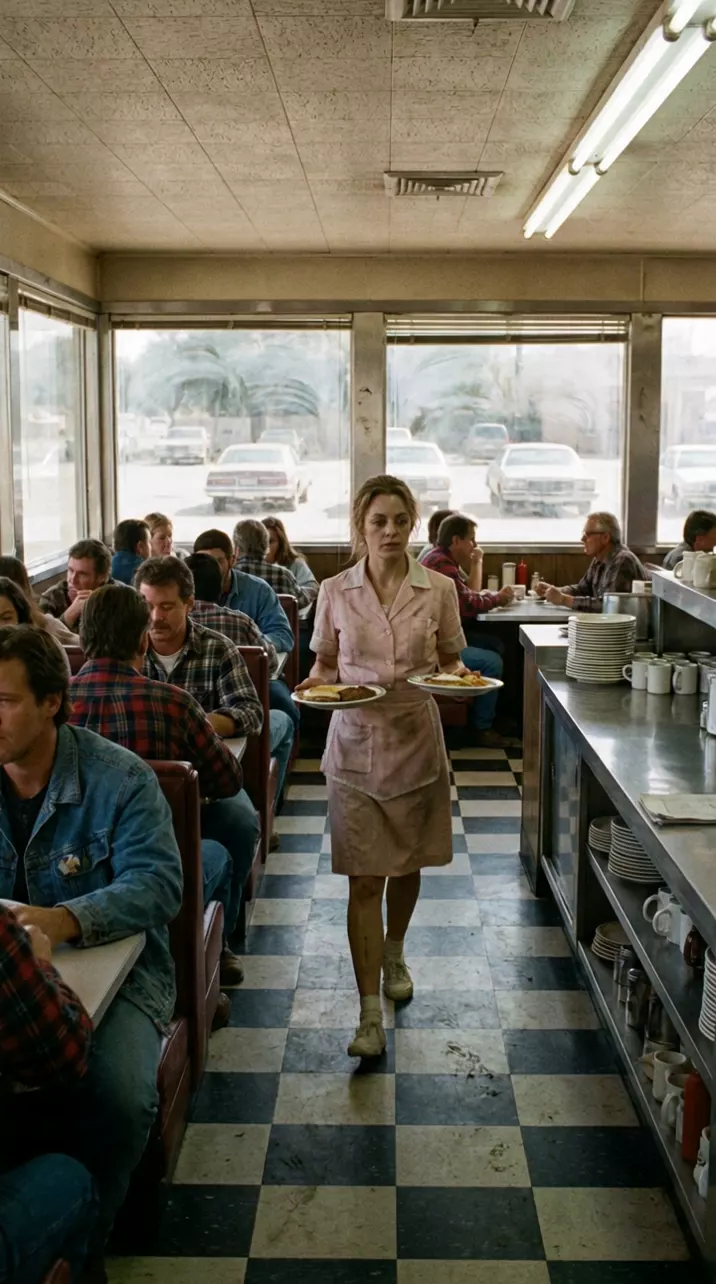
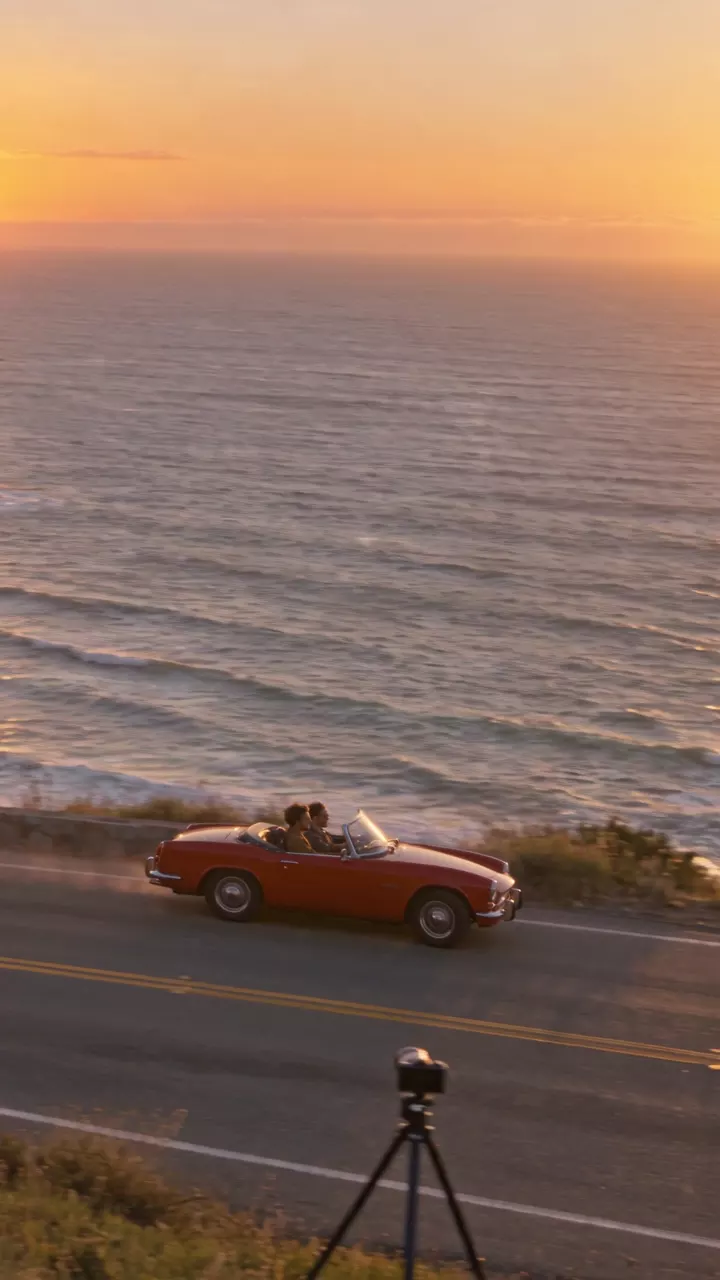
Tip:Give a pan something that crosses the frame. A pan follows movement from side to side. Action that comes toward the camera gives it nothing to turn with. And describe what the camera does, not the gear it stands on: the kept take says the camera "stays in one spot" and adds "No camera equipment or people appear at the roadside." It used the same start frame as take 2; only the video prompt changed.
Write it like this:
From a fixed position, the camera pans slowly from left to right across the diner, from the counter to the window.The camera pans to follow her as she crosses the room.
Watch for this:A pan is not a truck. A pan turns the camera. A truck slides the whole camera sideways without turning, so things near the lens slide past faster than the background. If the camera should travel along a row of shops, write "the camera trucks left", not "pans left".
Tilt
What the camera does. The camera stays in one spot and tips up or down, like nodding.
How it feels. Tilting up from the shoes to the face sizes someone up and makes them look important. Tilting up a building shows its height; tilting down brings the viewer back to the ground.
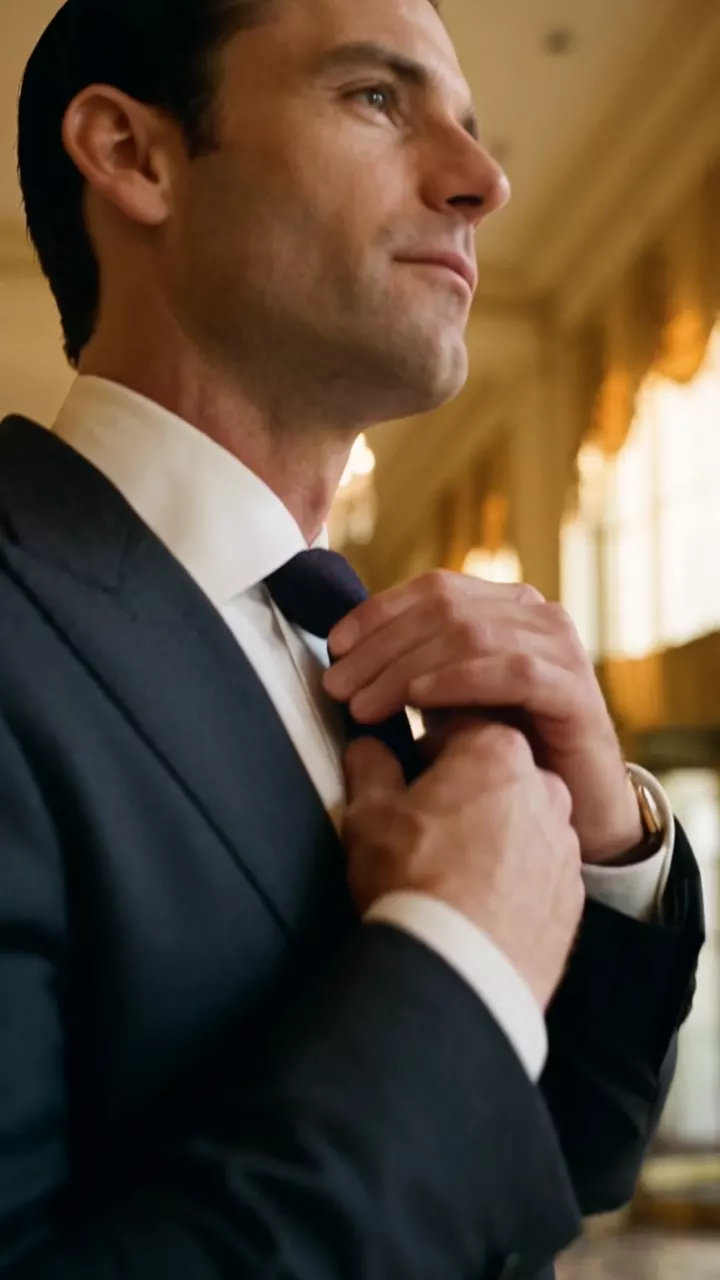
Tilt up. The camera stays in one place and tilts slowly upward, from his polished shoes, up his suit trousers and jacket, to his face as he straightens his tie. No sideways or forward movement, only the vertical tilt.
1990s film still on 35mm: low angle close on a man's polished black oxford shoes and dark suit trousers standing on a marble hotel lobby floor, a brass revolving door and crystal chandeliers softly behind, warm morning light. Only his legs and shoes are in frame. True-to-life colour, fine film grain. No text.
Write it like this:
From a fixed position low to the floor, the camera tilts up from his polished shoes to his face.Slow tilt down from the treetops to the cabin.
Watch for this:There is no pan up. Up and down is a tilt. And if the camera should rise or sink without tipping, that is a pedestal, or a crane, jib or boom when it rises high on an arm. Write "tilts up" for tipping and "rises" or "cranes up" for climbing.
Whip pan
What the camera does. A pan so fast that the picture smears into motion blur for a moment, then snaps to rest on something new.
How it feels. Energy and surprise. It yanks the viewer's attention from one thing to another, and editors use the blur to hide a cut between two shots.
Whip pan. The camera holds on the doorman for a moment, then swings very fast to the right with strong motion blur and stops sharply on the young man in the leather jacket walking toward the camera. One quick horizontal whip from left to right.
1990s film still on 35mm, at night: a Sunset Boulevard sidewalk outside a nightclub under warm tungsten streetlights and a brass entrance awning. A doorman in a black overcoat stands on the left; on the right a lean man in his late twenties with short curly dark hair, a thin moustache and a black leather jacket walks toward the camera. An ordinary, unfamous-looking person, not resembling any celebrity. Warm amber light only, no neon. True-to-life colour, fine film grain. No text.
Write it like this:
He walks toward the camera; the camera whip pans to the right, the frame blurring, and lands on three friends laughing by the door.A fast whip pan from her face to the window, with motion blur.
Watch for this:Say where it lands. Half of a whip pan is the landing. Name the second subject and where it is, or the model blurs into nothing in particular. And say "whip pan" or "very fast": a plain pan comes back smooth.
Crash zoom in
What the camera does. The lens zooms in very fast, from a wide or medium frame to a tight one, while the camera stays where it is.
How it feels. A jolt. It points at something the viewer must not miss: a reaction, a detail, a punchline. Comedy and old action films use it a lot.
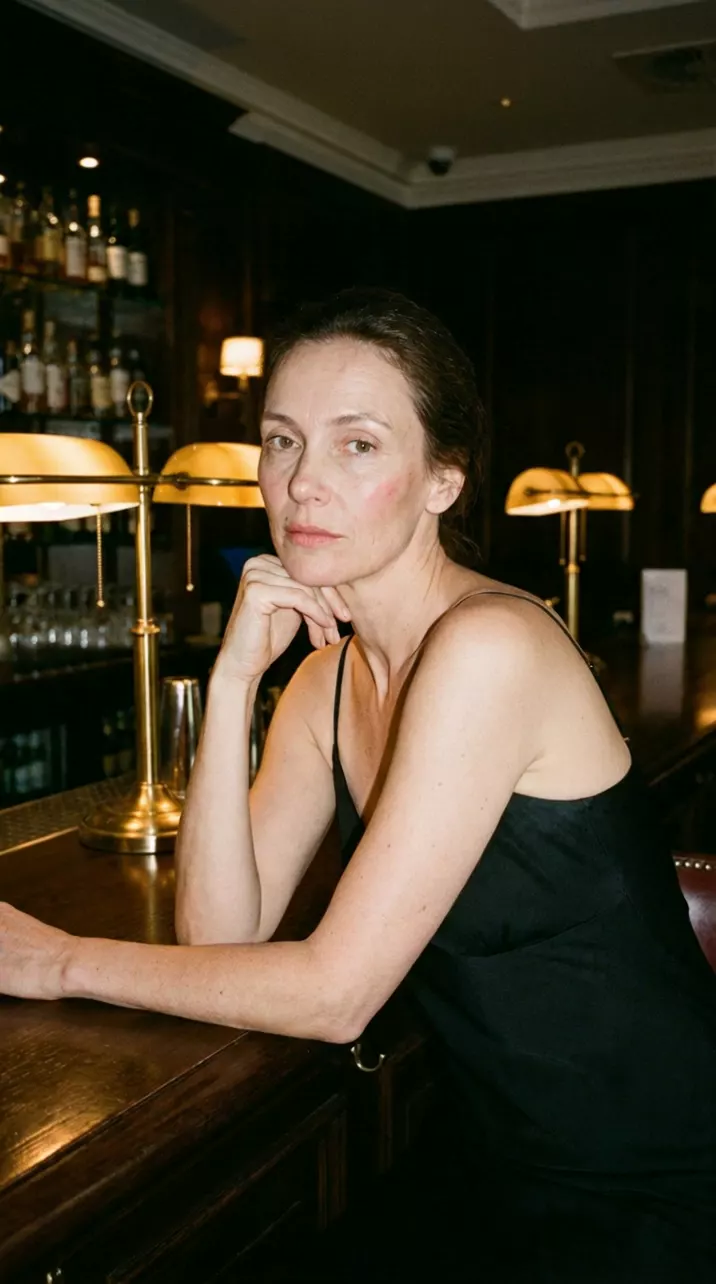
Crash zoom in. The camera does not move; the lens zooms in very fast, in under half a second, from this medium wide shot to an extreme close-up of her eyes as she smiles. A sudden, punchy zoom, then hold.
1990s film still on 35mm: a woman in a black slip dress leans on a polished wooden bar in a hotel bar, chin resting on her hand, looking toward the camera; brass lamps and bottles behind her, warm light. Medium wide shot. True-to-life colour, fine film grain. No text.
Write it like this:
Sudden crash zoom in on her face as she hears the news.The camera holds still, then snaps into a fast zoom on the gold watch on the bar.
Watch for this:A crash zoom is not a fast dolly in. A dolly travels, so the space opens up around the lens. A crash zoom is the lens alone, and everything flattens. Say "the camera does not move", as the prompt does, and ask for the speed you want; models tend to land a crash zoom in a second or two, so if it must snap, say it happens in the first second and then holds.
Crash zoom out
What the camera does. The reverse: the lens snaps from a tight frame to a wide one, showing everything around the subject at once.
How it feels. A reveal played for a laugh or a shock: the stern face that turns out to be at a birthday party, the hero who turns out to be surrounded.
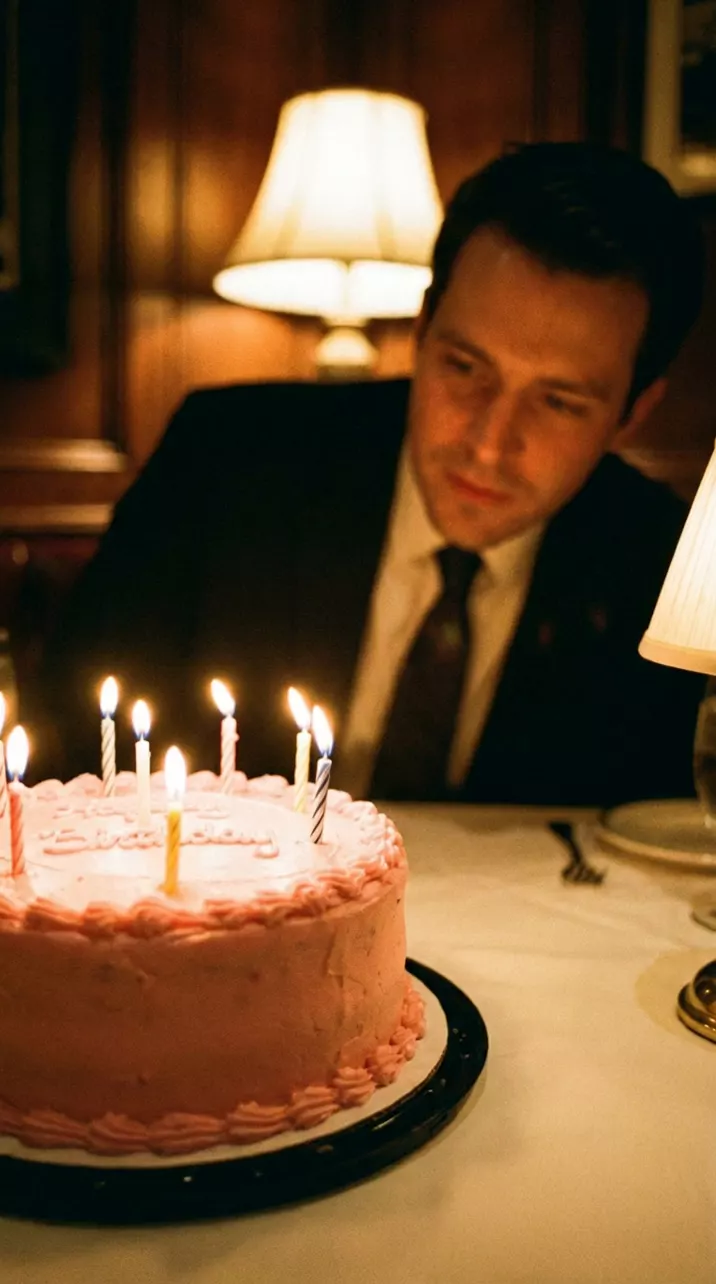
Crash zoom out. The camera does not move; the lens zooms out very fast, in under half a second, from the close-up of the birthday cake to a wide shot of the whole dinner table, the man and his friends applauding. A sudden zoom, then hold.
1990s film still on 35mm: close-up of a pink frosted birthday cake with lit candles on a white tablecloth in a wood-panelled steakhouse; a man in a dark suit leans in behind the cake, slightly out of focus, warm lamp light. True-to-life colour, fine film grain. No text.
Write it like this:
Start on an extreme close-up of his eyes, then a sudden crash zoom out to reveal the whole restaurant singing to him.Fast zoom out from her face to a wide shot of the packed stadium.
Watch for this:Start tight on purpose. The reveal needs a first frame that hides it, which is why this one starts on the cake. Name what the wide shot shows: the bigger the gap between the two, the harder it lands. The composer's move row has no zoom out, so write this one.
Tracking shot
What the camera does. The camera travels with a moving subject, ahead of them, behind them or beside them, and keeps them about the same size in the frame.
How it feels. The viewer goes along. It is the move for walking and talking, chases and entrances.
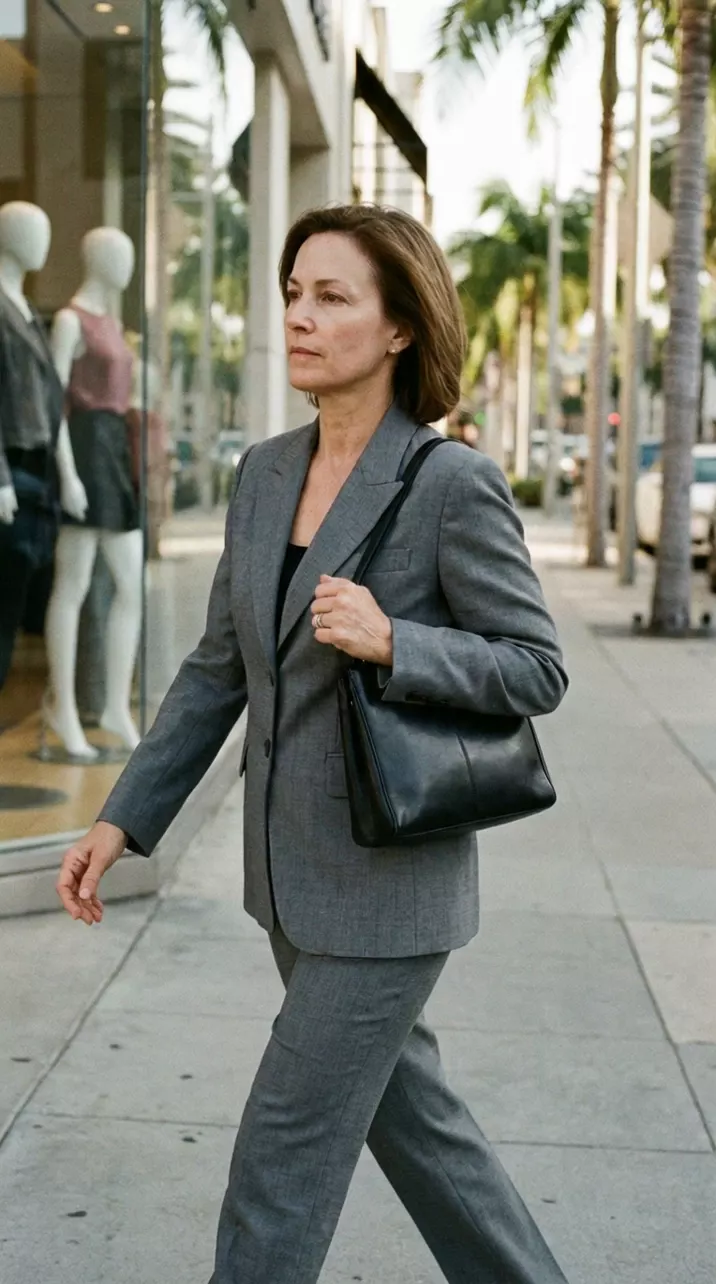
Tracking shot. The camera moves sideways alongside her at walking pace, keeping her the same size in the same place in the frame, while the shop windows and palm trees slide past behind her. Smooth, like a camera on a dolly track.
1990s film still on 35mm: a woman in a grey power suit with a black handbag walks along a Beverly Hills shopping street past boutique windows in bright morning sun, seen from the side at walking height, medium shot. True-to-life colour, fine film grain. No text.
Write it like this:
Tracking shot: the camera moves backward ahead of him as he walks toward it down the corridor, holding him from the knees up.The camera follows behind her through the crowd at walking pace.
Watch for this:A tracking shot travels; a pan only turns. A pan can follow a walker too, but from one spot, so they get smaller or bigger as they go. A tracking shot moves with them. Say which side the camera is on, keep the distance ("keeping her the same size") and match the pace ("at walking pace").
Handheld
What the camera does. A person holds the camera, so it sways, breathes and corrects itself a little. Gentle handheld drifts; rough handheld shakes and lurches with the action.
How it feels. Real, close and unplanned, like footage someone caught rather than staged. Use it for documentary, behind the scenes, arguments, and anything that should feel like it really happened.
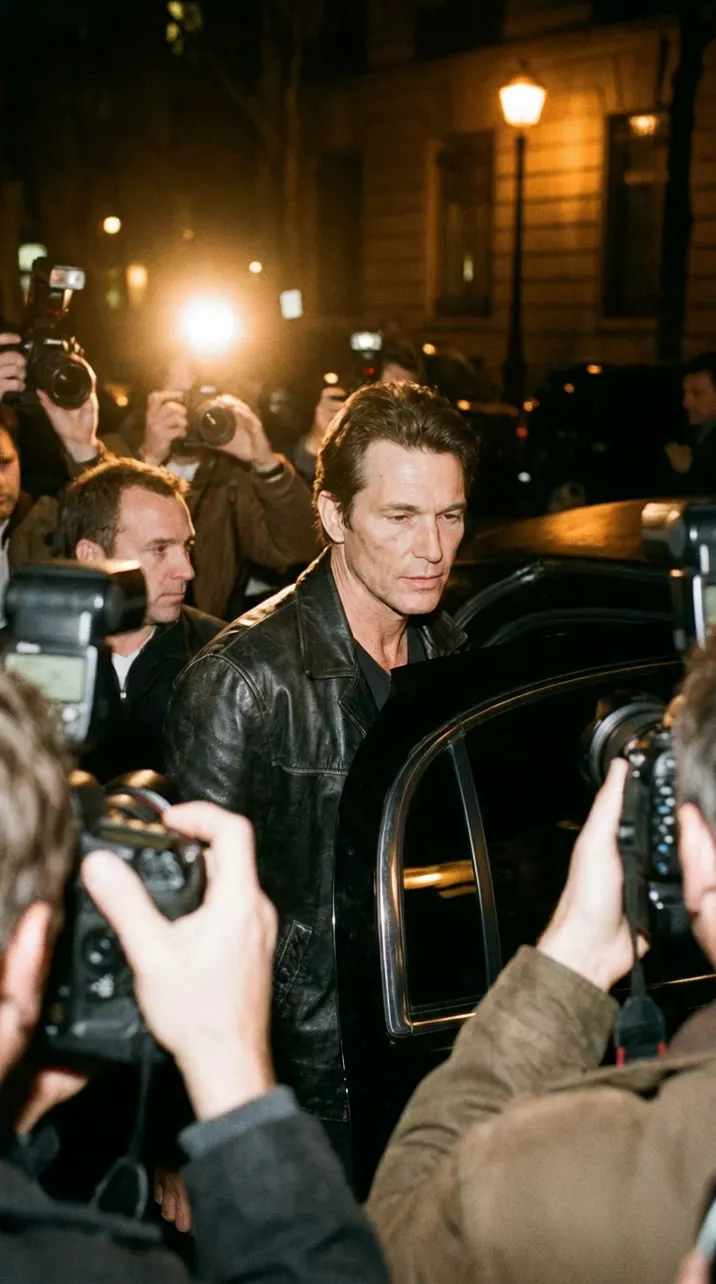
Handheld camera. The camera is held by a photographer in the crowd: small natural shakes, slight drifts and quick reframes as the man steps out of the car and pushes through the flashing cameras. Documentary feel, not smooth.
1990s film still on 35mm, at night: paparazzi with flash cameras crowd a nightclub entrance as a man in a black leather jacket steps out of a black town car; warm streetlights and camera flashes. Seen from inside the crowd at shoulder height. True-to-life colour, fine film grain. No neon. No text.
That is the rough kind. Here is the gentle kind, also made with Seedance 2.5 in NOLGIA: two people at a table by a pool, talking to whoever holds the camera.
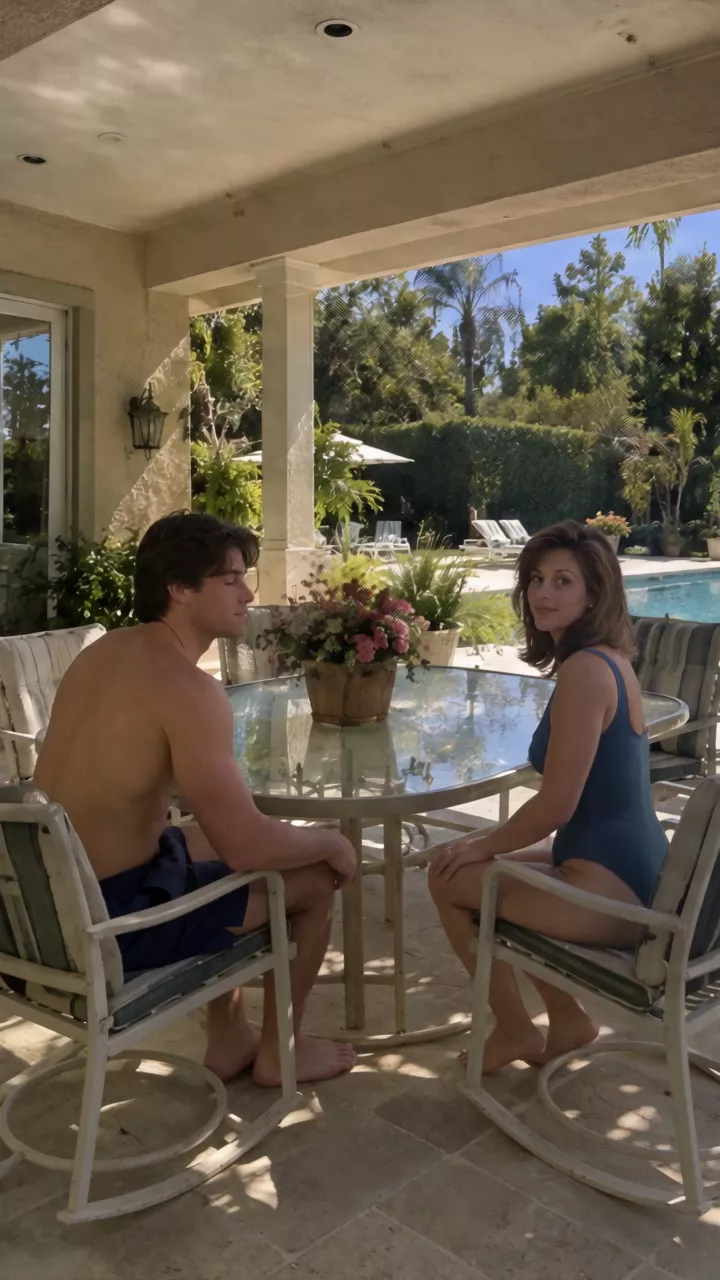
SEEDANCE 2.5 - REALISTIC HANDHELD POOL CONVERSATION

Use the provided character references and location reference exactly.

Create a highly realistic early-1990s American backyard pool scene.

The couple is seated around the outdoor glass-top patio table shown in the location reference, with the swimming pool clearly visible behind them.

COMPOSITION:

Start with a WIDE HANDHELD SHOT that clearly establishes the entire setting.

Show the couple's seated bodies, the glass-top patio table, surrounding patio chairs, flower centerpiece, covered patio and columns, swimming pool, backyard landscaping, and house.

The pool must remain clearly visible in the background.

The MAN is seated somewhat sideways, initially with his body oriented away from the camera. As the shot begins, he naturally turns his head and upper body back toward the camera.

The WOMAN is also seated slightly sideways. She naturally turns her face toward the camera.

They should NOT look like they have been positioned for a formal interview.

CAMERA:

The camera is operated by a real person standing several feet away.

Use authentic handheld camera behavior:
- subtle natural hand shake
- tiny framing corrections
- slight drifting
- small imperfect movements
- occasional gentle reframing

Do NOT perfectly stabilize the footage.

Begin relatively wide so the pool, table, chairs, and environment are clearly visible.

As each person speaks, the camera can naturally move slightly closer toward them, transitioning from wide to medium framing.

When the woman speaks, subtly move toward her.

When the man speaks, naturally reframe toward him.

Do not make these dramatic cinematic zooms. They should feel like the camera operator is simply adjusting their position while filming.

DIALOGUE:

For the ENTIRE SCRIPTED PORTION, both people are speaking DIRECTLY TO THE CAMERA.

WOMAN:
“Oh, and don’t forget speed.”

MAN:
“Real-time for natural movement.”

WOMAN:
“Slow motion when you want the moment to actually hit.”

MAN:
“Tell it where the camera moves.”

WOMAN:
“Control the camera…”

MAN:
“and you control what people look at.”

PERFORMANCE:

They are talking naturally to the person holding the camera.

Natural conversational timing.

Natural pauses and breathing.

Natural blinking.

Subtle facial expressions.

Small hand gestures.

Natural posture shifts.

They should occasionally glance briefly at each other, but their attention remains primarily on the CAMERA throughout the scripted dialogue.

Do NOT make them sound like presenters reading a script.

Do NOT make them overly enthusiastic.

Do NOT make them constantly smile.

The delivery should feel relaxed, spontaneous, confident, and conversational.

The second person's line should naturally follow the first person's thought rather than feeling like they are waiting for a cue.

REALISTIC HUMAN DETAIL:

Extremely realistic skin texture with visible natural pores and subtle imperfections.

Natural facial asymmetry.

Realistic eyes and blinking.

Natural mouth movement and accurate lip synchronization.

Realistic teeth and tongue movement while speaking.

Natural hair movement.

Realistic clothing texture and wrinkles.

Natural breathing and subtle body movement.

No plastic skin.
No beauty-filter appearance.
No perfect artificial faces.
No AI-looking eyes.

LIGHTING:

Use the natural outdoor afternoon lighting from the location reference.

Realistic sunlight.
Natural shadows.
Natural skin tones.
Believable exposure.

NO cinematic lighting.
NO artificial rim lighting.
NO dramatic color grading.
NO glossy commercial lighting.

IMPORTANT ENDING:

Immediately AFTER the man finishes the final scripted line:

“and you control what people look at.”

There is a short natural pause.

Then they STOP talking to the camera.

They naturally turn toward EACH OTHER.

The woman turns toward the man with a genuine happy smile.

The man turns toward the woman and smiles back.

They begin having a casual, happy conversation BETWEEN THEMSELVES.

They are no longer addressing the camera.

They should look completely unaware of the camera for this final portion, as if the scripted recording is over and they have simply gone back to talking to each other.

Their conversation does NOT need to be intelligible. Natural speech-like mouth movement is enough.

They can laugh softly, smile, make small gestures, react to each other, and continue chatting naturally.

The camera operator keeps recording them from the same handheld position.

Do NOT have either person look back at the camera during this final interaction.

Keep enough distance to show their bodies, the table, chairs, and pool while they talk to each other.

The transition from scripted dialogue to their private conversation must feel completely natural - no dramatic pause, no posed smile, no obvious "outro" behavior.

The final footage should feel like the camera accidentally kept rolling after they finished talking to the viewer.

NO CUTS.
NO SUBTITLES.
NO TEXT.
NO BACKGROUND MUSIC.
NO EXTRA SCRIPTED DIALOGUE.

The final interaction can be covered by a logo, so intelligible audio is not required after the scripted portion. Camera: handheld with visible natural sway and micro-shake, the operator adjusting the framing as the action unfolds, a documentary feel.
The only change to that prompt is that long dashes are typed as hyphens. It never says "shaky camera". It describes a real operator instead: "subtle natural hand shake", "tiny framing corrections", "slight drifting", and it sets a limit: "Do not make these dramatic cinematic zooms." Its last sentence is the Handheld camera move at Medium, word for word: the sentence the camera move row adds when you pick it.
Write it like this:
Handheld camera with natural sway and small framing corrections, a documentary feel.Shaky handheld, the camera jostled by the crowd around him.
Watch for this:Handheld is not a Steadicam or a gimbal. Those are carried by a person too, but they float smoothly. For a moving camera without shake, write "smooth gimbal shot" or "Steadicam". For shake, say how much.
Orbit
What the camera does. The camera travels in a circle, or part of one, around the subject, keeping them in the middle of the frame while the background wheels past behind them.
How it feels. Importance. It turns someone standing still into an event, and shows them from more than one side. A slow orbit feels like admiration; a fast one, like a spin of the head.
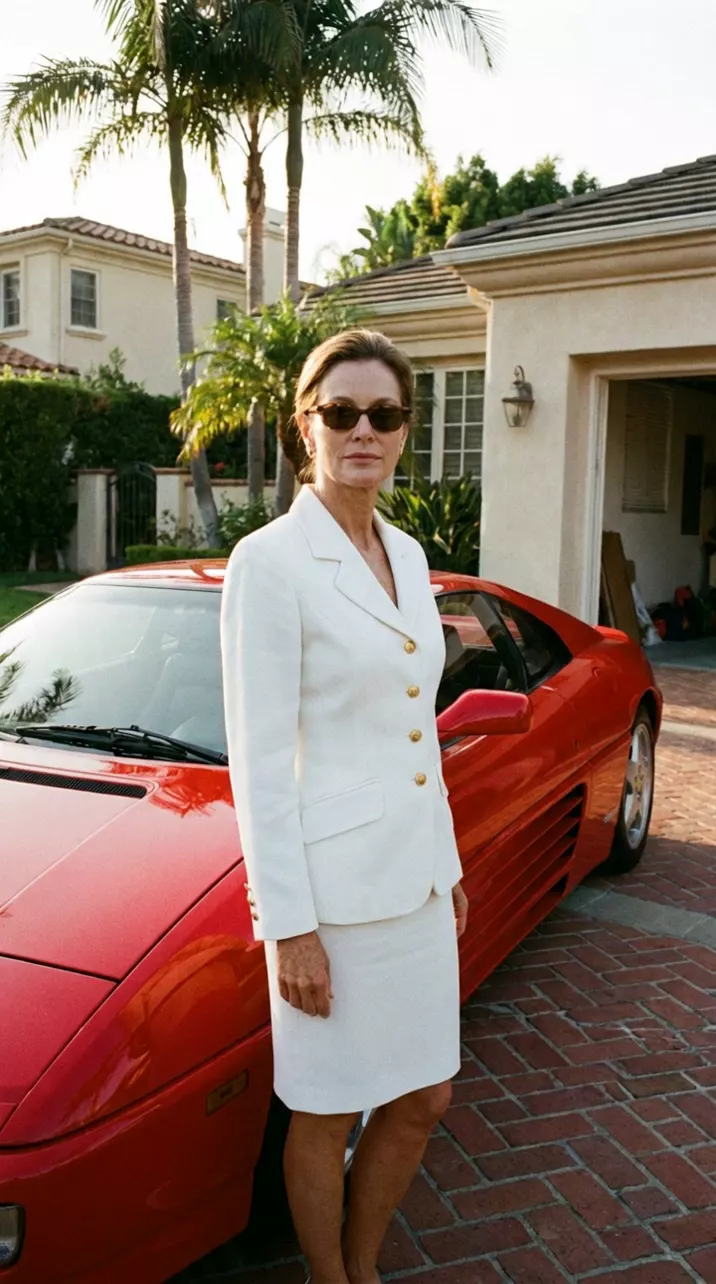
Orbit. The camera circles around her in a smooth half circle from left to right at the same distance, keeping her in the centre of the frame, so the red car and the palm trees swing past behind her. She turns her head slightly to follow the camera.
1990s film still on 35mm: a woman in a white tailored skirt suit with gold buttons stands beside a red 1990s Italian sports car in a sunny palm-lined Beverly Hills driveway. Full-length shot, subject centred. True-to-life colour, fine film grain. No text.
Write it like this:
The camera slowly orbits around him, a half circle from his left to his right, keeping him centered as the harbour comes into view behind him.A quarter orbit to the right around the car, at the same height.
Watch for this:An orbit is not a pan. In a pan the camera stays put and turns, so the subject slides across the frame. In an orbit the camera travels around the subject, so the subject stays centered and the background moves. Say "circles around", the direction, and how far: a quarter, a half or a full circle. A shallow orbit is also called an arc.
Dolly zoom
What the camera does. The camera travels one way while the lens zooms the other way, at a speed that keeps the subject the same size. The subject holds still in the frame while the background stretches away or closes in behind them. It is also called the vertigo effect.
How it feels. The ground shifting under someone: dread, shock, a sudden realization. It unsettles because nothing in life looks like that.
Dolly zoom, the Vertigo effect. The camera moves backward along the corridor while the lens zooms in at the same time, so the man stays exactly the same size in the frame while the corridor behind him stretches and the far door seems to rush away. Slow and unsettling. He stays still and stares at the camera.
One single continuous photograph, not a collage or split image. 1990s film still on 35mm, vertical frame: a man in his forties with greying hair, wearing a dark navy suit, stands in the middle distance of a long hotel corridor, seen from waist up to above his head, centred. Behind him the corridor recedes in symmetrical one-point perspective: wood-panelled walls, brass wall sconces on both sides, patterned carpet, a closed door at the far end. Warm light, true-to-life colour, fine film grain. No text.
Write it like this:
Dolly zoom: the camera pushes in while the lens zooms out, so she stays the same size and the street behind her stretches away.Vertigo effect on his face: the camera pulls back as the lens zooms in, and the room closes in behind him.
Watch for this:Describe the result, not only the mechanics. Models often read "dolly zoom" as a plain push in, so spell it out: the camera moves one way, the lens zooms the other, the subject stays the same size, and say what the background does. Strictly, a background that stretches away comes from moving in while zooming out; the prompt above has the directions the other way round, but it also names the result it wants, "the corridor behind him stretches", and that is what came back.
Bullet time
What the camera does. Time stops, or nearly stops, while the camera keeps moving, around or through the frozen moment. The action hangs in the air: water, glass, cards, a jump.
How it feels. The viewer gets to walk around a peak moment. It turns half a second into a set piece.
Take 1: "time almost freezes"
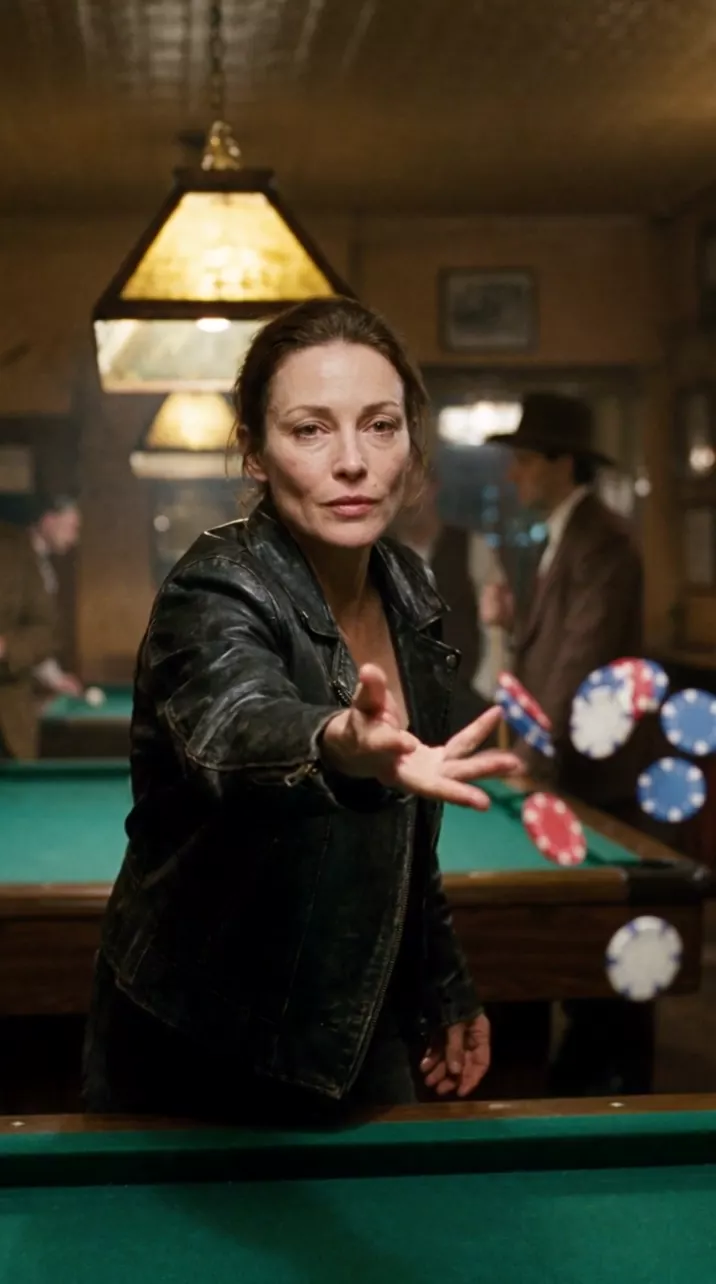
Take 2, kept: "time stops completely"
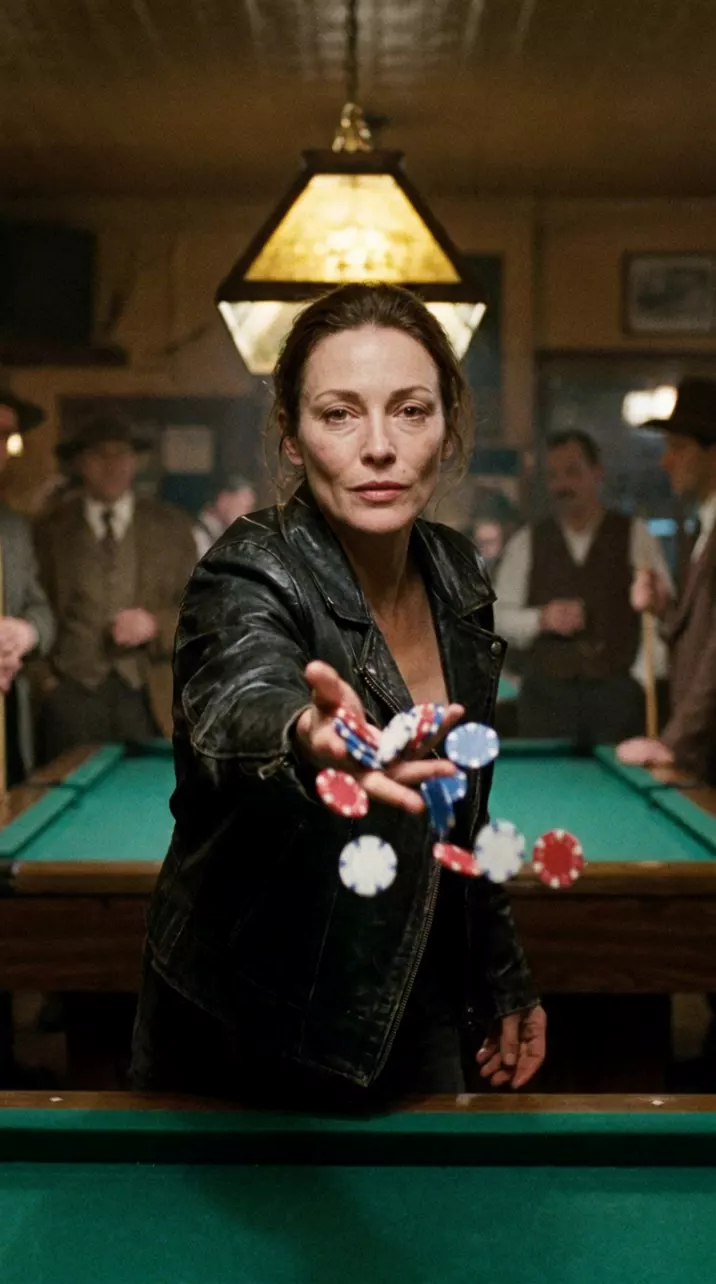
Bullet time. Time stops completely: she and the poker chips are frozen in mid-air, perfectly still, while the camera alone travels smoothly in a quarter circle around her from left to right, showing the frozen chips from a new angle. Nothing in the scene moves except the camera.
1990s film still on 35mm: in a pool hall, a woman in a black leather jacket flings a handful of red, white and blue poker chips toward the camera; the chips are mid-air, warm lamp light over the green felt table. True-to-life colour, fine film grain. No neon. No text.
Write it like this:
Bullet time. Time stops completely as the glass shatters; the pieces hang in the air while the camera slowly circles the table. Nothing moves except the camera.Time stops completely at the top of his jump; the camera keeps moving around him at normal speed.
Watch for this:Bullet time is not slow motion. In slow motion everything slows, the camera included. In bullet time the action stops and the camera does not, so write two speeds: the action frozen, the camera moving at its own pace along a path you name. The composer's move row has no bullet time, so write this one.
More moves, shot sizes and angles
The moves above cover most shots. These are the other words worth knowing: more ways for the camera to travel, then how close it is and where it stands.
| Move or term | What the camera does | Write it like this |
|---|---|---|
| Truck (or crab) | Slides sideways, parallel to the scene, without turning | the camera trucks left along the row of shops |
| Pedestal | Rises or sinks straight up or down, without tipping | the camera rises slowly from her hands to her face |
| Crane, jib or boom | Swings up, down or over the scene on an arm, often high | crane up from the street to a high view of the square |
| Arc | A partial orbit: a curve around the subject | a slow arc to the right around him |
| Push in, pull out | Other names for dolly in and dolly out | slow push in on her face |
| Steadicam or gimbal | Carried by a person but floating smoothly, with no shake | smooth gimbal shot following him up the stairs |
| Rack focus | The camera holds still and the focus moves from one thing to another | rack focus from the ring in the foreground to her face |
| FPV or drone | Flies freely, often fast, banking around things | FPV drone shot flying low over the river and up over the bridge |
| Top down or overhead | Looks straight down from above | top down shot looking straight down at the table |
| Locked off or static | Does not move at all; only the scene moves | the camera does not move at all; only she moves |
| Slow motion | The action plays slower than life; the camera may move or not | in slow motion, the water hanging in the air |
| Shot or angle | What it shows | Write it like this |
|---|---|---|
| Extreme wide | The whole place, people small in it | extreme wide shot of the valley, the hiker tiny on the ridge |
| Wide | The whole person and the space around them | wide shot, full body, the whole kitchen in frame |
| Medium | From the waist up | medium shot from the waist up |
| Close-up | The face, or one object filling the frame | close-up on his face |
| Extreme close-up | One detail: eyes, lips, a hand, a keyhole | extreme close-up on her eyes |
| Low angle | From below, looking up: makes people look bigger | low angle looking up at him |
| High angle | From above, looking down: makes people look smaller | high angle looking down at her at the desk |
| Dutch angle | The camera rolled sideways so the horizon slants: off balance | Dutch angle, the horizon tilted |
| Over the shoulder | Past one person's shoulder at another, for conversations | over the shoulder shot from behind him, looking at her |
| POV | What a character sees, through their eyes | POV shot through his eyes as he opens the door |
Tip:A full direction is three choices. How close, where the camera stands, and how it moves: "Low angle, wide shot, slow push in toward him" says all three, and leaves the model nothing to pick at random.
Pick the move or write it
In the video composer, under the prompt, is the Camera move row: twenty moves, each with a strength: Subtle, Medium, and Strong. Pick one, and the row shows the exact sentence it will add, after "Added to your prompt when you generate". Picking never edits what you typed: NOLGIA adds that sentence after your prompt when you press Generate video. It works on every video model, for text or a start image, one shot or several.
| Move | Pick in the Camera move row | Open the composer with it picked |
|---|---|---|
| Dolly in | Push-in | Push-in |
| Dolly out | Pull-back | Pull-back |
| Pan | Pan left or Pan right | Pan right |
| Tilt | Tilt up or Tilt down | Tilt up |
| Whip pan | Pan left or Pan right at Strong | Pan right, strong |
| Crash zoom in | Zoom in at Strong | Zoom in, strong |
| Crash zoom out | Not in the row | Write it |
| Tracking shot | Tracking shot | Tracking shot |
| Handheld | Handheld | Handheld |
| Orbit | Orbit left or Orbit right | Orbit right |
| Dolly zoom | Dolly zoom | Dolly zoom |
| Bullet time | Not in the row | Write it |
The row also has moves from the table above: Truck left and Truck right, Crane up and Crane down, Rack focus, Parallax drift, Drone fly-through and Locked off.
Pick it when you want one standard move and do not mind the wording. Write it when the move needs a start and an end ("from his shoes to his face"), a moment ("after she sits down"), a landing ("stops sharply on the young man"), or when the row does not have it, like a crash zoom out or bullet time. The twelve move clips in this guide were written, not picked. Do one or the other: if you write your own camera direction, leave the row empty, or press No camera move, so two directions do not argue.
Enhance, under the prompt, rewrites your prompt for the model you picked and plans the shot around the move you picked in the row. The price is on the button, and Revert puts your words back.
Tip:The strength is in the words. Subtle, Medium and Strong change the sentence that gets added, not the price. At Strong, Pan right becomes a whip pan ("a fast whip pan to the right from a fixed position, the frame blurring with motion before snapping to rest on the new view") and Zoom in becomes a crash zoom.
When we tested the row in September, eight moves from one still on Wan 3.0, six came back as picked. Dolly zoom came back as a plain push in at Medium and at Strong, Pan right came back as an orbit, and Pull-back only pulled back at Strong. Single runs, not a measurement, but the lesson holds: a move is a request, so play the clip, and when it misses, run it again or try the next strength up.
A move adds nothing to the price: you pay the model's rate for the clip, shown on the Generate video button before anything runs. The live published rate for Seedance 2.5, the model behind every clip in this guide:
Seedance 2.5Pro and up
Per 5s clip
480p 26 credits · 720p 56 credits · 1080p 137 credits
1080p renders at 16:9 and 9:16
Read live from the catalog when this page loads. Every price is shown before you generate. See every rate.
Six rules for writing a move
- Name the move, then describe it. Every move prompt in this guide opens with the move's name ("Dolly in.", "Whip pan.") and then says what the camera physically does, because the name alone is often read loosely.
- One move per shot. "Dolly in, then orbit, then crane up" in five seconds comes back as a wobble that is none of them. If you need two, give the second its own moment ("after he sits down"), and consider two shots instead.
- Say where the camera starts and where it ends, and how fast it gets there: "from his polished shoes, up his suit trousers and jacket, to his face", "Slow and steady". Without an end, the model guesses.
- Name what stays still. "He keeps counting; the woman stays at the window." "He stays still and looks just past the lens." When the people hold still, the camera is clearly the thing that moves.
- Keep the action simple. When the person runs, turns and waves while the camera orbits, the model has two moving things to keep straight. Let one lead: a still subject for a big camera move, a still camera for a big action.
- Describe the move, not the gear. "On a tripod" put a tripod in our pan. Say what the camera does ("stays in one spot", "does not move") and, if it matters, add that no camera equipment appears in the shot.
Watch for this:Read the clip before you use it. Compare the first and last frames: what got bigger, what turned, what slid past. A push in and a zoom end at the same size, but the background behaves differently; a pan and an orbit both turn, but only the orbit keeps the subject centered. Check the speed and the distance too: our crash zoom took about two seconds, and our orbit went less than the half circle we asked for.
Questions and answers
- What is the difference between a dolly and a zoom?
- A dolly moves the whole camera toward or away from the subject, so near things pass faster than far ones and the space feels deep. A zoom changes the lens while the camera stays put, so everything grows or shrinks evenly and the picture flattens. Write dolly or push in when the camera should travel, and zoom only when you mean the lens.
- Can I use more than one camera move in a clip?
- You can, but one move per shot comes back cleanest. If you need two, give them an order and a moment: a slow push in, then, after he sits down, a slow orbit to the right. Two short clips cut together usually look better.
- Should I pick the move or write it?
- Pick it from the Camera move row for one standard move: it adds a ready sentence at the strength you choose. Write it when the move needs a start, an end, a moment or a landing, or when the row does not have it, like a crash zoom out or bullet time. Do not do both.
- Does a camera move cost extra?
- No. Picking a move adds a sentence to your prompt, and the price of a clip comes from the model, the length and the quality. The Generate video button shows it before you start.
- Why did the model do a different move?
- A move is a request, and some read better than others. Our first bullet time came back as an ordinary throw until the prompt said time stops completely and nothing moves except the camera. Spell out what the camera does, what stays still and what the background does, then run it again: every clip is a new render.
Give your next clip a camera move
Open the video composerRelated guides
Filmmaking
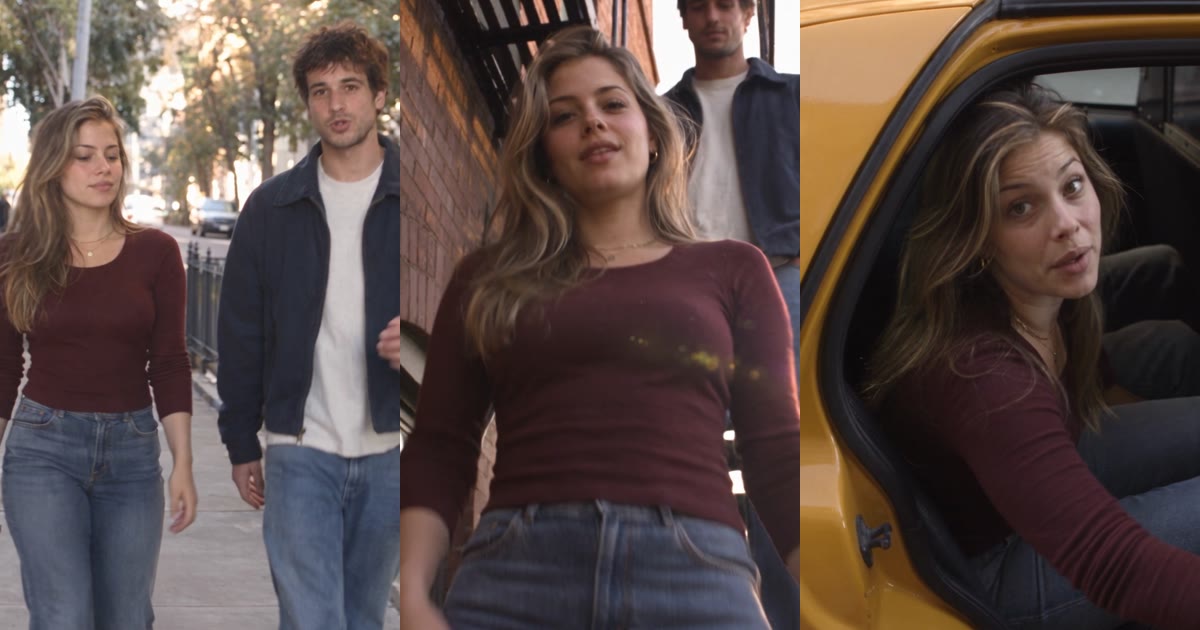
How to make realistic AI videos
The step-by-step workflow for realistic AI video: plan with the NOLGIA Agent, lock the characters and the place, write every shot beat by beat for Seedance 2.5, then score and cut.
· 20 min read
Video editing
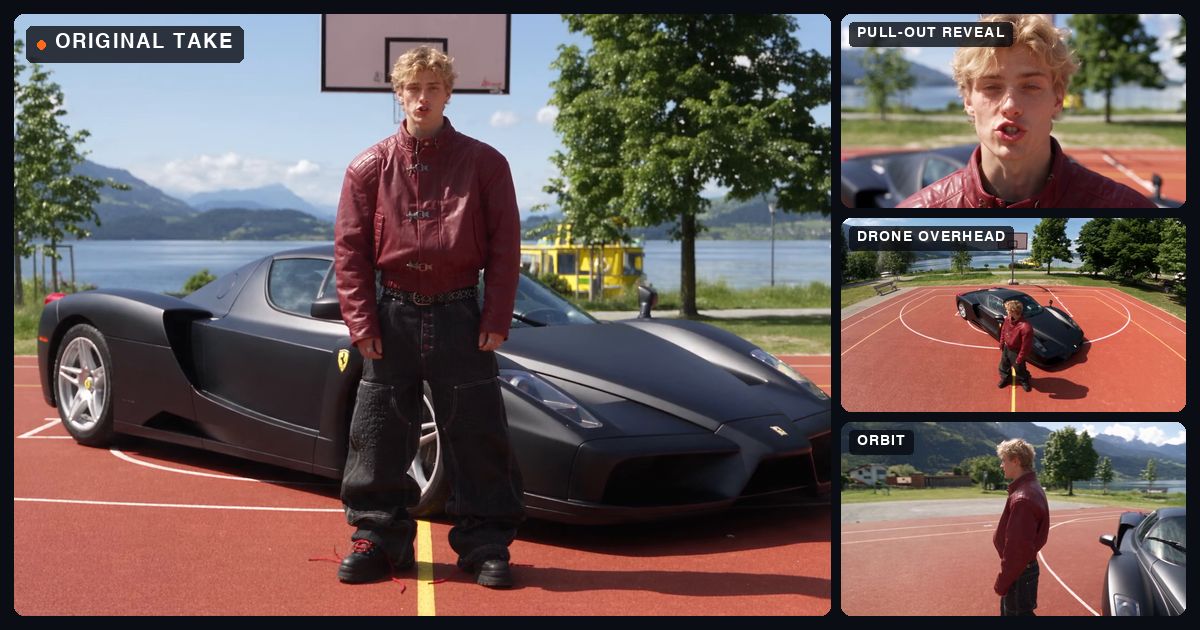
Get every camera angle from one take
Turn one locked off take into a multicam edit: a real NOLGIA project from the take to the cut, with every prompt as it was sent, the angles that worked, the ones that missed and what it all took.
· 15 min read
Video editing
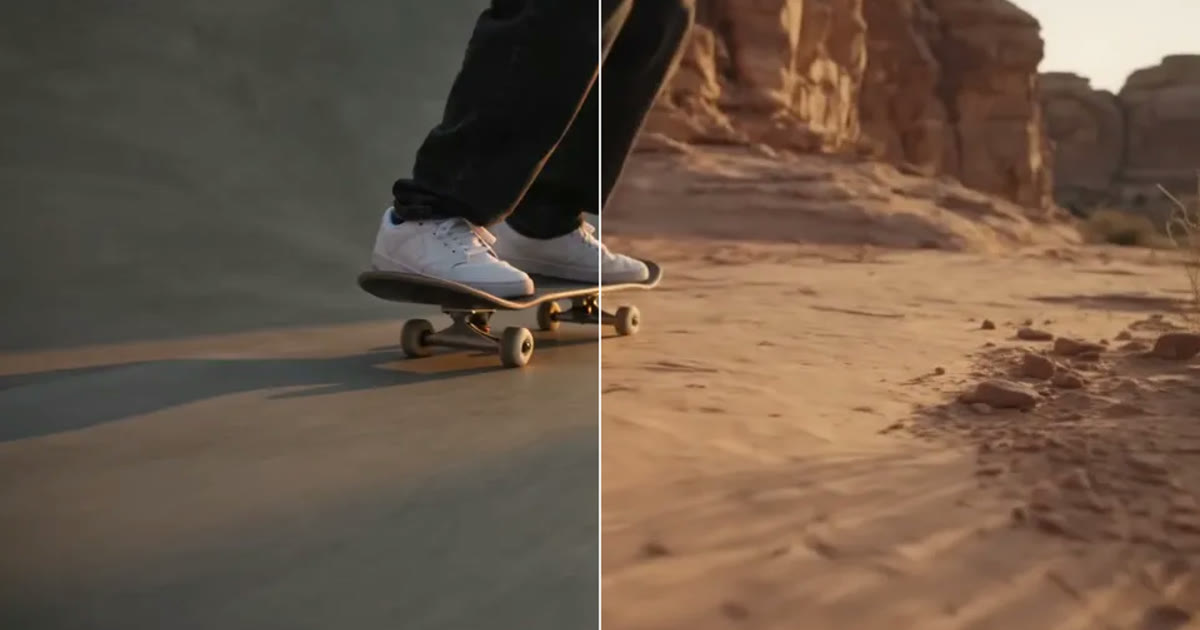
A clip came out wrong: fix it or make it again
Most wrong clips do not need a new render. Swap the one thing that is off, move the scene, clean up the picture or extend it, and make it again only when the shot itself is wrong.
· 5 min read