

Preset
Animate your spreadsheet
Bring a spreadsheet still to life while every cell stays exactly as written: a highlight sweeping down a column, a gentle push in, a cursor selecting the total, from your own screenshot or from the spreadsheet preset's output.
- Best for
- Explainers and tutorials, earnings and metrics clips, product demos, social posts about numbers, deck openers
- Output
- Video
- Time
- 3 to 6 minutes
- Credits
- 65 credits for the 5 second default at 2K, 37 at 768p for drafts, longer clips scale by the second est.
Already have an account? Sign in
350 free credits when you create an account, no card required. You land right in NOLGIA Agent, on this preset's questions, ready to run.
How to use it
NOLGIA Agent asks these questions in a chat, one at a time, with your own material.
Your spreadsheet image
Add one photo from your device or your Library. A screenshot of your sheet, or the image from the spreadsheet preset. Every cell stays exactly as shown.
The motion
Pick one. One motion per clip.
- Highlight sweep
- Gentle push in
- Cursor selects the total
- Rows fill in
- Chart grows beside
Which column or cell?Optional
Write it in your own words. Name the column heading or the cell the motion acts on. You can skip this.
For example: The Revenue column
How long?Optional
Pick one.
- 5 seconds
- 8 seconds
- 10 seconds
- 15 seconds
Create
One press of Create makes your video and saves it to your Library. The price is on the button, and nothing runs until you press it. It takes 3 to 6 minutes.
About this preset
Animate your spreadsheet takes a still of a sheet, your own screenshot or the output of Turn your data into a spreadsheet, and gives it one clean motion while every cell stays exactly as written. Pick a highlight sweeping down a column, a gentle push in, a cursor that selects the total, rows filling in one at a time, or a chart growing beside the table.
The clip is checked frame by frame against your still before it reaches you: a single changed digit or an invented cell fails the take and it is rendered again. The sheet never leaves the frame, so nothing gets made up at the edges. Five seconds by default, longer on request, in the aspect of the still you give it.
Use cases
- A metrics moment in an earnings or investor update
- A tutorial clip that walks a viewer down a column
- A product demo beat showing a table update
- A social post that makes real numbers move
- A deck opener that lands on the total
Examples
Made with this preset, with the prompt behind each one.
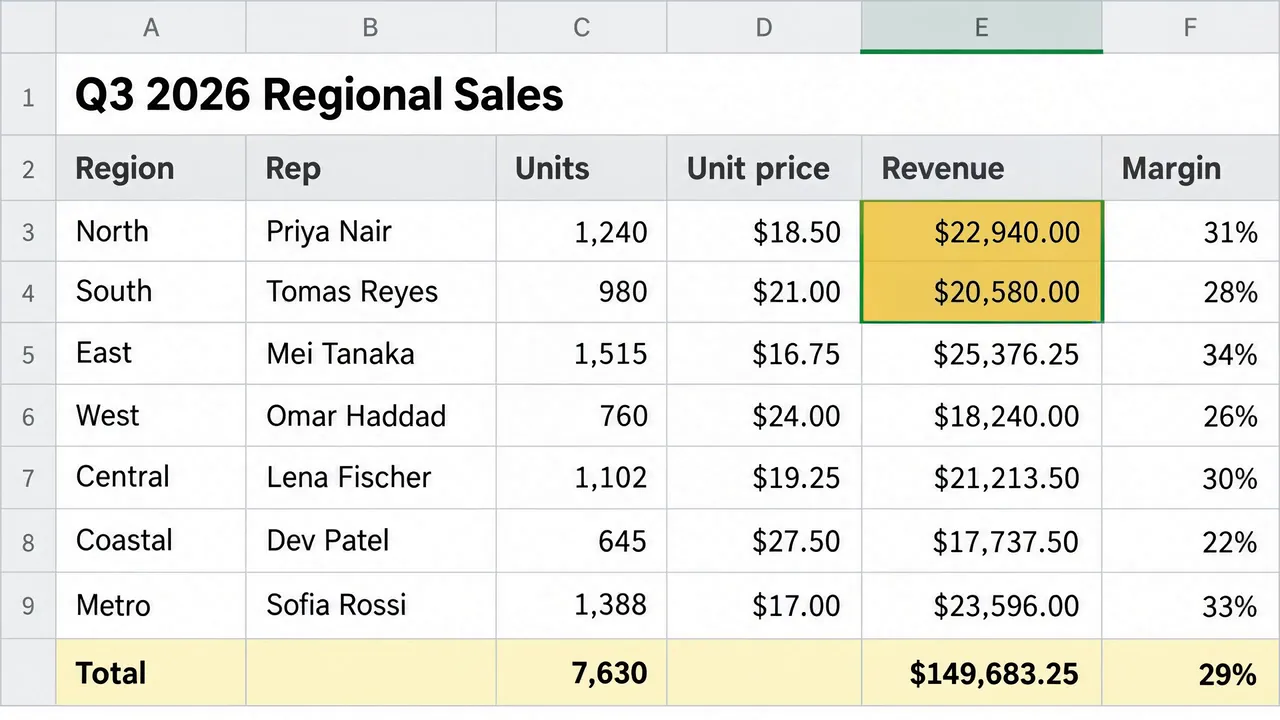
Highlight sweep down the Revenue column, camera locked, 16:9, 5 seconds, every cell identical to the still
Screen recording of a spreadsheet, the sheet exactly as shown in the image with every cell keeping precisely the same text, numbers, gridlines and colours throughout, the camera locked and perfectly still for the whole clip so the entire sheet stays in frame edge to edge. A soft translucent yellow highlight band moves down the Revenue column one cell at a time, from the header row to the total row, and rests on the total. Nothing else moves: no text changes, no new text appears, no rows reflow, every letter and digit stays razor sharp and identical to the first frame. Sound: light room tone and one soft click as the highlight lands on each cell, no music.
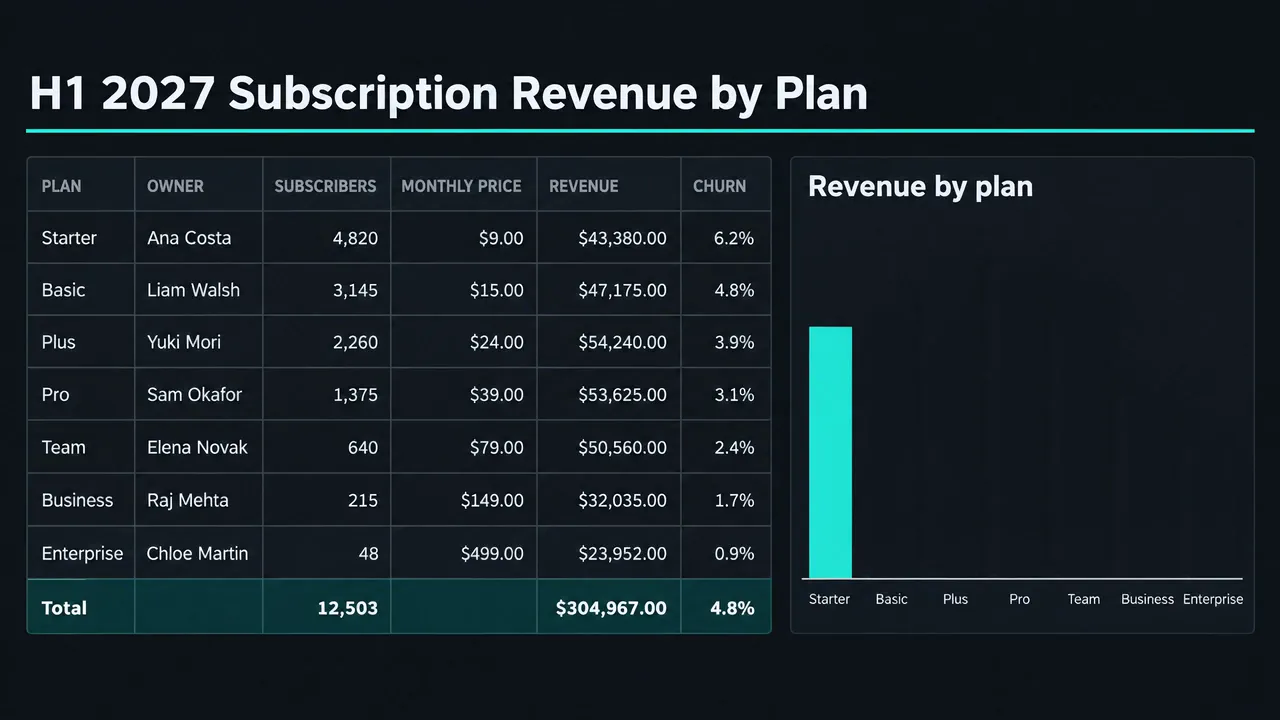
Chart bars rise one by one on a dark dashboard, camera locked, 16:9, 5 seconds, every cell identical to the still
Screen recording of a spreadsheet dashboard, the camera locked and perfectly still for the whole clip so the entire sheet stays in frame edge to edge. The table on the left stays exactly as it is throughout, every cell keeping precisely the same text, numbers, gridlines and colours, and the title, the chart title and the plan names under the chart stay exactly as shown. In the chart panel on the right the teal bars grow upward from the baseline one after another from left to right, each rising to the height it has in the final frame, until the chart matches the final frame precisely. Nothing else moves: no text changes, no new text appears, no numbers appear on the chart, no rows reflow, every letter and digit stays razor sharp and identical to the first frame. Sound: light room tone and one soft click as each bar reaches its height.
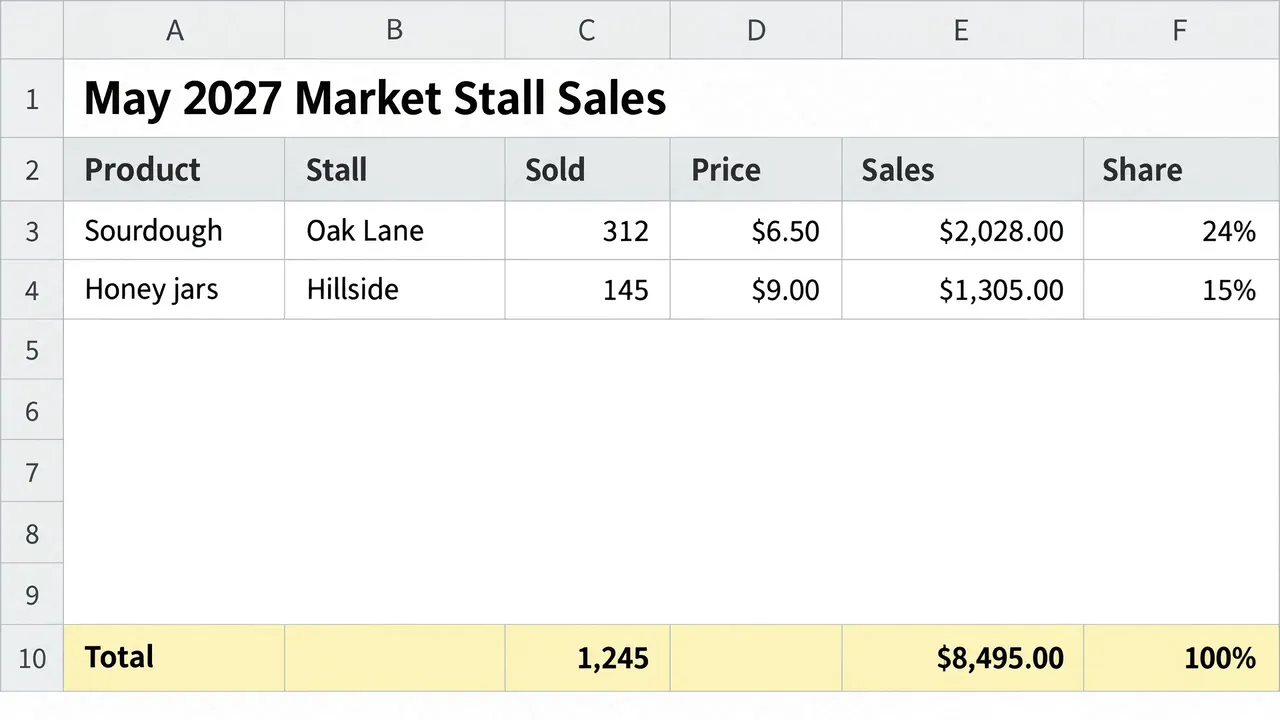
Rows fill in from the top, camera locked, 16:9, 5 seconds, the last frame matching the still cell for cell
Screen recording of a spreadsheet, the camera locked and perfectly still for the whole clip so the entire sheet stays in frame edge to edge, with the title, the column letters, the row numbers, the header row and the total row exactly as shown and never changing. Keep all unmasked text identical to the full end-frame still. Reveal complete data rows from top to bottom, one row at a time, each appearing with its exact source values and gridlines; unrevealed rows stay blank white. Once revealed, each row stays exact. The last frame matches the full source still, with no changed or invented text. Sound: light room tone and one soft click as each row appears, no music.
Suggest directions for me
Say what you are making it for and NOLGIA suggests a few directions for Animate your spreadsheet, each with a prompt and the options it sets. Nothing is generated until you use one.
Options
Named starting points this preset knows. Pick one after signing in and the chat opens with it in the composer.
- Highlight sweepA soft highlight moves down one column, cell by cell, from the header to the total.
- Gentle push inThe camera eases in slightly toward the table while the whole sheet stays in frame.
- Cursor selects the totalAn arrow cursor glides to the total cell and clicks it, and the cell gains a selection outline.
- Rows fill inThe rows appear one at a time from the top until the table is complete.
- Chart grows besideThe bars of a chart panel rise one after another while the table stays still.
Models it uses
The model NOLGIA Agent reaches for on this preset. Sign in to see live credit costs and capabilities from the model catalog.
Hailuo 3
video- Credits per generation
- 65 credits per 5s clip
Ready to make an Animate your spreadsheet?
A few quick questions in the chat, your own material, and NOLGIA makes it.