

Hands, faces and warping: the fixes that work
Hands, faces and rigid objects are where a clip gives itself away. There is no single switch that fixes them. There are six things that each help, and we tested every one on the same shot: a man adjusting a plain steel watch.
- 9 min read
Hands, faces and rigid objects break because they pack a lot of structure into a small part of the frame, and every frame is the model's fresh guess at it. Six things reduce the guessing: a prompt that names every contact point, a reference image, the model you pick, a shorter clip, a higher resolution and a restore pass at the end. None is a switch. Each removes one reason to guess.
We tested all six on one shot: a man in a black suit adjusting a plain steel watch, rendered on Seedance 1.5 Pro through the video composer. First, so you know what the problem looks like, a render of ours that got it wrong.
What goes wrong, and why
| What you see | Why it happens | First fix to try |
|---|---|---|
| Extra or fused fingers, a hand holding nothing | The hand was never told what it touches | Name the contact: which hand, where, how many fingers |
| A bottle, a watch, a phone that changes shape | Rigid objects have no rigidity in the prompt | Say what the object is and give its proportions; add a reference image |
| A face that drifts during a turn | The face is redrawn from a fresh guess as it moves | Shorter clip, less head movement, a reference image; no promise about who it looks like |
| Soft or smeared fingers | Not enough pixels for the structure | 720p or higher, then a restore pass |
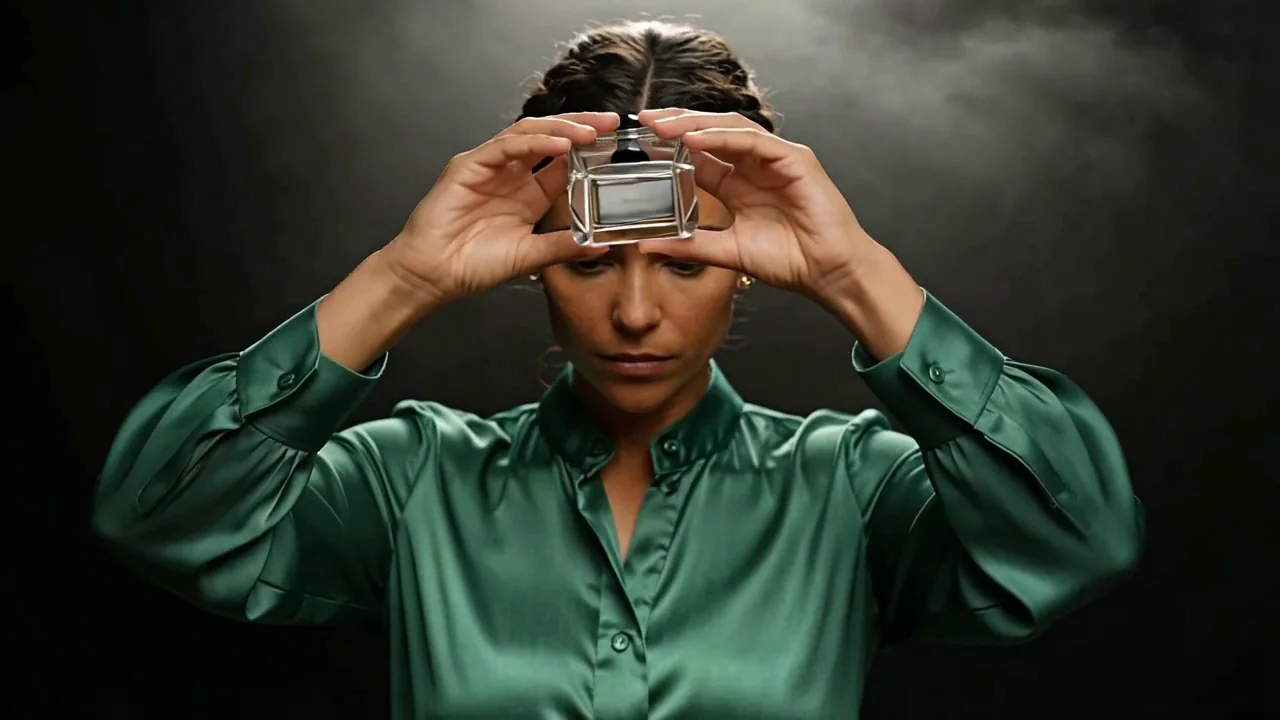
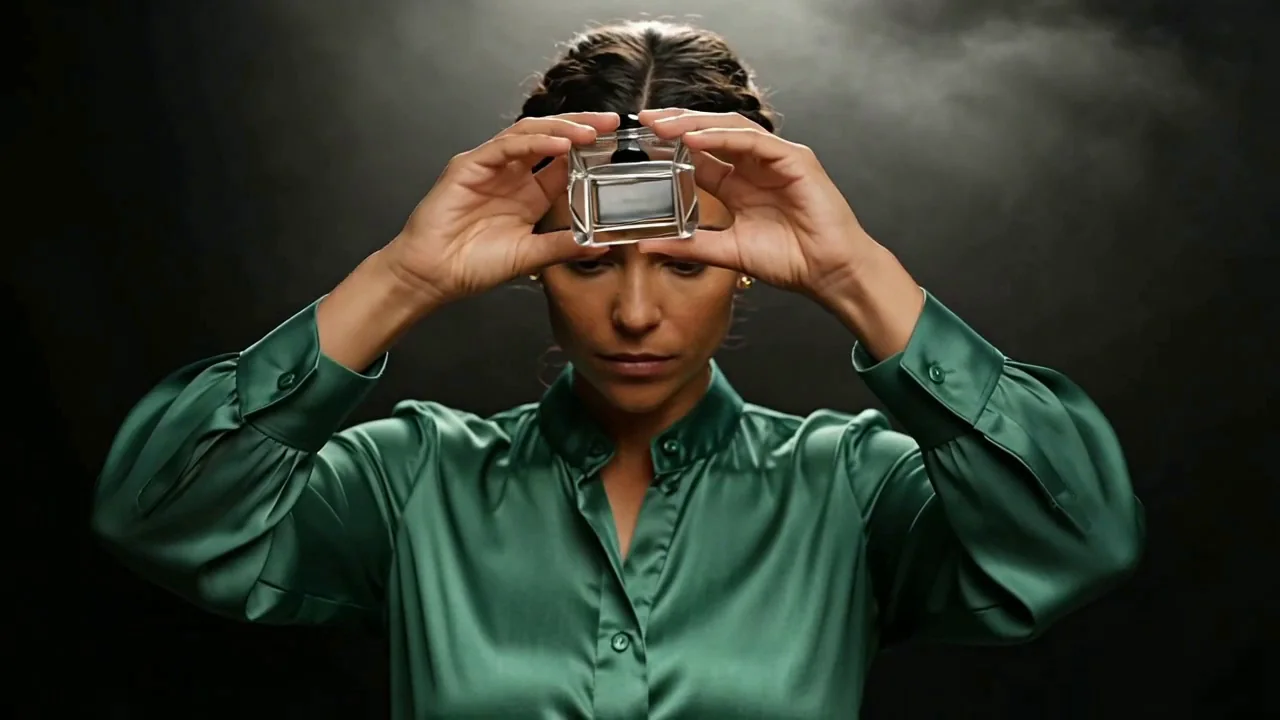
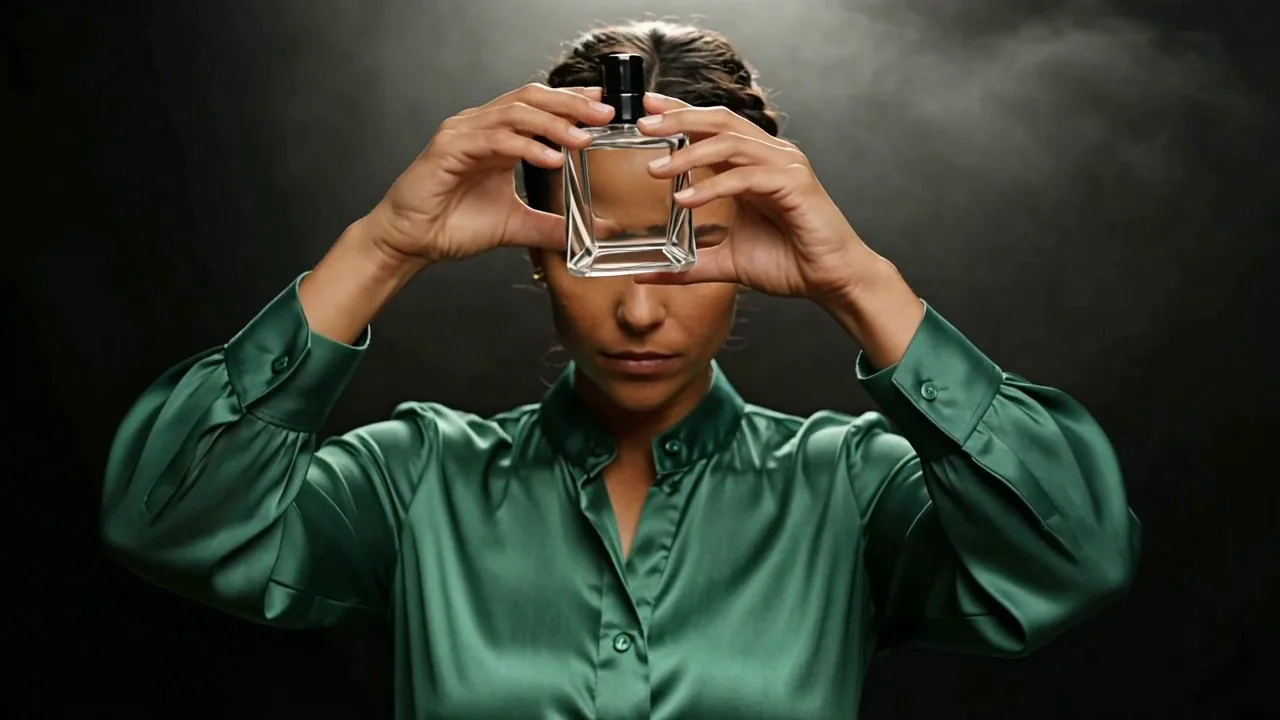 1.25 s2.25 s
The example: a watch that holds
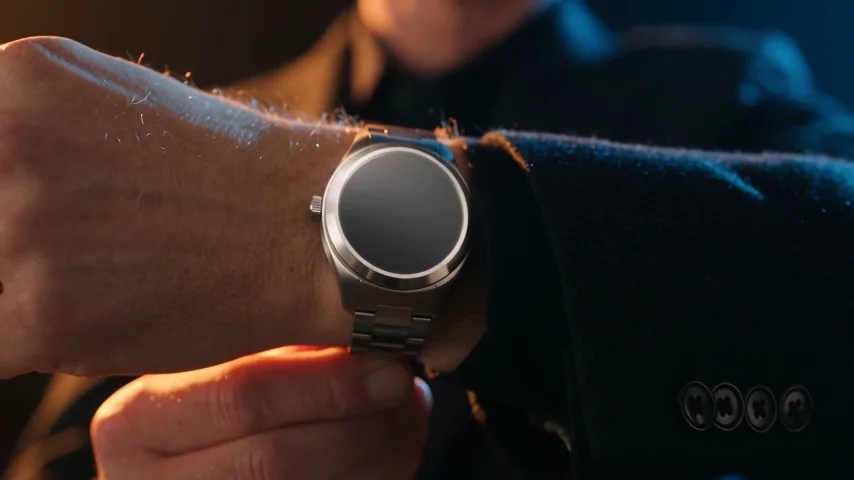
This is the shot every fix below is tested on. Two hands, a rigid object, a push-in to the detail: the hardest kind of close-up. Five separate fingers on each hand at every moment we checked, knuckles and veins as the dial fills the frame, no lettering on the dial.
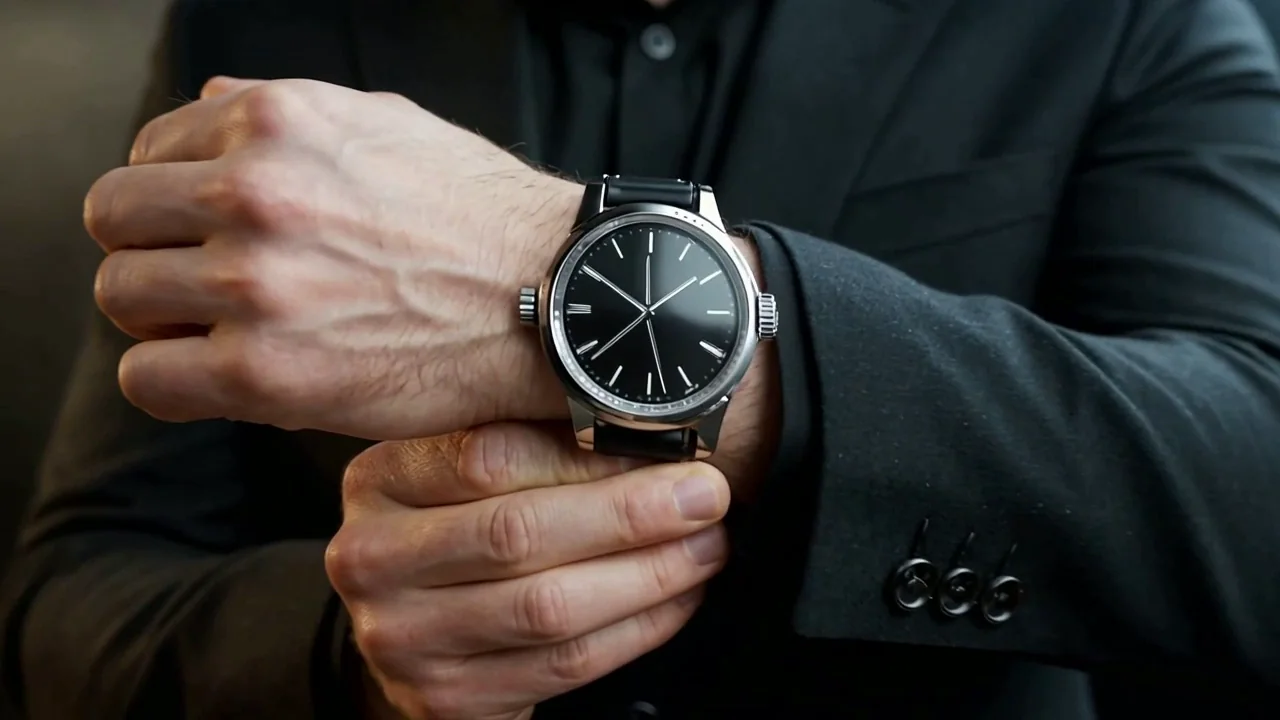
Premium watch advert, one continuous take, real-time. SUBJECT: a man of 35, silver-grey short hair, light skin, a black wool suit jacket buttoned over a black shirt, a plain steel watch with a black dial on his left wrist. HANDS: he raises his left forearm into the light and with his right hand adjusts the watch on his wrist, thumb and index finger on the strap, five separate fingers on each hand, knuckles visible. ACTION: the forearm rises into frame over the first second, the right hand settles the strap, then he turns the wrist so the dial catches the light and holds it. CAMERA: a slow push-in on a smooth dolly from a medium close-up to a close-up on the hands and the dial, eye level, no cuts. LIGHTING: one hard amber key from camera-left, a cold blue rim from behind camera-right on the jacket shoulder, a black background, haze. LOOK: glossy, anamorphic, fine grain, deep blacks, metal and fabric texture visible. No text, no logos, no brand name on the dial.
Tip:Why the hands held. The HANDS line gives each hand a grip and a finger count, and the object is named as a plain steel watch with a black dial. The one thing the prompt left open was the strap, and the strap is the one thing that changed between runs below.
Fix 1: name the contact and the object
Hands need a job and objects need a description. Take the HANDS line away and see what the model does with "he adjusts his watch".
He adjusts his watch.
"He adjusts his watch"
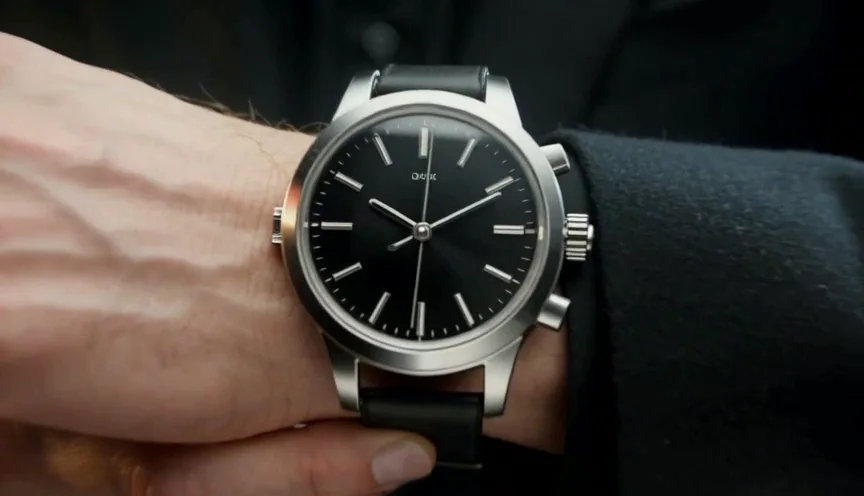
Each hand's contact named
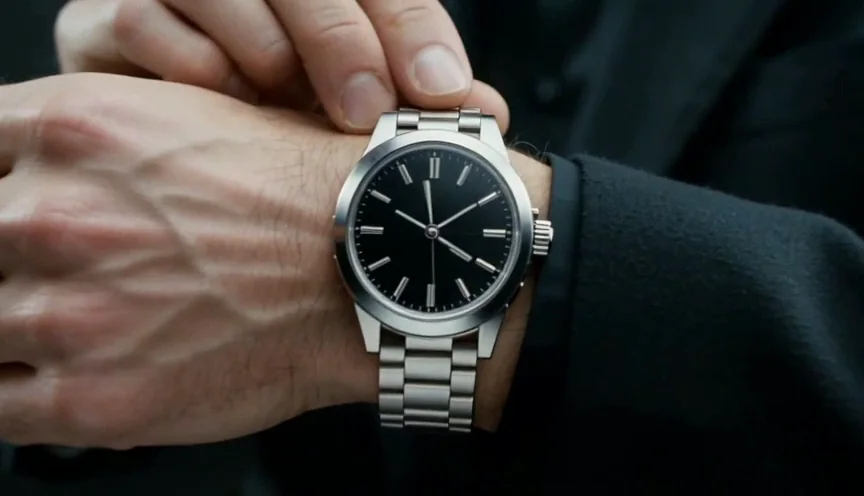
Rigid objects get the same treatment. We added one line that says what the watch is and that it does not change.
The watch is a rigid steel case, a round dial the width of his wrist, its diameter, its black dial and its strap width do not change at any point in the take.
Without the line
With the rigidity line
Fix 2: give it a picture of the thing
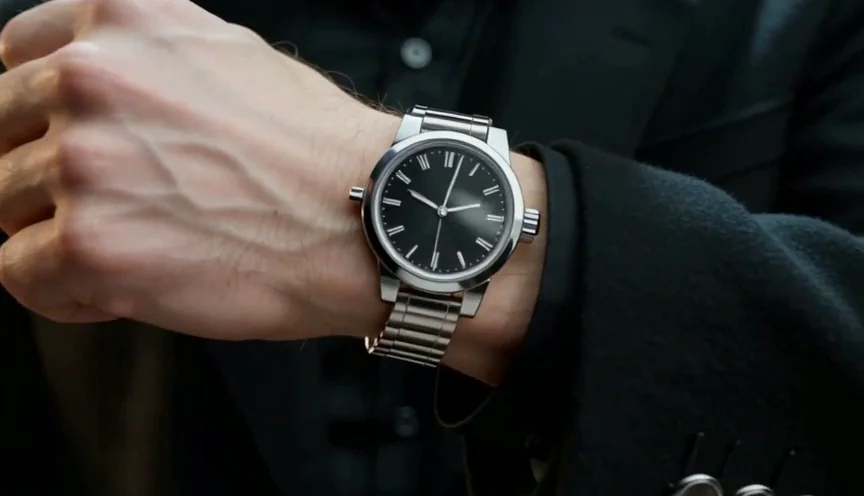
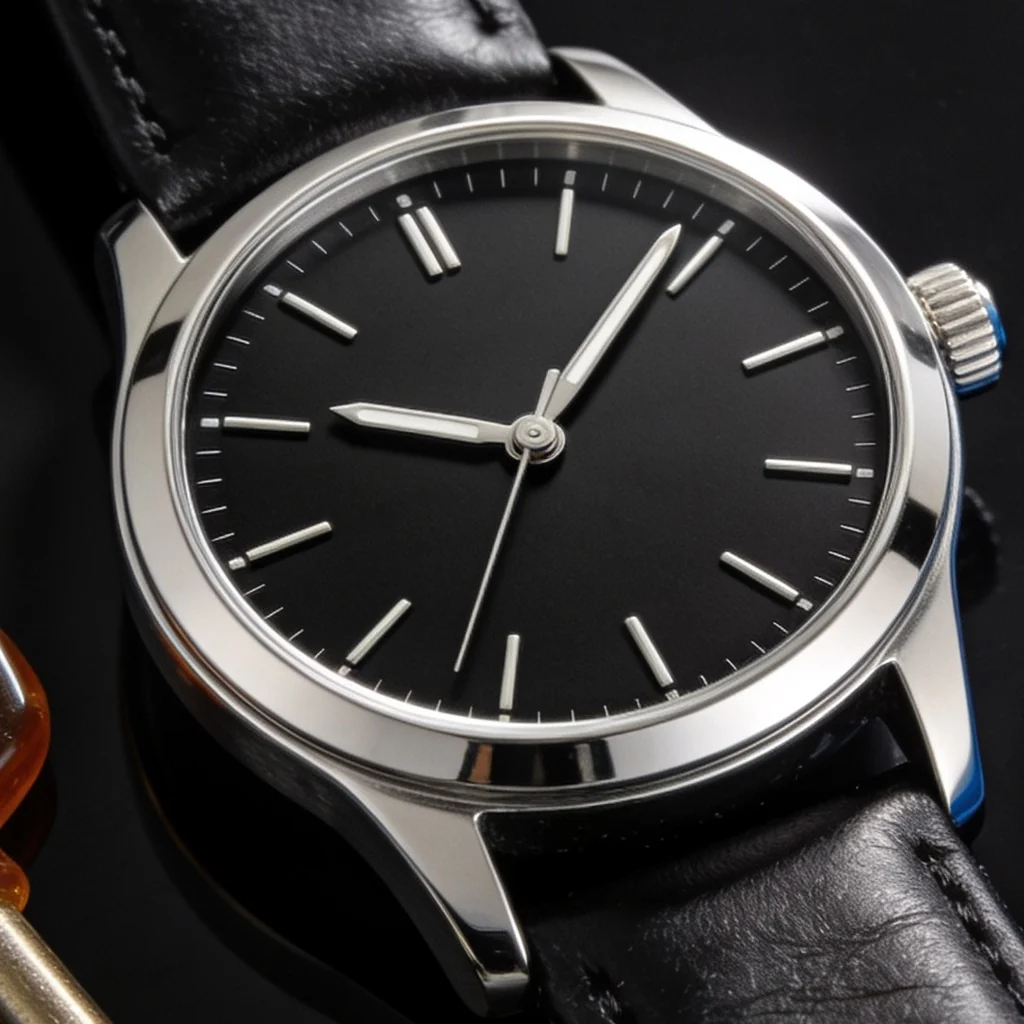
A reference image replaces a guess with a target. Make a still of the object and add it under Reference images in the composer on a model that takes them. Seedance 1.5 Pro takes up to nine; address it in the prompt as @Image1.
Try it with our still
- The watch reference we attachedWebP image · 1024x1024 · 73 KBDownload
@Image1 is the watch: the same plain steel case, the same black dial, the same proportions in every frame.
No reference
Watch still attached
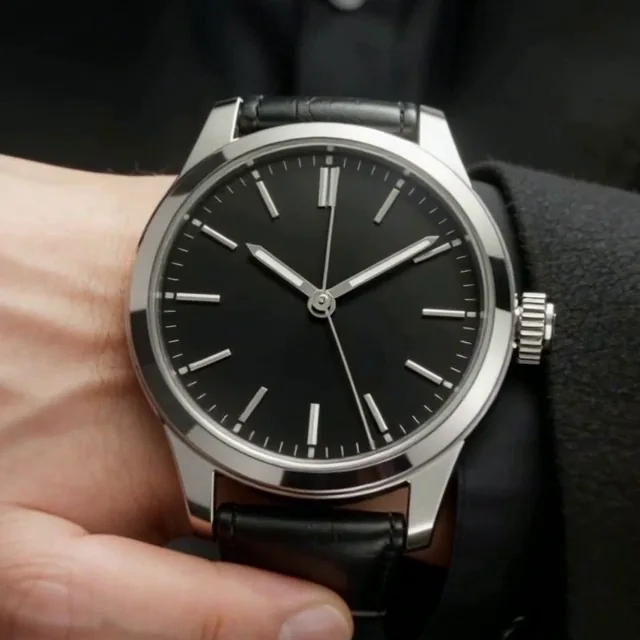
Watch for this:A reference fixes appearance, not motion. The still says what the watch looks like, nothing about how a hand moves. Keep the contact line in the prompt too, and check the aspect ratio of what comes back.
Fix 3: try another model
Models fail differently. The same prompt on a second model is the cheapest way to find out whether the problem is the words or the model. For a hand that moves, the second model to try is Seedance 2.5 or Kling v3. Explore previews every video model by its own output.
Seedance 1.5 Pro
Seedance 2.5
Fix 4 and 5: shorter, and bigger
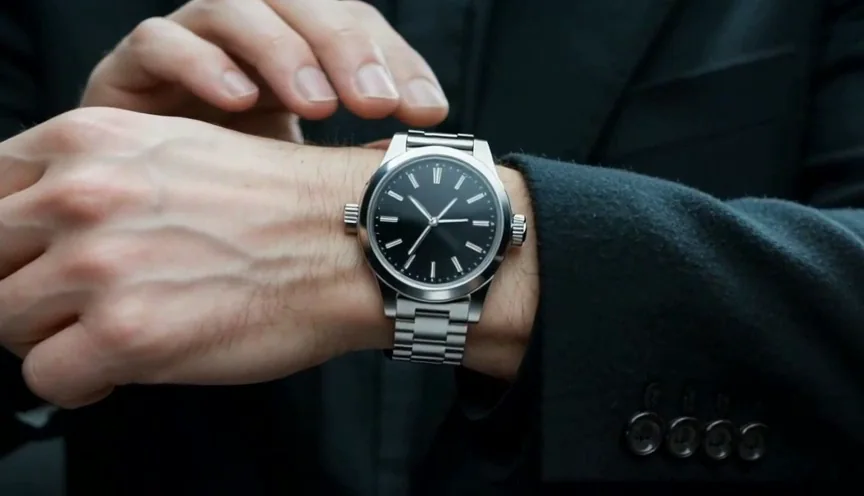
Drift has more time to build in a long clip, so render five seconds, then open the clip in your Library and press Extend clip to carry on from a frame you have already checked. On this shot the ten second run did not warp more; it spent the extra five seconds repeating the same adjusting gesture.
10 seconds
5 seconds
Resolution is the other lever: fingers need pixels. These are two runs, not one run at two sizes, because on this model the seed does not reproduce a clip. What 720p buys is knuckles, veins and a dial you can read.
480p
720p
Fix 6: a restore pass, for what it is and is not
Restore Video renders a clip again at a size you pick, cleaning noise, compression and softness. It sharpens a finger; it does not add or remove one. Use it last, on the take that already has the right structure. Restore soft, noisy or old footage picks the engine by what is wrong with the clip.
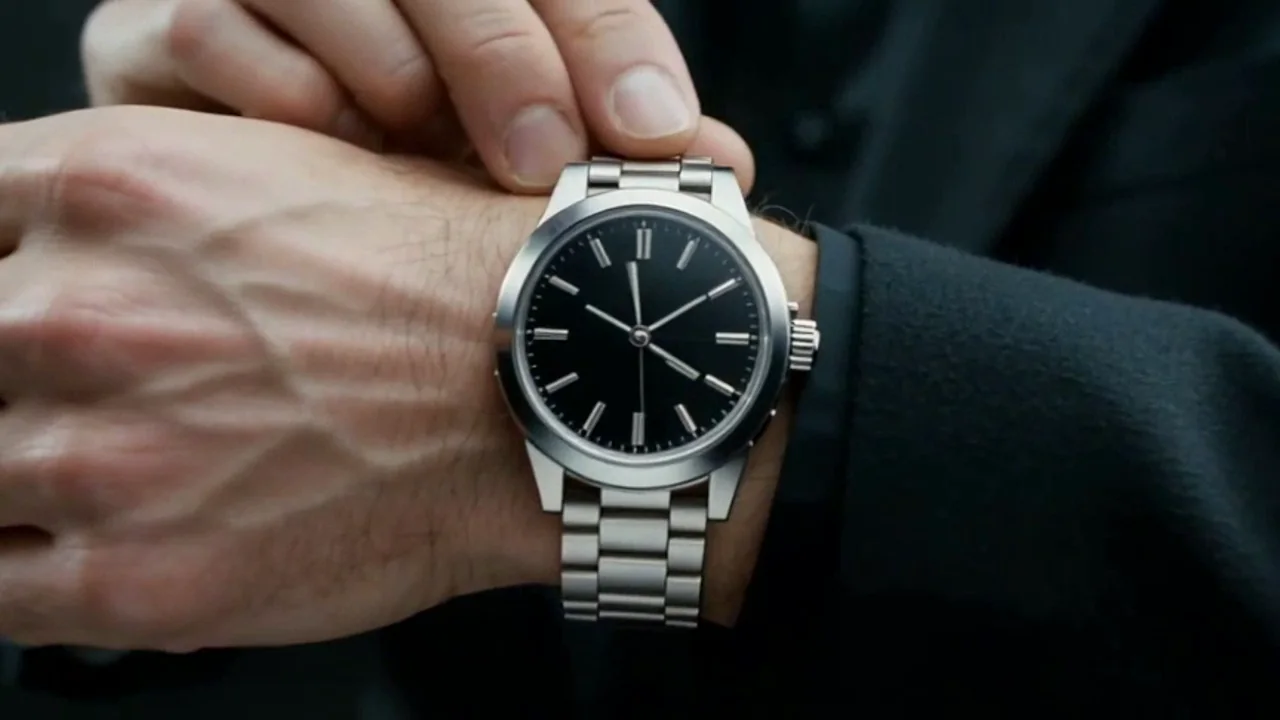
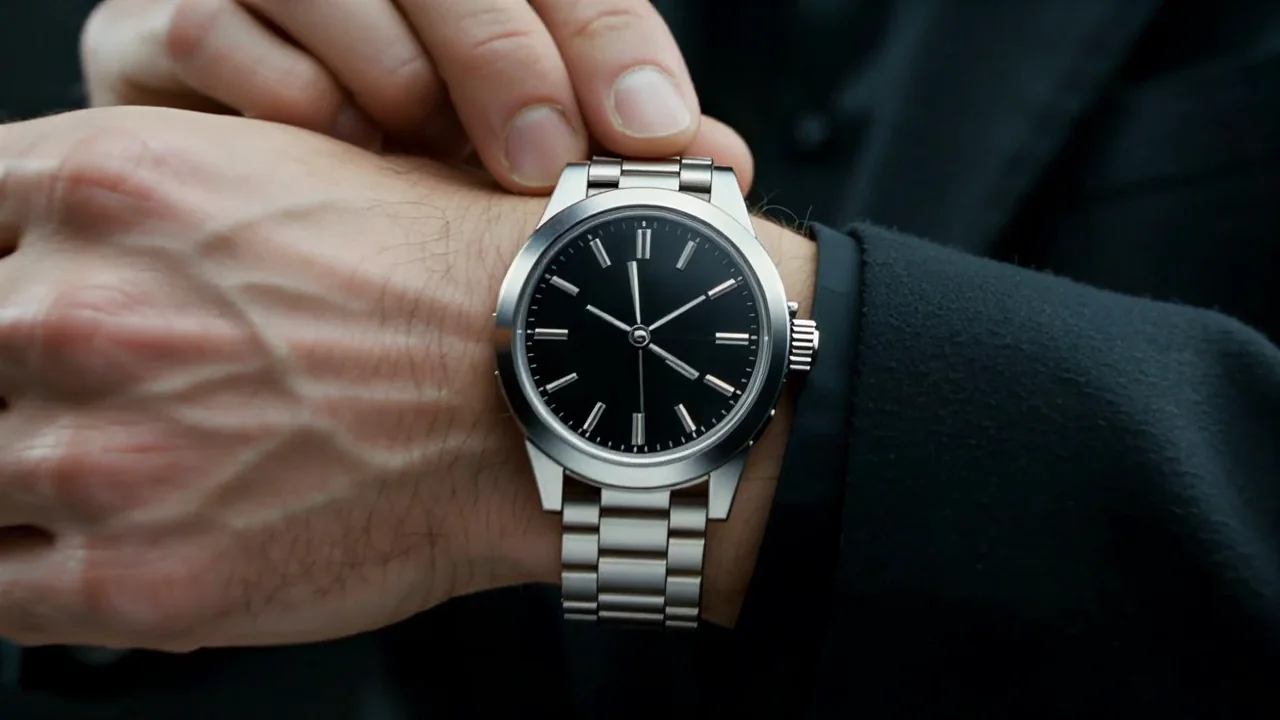 480p, scaled upRestored to 720p
Three ways to run this
- Fastest: open the video composer, add the contact line, attach a still of the object under Reference images, and press Generate.
- Hands-off: send the NOLGIA Agent the clip that went wrong and say what is wrong. Ask it to make a reference still of the object and render again with the contact named.
- Most control: through the API send the same prompt to two models, attach the reference by asset id, and compare the job records.
| Job | Use | Why |
|---|---|---|
| A hand or object that guesses | Prompt: contact and object lines | Removes the reason to guess, free |
| An object that must look one way | A reference image, up to nine on Seedance | A target instead of a description |
| Soft detail on a good take | Restore Video | More pixels on the structure you already have |
| One prop wrong in an otherwise good clip | Miroge, Swap | Keeps the shot and the move, changes the one thing |
What it costs
Each fix is one more render, priced on the Generate button before you spend. Test at 480p and 5 seconds; render the keeper at 720p once. A restore pass is priced by the clip's length and the size you pick.
Seedance 1.5 ProPro and up
Per 5s clip (audio on by default)
480p 7 credits · 720p 15 credits · 1080p 33 credits
Seedance 2.5Pro and up
Per 5s clip
480p 26 credits · 720p 56 credits · 1080p 137 credits
1080p renders at 16:9 and 9:16
Read live from the catalog when this page loads. Every price is shown before you generate. See every rate.
Where you still regenerate
- Two hands on one small object at once. Frame closer, or give each hand its own beat.
- A face turning fast. Slow the turn in the prompt or cut before it.
- A person who must look like a specific person. We have not measured this and do not promise it. A character reference helps; check the result yourself.
- Glass and reflections. Anything seen through a rigid object belongs to the world behind it and is redrawn with it.
Checklist
- Each hand has a job, including the idle one.
- Each rigid object is named, with its proportions and, if it matters, a picture.
- Five seconds, then extend. 720p for fingers in close-up.
- Check the hardest detail first: if the hands hold, the rest usually does.
- Restore last, never first.
Questions and answers
- Why do AI hands get the finger count wrong?
- A hand packs many joints into a small area and most training footage shows hands gripping, blurred or hidden. A hand with no named job guesses its own pose every frame.
- Can I make the person look identical from clip to clip?
- We have not measured this for any model and we do not promise it. A character reference and a short clip help. Check every result yourself.
- Does more detail in the prompt help?
- The right detail does: contact points, what the object is, a start and an end pose. A longer paragraph of mood words does not.
- Which model is best for hands?
- It depends on the shot. For hands that move, test Seedance 2.5 or Kling v3 against the model you started on; the pair above shows Seedance 2.5 on ours.
- Will a restore pass fix a bad hand?
- No. It sharpens what is there. Fix the structure first, then restore.
Give the hands a job in your next clip
Open the video composerRelated guides
Prompting
Seven video prompt mistakes, and the fix for each
The seven ways a video prompt goes wrong, each rendered twice on Kling v3: the vague prompt, then the same prompt with one fix. Copy the fixes, and read what a seed does not do.
· 11 min read
Video editing
Restore soft, noisy or old footage
Restore Video re-renders a clip from your Library at up to 8K, cleaning noise, compression and softness. Pick the engine by what is wrong with the clip, and know what it cannot bring back.
· 6 min read
Video editing
A clip came out wrong: fix it or make it again
Most wrong clips do not need a new render. Swap the one thing that is off, move the scene, clean up the picture or extend it, and make it again only when the shot itself is wrong.
· 5 min read