

Make a video from a script, step by step
You have a script. The mistake is to paste all of it into one prompt box. Split it into shots, give each shot its own camera move, record the words separately, and cut the pieces together. Here is one 66 word script taken all the way to a finished piece.
- 12 min read

This guide follows one script from the page to an MP4. The script is 66 words, four beats, and every beat became a 6 second clip, three on Kling v3 and the rooftop on Seedance 2.5, each with the camera move from the composer's chip row. The narration is ElevenLabs v3, the music is Lyria 3.5, and the cut was made in Studio and exported from it. Every clip and still here is real output, made for this guide, and every performer is fictional.
One thing to know first: this is the fastest honest shape for a scripted video, and it deliberately gives each shot a different person. A script that needs the same character in every shot is a different job; that is the short film guide.
What goes wrong
| Mistake | Why it fails | Fix |
|---|---|---|
| Pasting the whole script into one prompt | The model reads it as one long description and returns one generic clip with no cuts | One shot per beat, 4 to 8 seconds, each with its own prompt |
| Writing feelings instead of pictures | "She feels lost" gives the camera nothing to see | Write what the lens sees: the place, the light, one action, the frame size |
| Asking the video model to speak the script | Native speech costs more, drifts from the words, and cannot be re-timed | Record the voice separately in the audio composer and lay it under the cut |
| Forgetting the camera | Every shot comes back as a locked wide, and the edit feels like slides | Pick a camera move chip per shot: push-in for the hook, crane up for the reveal |
| Leaving a performer's wardrobe to chance | A jacket you did not describe comes back open, or missing | Name the garments, how they close, and the colours |
Before you start
- A script of 60 to 90 words. Spoken at a calm pace that is 25 to 35 seconds, which is four to six shots.
- One line per shot saying where it is, who is in it, one action, and the frame size (wide, medium, close).
- A NOLGIA account. New accounts start with 350 free credits, and the price of every shot is on the Generate button before you press it.
- Nothing to upload. Every shot here is Text to video.
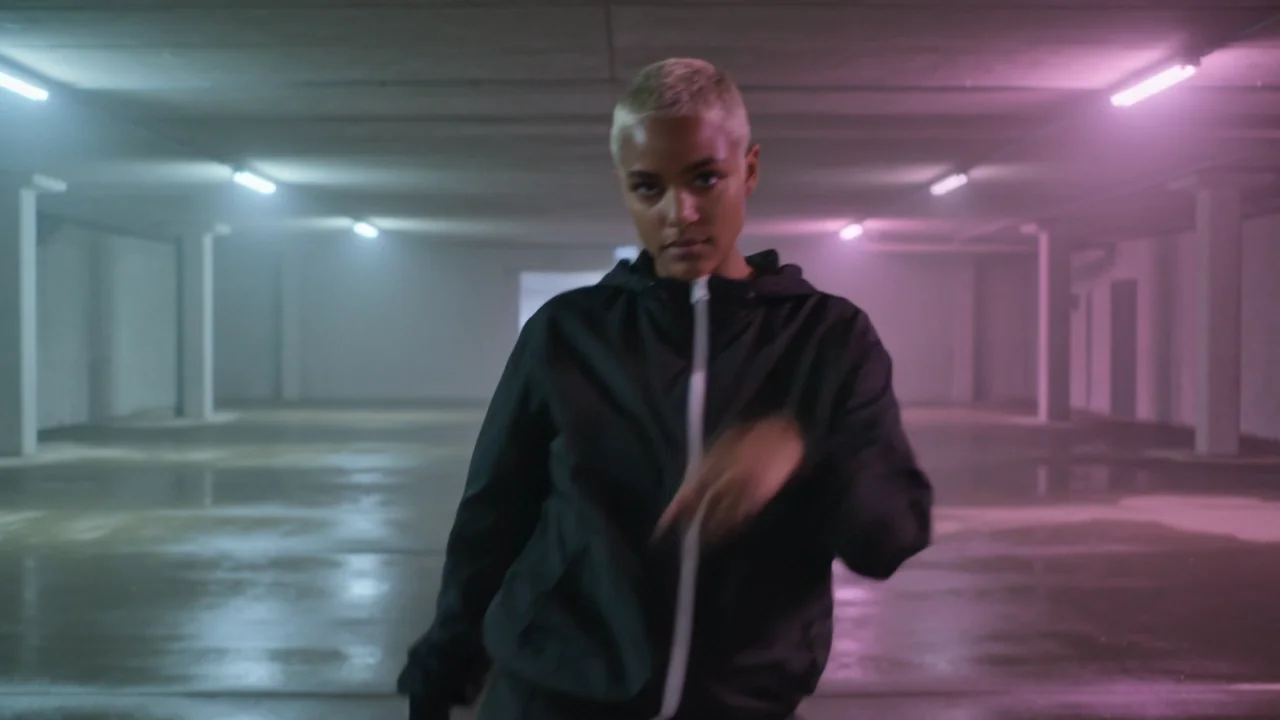
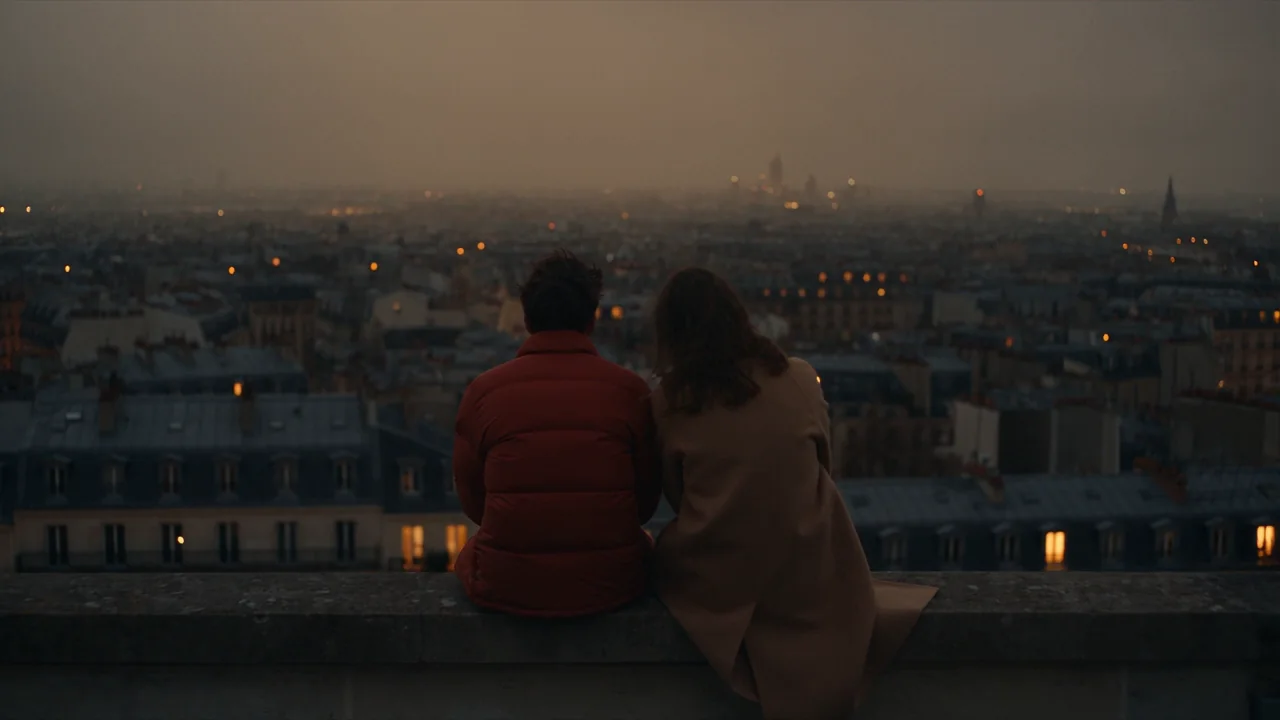
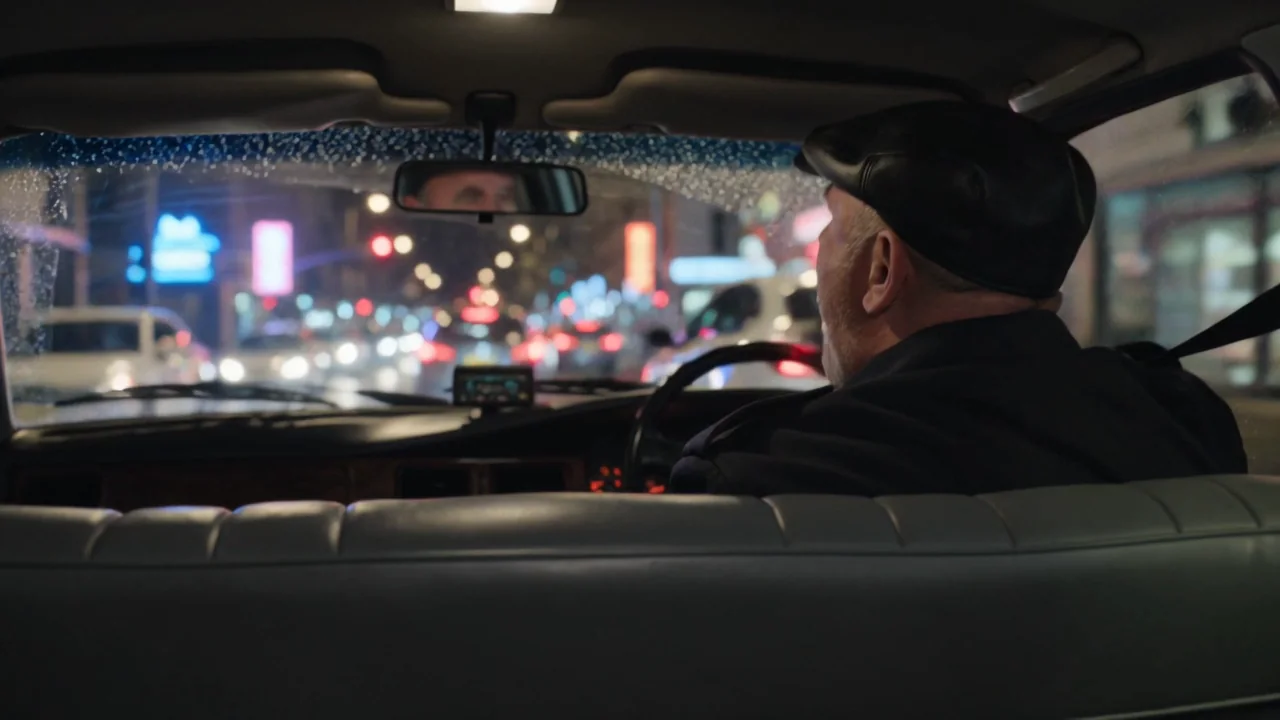
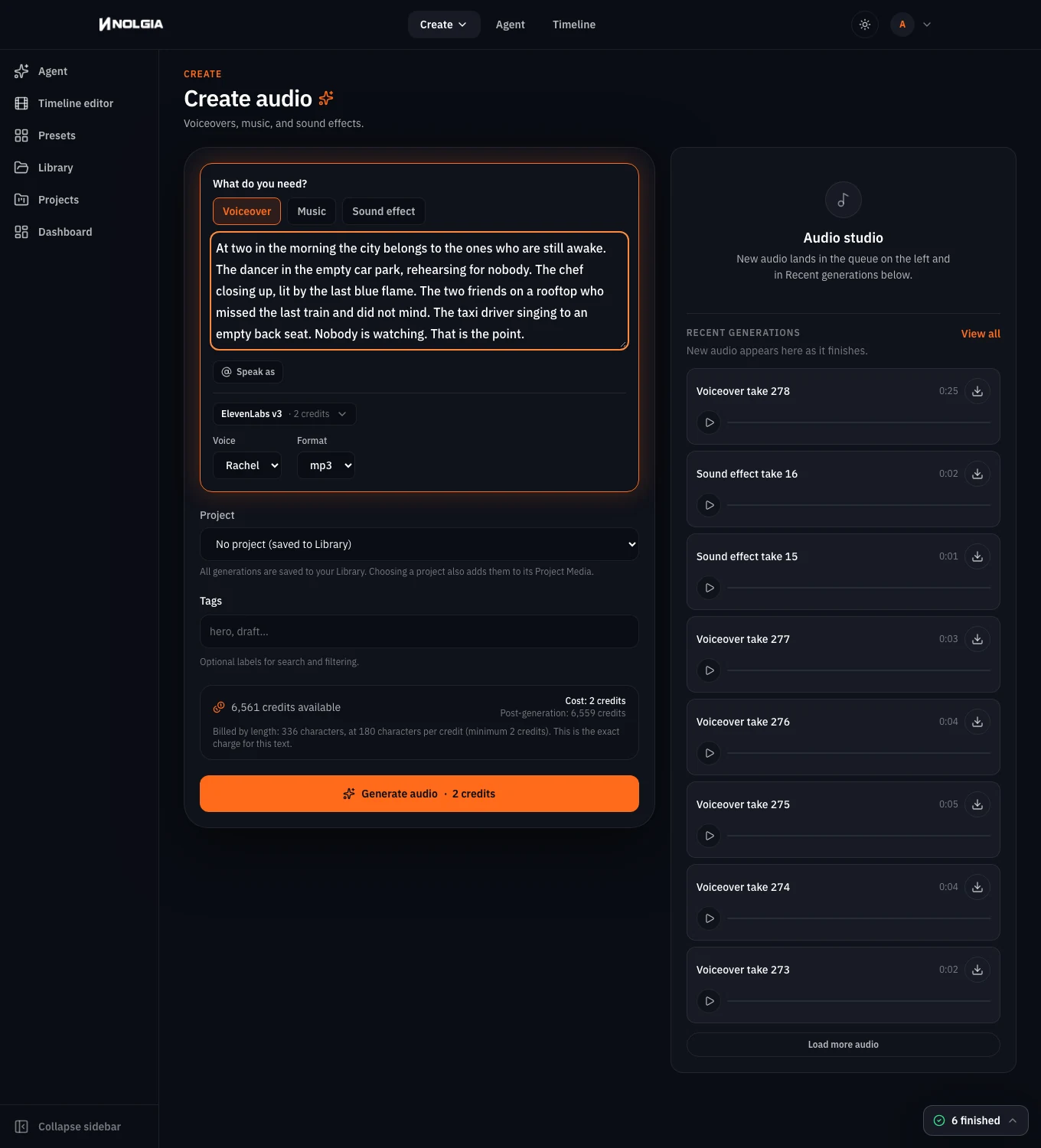
At two in the morning the city belongs to the ones who are still awake. The dancer in the empty car park, rehearsing for nobody. The chef closing up, lit by the last blue flame. The two friends on a rooftop who missed the last train and did not mind. The taxi driver singing to an empty back seat. Nobody is watching. That is the point.
Turn the script into a shot list
Read the script aloud and mark where the picture changes. In ours it changes four times, one per sentence about a person, so the shot list has four rows. The opening line and the last two lines are narration over the first and last shots, not shots of their own.
| Shot | Frame | Camera move | What the lens sees | Seconds |
|---|---|---|---|---|
| 1 Dancer | Wide | Push-in, medium | Empty car park, magenta and cyan strip lights, one dancer alone in the middle | 6 |
| 2 Chef | Medium | Truck left, subtle | Dark kitchen, one gas burner still lit, a chef wipes down and turns it off | 6 |
| 3 Rooftop | Wide from behind | Crane up, medium | Two friends on a ledge, backs to camera, the skyline behind them | 6 |
| 4 Taxi | Medium, from the back seat | Handheld, subtle | The driver sings and taps the wheel, rain and neon on the glass | 6 |
Tip:Describe the wardrobe as a costume department would. Name the garments and how they close, and the model keeps them. The prompt says "black hooded tracksuit, the jacket zipped up to the chin", and the jacket stays zipped for the whole dance.
Generate each shot in the video composer
Open the video composer. Under Start from, keep Text to video. Pick the model with the chip above the prompt: we used Kling v3 (Kling 3.0 in the menu) for the dancer, the chef and the taxi, because it keeps a moving body believable, and Seedance 2.5 for the rooftop. Type the shot's prompt, then press one chip in the Camera move row and pick a strength. The composer shows the exact sentence it will add to your prompt under the chips, and never rewrites what you typed.
- Set Length to 6 s and the shape to 16:9. Kling v3 renders 3 to 15 seconds and Seedance 2.5 4 to 30; the composer only offers lengths the model can make.
- The price is on the Generate video button. It is the live quote for this model, length and quality, and it is what you are charged.
- Press Generate once per shot. Each clip lands in your Library and in the Recent generations row under the form.
A multi-storey car park at night, empty, wet concrete floor reflecting magenta and cyan strip lights, thin haze. A young woman with cropped bleached hair wearing a black hooded tracksuit with a thin white stripe, the jacket zipped up to the chin, black cargo trousers and white trainers, dances alone in the centre of the frame, a slow controlled groove, arms cutting through the haze. Wide shot. Cinematic, anamorphic flare on the lights, fine film grain. No text, no logos.
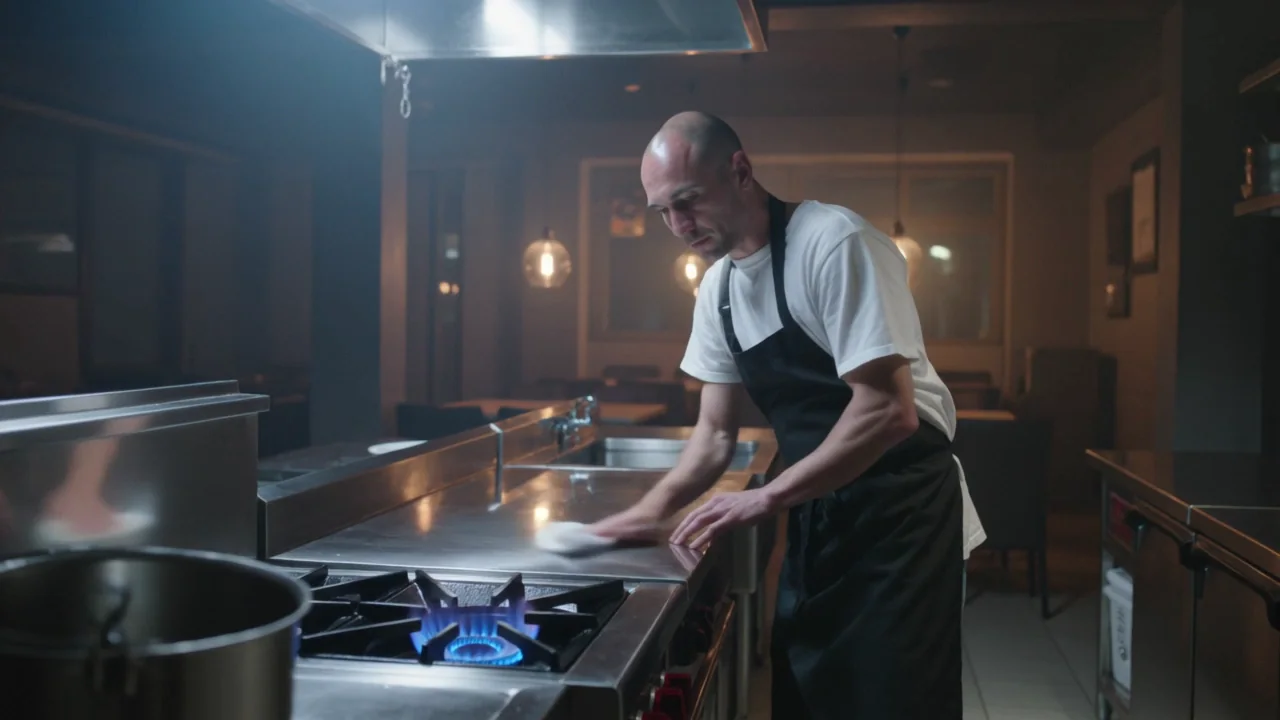
SHOT 2 (Truck left, subtle): A small late-night restaurant kitchen, stainless steel, most lights off, one gas burner still lit with a blue flame. A chef in his forties with a shaved head, a black apron over a white tee, wipes down the steel pass, then reaches over and turns the burner off; the blue flame throws cool light on his face against warm amber pendant lights behind him. Medium shot, shallow depth of field, thin haze, cinematic. No text, no logos.

SHOT 3 (Crane up, medium, on Seedance 2.5): A city rooftop at night, two friends in their twenties sit side by side on a low ledge with their backs to the camera, a man in a red puffer jacket and a woman in a long camel coat; beyond them an anonymous city of dark rooftops and plain distant towers with small warm window lights, no famous landmarks, a hazy sodium glow in the sky, wind in their hair; one laughs and leans against the other. Wide shot from behind, haze, cinematic. No signs, lettering or logos anywhere.

SHOT 4 (Handheld, subtle): Inside a taxi at night, seen from the empty back seat: the driver, a man in his fifties with grey stubble and a flat cap, sings along to the radio and taps the wheel, rain on the windscreen, streaks of neon and traffic lights sliding across the glass and his face. Shallow depth of field, cinematic, film grain. No text, no logos.
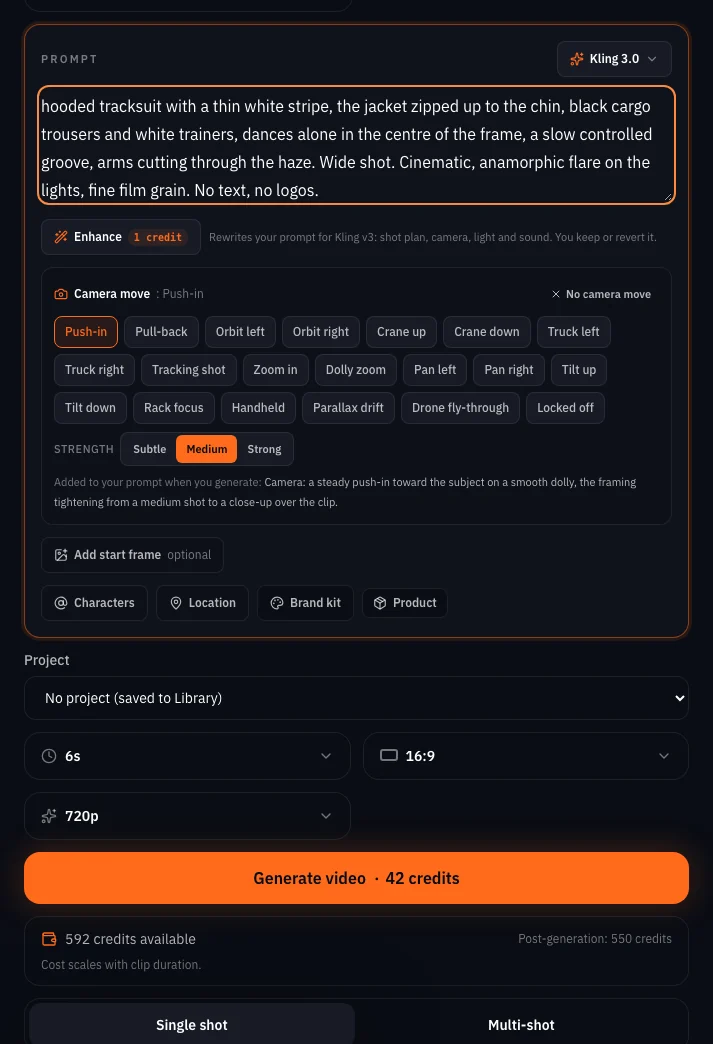
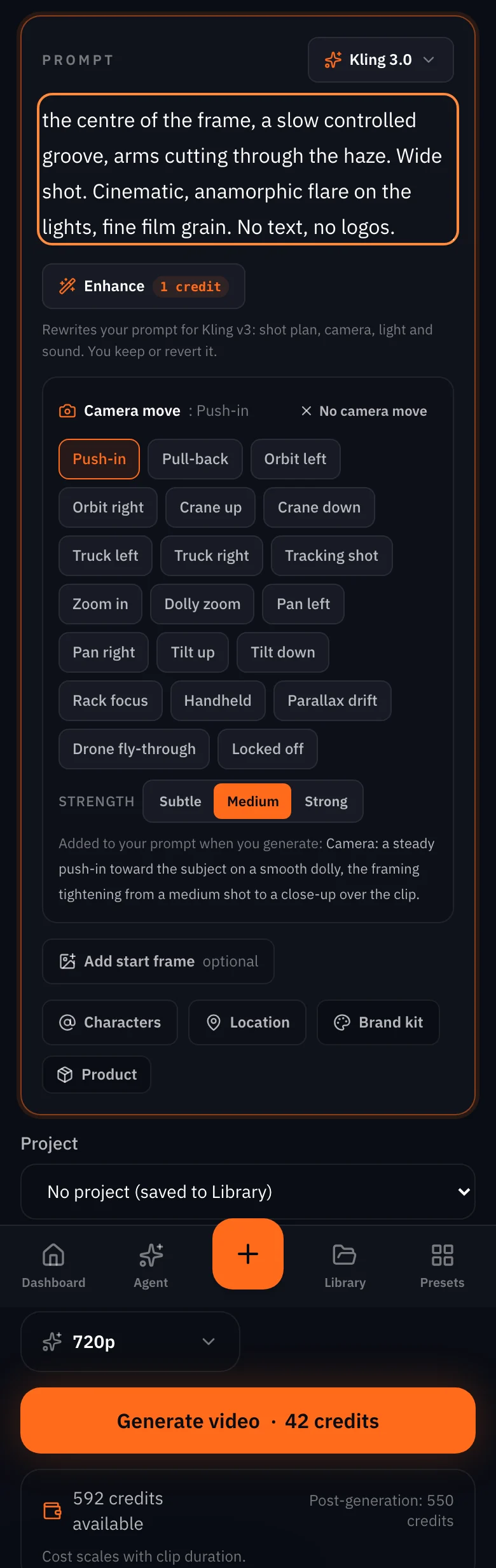
Watch for this:Generate is one click, and the price is the charge. There is no confirmation step. The number on the button is the server's quote for this model, length and quality, and a submit at any other price is refused, so what you see is what you are charged.
Record the narration in the audio composer
Open the audio composer, choose Voiceover, paste the whole script as the prompt and pick a voice. We used ElevenLabs v3 with the voice Rachel at speed 0.95. Text to speech is priced by the length of the script, so the price on the button changes as you type. Our 66 words came back as 25.2 seconds of audio.
For music, the same composer makes a score from a description. We asked Lyria 3.5 for a slow synth pulse for a night-time city film and used the first 30 seconds under the cut. Keep the description about mood and tempo, not about the pictures.
A slow, moody synthwave pulse at 84 bpm for a night-time city film: warm analogue pads, a soft side-chained bass, distant reverb, no drums until the second half, no vocals, cinematic and intimate
Cut it together in Studio
Open Timeline and press New timeline; it asks for a project first, so name a new one. In the Media column on the left, open Library, find each shot and press its +: the clip lands at the playhead on a fresh track. Press End to move the playhead to the end of what is there before you add the next one, so the four shots run in sequence. Then press Home and add the narration and the score the same way; they land on audio tracks under the picture.
- Studio saves as you go. There is no Save button.
- A 2 minute score is longer than the cut. Put the playhead at the end of the picture, press C with nothing selected to split every clip under it, click the tail of the score and press Delete.
- Press Export video in the header when the cut plays the way you want. The MP4 lands in your Library, at no charge.
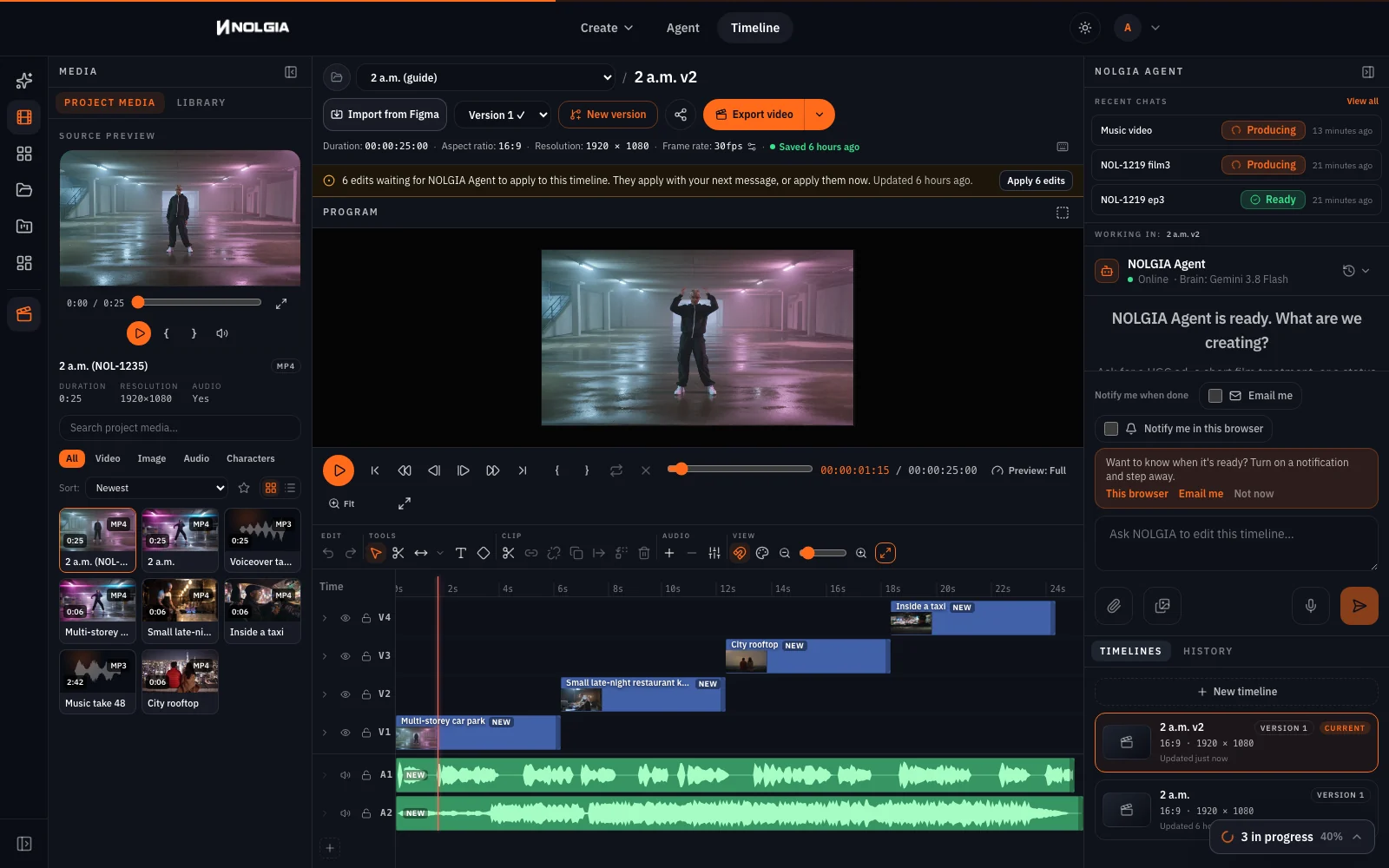
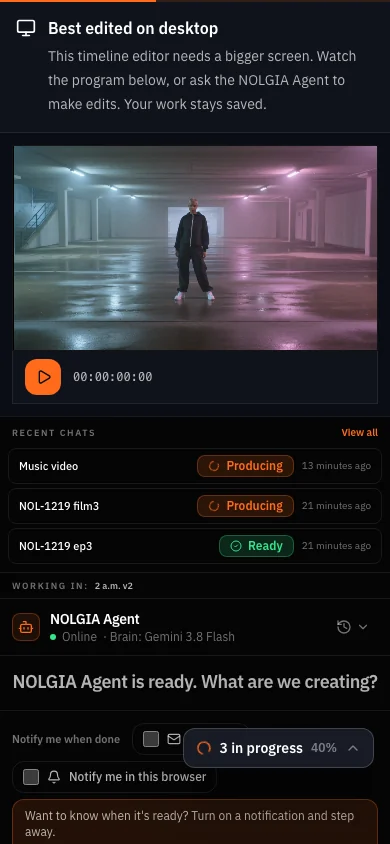
Watch for this:The last line lands on black. Four 6 second shots are 24 seconds of picture and the narration runs 24.6. Studio has no fades, so we let the timeline run to 25 seconds: the last words land on black and the score stops with the picture. To avoid it, write one fewer word, or make the last shot 8 seconds.
The finished piece
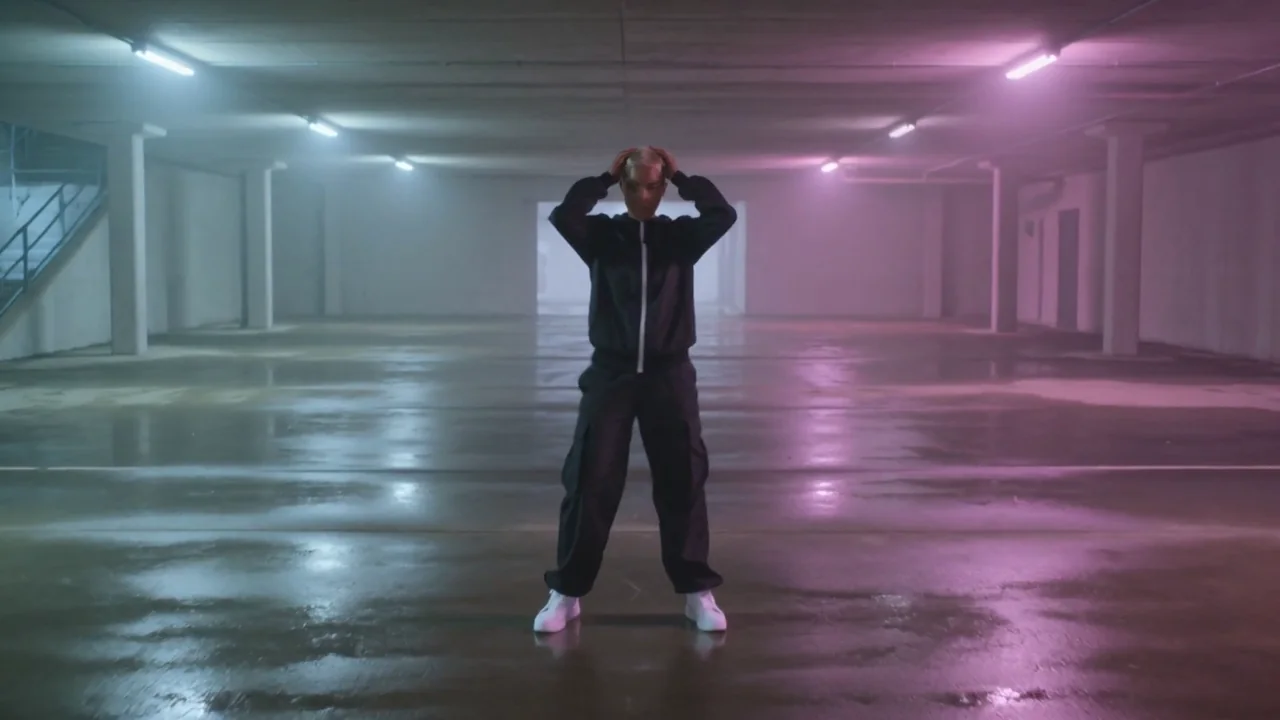
Twenty five seconds, four performers, one voice. Nothing in it needed a face to match from shot to shot, which is exactly why this shape is the fast one.
Which tool for which job
| Job | Where | Why |
|---|---|---|
| Shots from text, one per beat | Video composer, Text to video | Camera move chips, live price, 16:9 at 6 s |
| One character's look across shots (wardrobe, props, set) | Characters plus the image composer, then Animate an image | See the short film guide |
| Narration and music | Audio composer | Voice priced by the words, music by the run |
| The cut and the export | Studio, from Timeline | Trim, layer audio, export at no charge |
| A hands-off first draft | NOLGIA Agent | Paste the script and ask for shots; you still review each one |
Where you still regenerate
- Signs you did not ask for. Kling v3 put lit signs with lettering on the rooftop skyline in three takes, even with "no signs" in the prompt. Seedance 2.5 rendered it clean once the skyline was described as what is there: dark rooftops and window lights.
- A walk-on instead of a dance. The first dancer take stepped up to the lens instead of dancing. Say the action again at the end of the prompt, and run it twice.
- Sound. Kling v3 renders its own sound in the composer; we made these shots without it, so the narration and the score are the whole soundtrack. If a shot's sound fights the score, mute its track in Studio.
- Length. A beat that needs more than one move is two shots, or the Extend option on the same model.
What it costs
Each shot is priced by model, length and quality, the narration by the number of characters in the script, the music per run. The cut and the export are free. The live rates are below.
Kling v3Pro and up
Per 5s clip (audio on by default)
720p 35 credits · 1080p 47 credits · 4K 117 credits
Seedance 2.5Pro and up
Per 5s clip
480p 26 credits · 720p 56 credits · 1080p 137 credits
1080p renders at 16:9 and 9:16
ElevenLabs v3Every plan
Per 1,000 characters
Standard 6 credits
Lyria 3.5Every plan
Per generation
Standard 5 credits
Read live from the catalog when this page loads. Every price is shown before you generate. See every rate.
Checklist
- Script read aloud and timed; one shot per change of picture.
- Every shot prompt names the place, the light, one action, the frame size and the wardrobe.
- A camera move chip pressed on every shot, strength chosen.
- Narration recorded separately, music described by mood and tempo.
- Shots trimmed in Studio, voice aligned to the first shot, own sound muted where it fights the score.
- Exported once, watched once end to end before sharing.
Try it yourself
The four prompts above, the camera chips named beside them, Kling v3 at 6 s and 16:9 (Seedance 2.5 for the rooftop), and the script pasted into the audio composer as Voiceover on ElevenLabs v3 reproduce this piece. The model rolls differently every time; the place and the wardrobe are what the words hold.
The clips
Questions and answers
- How long a script fits in one video?
- 60 to 90 words is 25 to 35 seconds spoken, which is four to six shots of 6 seconds. Longer scripts are the same method with more rows in the shot list. Count the seconds: our 66 words ran 0.6 seconds past four 6 second shots.
- Can I paste the whole script into the video composer?
- You can, and you will get one clip that tries to show all of it. One shot per beat is what gives you cuts, camera moves and a voice you can move.
- Will the same person appear in every shot?
- Not with this method; each shot has its own performer, on purpose. For one character across shots, save a character and build the shots from frames, as the short film guide does.
- Why not let the video model speak the lines?
- It costs more per shot, the words can drift, and you cannot re-time the delivery against the cut. A separate narration is cheaper and stays editable.
- Which model should I use for the shots?
- Kling v3 for shots where a body moves, and Seedance 2.5 where Kling kept drawing signs. Veo 3.1 is for a line spoken on camera; this method records the voice separately, so it does not need it.
- What happens if a shot fails?
- The run stops and the credits come back. Press Generate again once the price on the button is what you expect.
Turn your script into shots
Open the video composerRelated guides
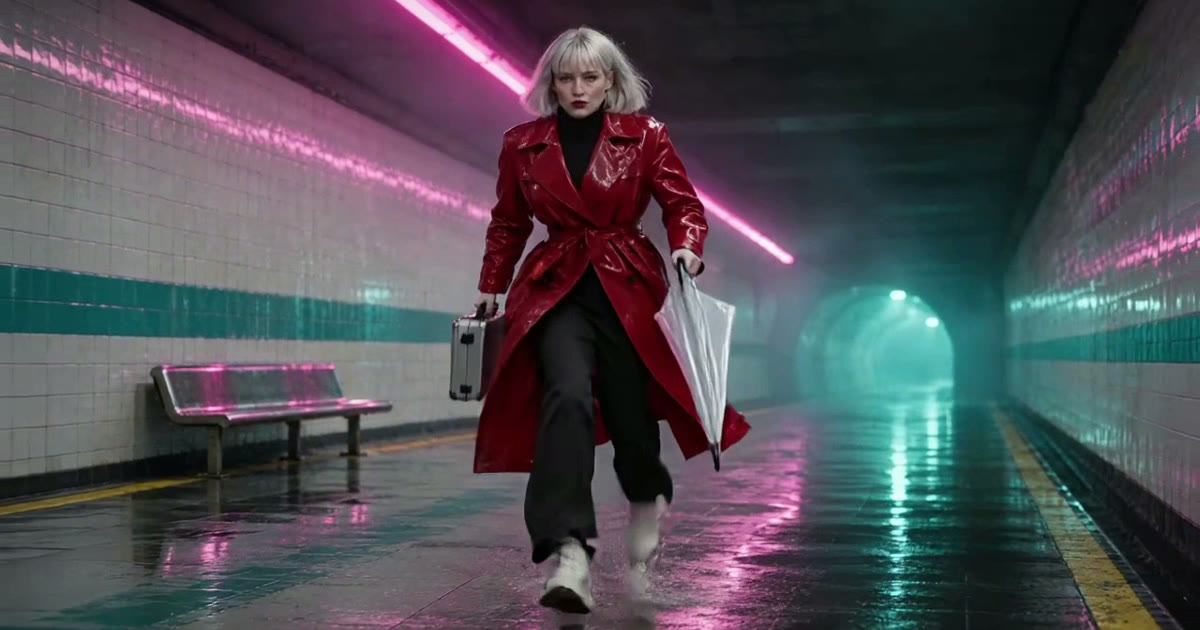
Filmmaking
A short film with AI: the pipeline from script to final cut
A 25 second film, Last Train, from a five line script to a graded cut: a saved character, a saved location, a prop, frames first, then shots, sound, Studio, and the export to Premiere or Resolve.
· 13 min read
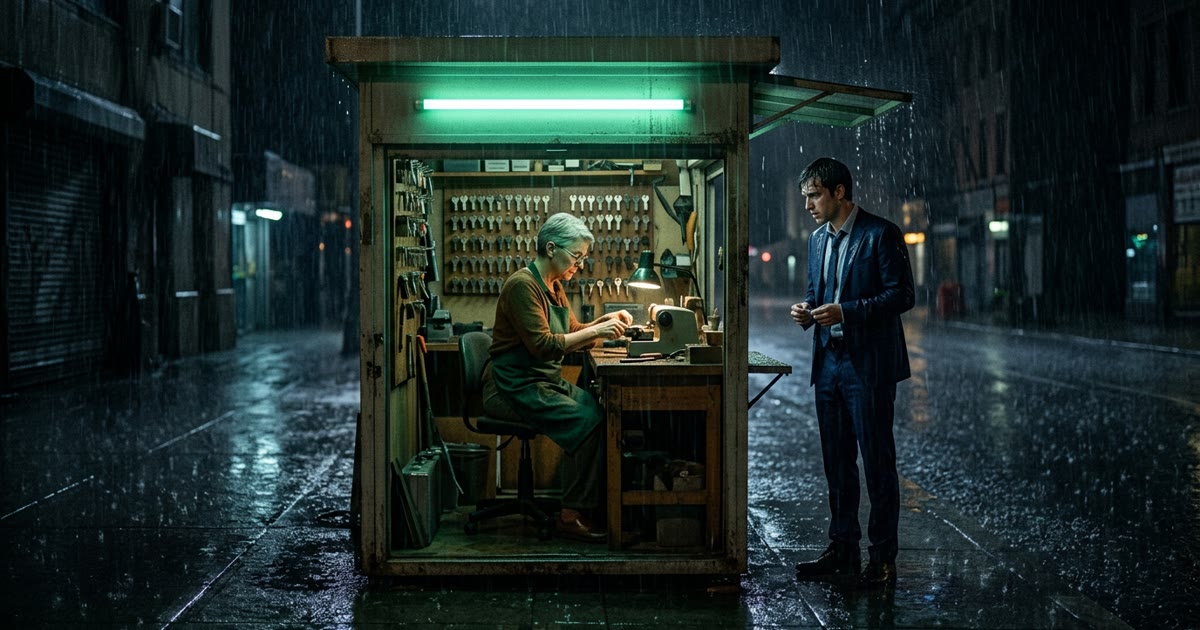
Filmmaking
Script to storyboard and shot list, with the NOLGIA Agent
NOLGIA has no storyboard tool. The honest path is the agent: paste a script, ask for a shot list and one frame per shot, and review the real transcript and frames it made.
· 10 min read
Filmmaking
Focal length for AI video: 24mm, 70mm, 135mm and 200mm
What 24mm, 70mm, 135mm and 200mm do to a frame, how to prompt each in Seedance 2.5, and how the focal length reel was made, with every prompt as it was sent.
· 15 min read