

Voice, music and sound effects for your video
A clip without sound is half a clip. The audio composer makes the three things a soundtrack needs, one at a time, and Studio puts them under the picture.
- 10 min read
You make a voice, a music bed and a sound effect as three separate generations in the audio composer, each on the model built for it, and you put them under your clip in Studio. The composer's Voiceover task turns a script into speech, Music writes a track from a description, and Sound effect makes a one shot cue or an ambience. None of them needs the video; they are audio assets in your Library until you lay them on a timeline.
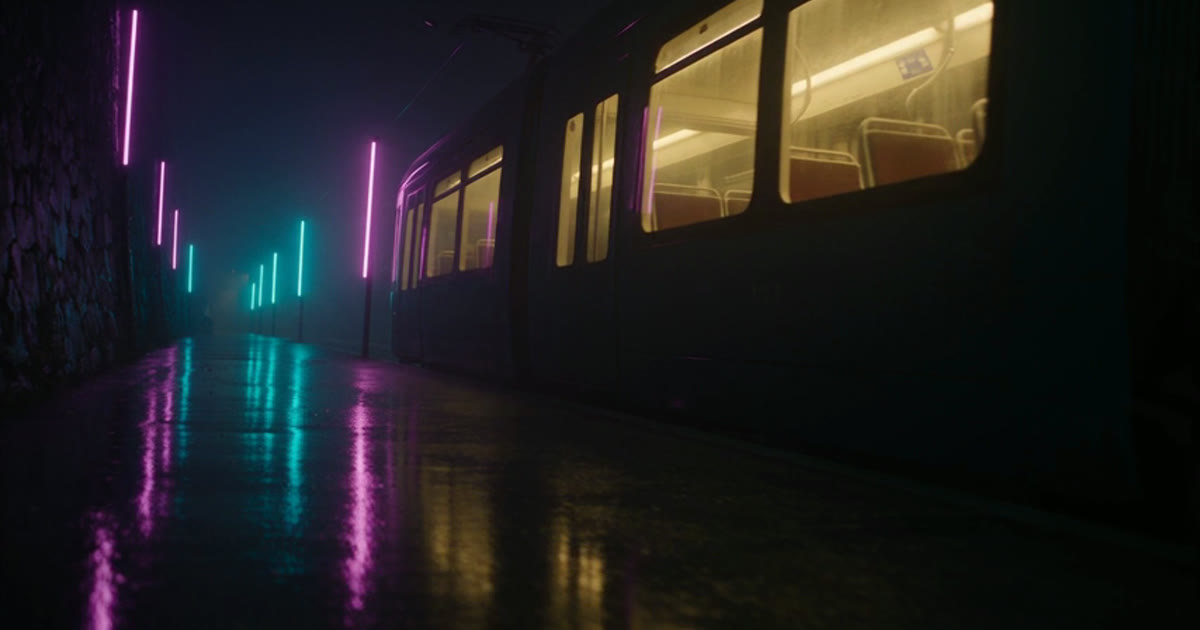
This guide follows one silent clip, a fragrance ad made with Seedance 1.5 Pro with its audio switched off, from nothing to a mixed soundtrack. Every clip you can play here is real output, and the prices come from the live catalog when the page loads.
What goes wrong, and the fix
| Mistake | Why it hurts | Fix |
|---|---|---|
| Asking a video model for the whole soundtrack | A model with native sound writes its own music and effects, and you cannot change one without rerolling the picture | Render the clip silent, then make each sound on the audio composer and mix in Studio |
| One long music prompt with a voice in it | Music models sing what you describe; a narration line comes back as lyrics | Keep the script in Voiceover and the mood in Music |
| A full sentence for a sound effect | The effect model reads a scene and makes a wash of noise | Describe the one sound, its material and its room, in a short line |
| Choosing the voice by name only | Two named voices on the same model read the same line at very different paces | Play the free preview before you spend, and use the speed field on the API if the take runs long |
| Re-recording narration to fit a cut | Every rerun costs the characters again | Trim and slide the take in Studio; the clip can hold or extend instead |
Before you start
- A clip in your Library. For this guide it is five seconds of a perfume bottle in haze, made with Seedance 1.5 Pro with its audio switched off, so nothing fights the soundtrack.
- Your script, written out. Speech bills per character, so cut it before you generate, not after.
- One line each for the music and the effect. The models take a description, not a file.
- Any plan. Every audio model is available on every plan, and speech starts at a two credit minimum on the recommended model.

Make the narration
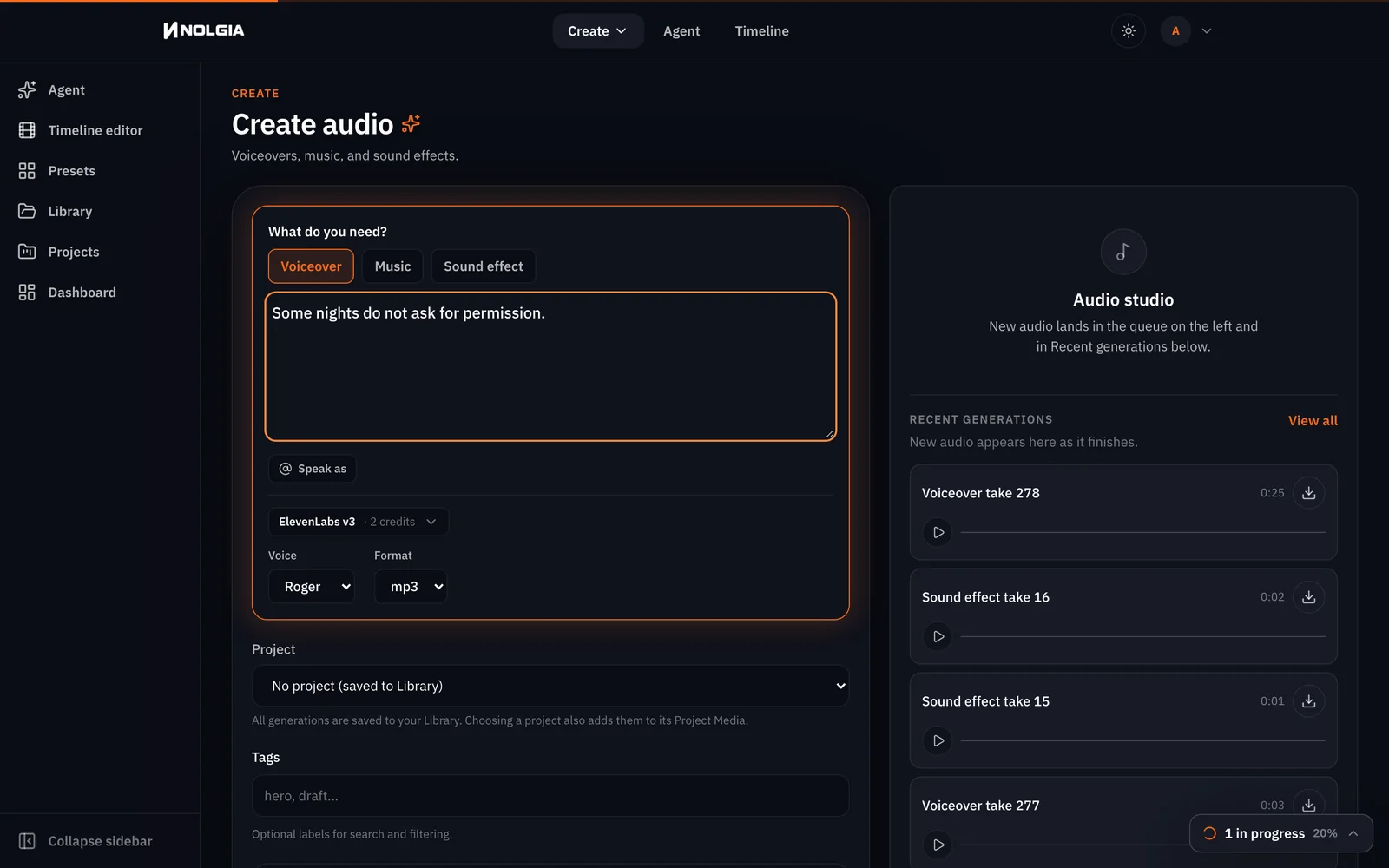
Open the audio composer. Under What do you need? the Voiceover task is selected by default, with ElevenLabs v3 as the recommended model and a Voice list of ten named voices. Type the line as you want it read and pick a voice; we used Roger. The button reads Generate audio with the live price, and the price follows your script as you type. One click generates.
Some nights do not ask for permission.
Tip:Preview a voice for free. Each named voice on ElevenLabs and Kokoro has a short recorded sample. Play it on the Characters page voice dialog before you spend on a take.
Make the music bed
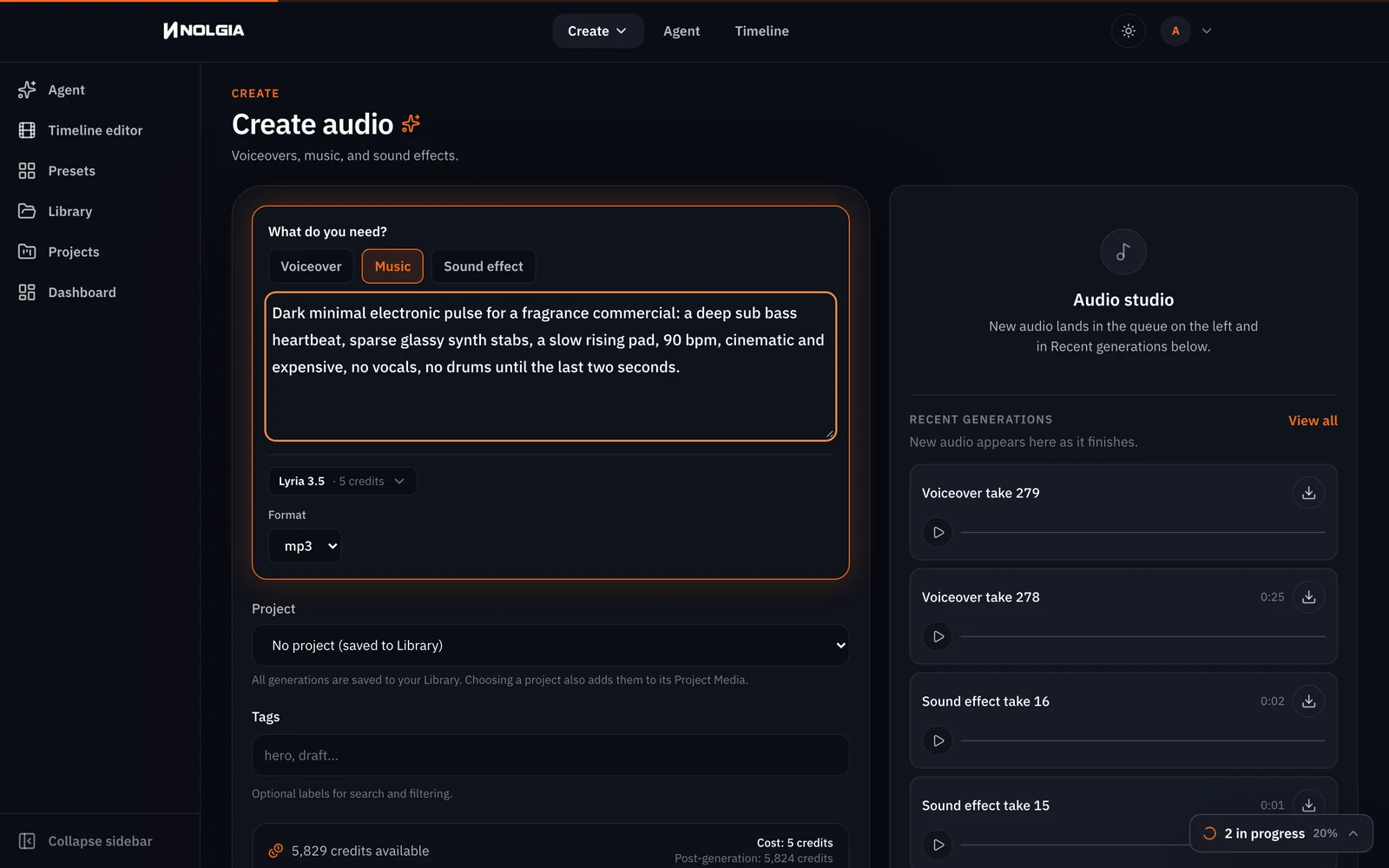
Switch the task to Music. Lyria 3.5 is the recommended model, and the price is one flat charge per track, whatever you type. Describe the mood, the instruments, the tempo and how the track should move; say no vocals if you do not want singing. You get a track longer than the clip, which is fine: you trim it in Studio.
Dark minimal electronic pulse for a fragrance commercial: a deep sub bass heartbeat, sparse glassy synth stabs, a slow rising pad, 90 bpm, cinematic and expensive, no vocals, no drums until the last two seconds.
Make the sound effect
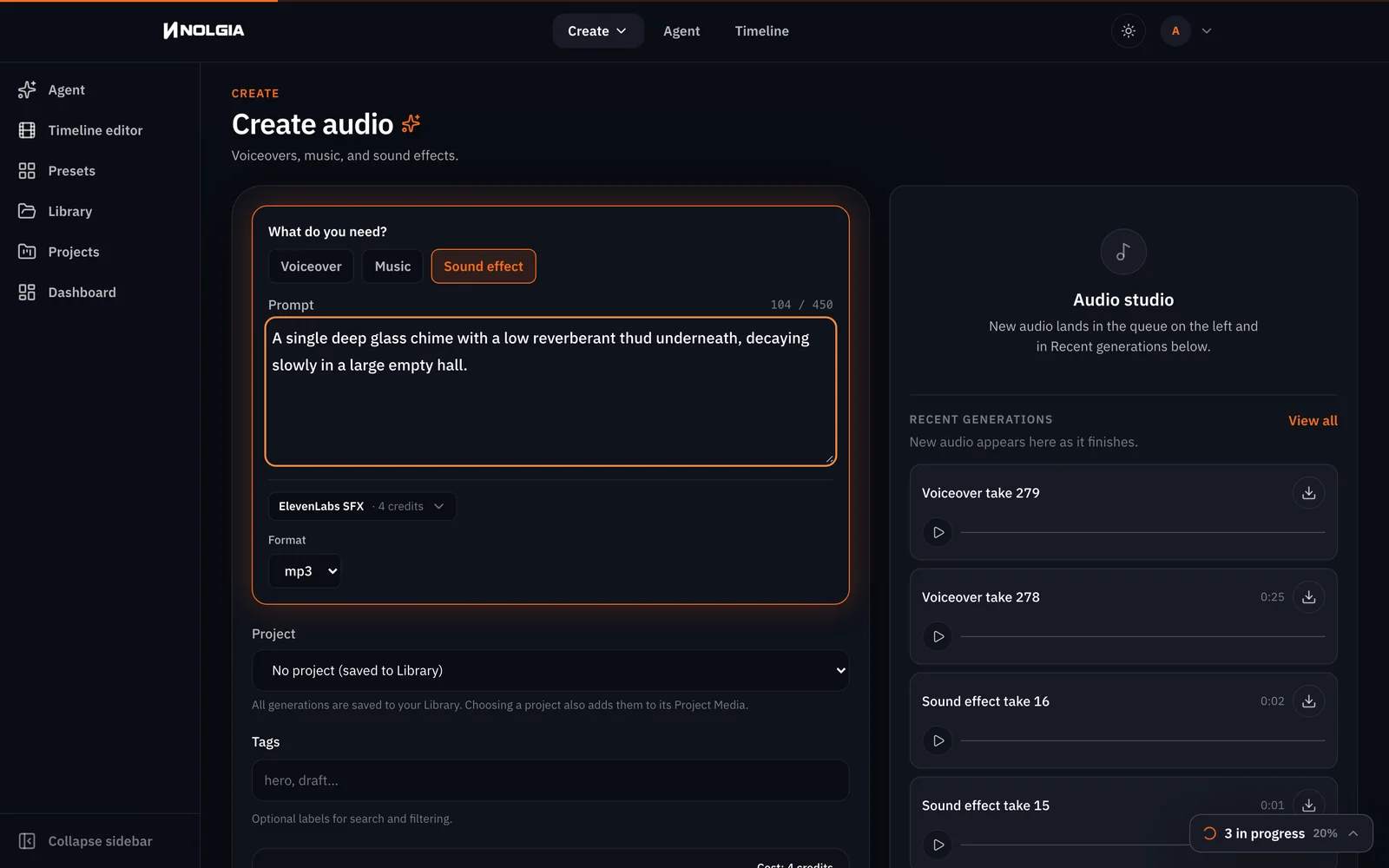
Switch to Sound effect. ElevenLabs Sound Effects v2 is the recommended model, one flat charge per request, and it takes a short prompt of at most 450 characters. Name the sound, the material and the space it happens in. One sound per generation: a second effect is a second run.
A single deep glass chime with a low reverberant thud underneath, decaying slowly in a large empty hall.
Watch for this:MMAudio v2 works from the picture, not from words alone. The second model in the Sound effect list, MMAudio v2, is a video to audio model: it watches a clip and writes a matching track. It is the pick when you want the room and the movement scored automatically, not a specific cue.
Put it under the clip in Studio
Open Timelines, press New timeline, pick a project or name a new one, name the timeline and press Create. Studio opens on it. In the left panel, switch from Project media to Library: that is your whole library, with a search box and type filters. Each card has a + that adds it at the playhead.
- Search for the clip and press its +. It lands on the first video lane at 0.
- Click the music card so it loads in the Source preview above the list. Drag the preview scrubber to 0 and press Mark In, then to 5 seconds and press Mark Out, then press +. The bed lands on an audio lane trimmed to the clip; the rest of the two minute track never reaches the timeline.
- Drag the timeline scrubber to 1.6 seconds and press + on the narration; it lands on its own audio lane at the playhead.
- Drag to 3.9 seconds and press + on the chime.
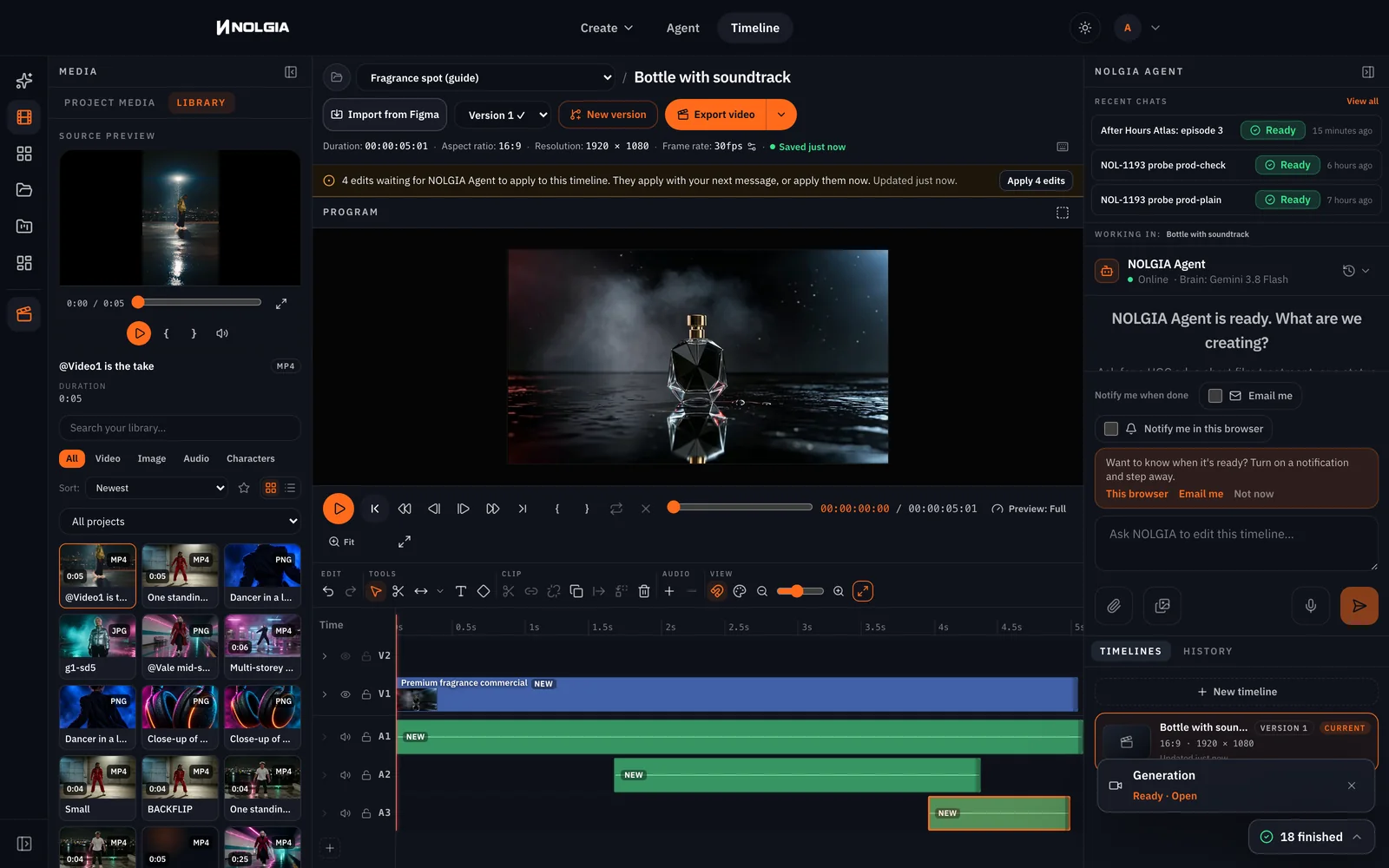
Press Export video at the top. The MP4 renders on the server, lands in your Library tagged as a render, and is listed under the project's recent exports. The export is not billed.
Tip:The edits line does not block the export. After you add items, Studio shows a line saying edits are waiting for the NOLGIA Agent to apply. That is about writing them into the timeline's authored document. The export already includes them: our render carried all three sounds.
Silent clip
With the soundtrack

Which model for which job
| You need | Task | Start with | Also in the list |
|---|---|---|---|
| A narrator or a line of dialogue | Voiceover | ElevenLabs v3, ten named voices | v3 Conversational at half the rate, Multilingual v2, Turbo v2.5, Kokoro with twenty voices, MiniMax Speech, Inworld, Dia, Orpheus |
| A music bed with no words | Music | Lyria 3.5 | MiniMax Music 2.6, ElevenLabs Music, Stable Audio 3 Medium and 2.5 |
| One cue: a hit, a whoosh, a door | Sound effect | ElevenLabs Sound Effects v2 | MMAudio v2 when the track should follow a clip |
| Sound that follows the picture | Sound effect | MMAudio v2 | Or a video model with native audio, at the cost of control |
Where you still regenerate
- Levels. Studio plays every lane at full level; there is no volume, fade or ducking yet. If the bed covers the line, move its Mark In to a quieter passage of the track, or ask the music model for a hushed stretch.
- A voice you want to keep. Named voices exist on ElevenLabs and Kokoro only; MiniMax Speech, Inworld, Dia and Orpheus publish no voice list here, so a rerun on those may not sound the same. The same voice in every video shows how to pin one.
- Speed. The speed setting (0.7 to 1.2 on ElevenLabs voices) is an API field; the composer has no slider yet, so a take that runs long is rewritten or trimmed.
- Exact timing. Music comes back longer than the clip, ours two minutes for five seconds of picture, and the beat lands where the model puts it. You mark in and out to the clip, not the other way round.
- One effect per run. A prompt with three sounds in it returns one blend.
What it costs
Speech bills per character with a minimum for a short line; music and effects are one charge per request. The clip is priced by its length. Live rates for the models used in this guide:
ElevenLabs v3Every plan
Per 1,000 characters
Standard 6 credits
Lyria 3.5Every plan
Per generation
Standard 5 credits
ElevenLabs SFXEvery plan
Per generation
Standard 4 credits
Seedance 1.5 ProPro and up
Per 5s clip (audio on by default)
480p 7 credits · 720p 15 credits · 1080p 33 credits
Read live from the catalog when this page loads. Every price is shown before you generate. See every rate.
The Studio export is not billed. New accounts start with 350 free credits.
Try it yourself
The source clip and the three prompts
- Fragrance clip, silent, 5 s, 1280x720MP4 video · 1280x720 · 1.2 MBDownload
- Script into Voiceover on ElevenLabs v3, any named voice; ours was Roger.
- Music prompt into Music on Lyria 3.5. Expect a track longer than the clip.
- Effect prompt into Sound effect on ElevenLabs Sound Effects v2.
- Timelines, New timeline, then in Studio switch the left panel to Library: clip first with its +, then the music through Mark In and Mark Out in the Source preview, then the narration and the chime at the playhead. Export video.
Questions and answers
- Can I make the voice, the music and the effect in one place?
- Yes. The audio composer has a Voiceover, a Music and a Sound effect task, each with its own models, and every result is an audio asset in your Library.
- How is audio priced?
- Speech is billed by the characters in your script, with a small minimum; the button shows the price as you type. Music and sound effects are one flat charge per request, shown on the button before you generate.
- Does the narration line up with the picture automatically?
- No. You place it. In Studio each audio asset is its own item on an audio lane, so you slide the take to the frame you want and trim the music to the clip.
- Should I just let the video model make the sound?
- Some models can, and it is quick. You lose the ability to change one sound without rerolling the picture. Render silent when you want to control the mix.
- Does exporting from Studio cost credits?
- No. The MP4 render is not billed; only the generations that made the clip and the sounds were.
- Can one prompt make two sound effects?
- It returns one blend. Make each cue its own generation, then place them separately.
Give your clip a soundtrack
Open the audio composerRelated guides

Audio
The same voice in every video
Save a catalog voice on a character, read every line with Speak as, and lay a music bed and a sound cue under it in Studio. One narrator, three clips, made for real.
· 10 min read
Channels
A faceless narrated channel: the tools, the workflow, the next episode
Script, one saved narrator voice, b-roll in a locked look from the video composer, the cut in Studio, and the NOLGIA Agent for the next episode. Two short episodes made for real.
· 11 min read
Credits
How credits work, and what happens when a render fails
The price is on the Generate button, the job holds it while it works, and the hold becomes a charge or a refund. Here is when credits come back after a failure, a refusal or a cancel.
· 6 min read