

The same voice in every video
A narrator who sounds different in every episode is not a narrator. Save the voice on a character and stop choosing it by hand.
- 10 min read
You keep the same voice across videos by saving it on a character. A character on NOLGIA carries a voice: a speech model and one of that model's named voices. When you make narration in the audio composer, the Speak as button picks the character and sets the model and the voice to the saved pair. You never choose them by hand again, so a line recorded next month is read by the same voice as a line recorded today.
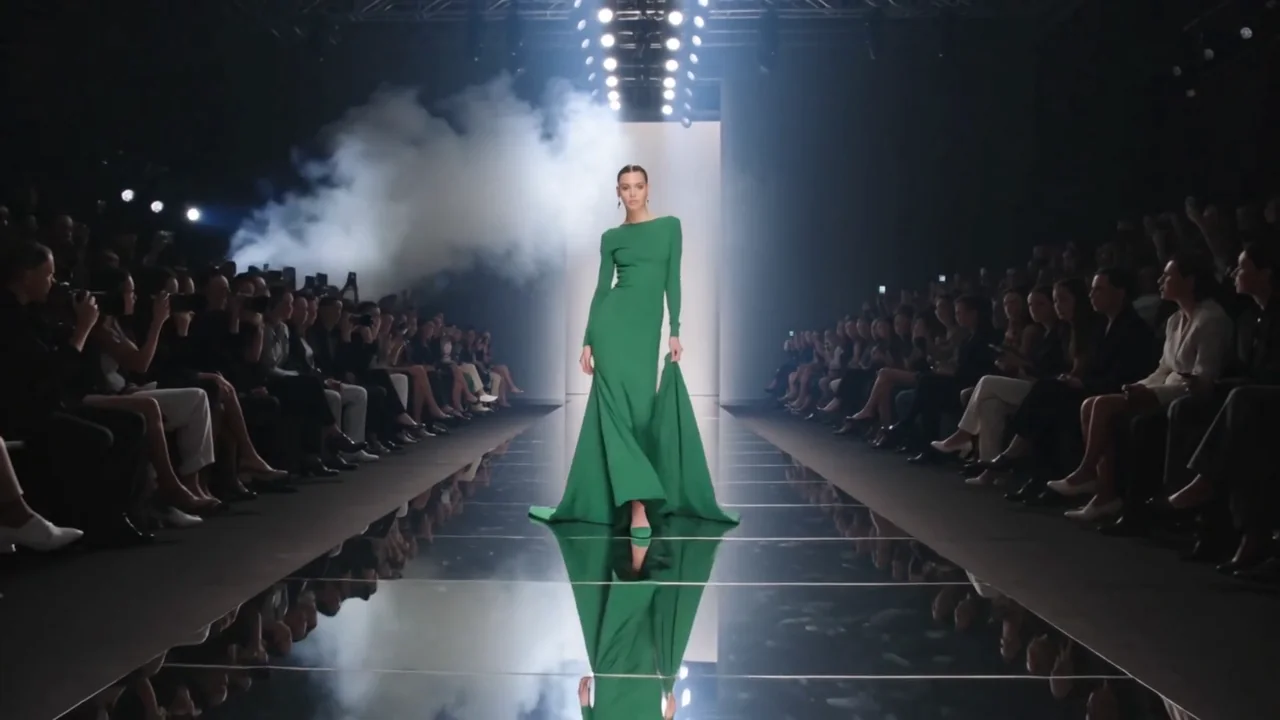
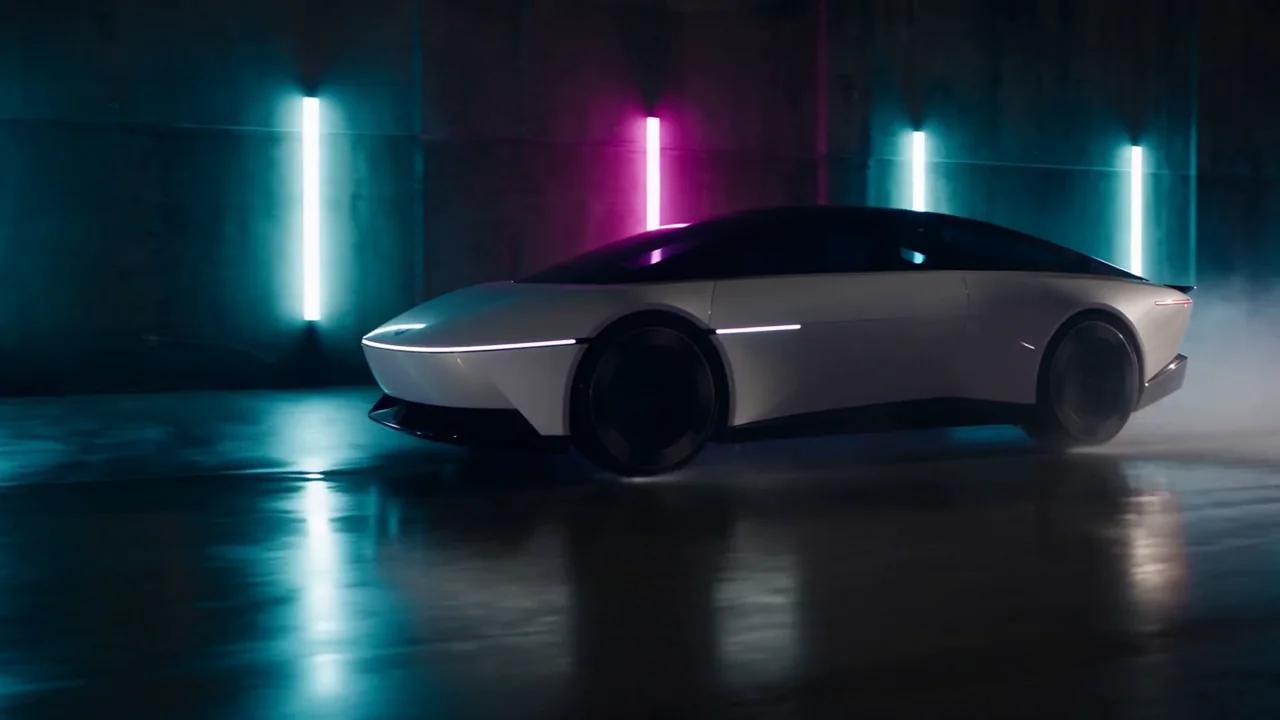
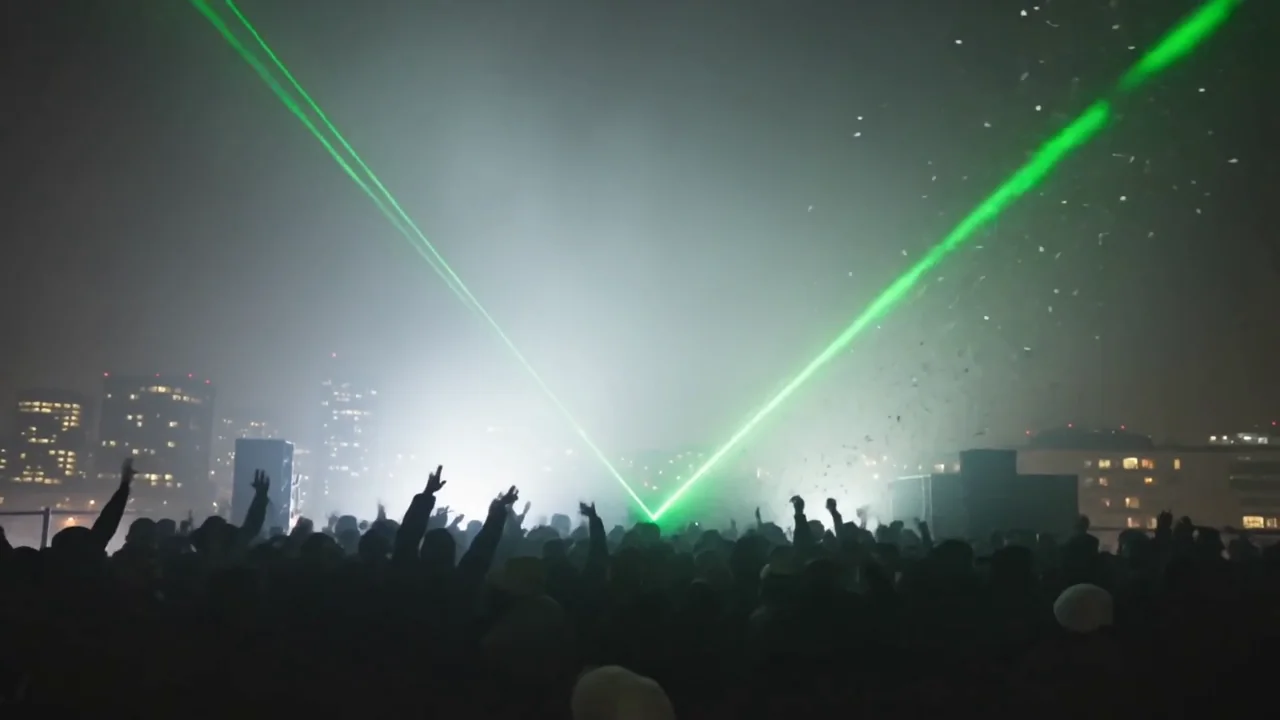
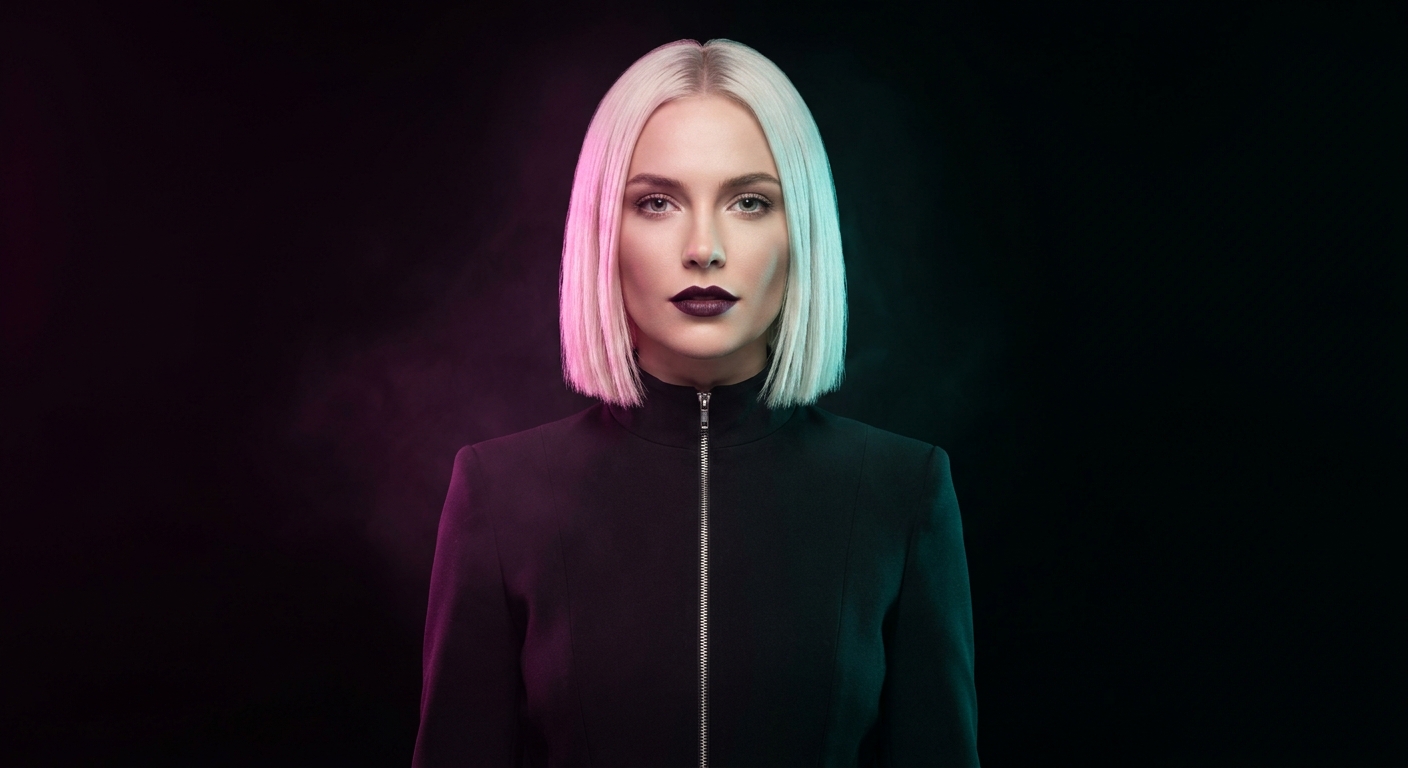
This guide makes one narrator, a fictional campaign voice we named Isla Marr, and has her read a line over three unrelated clips: a runway, a night drive and a rooftop rave. Each clip also gets a music bed and one sound cue, laid under the voice in Studio. Every clip and every line is real output; the model and the voice never changed between them.
What goes wrong, and the fix
| Mistake | Why it hurts | Fix |
|---|---|---|
| Picking the voice by hand each time | One session on v3, the next on Turbo, and the same name reads differently | Save the model and the voice on a character and use Speak as |
| Choosing a model with no voice list | MiniMax Speech, Inworld, Dia and Orpheus publish no named voices, so there is nothing to pin | Use ElevenLabs or Kokoro for a recurring narrator |
| Giving the character a voice clip and expecting narration | A clip voice is for models that take a reference track; text to speech needs a catalog voice | Set a catalog voice for narration, a clip only when a video model asks for one |
| Changing the speed per take | Same voice, different pace, reads as two people | Leave speed alone; fit the script to the clip instead |
| Rewriting the line to sound more like the voice | The voice is fixed; the words are the variable | Write for the voice you saved and keep sentence length steady |
Before you start
- A character on the Characters page. Creating one needs a name and at least one photo: press Add reference images, upload the photo, name the character and press Create character. Ours is a generated portrait, so no real person is involved.
- A speech model with named voices. The Voice dialog lists only those: the ElevenLabs models and Kokoro.
- The clips you want narrated, in your Library. Ours are three five second clips without sound: the runway and the rooftop on Kling v3, the night drive on Seedance 2.5.
Save the voice on the character
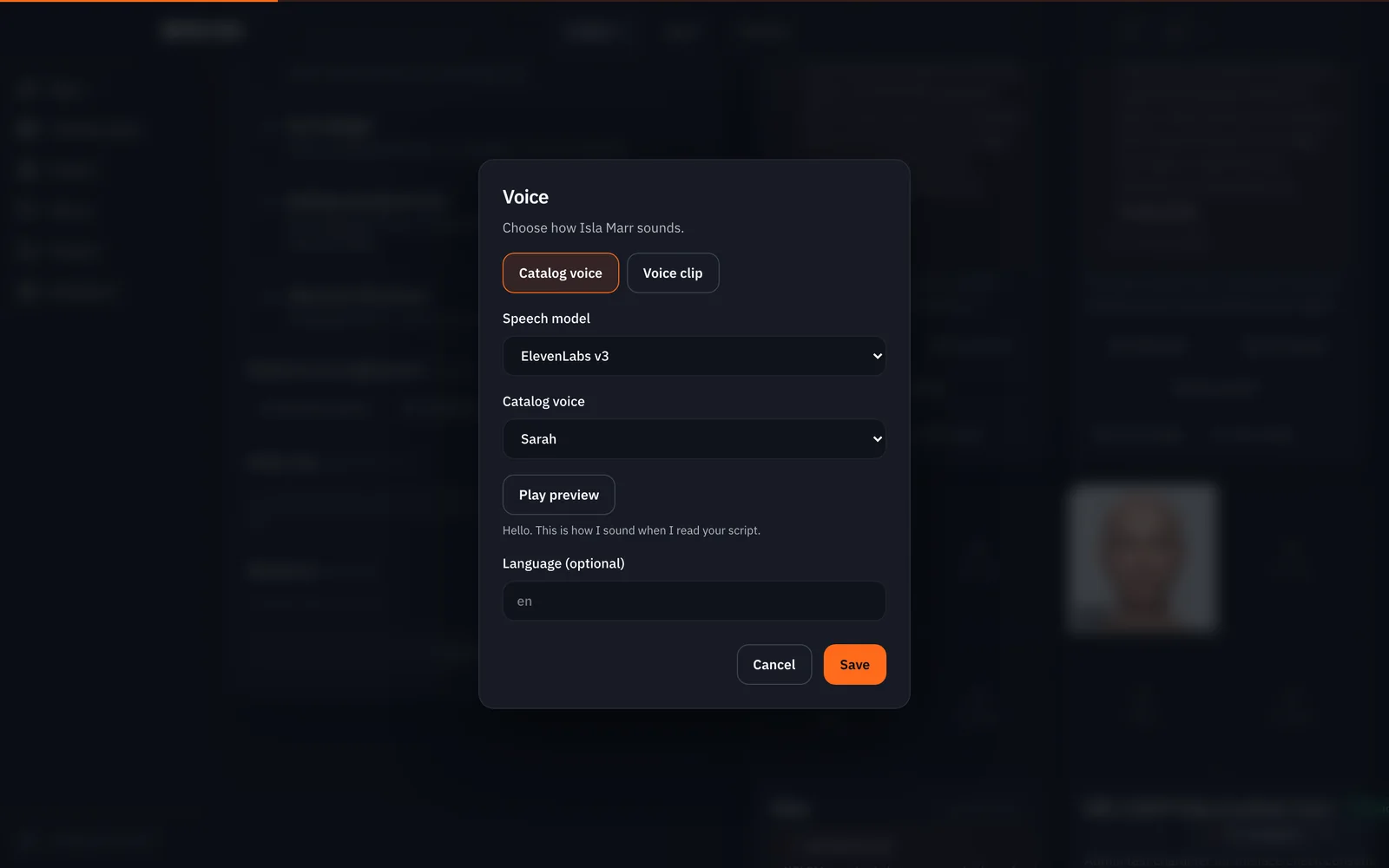
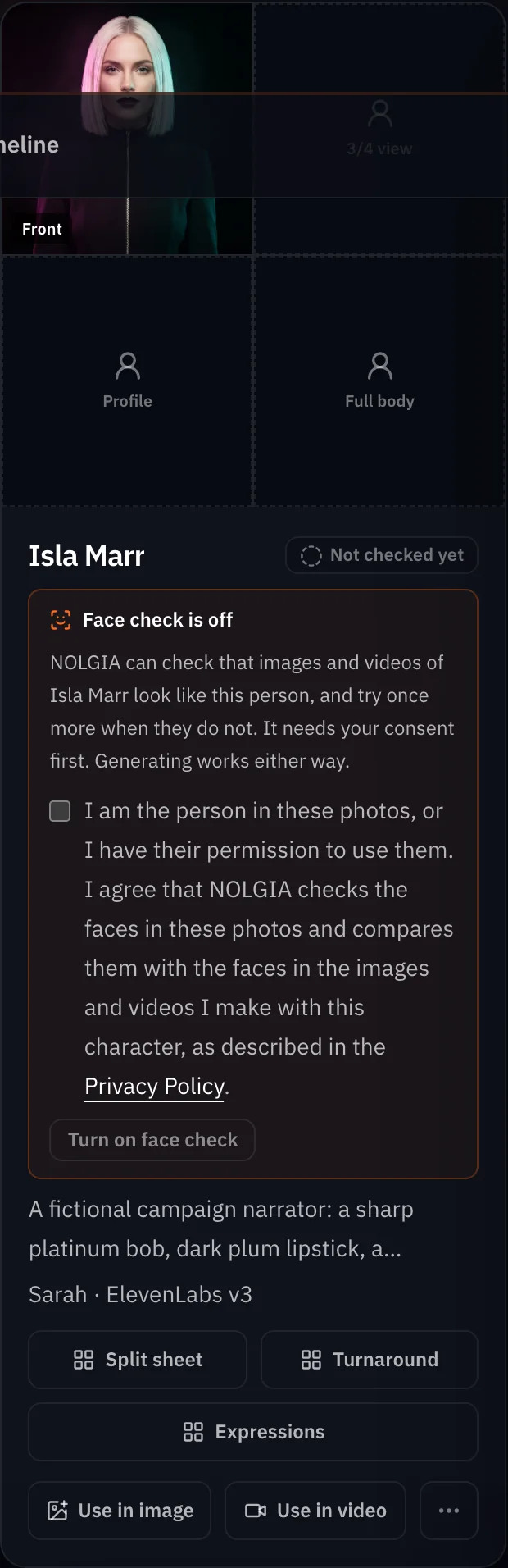
On the Characters page, open the ... menu on the character's card and choose Voice. The dialog offers two kinds: Catalog voice and Voice clip. Keep Catalog voice. Pick the Speech model, then the Catalog voice; a Play preview button plays a recorded sample of that voice for free. Add a language if you want one, then Save. The card now shows the voice under the description.
Narrate with Speak as
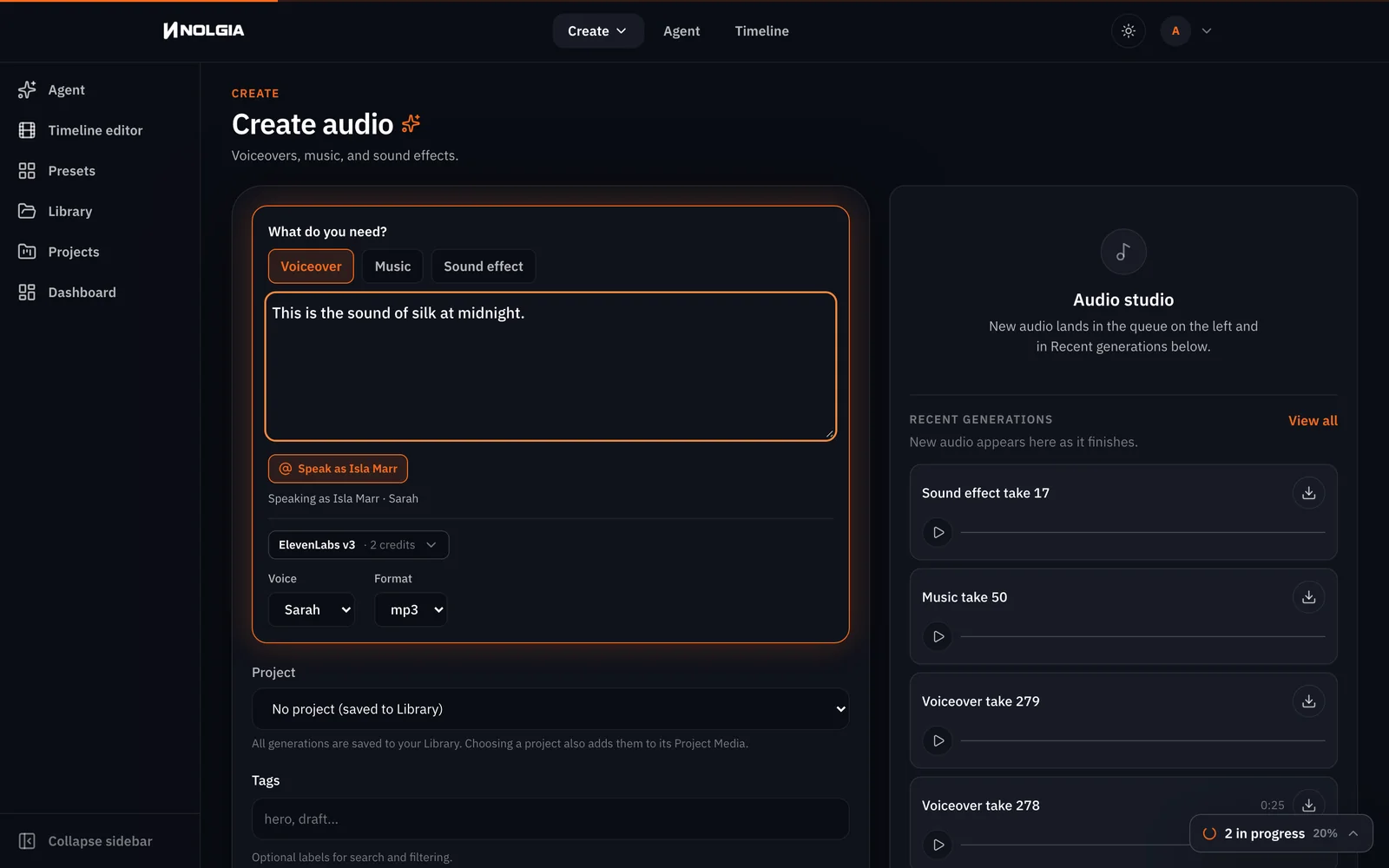
Open the audio composer on the Voiceover task and press Speak as. Pick the character. The model picker switches to the saved model and the Voice list to the saved voice, and a line under the button confirms it: Speaking as Isla Marr · Sarah. Type the line and press Generate audio. We did this five times in a row for two guides, and the pair never moved.
This is the sound of silk at midnight.
Nothing here was built to stand still.
You already know the ending. Wear it anyway.
Watch for this:If the note says the voice is unavailable. Speak as checks that the saved model still publishes the saved voice. If a voice leaves the catalog, the note tells you to pick another on the Characters page rather than reading with a stand-in.
Put a bed and a cue under the voice
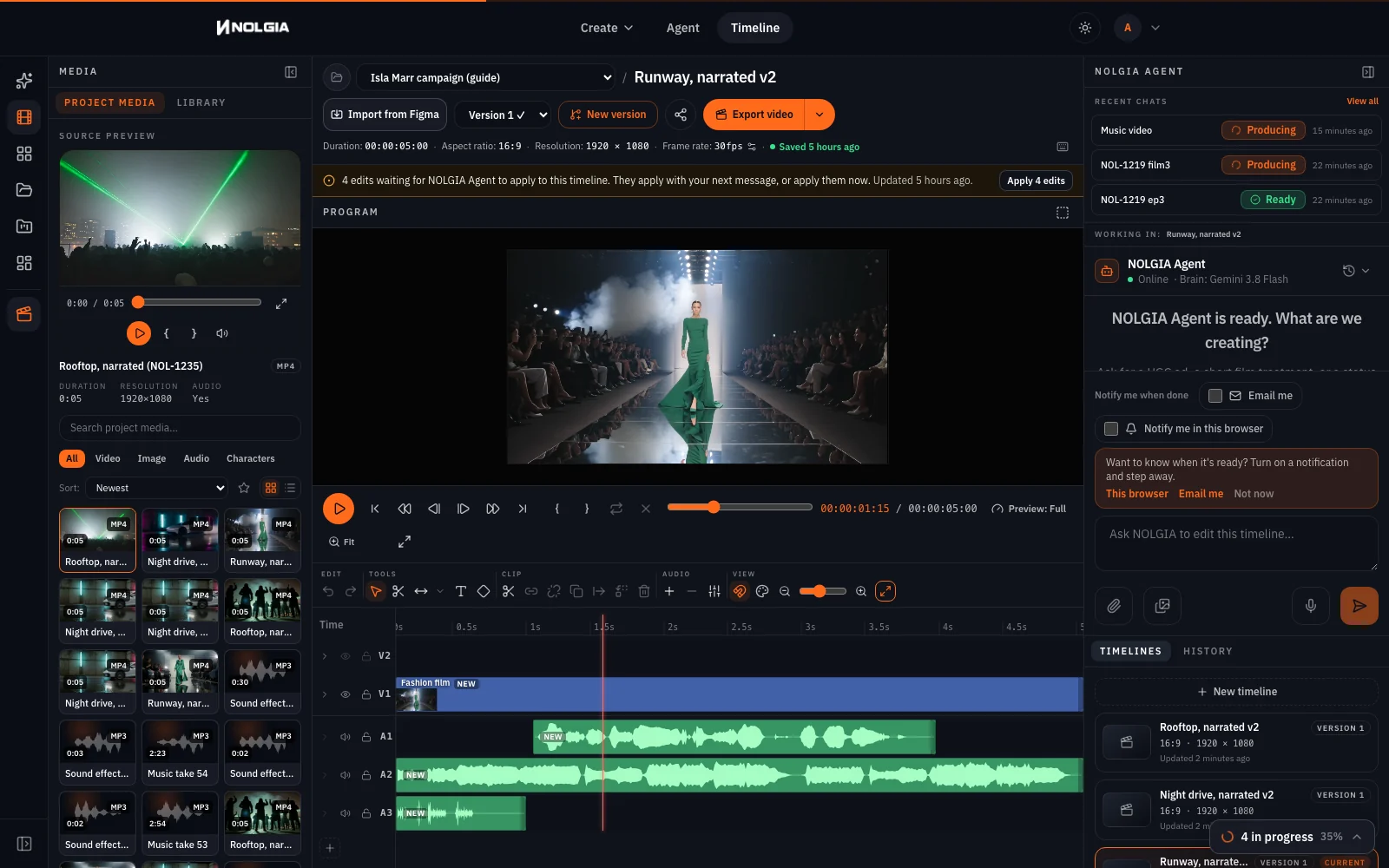
A line on its own sounds bare. Make a music bed in the audio composer's Music task and one sound cue in Sound effect, then build each clip's timeline in Studio: Timelines, New timeline, and in the left panel's Library tab the clip with its +, the take at the playhead where the line starts, the bed, and the cue.
Watch for this:Studio has no volume control yet. Every lane plays at full level, with no fade and no ducking. So the bed does not dip under the voice by itself: you choose the passage. Ask the music model for strong dynamics, a few seconds full and a few seconds hushed, then play the track in the Source preview, press Mark In where a full bar leads into a hushed stretch, Mark Out five seconds later, and press + with the playhead at 0.
Sleek fashion-show runway track, 120 bpm, deep kick and a crisp clicking hi-hat, glossy synth stabs, instrumental, no vocals. Strong dynamics: two seconds of the full groove, then four seconds of a hushed, near-silent filtered pulse, then the full groove slams back in, and that shape repeats through the track.
Dark synthwave night-drive track, 100 bpm, driving analog bass arpeggio, gated snare, cold pads, instrumental, no vocals. Strong dynamics: two seconds of the full drive, then four seconds of a sparse, hushed passage with only a low filtered bass, then the full drive returns, and that shape repeats through the track.
Warehouse rave build for a rooftop party at night, 128 bpm, instrumental, no vocals: a soft muffled kick and a quiet rising filtered riser that builds for five seconds, then a huge drop with open hi-hats and a big supersaw lead, and that quiet build and big drop repeat through the track.
The cues are one short line each on ElevenLabs Sound Effects v2, trimmed with Mark Out so they stay clear of the voice: camera shutters for the first second of the runway, the engine and spray after the drive's line, and a crowd cheer as the rooftop confetti falls. Press play: the voice is the same across all three because the model and the voice were the same request each time, and it sits above the music.
We measured each export: no gap of silence longer than half a second, and the voice at least 3 dB above everything else while she speaks. Studio mixes every lane at the same level, so these numbers come from the passages we chose, not from a setting.
Three ways to run it
| Path | How | Best when |
|---|---|---|
| Fastest | Audio composer, Speak as, one line at a time | A handful of lines for a cut you are making now |
| Hands off | Brief the NOLGIA Agent with the character's name; it can list your characters and generate audio with the saved voice | A series of episodes from a script |
| Most control | The API: POST /generate/audio with the character's id, or the MCP tool nolgia_text_to_audio from your own code | Batch narration from a document or a pipeline |
The API path is documented under Characters and locations: a character's voice is used by audio generation with the character id, and by video generation when you ask for the character's voice. We ran the composer path for this guide, not the other two.
Where you still regenerate
- Delivery still varies a little. Same voice, same model, but each take is a new read. If a line lands flat, run it again; the voice will not move.
- No volume or fade in Studio yet. A bed plays at full level. If a passage buries the line, move Mark In to a quieter one or ask the music model for more dynamics.
- No cloning here. You cannot make a catalog voice from your own recording. A voice clip on a character is a reference for models that take one, not a text to speech voice.
- Speed is API only. The composer has no speed control today.
What it costs
Saving a voice costs nothing; previewing one costs nothing. Each line bills the model's per character rate with a minimum. Each music bed and each cue is one flat charge. The clips were priced by length, and the Studio exports are not billed.
ElevenLabs v3Every plan
Per 1,000 characters
Standard 6 credits
Lyria 3.5Every plan
Per generation
Standard 5 credits
Stable Audio 3 MediumEvery plan
Per generation
Standard 3 credits
ElevenLabs SFXEvery plan
Per generation
Standard 4 credits
Kling v3Pro and up
Per 5s clip (audio on by default)
720p 35 credits · 1080p 47 credits · 4K 117 credits
Seedance 2.5Pro and up
Per 5s clip
480p 26 credits · 720p 56 credits · 1080p 137 credits
1080p renders at 16:9 and 9:16
Read live from the catalog when this page loads. Every price is shown before you generate. See every rate.
Try it yourself
The narrator's portrait
- Isla Marr portrait, 1408x768 JPEGJPEG photo · 1408x768 · 483 KBDownload
Fashion film, one continuous shot. A model in a sculpted emerald green floor-length gown with long sleeves walks down a mirrored runway toward the camera, camera strobes flashing from the crowd in silhouette on both sides, white haze, slow motion, low tracking shot moving backwards, anamorphic flares, deep blacks. No text, no logo.
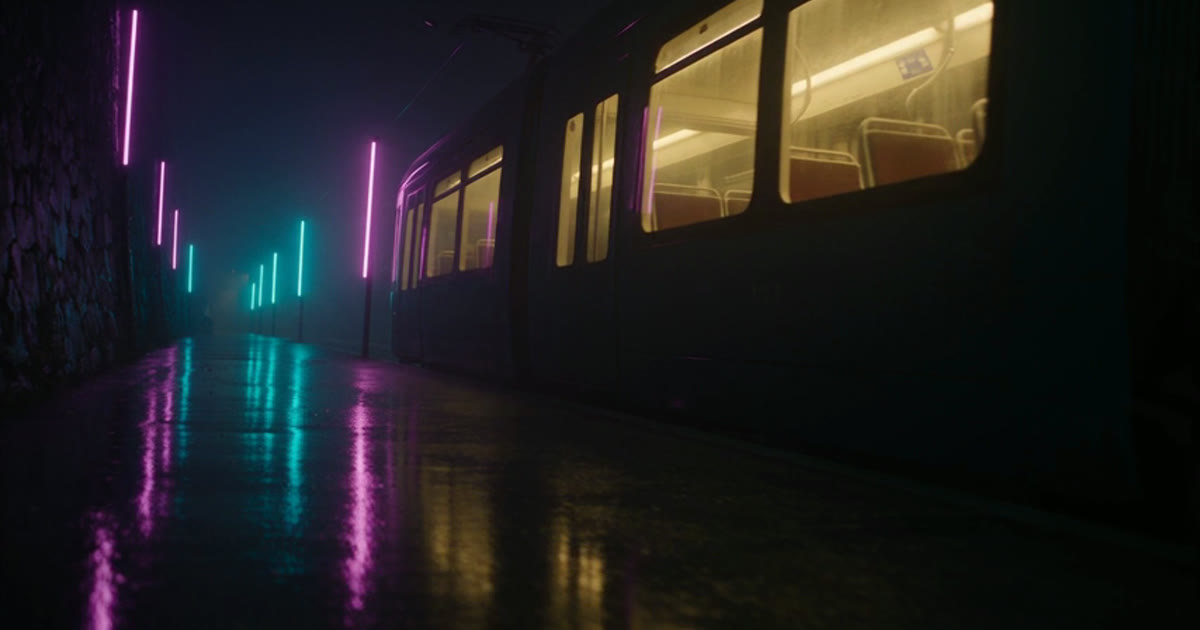
Premium car commercial, one continuous shot. An original concept coupe that resembles no production car: a low, wide, wedge-shaped matte white body with a single thin continuous light bar across the nose, no grille, no badges, a smooth flush glass canopy, enclosed rear wheel arches and a sharp ducktail rear. It slides sideways through a wet night street lined with bare concrete walls and plain vertical neon tubes in teal and magenta, no shop windows, no signs, no lettering anywhere. Rain streaks in the air, neon reflections stretched across the asphalt, low side tracking shot, spray from the tyres, motion blur on the passing lights, cinematic contrast.
Music video, one continuous shot. A rooftop rave at night: a dense crowd in silhouette wearing long dark coats, hoodies and bucket hats, arms raised, under sharp green laser beams fanning through a thick haze layer, confetti bursting in slow motion, a city skyline of blurred lights behind them, low handheld camera looking up, backlit, high contrast. No text, no logo.
Your clips and beds will not match ours; a prompt gives the model the scene or the mood, not the take, so find your own hushed passage for the Mark In. The voice will match, because the character carries it.
Checklist
- Character exists with a name and a photo.
- Voice dialog: Catalog voice, a model with named voices, preview played, saved.
- Audio composer: Speak as shows the character and the note names the voice.
- One generation per line; check each take before you cut.
- A music bed asked for with strong dynamics, and one cue per clip.
- Studio: clip, take at the playhead, a five-second bed window from a hushed passage, the cue clear of the voice, Export video.
Questions and answers
- Which models can be a character's voice?
- The ones that publish named voices: the ElevenLabs speech models with ten voices and Kokoro with twenty. MiniMax Speech, Inworld, Dia and Orpheus have no voice list, so the dialog does not offer them.
- Will every take sound identical?
- The voice and the model are identical. The read itself is generated fresh each time, so pacing and emphasis can shift a little between takes. Rerun a line you do not like; the voice stays.
- Can I use my own voice?
- Not as a text to speech voice. A character can hold a voice clip of 3 to 30 seconds with your consent, for models that take a reference track, but narration from text needs a catalog voice.
- Can a video model use the character's voice?
- The API has a switch for it on video generation. We did not run it for this guide, so we do not describe how it sounds.
- What is the language field for?
- An optional tag such as en or en-US stored with the voice, what the character speaks. Leave it empty if you are unsure.
- Can Studio lower the music under the voice for me?
- Not yet. Studio plays every lane at full level with no volume, fade or ducking. Pick a hushed passage of the bed for under the line with Mark In and Mark Out, as in this guide.
Pin a voice to a character
Open CharactersRelated guides
Audio
Voice, music and sound effects for your video
Make a narration line, a music bed and a sound effect in the audio composer, then lay them under your clip in Studio. Which model does which job, and what each one costs.
· 10 min read
Channels
A faceless narrated channel: the tools, the workflow, the next episode
Script, one saved narrator voice, b-roll in a locked look from the video composer, the cut in Studio, and the NOLGIA Agent for the next episode. Two short episodes made for real.
· 11 min read
Agent
The NOLGIA Agent cookbook: what to say, and what happens next
Ten messages you can send the NOLGIA Agent, what it does with each one and the preset behind it, from product photos and a listing set to a hook score and a graded cut.
· 5 min read