

Run an ad campaign end to end from Claude Code with MCP
You do not open a composer. You tell Claude Code what the campaign needs, it calls the NOLGIA tools, and the creatives land in a project you can open on the site.
- 9 min read
You run a small ad campaign from Claude Code by connecting it to NOLGIA's MCP server and asking for the campaign in plain words. Claude Code creates a project, opens the hero image you approved, makes each creative from that hero with the image to image tool, renders every creative in the sizes you name, and files the results into the project. You review the images on the project page or in your Library, and nothing in the loop needs a composer open.
Everything below is one real session on a fictional product: matte black headphones with an orange light ring. The tool calls are printed as Claude Code made them, the images are what came back, and the prices come from the live catalog when this page loads. Setting up the connection is covered in Generate from Claude Code or Cursor with MCP; this guide starts after that.
What goes wrong, and the fix
| Mistake | Why it hurts | Fix |
|---|---|---|
| Asking for all six images in one line | The agent generates before the product is agreed, and you pay for six wrong ones | Approve the hero first, then fan out |
| Describing the product again for every creative | Each description drifts and the product changes shape | Make the creatives from the approved hero with image to image, so the reference travels |
| Skipping the project | Six assets land loose in the Library with nothing tying them together | Create the project first and pass its id on every generation |
| Reading the wallet balance as a receipt | On an account other people use, the balance moves for reasons outside the session; ours inferred a price four times too high and stopped | Give the agent the ceiling and the per image rate up front, and read the ledger, not the balance |
| Retrying a call that timed out | The first call usually finished on the server; a blind retry is a second image | A retry of the same request gets a 409 within five minutes and is not billed twice; find the result with the assets tool |
Before you start
- Claude Code connected to NOLGIA with a Personal Access Token, per the MCP guide.
- Credits in your top-up balance: a token spends top-up credits only.
- An approved hero image of the product in your Library. Ours is fictional, made with GPT Image 2.5 Flare: no brand, no logo, no copy on the image.
- A short brief with the model, the sizes and the ceiling. Ours: three creatives, 1:1 and 9:16, at most eighty credits.
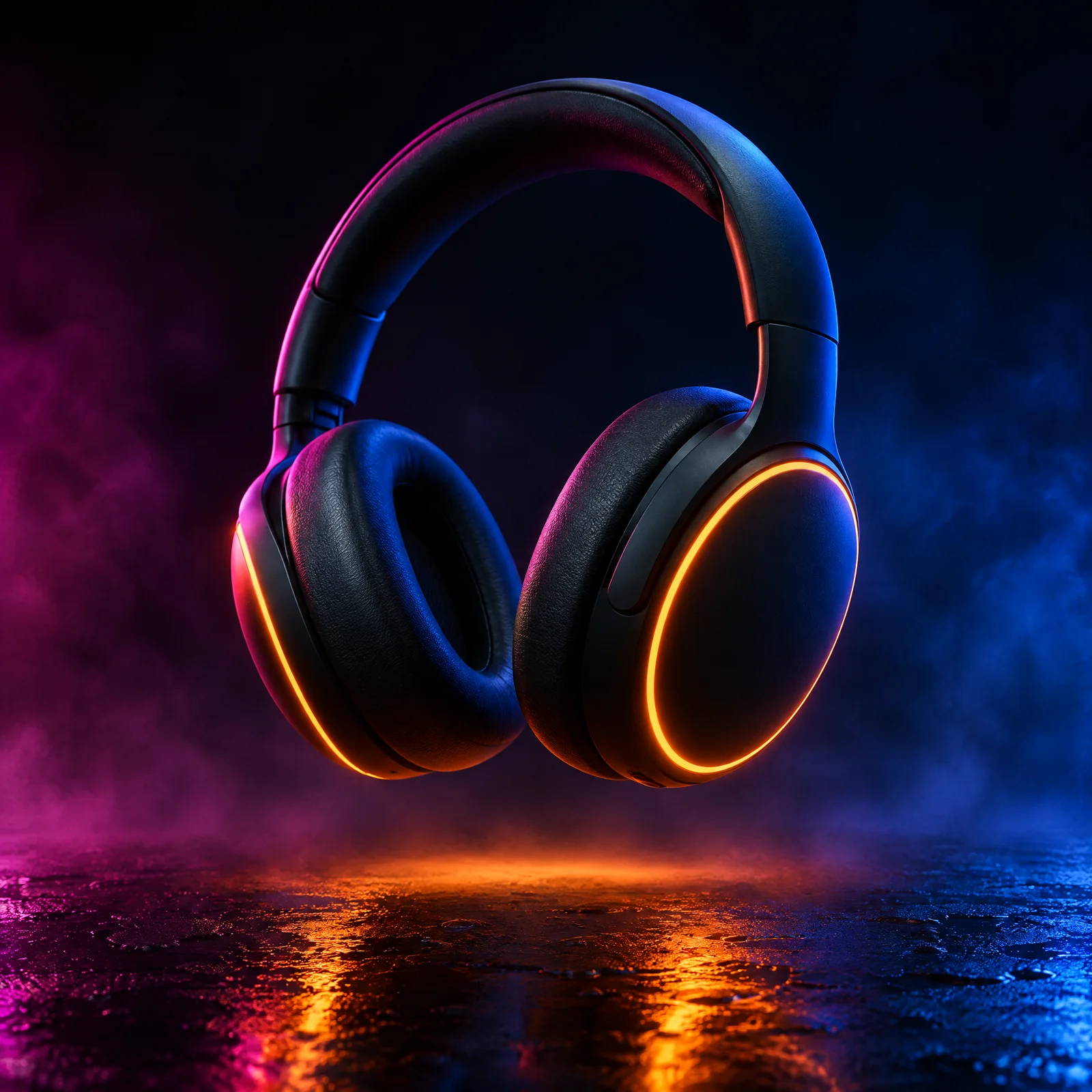
Brief Claude Code
One message carries the whole job: the product, the hero's asset id, the model, the three creatives, the two sizes, the filing rule and the ceiling. We also told it which tools to use and to leave the model list alone, because we were naming the model ourselves.
You are running a small ad campaign for me on NOLGIA through the nolgia MCP tools. Work only with those tools; do not run shell commands and do not call nolgia_list_models (I am telling you the model).

The product is fictional: matte black over-ear headphones with a thin glowing orange light ring on each ear cup. The approved hero image already exists in my library as asset f1ee9d2b-307a-4d81-97f6-dc7758f6f7e5. Never put words, logos or brand names on any image.

Do this, in order, and tell me each tool call you make and what came back (ids, sizes, credits):
1. Create a project named "Orange Ring campaign" with a one-line description.
2. Open the hero asset with nolgia_get_asset so you know what it looks like, and file it into the project.
3. Make three creatives from the hero with nolgia_image_to_image on the model gpt-image-2.5-flare, using the hero as the reference image so the product stays the same, each in two sizes, aspect ratio 1:1 and 9:16, so six images in total, every one filed into the project by passing the project id:
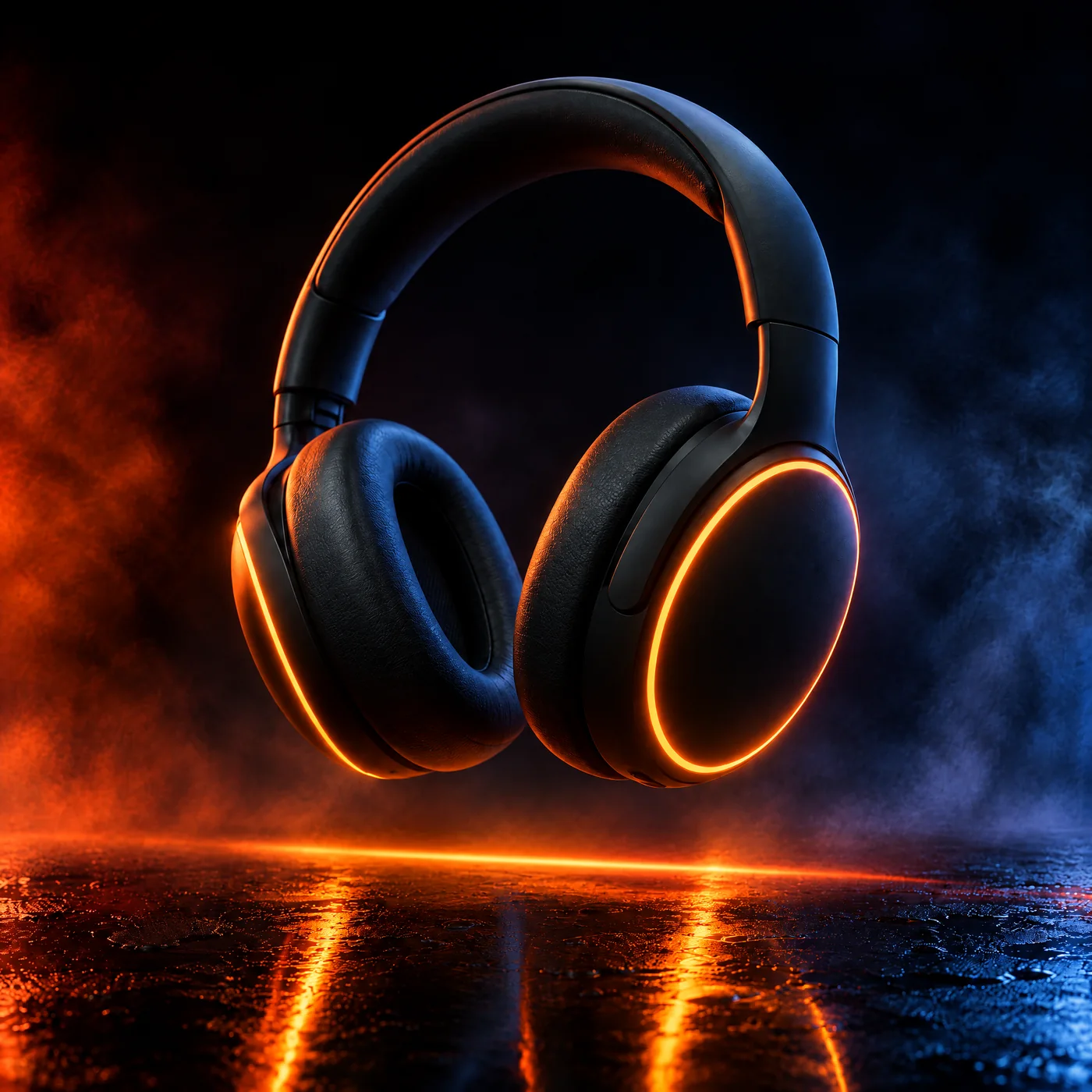
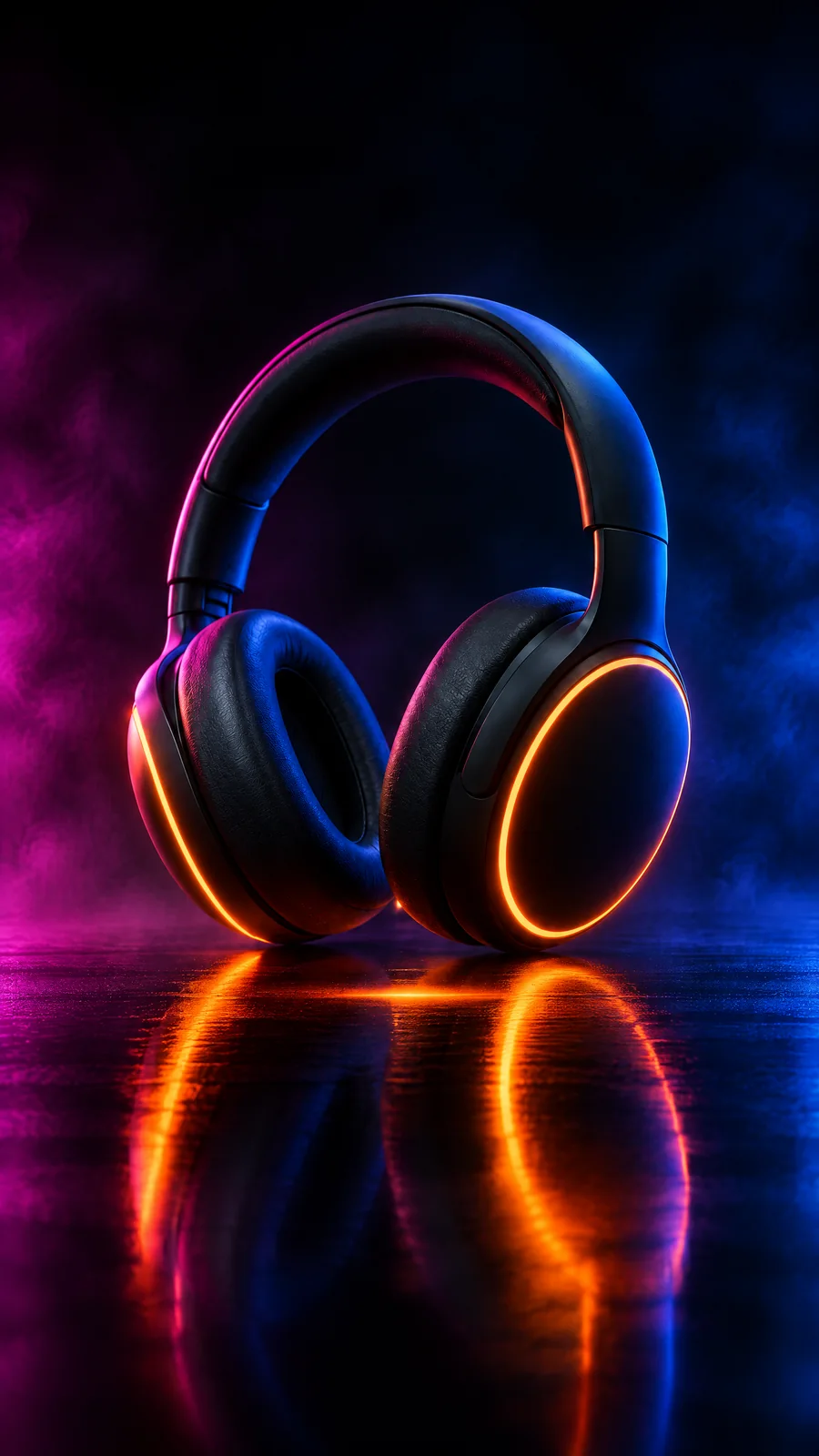
   Creative A "Hero on black glass": the headphones standing on a black glass floor, one long orange light streak reflected beneath them, light haze, deep blacks, premium ad look.
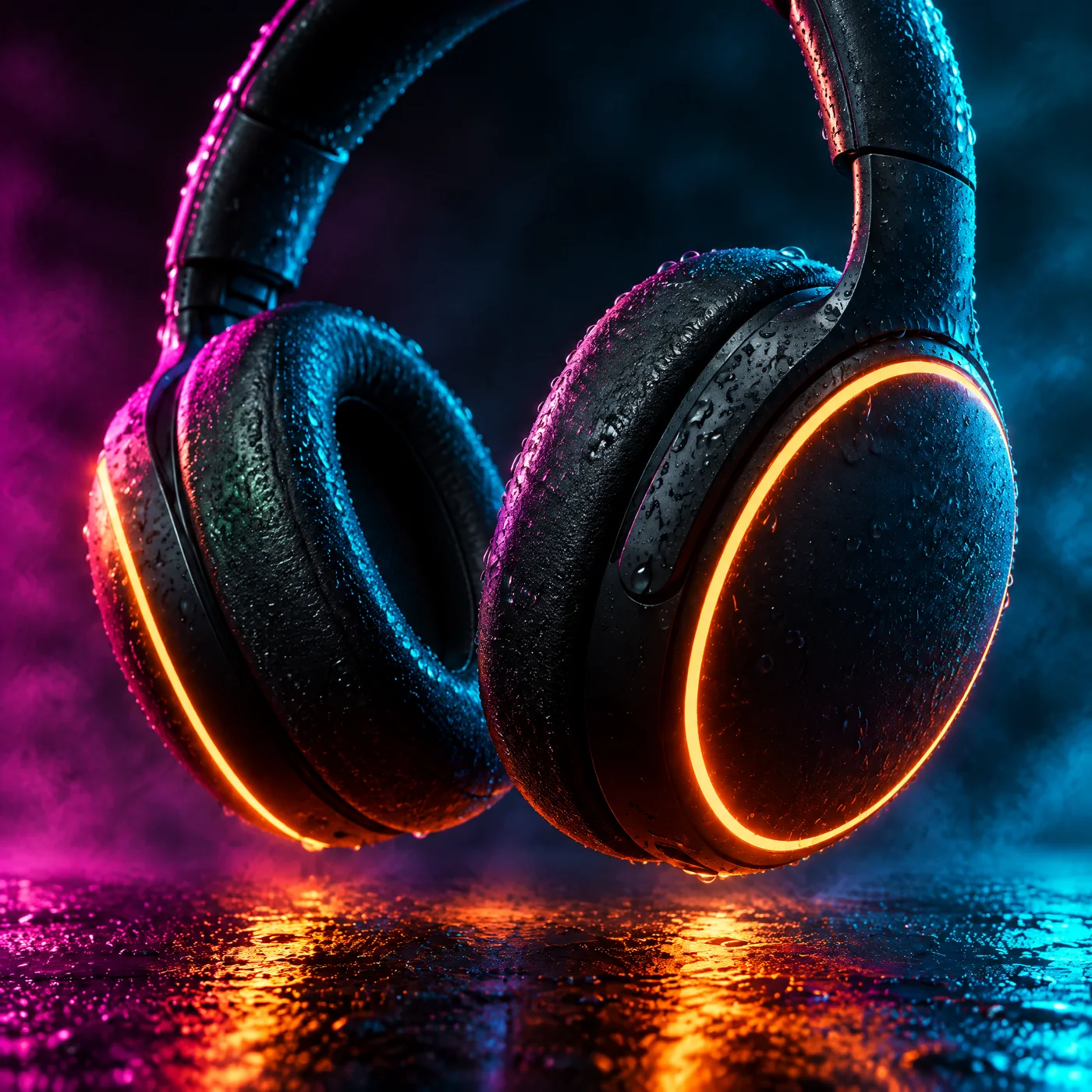
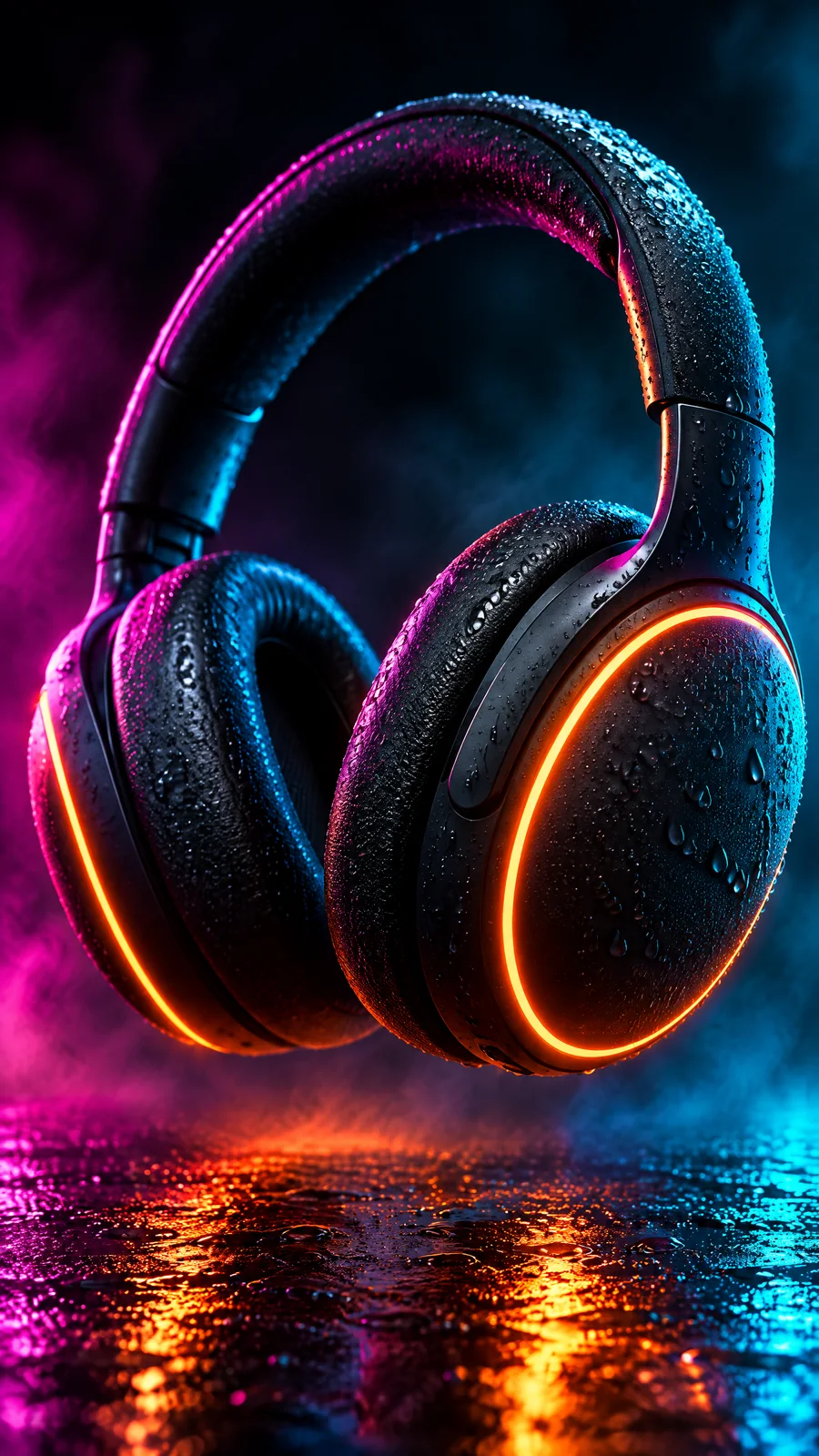
   Creative B "Night rain": the headphones in close-up with fine rain droplets on the matte shells and neon reflections in teal and magenta, music-video look.
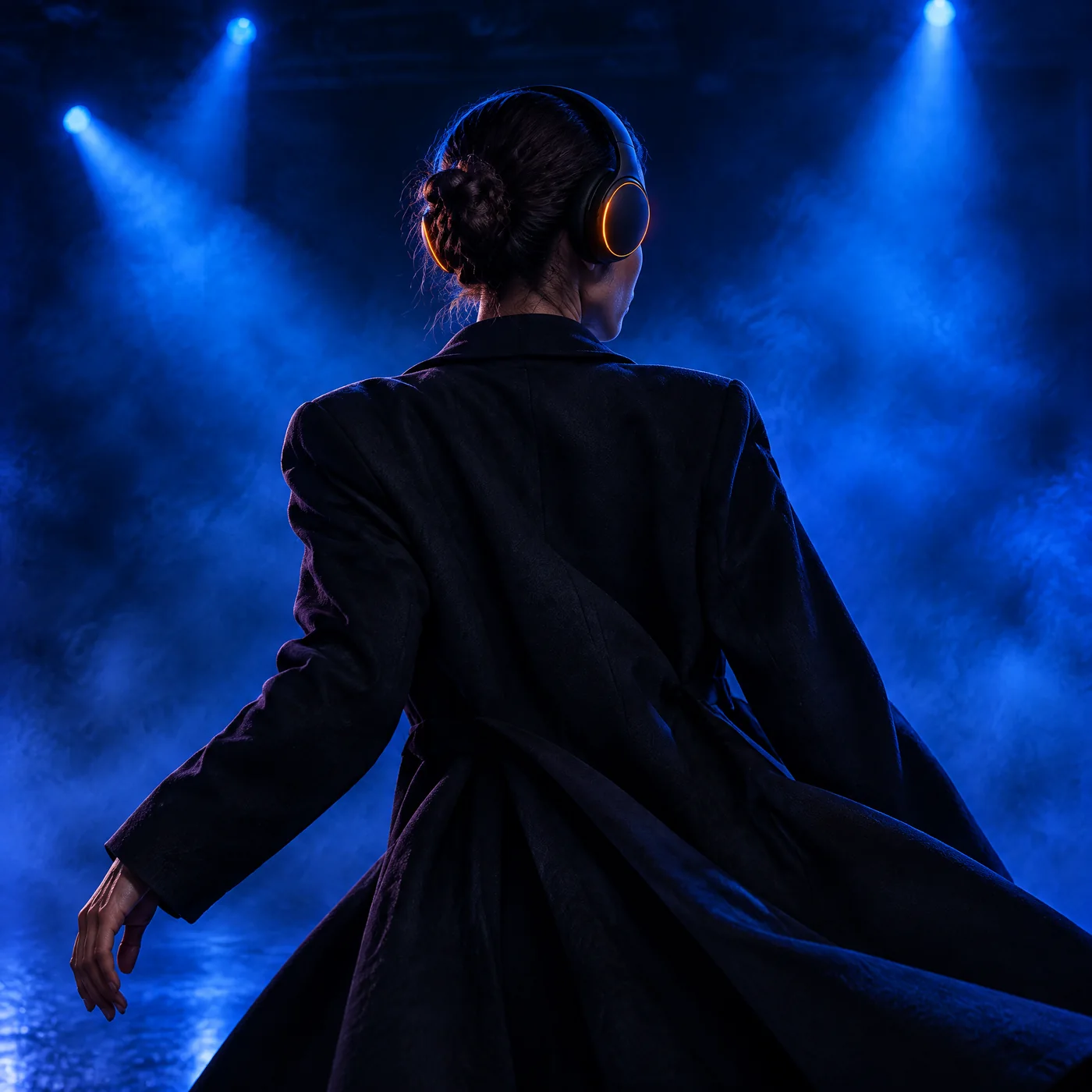
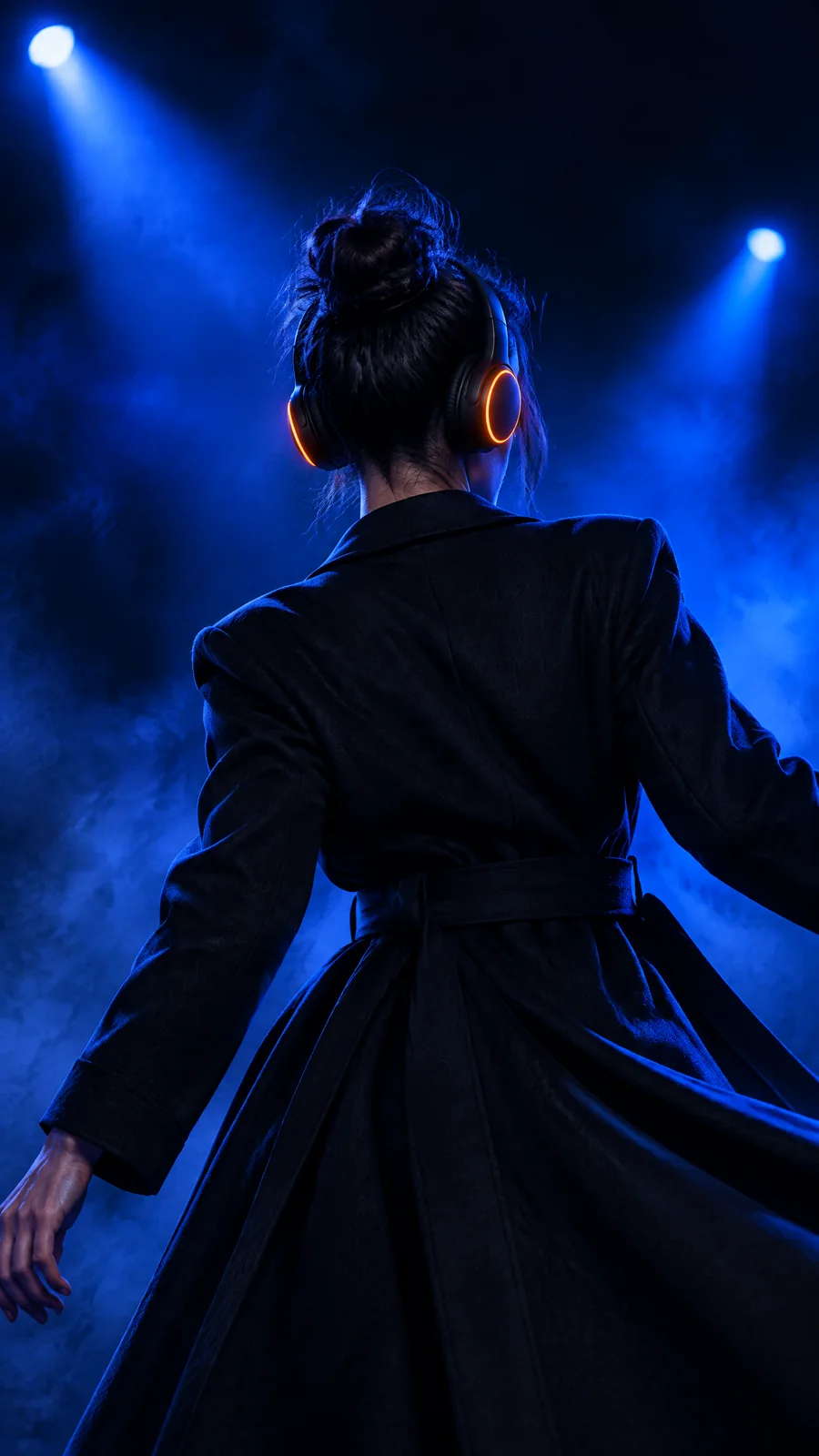
   Creative C "Silhouette": a dancer in a long dark coat seen from behind wearing the headphones, under blue strobes and haze on a dark stage, the orange rings the only warm light, fashion-film look, no face visible.
4. Spend at most eighty credits in total. If a call fails, report it and continue with the next; do not retry more than once.
5. Finish with a short table: creative, size, asset id, and the project id.
Tip:Name the model and the reference. nolgia_list_models returns the whole catalog, far more than a session needs. Say the model id in the brief. The hero rides as the reference image on every image to image call, which is what keeps the product the same across creatives.
The session, verbatim
Claude Code loaded the four tools it needed, created the project, opened the hero and filed it, then made Creative A in both sizes. Signed URLs are shortened here; nothing else is edited.
CALL nolgia_create_project
  name: Orange Ring campaign
  description: Ad creatives for matte black over-ear headphones with glowing orange light rings.
RESULT id: 4ad8e0af-a367-4cab-a79d-e90a84457d1b, name: Orange Ring campaign

CALL nolgia_get_asset
  asset_id: f1ee9d2b-307a-4d81-97f6-dc7758f6f7e5
CALL nolgia_add_project_assets
  project_id: 4ad8e0af-a367-4cab-a79d-e90a84457d1b
  asset_ids: f1ee9d2b-307a-4d81-97f6-dc7758f6f7e5
RESULT status: ready, kind: image, name: Premium product photograph of matte, asset_id: f1ee9d2b-..., url: (signed url)
RESULT added: true

CALL nolgia_image_to_image
  prompt: Matte black over-ear headphones with a thin glowing orange light ring on each ear cup, standing on a black glass floor, one long orange light streak reflected beneath them, light haze, deep blacks, premium ad look. No text, no logos, no brand names.
  model: gpt-image-2.5-flare
  image_url: (signed url of the hero)
  aspect_ratio: 1:1
  project_id: 4ad8e0af-a367-4cab-a79d-e90a84457d1b
RESULT status: ready, kind: image, asset_id: 1b3ec704-c876-42ae-b3f7-19cae3a44be6

CALL nolgia_image_to_image
  (same prompt, model, image_url and project_id)
  aspect_ratio: 9:16
RESULT status: ready, kind: image, asset_id: d39075c6-96eb-4420-9775-3bbd8b521e6d
Then it stopped. The image result carries no price, so Claude Code read the account balance before and after the second image and saw it fall by 33. It concluded that each image cost that much, that six would cost about four times the ceiling, and that the ceiling was already blown, so it reported and asked how to proceed.
I need to flag a budget issue before continuing.

After generating Creative A (1:1 and 9:16), I checked the account balance:
- Before tracking: balance was 5672 after the first image.
- After the second image (9:16): balance dropped to 5639, a thirty-three credit cost per image on gpt-image-2.5-flare at default quality.

That means Creative A alone (2 images) cost roughly sixty-six, and all 6 planned images would cost about one hundred and ninety-eight, well over 2x your eighty credit cap. [...] Per your instruction to spend at most eighty in total, I'm stopping here rather than continuing to Creative B and C.

How would you like to proceed?
Watch for this:The balance is not a receipt. The account in this guide is shared with other work, and the balance moved for reasons outside the session. The billing ledger showed the two images had billed exactly the model's published rate. Read the ledger, or give the agent the rate in the brief. Stopping was the right behaviour; the input was wrong.
Good call to stop and ask. Two facts: this account's wallet is shared with other work running at the same time, so its balance moves for reasons outside this session and is not a receipt; the billing ledger shows each of your two images billed exactly eight credits. So the six images cost forty-eight, inside the eighty ceiling. Continue: make Creative B and Creative C in both sizes (four more images) from the same hero reference, file each into the project, do not check the balance again, and finish with the table.
It fired the four remaining calls together. Three came back at once; the fourth timed out on the client. The single retry it was allowed got a 409 from NOLGIA, which is the duplicate guard: the same request within five minutes is refused and named, not billed again. It then listed the project's assets, listed the library, found the image the timed-out call had made, and filed it.
CALL nolgia_image_to_image
  prompt: Close-up of matte black over-ear headphones with a thin glowing orange light ring on each ear cup, fine rain droplets beading on the matte shells, neon reflections in teal and magenta, dark moody music-video look. No text, no logos, no brand names.
  model: gpt-image-2.5-flare, image_url: (signed url of the hero), aspect_ratio: 1:1, project_id: 4ad8e0af-...
CALL nolgia_image_to_image
  (same prompt) aspect_ratio: 9:16
CALL nolgia_image_to_image
  prompt: A dancer in a long dark coat seen from behind, wearing matte black over-ear headphones with a thin glowing orange light ring on each ear cup, under blue strobes and haze on a dark stage, the orange rings the only warm light, fashion-film look, no face visible. No text, no logos, no brand names.
  model: gpt-image-2.5-flare, image_url: (signed url of the hero), aspect_ratio: 1:1, project_id: 4ad8e0af-...
CALL nolgia_image_to_image
  (same prompt) aspect_ratio: 9:16
RESULT status: ready, asset_id: 01a38561-9845-4ff7-b599-5921f55deb32
RESULT status: ready, asset_id: 8b18bb12-3991-4b50-bdfa-066fce41a671
RESULT status: ready, asset_id: e0a2c254-1d91-4c73-b68c-fd79bbc0719d
RESULT (error) The operation timed out.

CALL nolgia_image_to_image
  (Creative C again) aspect_ratio: 9:16
RESULT (error) 409 Conflict: this exact request was already submitted as job a765a98e-01f6-450e-8d3a-bcaf22bac6ba less than 5m0s ago and has not been billed twice. Check it with GET /jobs/a765a98e-01f6-450e-8d3a-bcaf22bac6ba. To run it again anyway, resubmit with a different Idempotency-Key header.

CALL nolgia_list_assets
  modality: image, project_id: 4ad8e0af-..., limit: 10
CALL nolgia_list_assets
  modality: image, limit: 5
RESULT ... id: 3dab587a-4454-4feb-b4c3-5ae634607fff ...
CALL nolgia_add_project_assets
  project_id: 4ad8e0af-..., asset_ids: 3dab587a-4454-4feb-b4c3-5ae634607fff
RESULT added: true
Tip:Let it read jobs. We had allowed only the tools in the brief, so its first idea, nolgia_list_jobs, was refused by our own allowlist and it found the image through nolgia_list_assets instead. Allow the jobs tools too: the 409 names the job id, and nolgia_list_jobs reads it directly.
The campaign
Six images, all from the one hero, all on GPT Image 2.5 Flare, each billed at the model's rate. The product is the same object in every one because the hero was the reference on every call.
Where it lands on the site
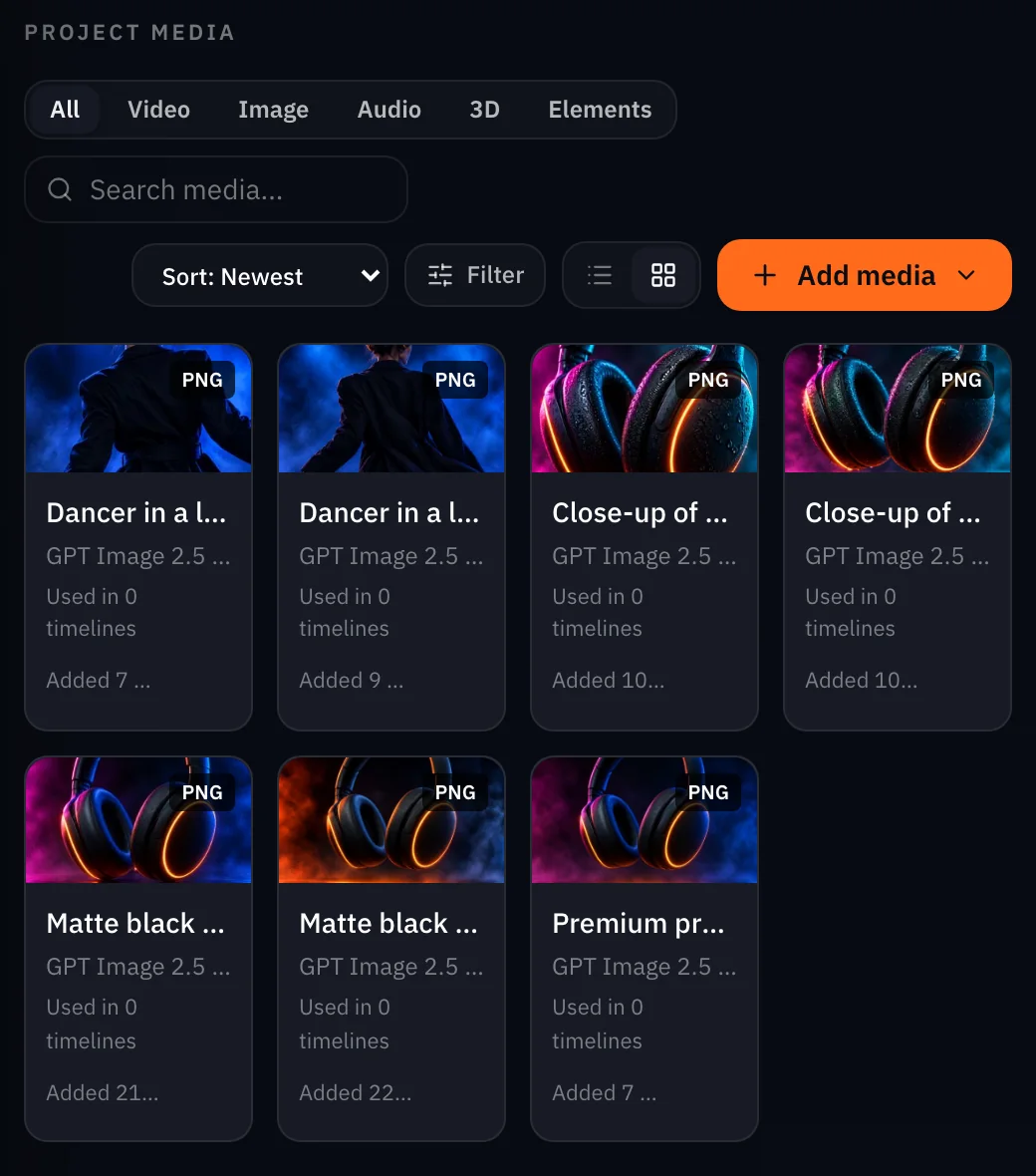
Open Projects and the campaign's project. The hero and the six creatives sit in its media, and the project's cast, locations and brand kit slots are ready if the next round needs a recurring performer, a place or your palette and logo. From here you download the set or open any image in Studio.
The same session can run the campaign presets on the Campaigns page with nolgia_run_preset: posters in four sizes with your words set as real text, static ad packs, billboards and launch films. We stayed on the raw image tools here so the transcript shows every parameter.
Three ways to run it
| Path | How | Best when |
|---|---|---|
| Fastest | One preset per format with nolgia_run_preset from Claude Code, or on the site from Campaigns | You want the proven layouts and real text set on posters |
| Hands off | Brief the NOLGIA Agent in its chat; it works through the formats and files them | You are not at a terminal |
| Most control | Claude Code with the raw image tools, as in this guide | You want to direct each creative and keep the reference |
What stays outside the session
- Publishing. NOLGIA does not post to ad platforms or schedule. You download the set and upload it where the campaign runs.
- Copy on the image. The raw image tools do not set real text; the poster presets do.
- Video creatives. The same session can call nolgia_text_to_video and nolgia_image_to_video; this guide stayed on stills.
- A price in the result. An image result returns the asset, not the credits it cost. The ledger on your billing page has the charge per image.
- ChatGPT. Marked Soon on the MCP page; this guide is Claude Code only.
What it costs
Reading is free: listing models, creating a project, opening an asset and filing assets spend nothing. Each image bills at its model's rate. Live rates for the model in this guide and the presets the Campaigns page runs:
- Static ad formats
8 credits per ad, 32 for four versions, 21 each at 2K
Takes under 2 min
- Social and poster pack
Priced on the review card before it runs
Takes 3 to 8 minutes
GPT Image 2.5 FlareEvery plan
Per image
Native 8 credits · 2K 21 credits · 4K 58 credits
Read live from the catalog when this page loads. Every price is shown before you generate. See every rate.
Try it yourself
The hero and the brief
- Headphones hero, 1600x1600 WebPWebP image · 1600x1600 · 186 KBDownload
Checklist
- Token connected; nolgia_get_account answers.
- Hero approved before any creative; its asset id in the brief.
- Project created; its id on every generation.
- Model named in the brief; the model list left alone.
- Ceiling and the per image rate in the brief; the jobs tools allowed.
- A timeout is checked, not retried blind.
- Open the project on the site and look at every image at full size.
Questions and answers
- Can Claude Code make the whole campaign in one go?
- It can chain the calls, but approve the hero first: every creative is made from it, so a wrong hero is six wrong images.
- What does the session cost?
- Only the generations. Creating the project, opening and filing assets are free; each image bills at its model's published rate. The result of an image call does not carry its price, so read the ledger.
- Why did the agent stop halfway?
- It measured the wallet before and after an image on an account other work was also spending from, and inferred a price four times too high. Give it the rate in the brief, or let it read the ledger.
- A call timed out. Was I charged twice?
- No. The same request within five minutes gets a 409 that names the existing job, and only the first was billed. Find the image with the jobs or assets tools.
- Can it put my headline on the creative?
- Not with the raw image tools. The Social and poster pack and the static ad presets set your words as real text; run them with nolgia_run_preset or from the Campaigns page.
- Does this work from ChatGPT?
- Not yet. ChatGPT is marked Soon on the MCP page. Claude Code and Cursor work today.
Run your first campaign from the terminal
Connect Claude CodeRelated guides

MCP
Generate from Claude Code or Cursor with MCP
Connect NOLGIA to Claude Code or Cursor with one token and one command or config entry, then ask for images, video and audio in plain words.
· 5 min read
Agent
The NOLGIA Agent cookbook: what to say, and what happens next
Ten messages you can send the NOLGIA Agent, what it does with each one and the preset behind it, from product photos and a listing set to a hook score and a graded cut.
· 5 min read
Product video
Product videos without filming: pick the format
Seven product video formats, from a how to clip to an unboxing to hands only, each with a real example, what it is for and when to pick it.
· 7 min read