

Keep characters and locations consistent across shots
Consistency on NOLGIA is two things: reference images, and the same words every time. This guide takes the five shots of Last Train and checks what stayed put: the wardrobe, the props, the set and the palette. It counts. It does not claim the face belongs to one person, because we have not measured that.
- 10 min read
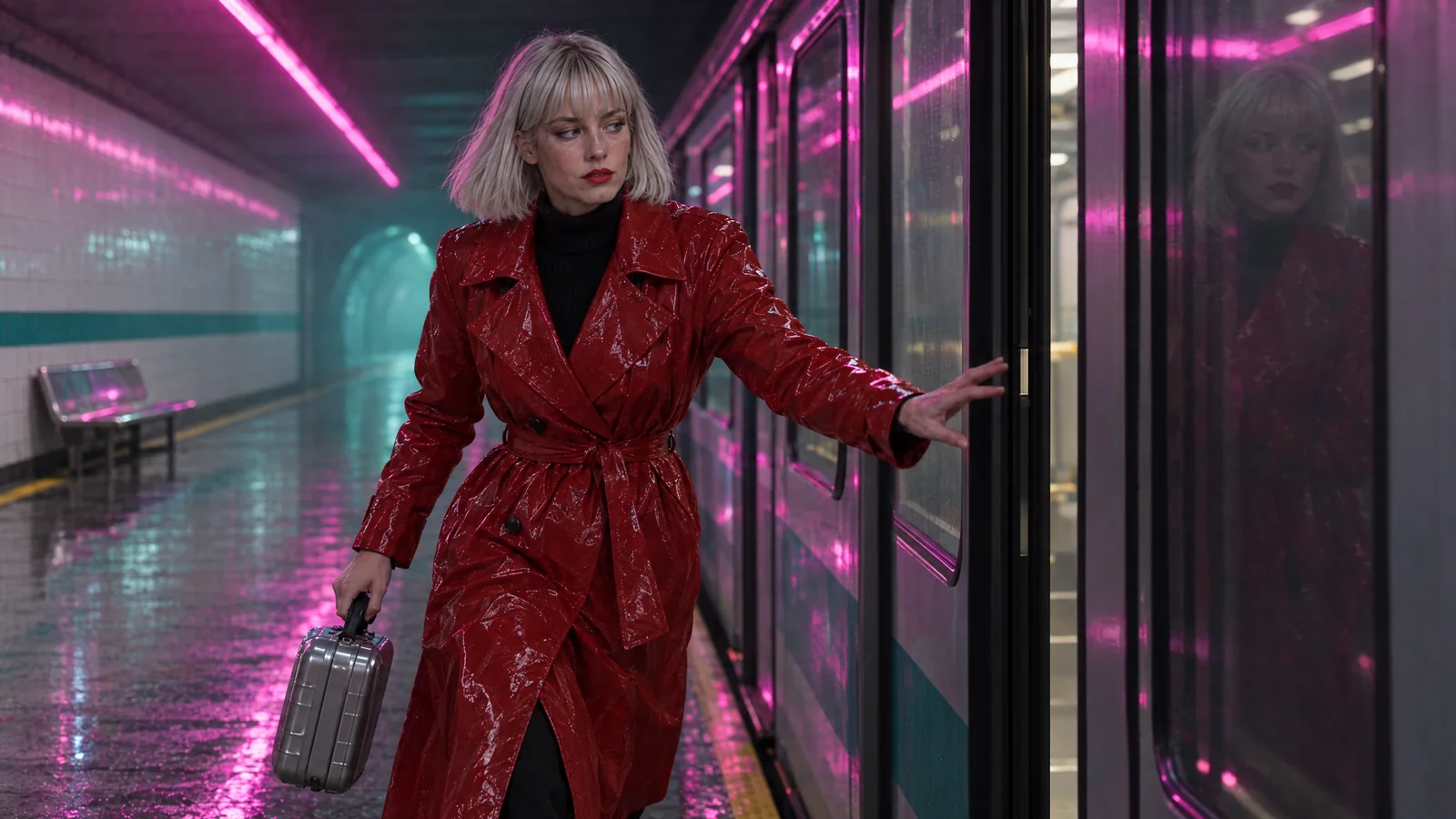
The shots in this guide are the five shots of Last Train, a 25 second film made for these guides on the company's own account. Vale is a saved character, Halcyon Street station is a saved location, the chrome case is a still and a sentence. Every shot was made as a 16:9 frame in the image composer with the character and the location attached, then animated in the video composer. Every person in it is fictional.
We then went through the shots with a list and a measuring tape: which garments, which props and which parts of the set appear in each one, and how much of each frame is the set's magenta and teal. What follows is that count, including the two places it fails.
What goes wrong
| Mistake | Why it fails | Fix |
|---|---|---|
| Describing the character afresh in each prompt | Each prompt is its own request; a coat becomes a jacket, a bob becomes a ponytail | Save a character with a reference image and one description, attach it, write @Name |
| Describing the place in one shot and assuming it | The model invents a new platform every time | Save a location with a still and one sentence; attach it to every shot |
| Leaving a prop out of one prompt | The prop is gone from that shot, whatever the last shot showed | One sentence per prop, pasted into every prompt where it should appear |
| Sending the character straight to a video model | One model refuses a photoreal reference; another makes the portrait the first frame | Make a 16:9 frame first with the cast attached, then animate it |
| Trusting a good first second | Sets repeat and props migrate as a clip runs on | Keep shots at 4 to 6 seconds and cut where it drifts |
What an anchor is here
There is no trained identity on NOLGIA. There are three kinds of anchor, and this guide uses all three:
- A character, from the Characters page: up to eight reference photos with a main one, and a description that rides into every prompt it is attached to. Pick it under Characters in either composer and write @Vale in the prompt. The composer puts the main photo in a reference slot and rewrites @Vale to that slot.
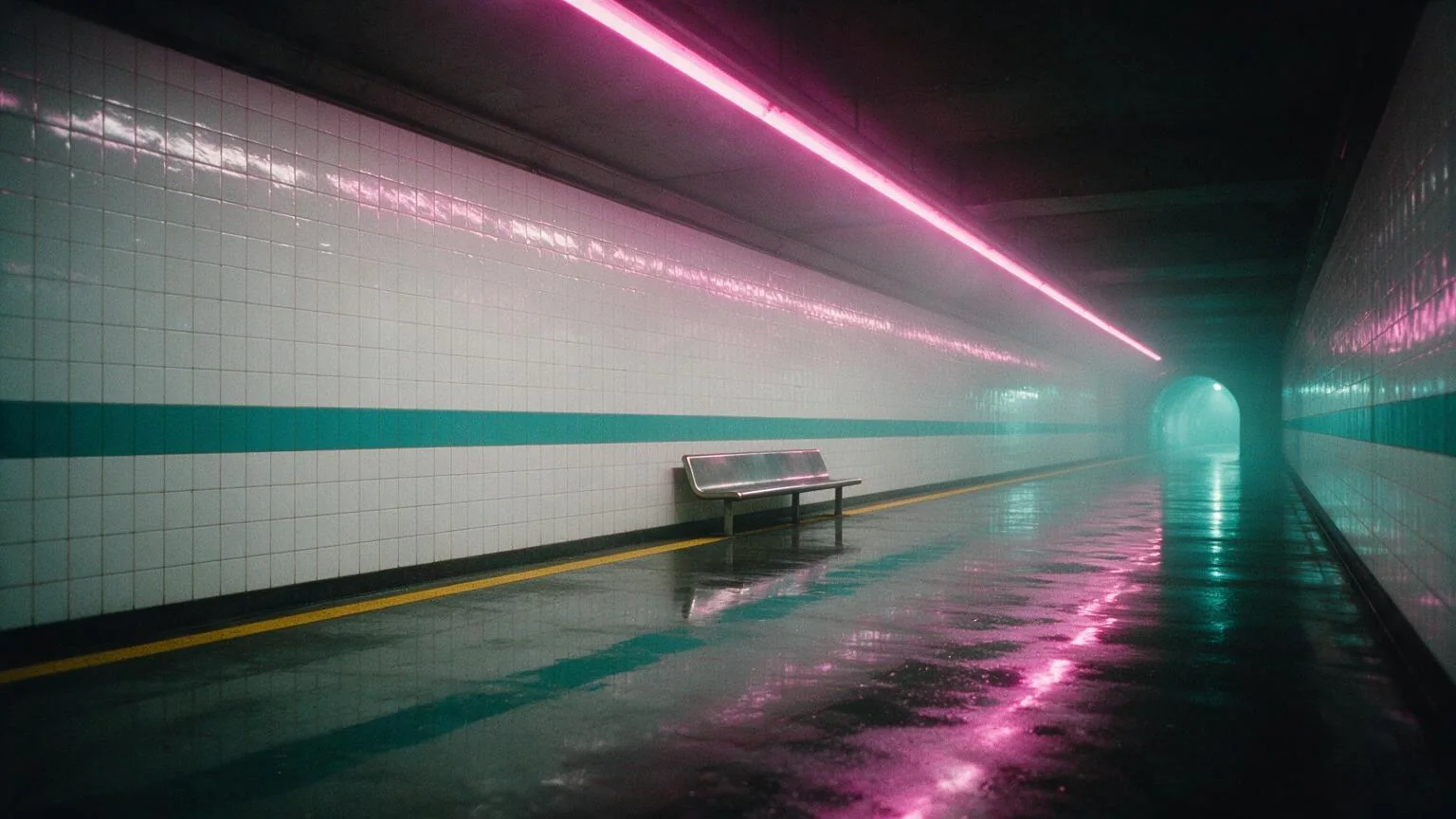
- A location, from the Locations page: a still and a canonical description. Pick it under Location and the still rides as a reference with the sentence.
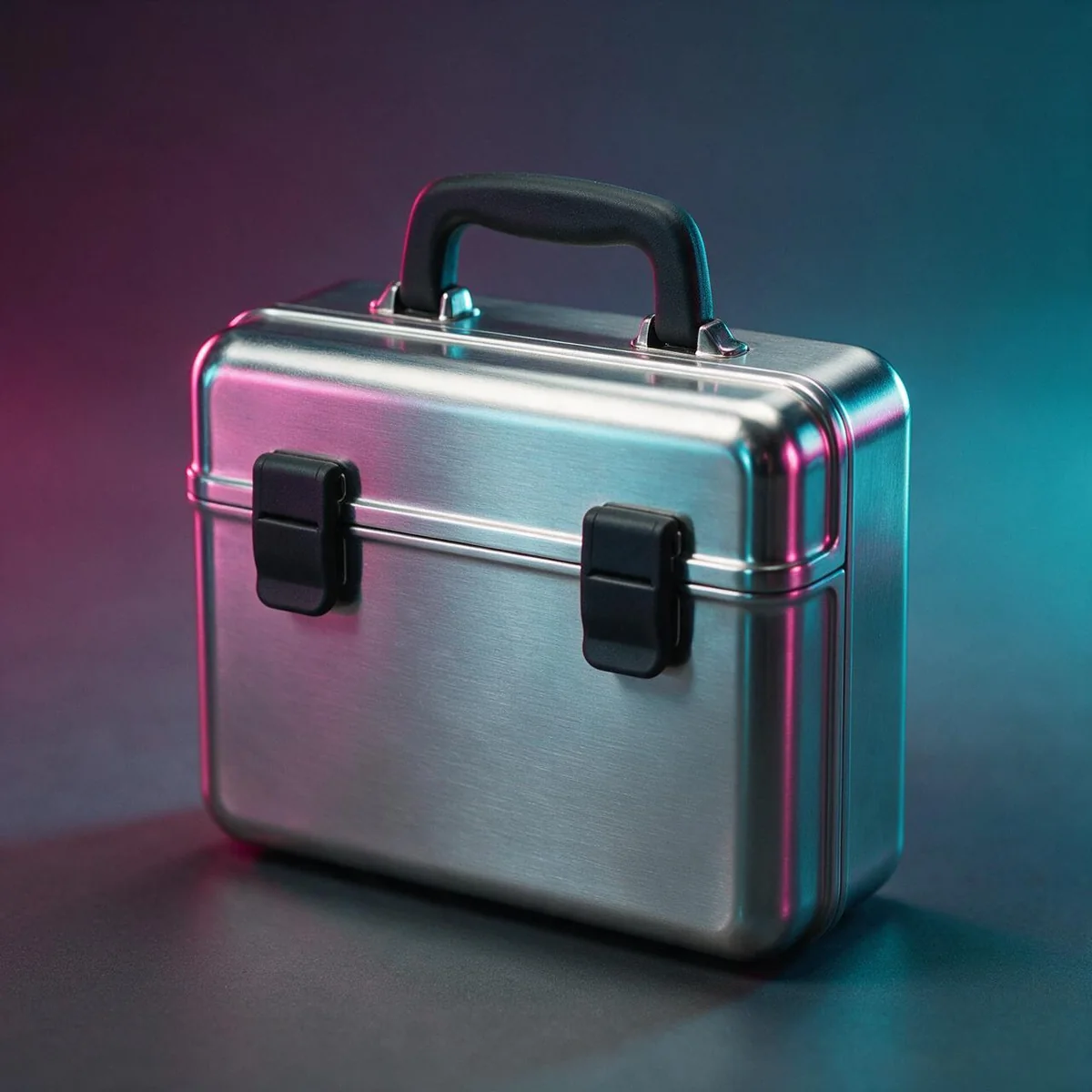
- A sentence, for anything else. The chrome case is one sentence, pasted unchanged into every prompt it belongs in, plus its own still as a reference image for the insert.
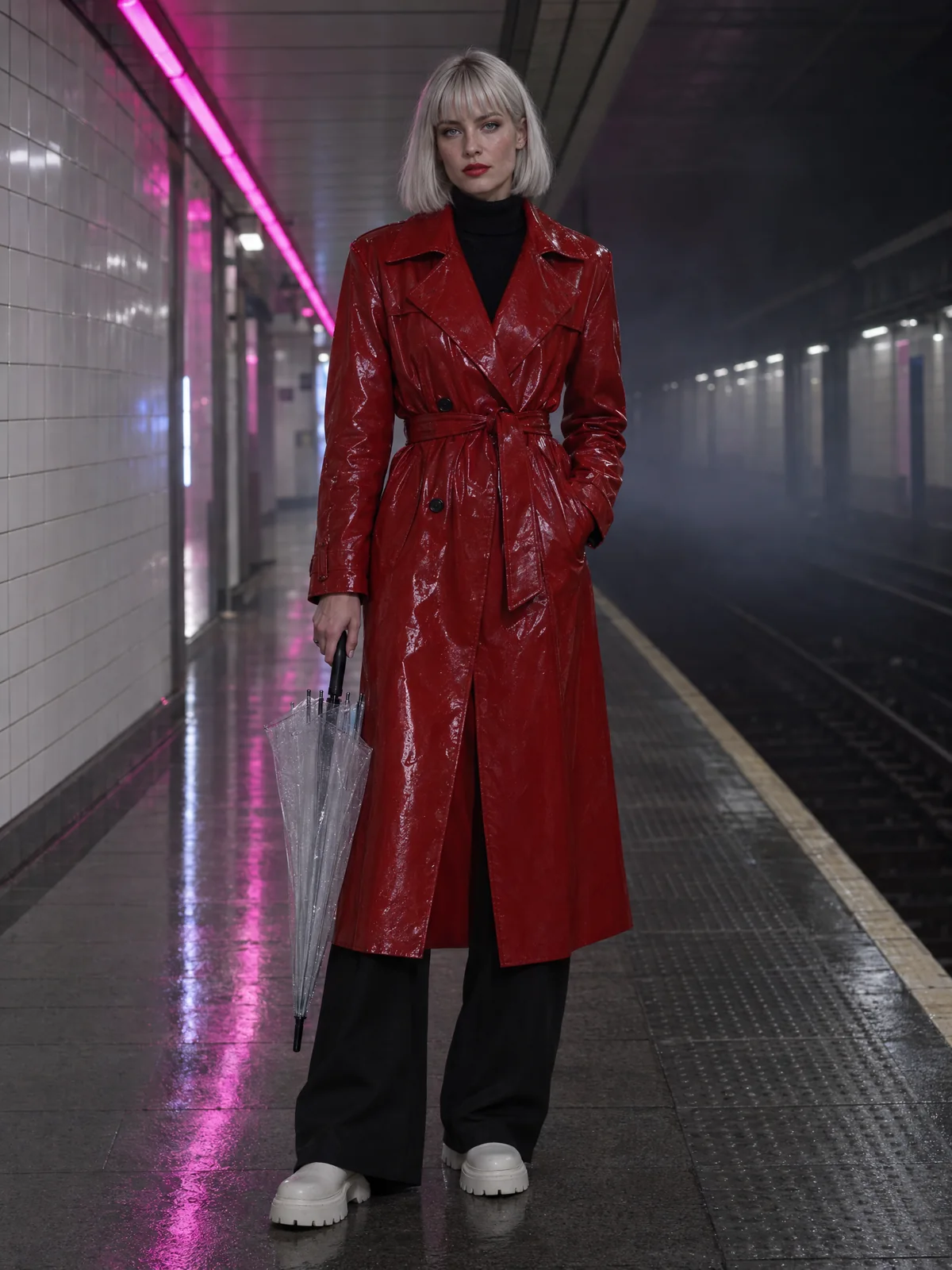
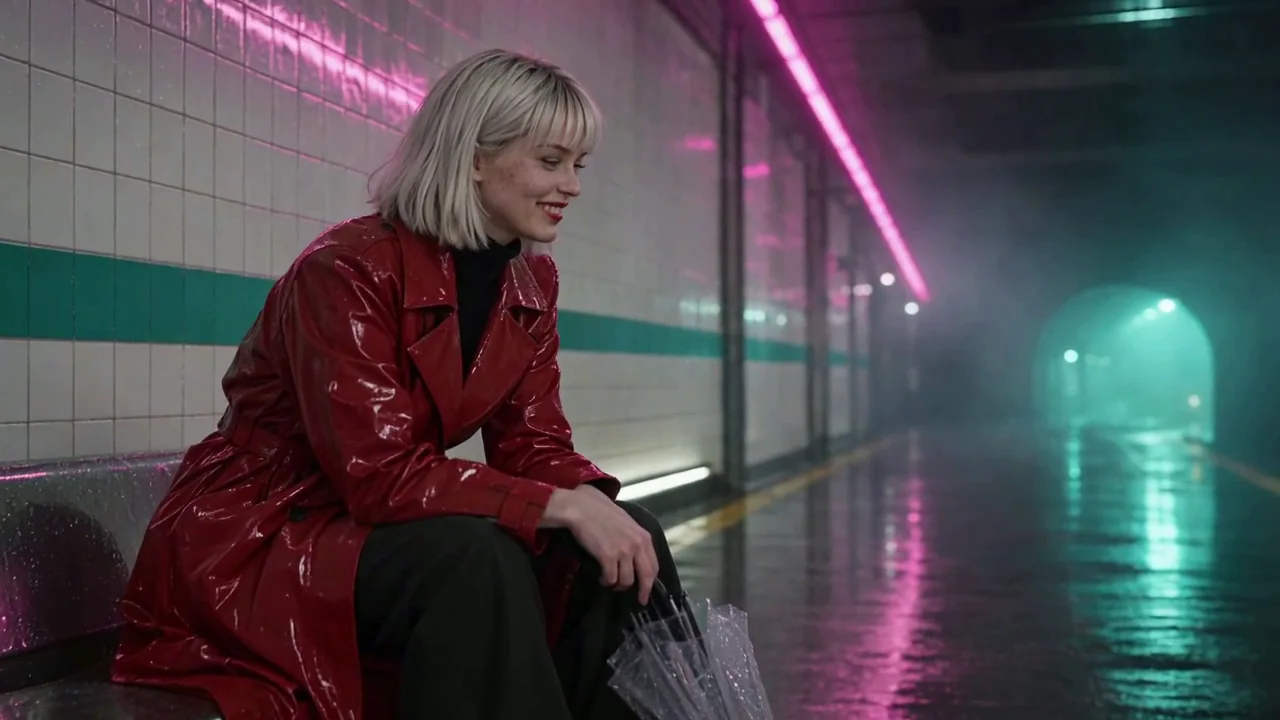
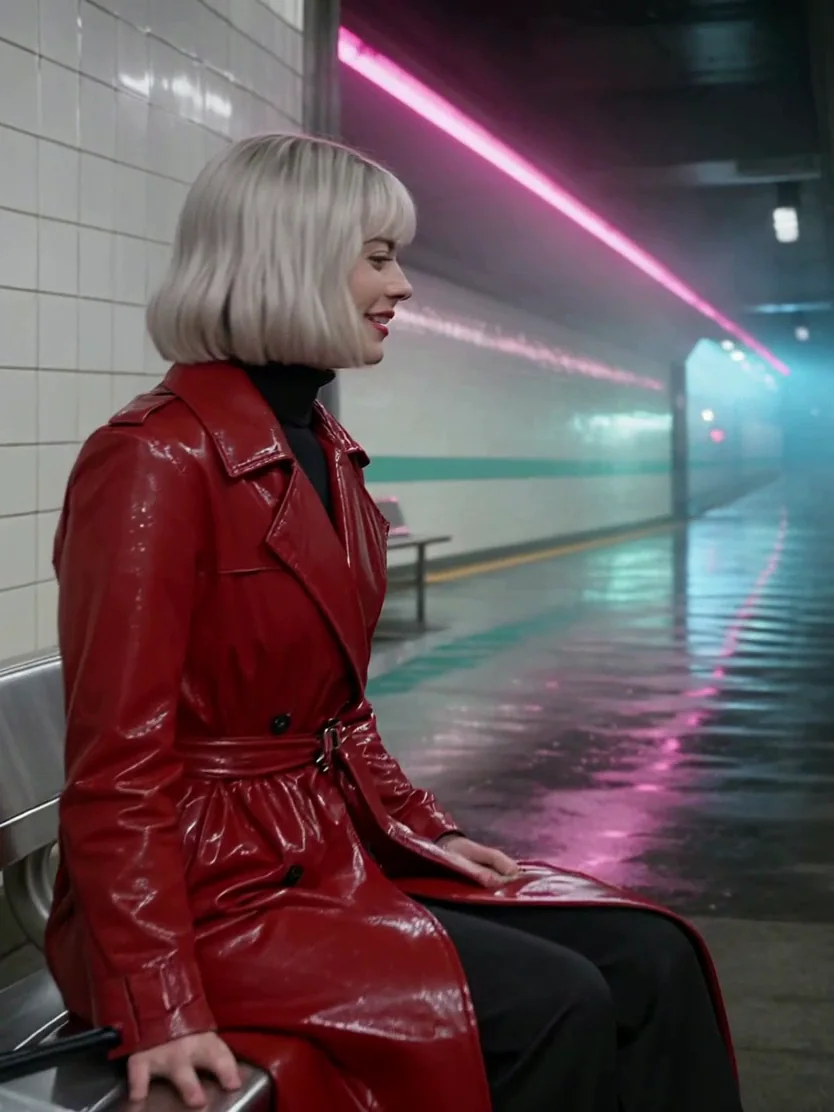
The lead of Last Train: a woman in her late twenties with a silver-blonde chin-length bob and a straight fringe, red lipstick, a glossy red vinyl trench coat belted closed over a black ribbed turtleneck, black wide-leg trousers, chunky white boots, a folded transparent bubble umbrella in one hand.
The five shots
Each shot below was a frame first, made in the image composer on GPT Image 2.5 Flare with Vale and the station attached, then animated from that frame: the run on Kling v3, the other four in the video composer on Seedance 1.5 Pro. The insert's frame had no character: the station attached and the case by its sentence.
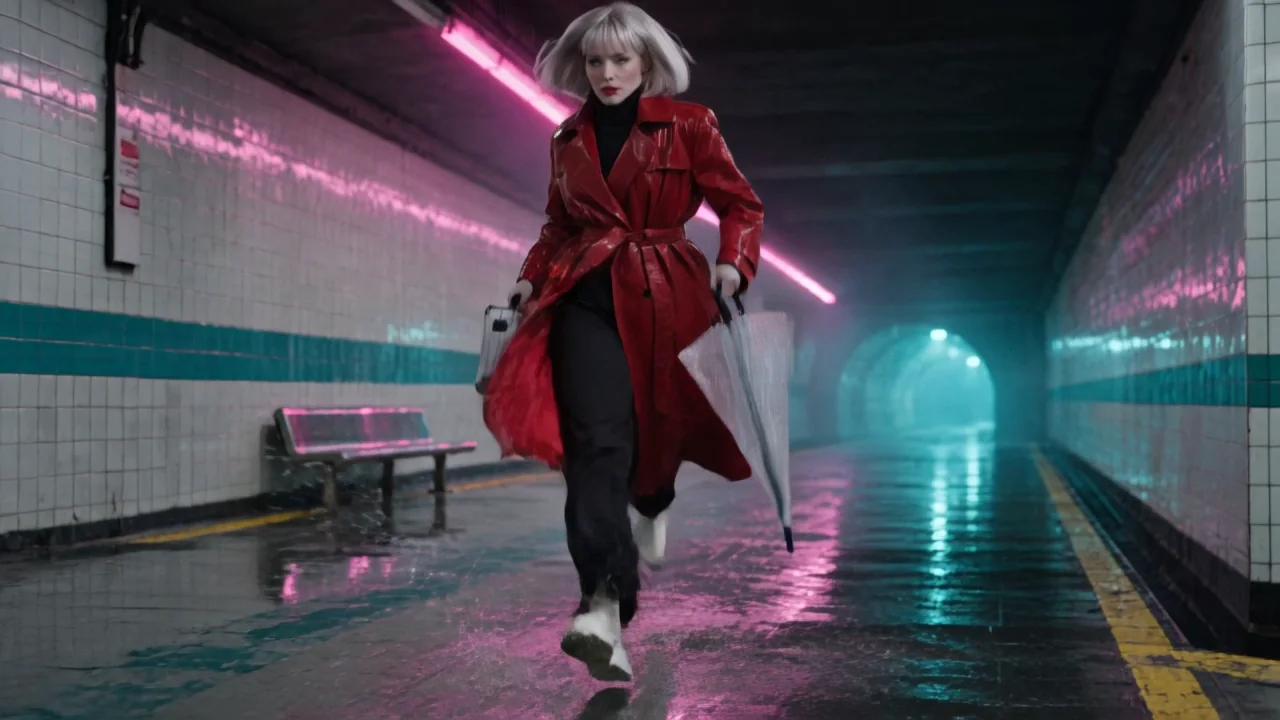
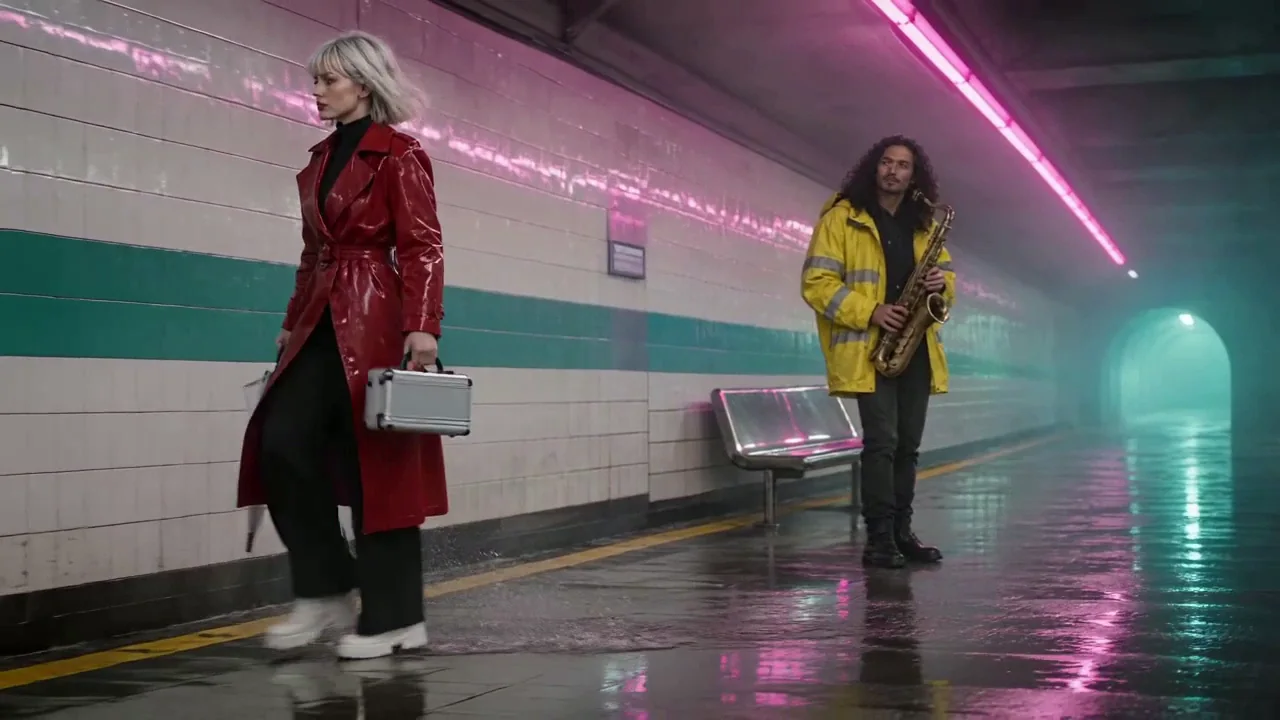
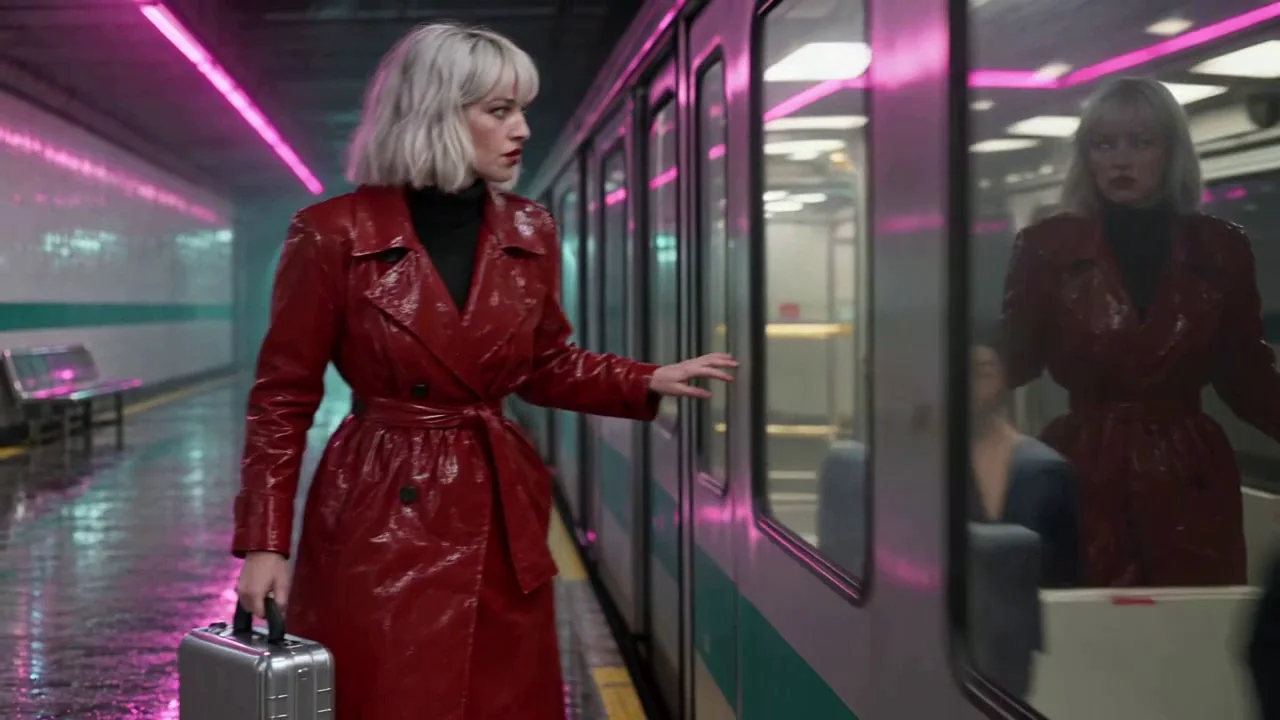
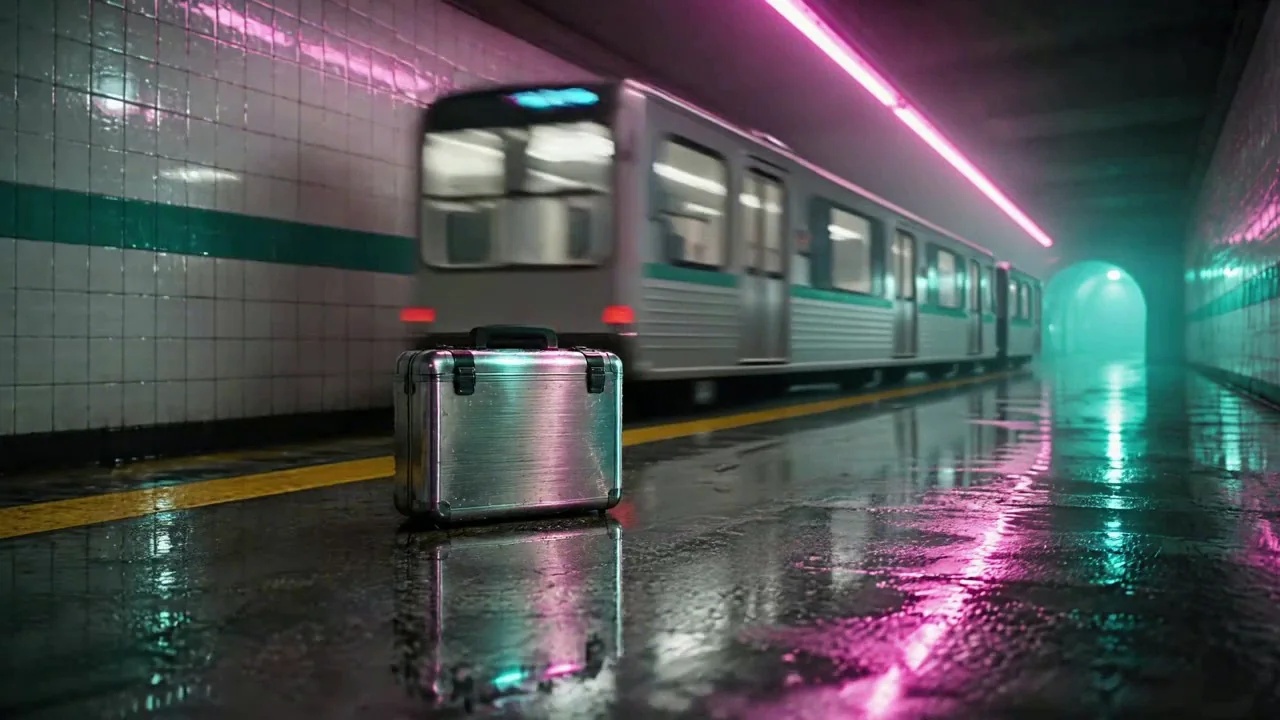
What held: wardrobe, props and set, shot by shot
We looked at every shot two frames per second and ticked a list: five wardrobe items (the red vinyl coat, the black turtleneck, the black wide-leg trousers, the chunky white boots, the silver bob), two props (the clear umbrella, the chrome case), and six set elements (white tiles, the teal stripe, the magenta strip, the steel bench, the yellow line, the cyan tunnel mouth).
| Shot | Wardrobe | Umbrella | Case | Set |
|---|---|---|---|---|
| 1 The run | 5 of 5, coat open as prompted | Yes | Yes | 6 of 6 |
| 2 The busker | 5 of 5, plus Ozzy's jacket, hoodie and sax | Yes | Yes | 6 of 6 |
| 3 The doors | 5 of 5, coat belted | No: not in this prompt | Yes | 6 of 6, plus the train |
| 4 The insert | No person | No | Yes, still from the first frame | 6 of 6 |
| 5 The bench | 5 of 5, coat belted | Yes | No: set down in shot 4 | 6 of 6 |
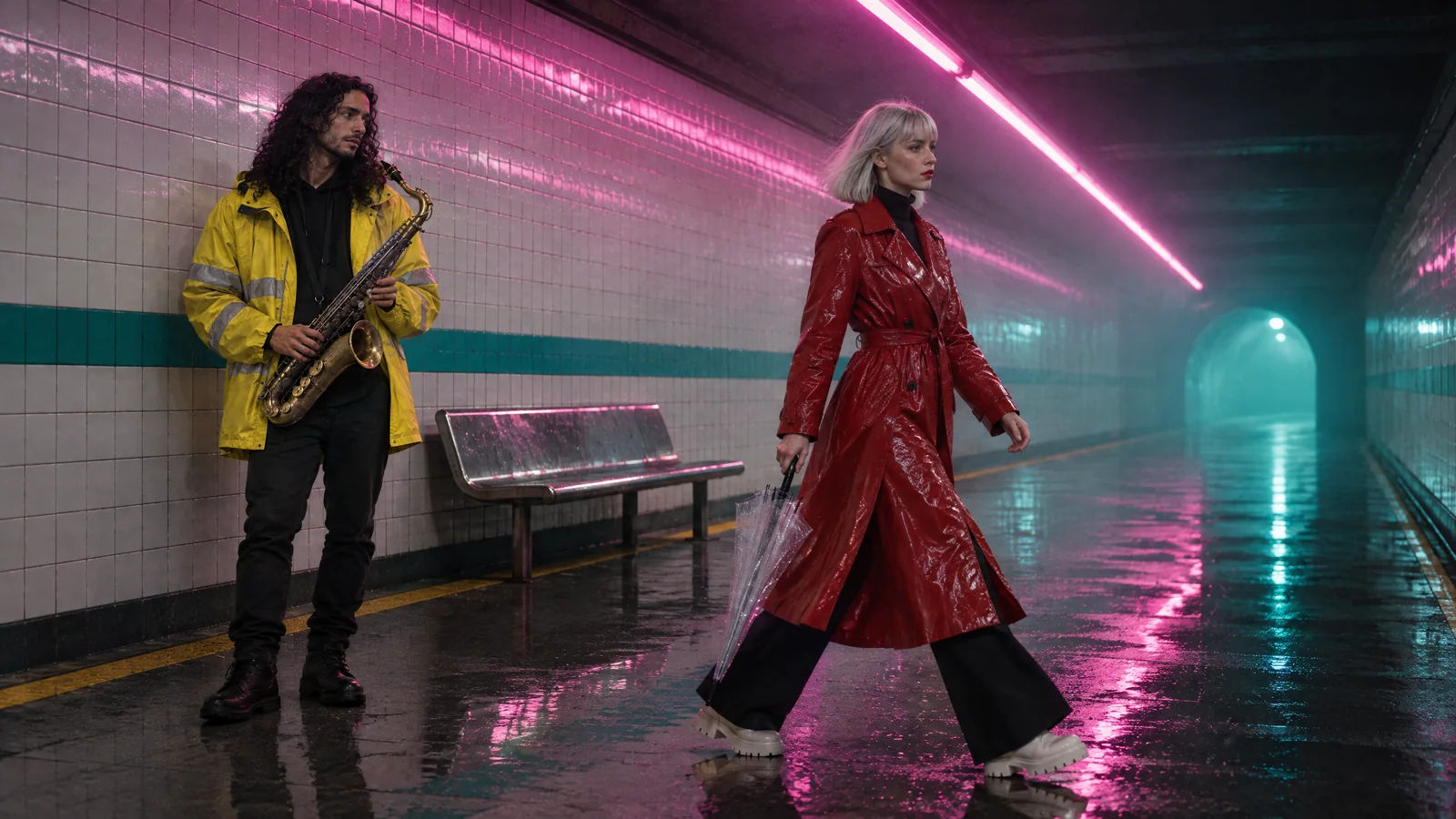
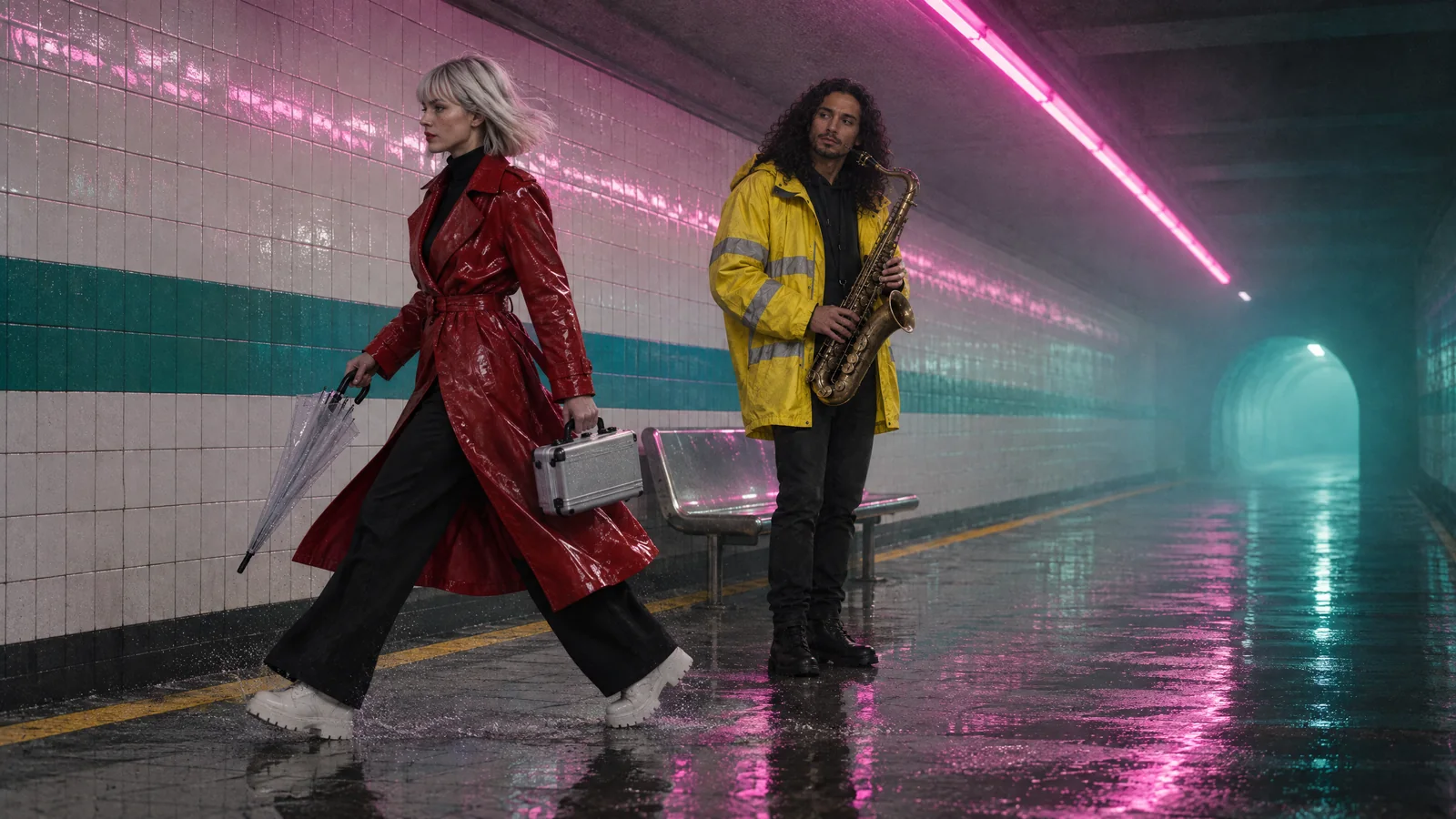
Watch for this:The gap: the case vanished from the first frame 2. Our first version of frame 2 named Ozzy, the bench, the sax and the umbrella, and not the case. So it had no case, although she carries it in frames 1 and 3. Nothing carries a prop forward for you. The fix was the boring one: the case's sentence added to the prompt, and the frame made again.
First version: the sentence left out
Second version: the sentence in the prompt
What held: the palette
A set is also a colour. We measured every frame of every shot at two frames per second: the share of saturated pixels whose hue falls in the set's magenta band, in its teal band, and in the coat's red band, and the mean brightness. The location's still is the reference row.
| Shot | Magenta | Teal | Coat red | Brightness |
|---|---|---|---|---|
| Location still (reference) | 11% | 14% | 1% | 0.38 |
| 1 The run | 9% | 15% | 6% | 0.36 |
| 2 The busker | 14% | 14% | 5% | 0.43 |
| 3 The doors | 14% | 12% | 13% | 0.35 |
| 4 The insert | 17% | 18% | 0% | 0.40 |
| 5 The bench | 13% | 23% | 11% | 0.33 |
The busker shot is the brightest: its tracking move keeps the camera on a bright stretch of wall. The doors shot has the least teal because a train fills the right of the frame. Neither is the palette drifting; both are what the shot shows.
What did not hold, and what we do not claim
- The face. We did not measure whether Vale's face belongs to one person from shot to shot, so this guide does not say it is. The wardrobe, hair and props are what the count above covers.
- A prop without its sentence. The case was missing from the first frame 2 because its sentence was not in that prompt.
- The set past 4 seconds. The second take of shot 2 ran past the busker a second time. Shorter shots, or a cut.
- A prop that migrates or arrives. Our first take of shot 2 moved the saxophone from Ozzy to Vale by 2 seconds; the first take of the insert had the case fade in. The fixes were a plainer action line and, for the insert, a frame with the case already in it.
Which anchor for which job
| You want to keep | Use | What it holds here |
|---|---|---|
| A person's wardrobe and hair across shots | A character, attached, @Name in the prompt | 5 of 5 items in 4 of 4 shots with her in them |
| A place across shots | A location, attached | 6 of 6 elements in 5 of 5 shots; palette within a few percent of the still |
| A prop across shots | One sentence in every prompt, and a frame with the prop in it for a static insert | Present wherever the sentence was, absent from the one frame where it was not |
| Two people in one shot | Both in the cast, in order, named with @ in the prompt | Vale and Ozzy, shot 2 |
| A face | Nothing measured here | Not claimed |
What it costs
Saving a character or a location costs nothing. A frame is priced per image, a shot by model and length. Live rates for the models used in these five shots:
GPT Image 2.5 FlareEvery plan
Per image
Native 8 credits · 2K 21 credits · 4K 58 credits
Kling v3Pro and up
Per 5s clip (audio on by default)
720p 35 credits · 1080p 47 credits · 4K 117 credits
Seedance 1.5 ProPro and up
Per 5s clip (audio on by default)
480p 7 credits · 720p 15 credits · 1080p 33 credits
Seedream 5.0 ProEvery plan
Per image
1K 5 credits · 2K 9 credits
Read live from the catalog when this page loads. Every price is shown before you generate. See every rate.
Checklist
- One character per recurring person, saved with a main reference and one description.
- One location per place, saved with a still and one sentence.
- One sentence per prop, in every prompt where the prop should be seen.
- Frames at 16:9 with the cast and the location attached; shots animated from the frames.
- Every shot checked against the list at full size before the cut; a gap is a redo of one prompt, not the whole film.
Try it yourself
Save the portrait below as a character's reference and the station as a location's reference, attach both in the image composer at 16:9, and use frame 1's prompt from the short film guide. Then run your own count: five wardrobe items, two props, six set elements, shot by shot.
Questions and answers
- Is it one person's face from shot to shot?
- We have not measured it, so we do not claim it. What we measured and can say held is the wardrobe, the hair, the props and the set.
- How does a character keep its wardrobe?
- Its main reference photo rides as a reference image with every prompt it is attached to, and its description rides in as words. Both say the same coat, boots and bob, and the model renders them.
- Why did the case vanish from one shot?
- Because its sentence was not in that frame's prompt. A prop is only as consistent as the words that describe it in each prompt, so paste the same sentence into every one; the second version of that frame, with the sentence, has the case.
- Does the location still have to be a photo?
- No. Ours is a still made with Seedream 5.0 Pro. Any still of the place, uploaded or generated, works as the location's reference.
- Can I attach the character straight to the video model?
- On the models we tried, no: one refused the reference and one used the portrait as the first frame. A 16:9 frame from the image composer, then Animate an image, worked every time.
- How was the palette measured?
- Every frame at two frames per second, the share of saturated pixels in three hue bands, averaged per shot, against the same measure on the location's still.
Save the cast and the set once
Open CharactersRelated guides
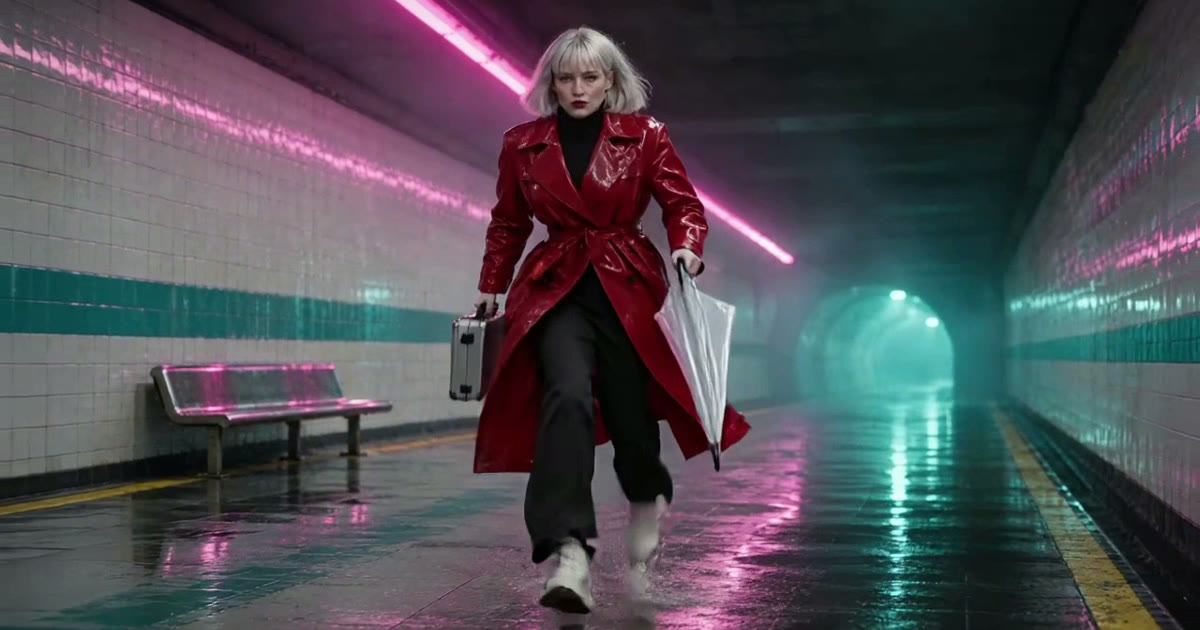
Filmmaking
A short film with AI: the pipeline from script to final cut
A 25 second film, Last Train, from a five line script to a graded cut: a saved character, a saved location, a prop, frames first, then shots, sound, Studio, and the export to Premiere or Resolve.
· 13 min read
Video editing
Put your own character and your dog into any video
Pick a video, add a photo of a person and one of a dog, and Miroge recasts the clip with them: the same moves, the same set, the same camera. Every step, on a computer and a phone.
· 9 min read
Filmmaking
Focal length for AI video: 24mm, 70mm, 135mm and 200mm
What 24mm, 70mm, 135mm and 200mm do to a frame, how to prompt each in Seedance 2.5, and how the focal length reel was made, with every prompt as it was sent.
· 15 min read