

Keep the subject, change the world around it
You have a clip you like. The move is right and the timing is right, but it happened in the wrong place. Miroge can keep what moves in the frame and redraw everything around it. The trick is the order you describe things in.
- 9 min read
- Preset: Miroge: recast your clip
This guide follows one clip from start to finish: a skater's feet in a concrete bowl, turned into the same feet on an arctic glacier. Every clip and still here is real output from our models, and the numbers come from comparing each edit with its source frame by frame.
One thing to know first: the source clips in this guide were made on NOLGIA too, with Seedance 2.0 Fast, so we could test on footage we own. We have not yet run this test on footage shot on a camera.
Pick a clip where the subject has no face in frame
The technique works on a partial subject: hands, feet and legs, a vehicle, a product. It is the part of the frame you want to keep exactly as it moved. Everything else, the ground, the walls, the sky and the light, is what you will replace.
Use a clip of 3 to 10 seconds. For a longer film, change one shot at a time.
Watch for this:Faces and whole bodies are not tested. Every run behind this guide kept a subject with no face in frame. In an earlier location swap with a whole person in the shot, the person was redrawn along with the place. Until we have measured it, keep faces out of this technique.
Open Miroge in New world
Miroge has three modes. Swap changes one object and keeps everything else, which is the wrong tool here: you want to keep one thing and change everything else. That is New world, and it runs on Gemini Omni 1.1 (Video Edit) unless you pick another model.
- Open Miroge and pick New world.
- Add your clip.
- Type the subject into What stays and the new place into The new world, as the next two steps show. Miroge writes the rest of the prompt around them in the order that held: keep the subject exactly, keep the camera, then the change.
The skate clip
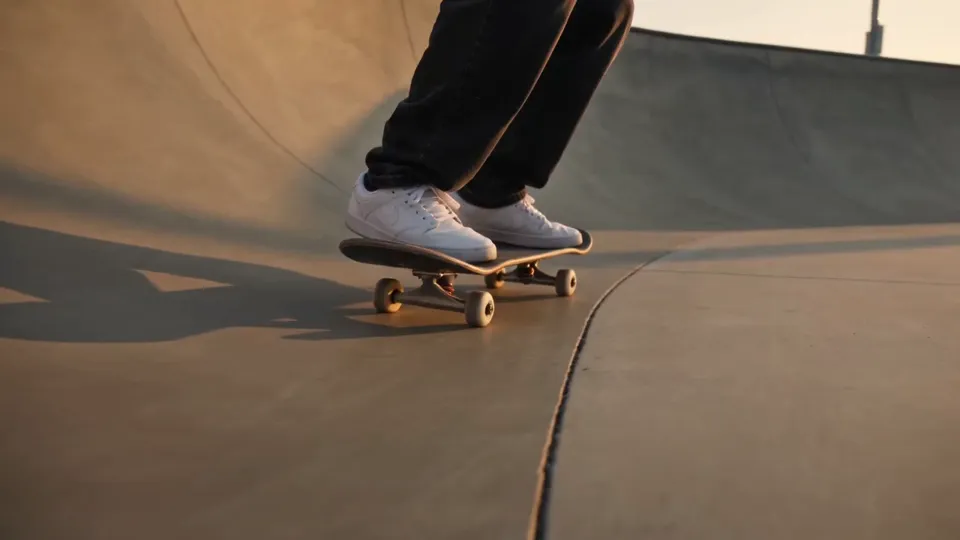
- The skate clip: feet on a skateboard in a concrete bowl, 5 secondsMP4 video · 1280x720 · 2.7 MBDownload
The model page shows what it accepts and what it costs: Gemini Omni 1.1 (Video Edit).
Name what stays first, as a rule
Every run in this guide that held used the same order. The prompt opens by naming the subject that must survive, in concrete physical detail, then forbids changing it, and only then names what changes.
- Say what changes and what does not, in one line. "Change the board and the world around it, but not the rider."
- Describe the subject like a costume department would. Garments, colours, materials, how it stands, what it is touching.
- Turn it into a prohibition. "Do not change the rider, their clothes, their stance or their movement in any way."
- Lock the camera. The same move, angle, framing, cuts and length.
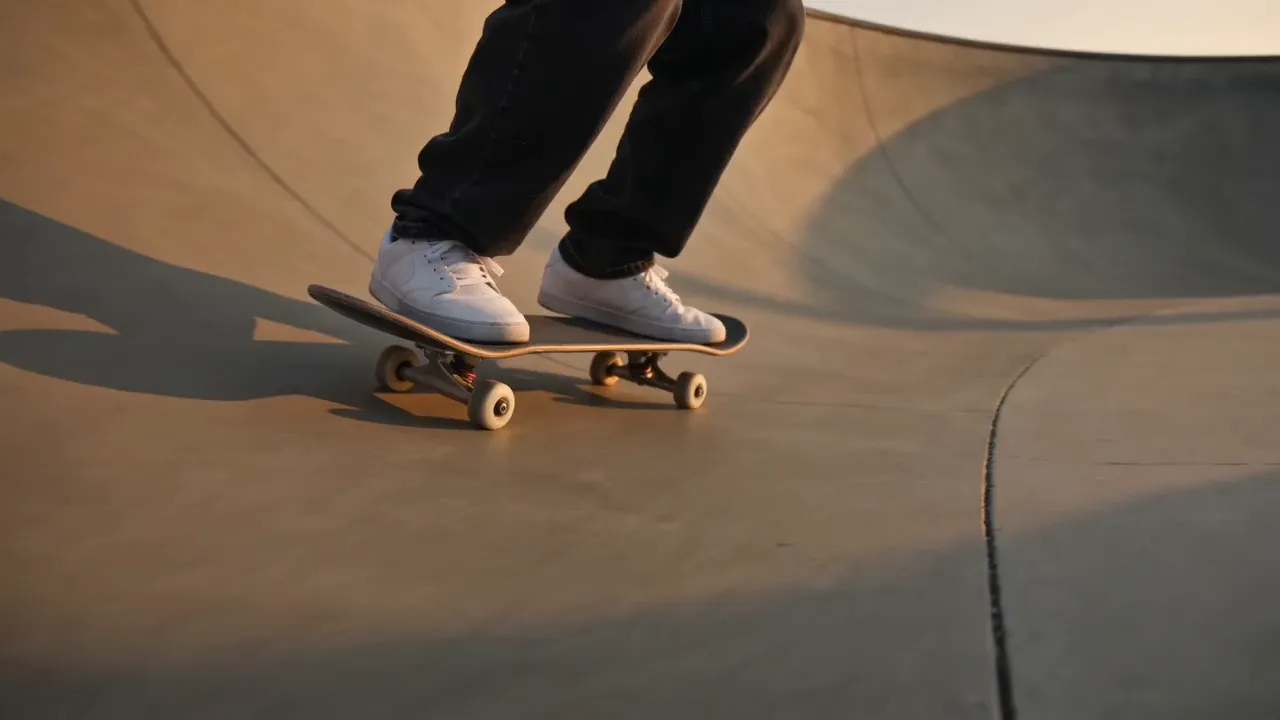
Edit this clip and change the board and the world around it, but not the rider. KEEP THE RIDER EXACTLY AS THEY ARE: the same legs, the same black jeans, the same white sneakers, standing the same way on the board, performing exactly the same trick with exactly the same timing, the same body position frame for frame. Do not change the rider, their clothes, their stance or their movement in any way. Keep the same camera move, the same low tracking angle, the same framing and cuts, the same length.
Tip:In New world, this is the What stays line. Type only the subject, in the same concrete detail: "the rider: the same legs, the same black jeans, the same white sneakers, standing the same way on the board". Miroge adds the prohibition and the camera lock for you.
Tip:Name what is visible, not what is implied. Describe the parts the camera can see. There is no skater in this frame, only legs, so the prompt says "the same black jeans, the same white sneakers".
Then name the changes, one at a time
Only after the subject is protected, list what changes. Number them, give each its material, colour and shape, and finish with the light, because new light is what sells a new place.
In New world, the numbered changes and the light go into The new world. The prompt below is the whole instruction as it was sent for this edit.
Edit this clip and change the board and the world around it, but not the rider. KEEP THE RIDER EXACTLY AS THEY ARE: the same legs, the same black jeans, the same white sneakers, standing the same way on the board, performing exactly the same trick with exactly the same timing, the same body position frame for frame. Do not change the rider, their clothes, their stance or their movement in any way. Keep the same camera move, the same low tracking angle, the same framing and cuts, the same length. THE FIRST CHANGE: the skateboard under the rider's sneakers becomes a board of clear carved blue glacier ice, frosted and translucent, with pale icy wheels. THE SECOND CHANGE: the smooth concrete skatepark bowl becomes a curved bowl of polished glacier ice on an arctic glacier, walls of blue-white ice, drifting snow, pale cold daylight and a distant ridge of ice under an overcast polar sky. The warm golden light becomes cold blue-white light. No on-screen text, no watermark, no brand names, no logos.
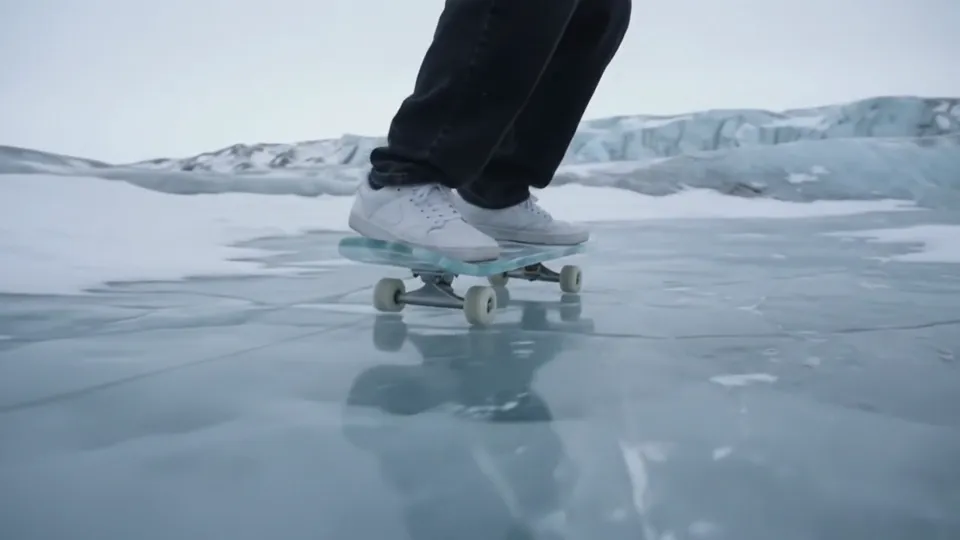
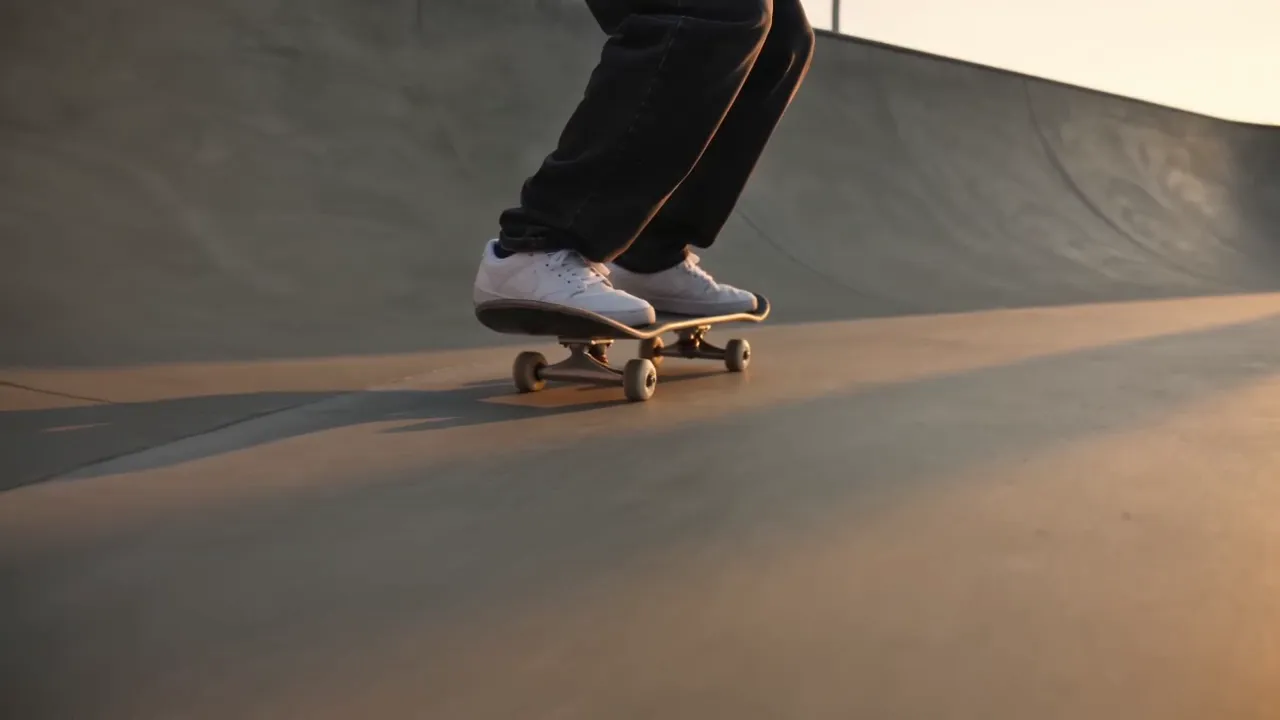
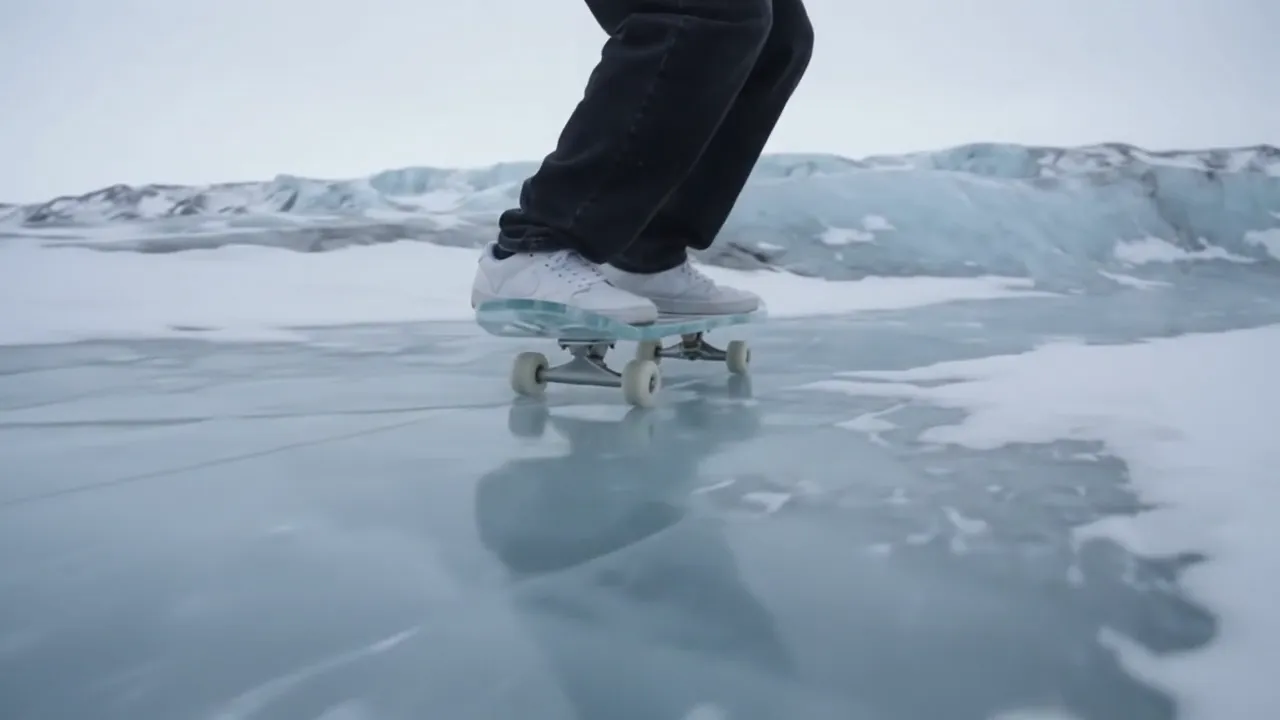 SourceEdit
Check it against your source
Play the two together and watch the subject, not the scenery. Does it sit in the same place at the same moment? Does it move with the same timing? Ignore the colour of the subject: you asked for new light, so it will look different.
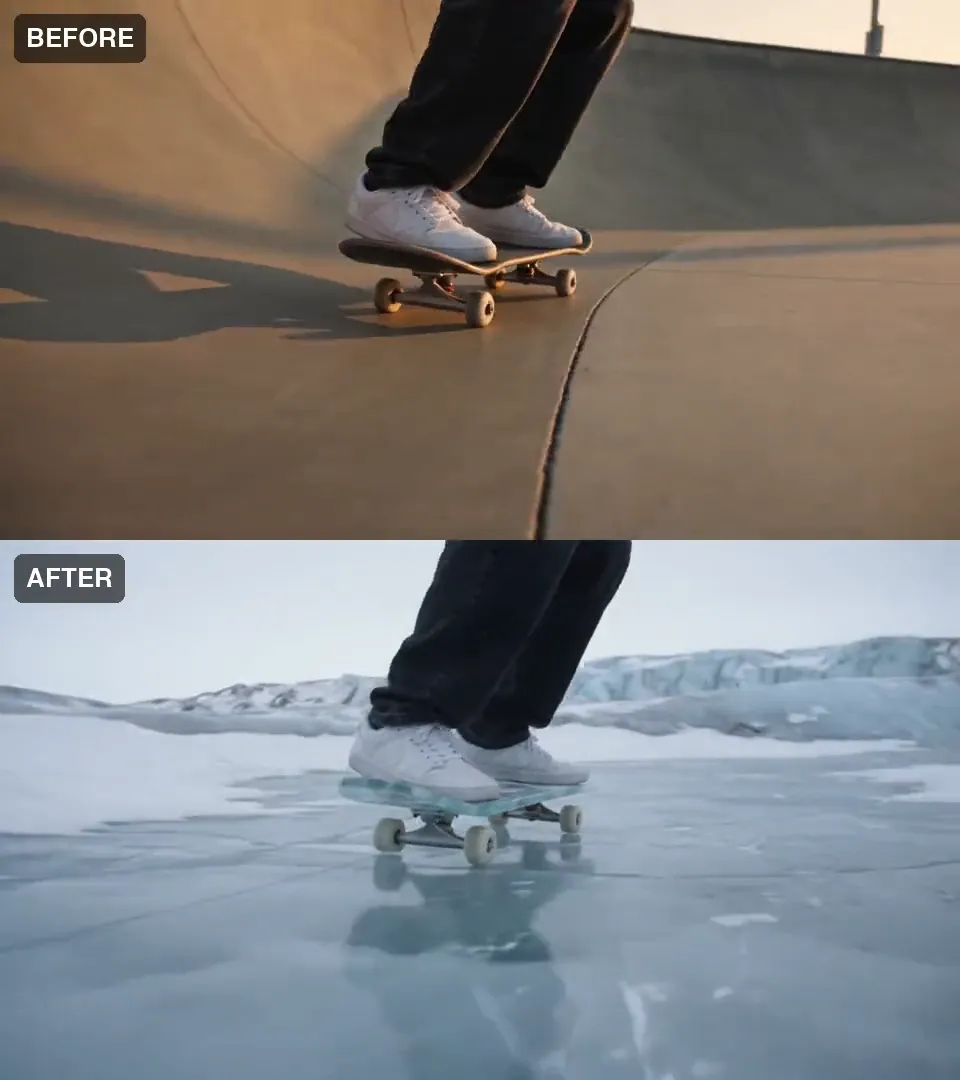
We measured it the same way on every run. An off-the-shelf segmenter cut the subject out of 12 frames of the source and 12 of the edit, and we compared the two outlines. On this run they overlapped at 0.93 (1.00 is identical). The same test between two unrelated clips scores 0.00 to 0.17, so a pass here means something.
What did not work: changing only the board
Our first two takes used Miroge's Swap mode: change the board, keep everything else. They did exactly that. The rider held and the board became a walnut longboard, then a teal cruiser. But the bowl, the light and the mood were untouched, so the result read as a filter. It did not look like we had done much.
Weak take: the board only
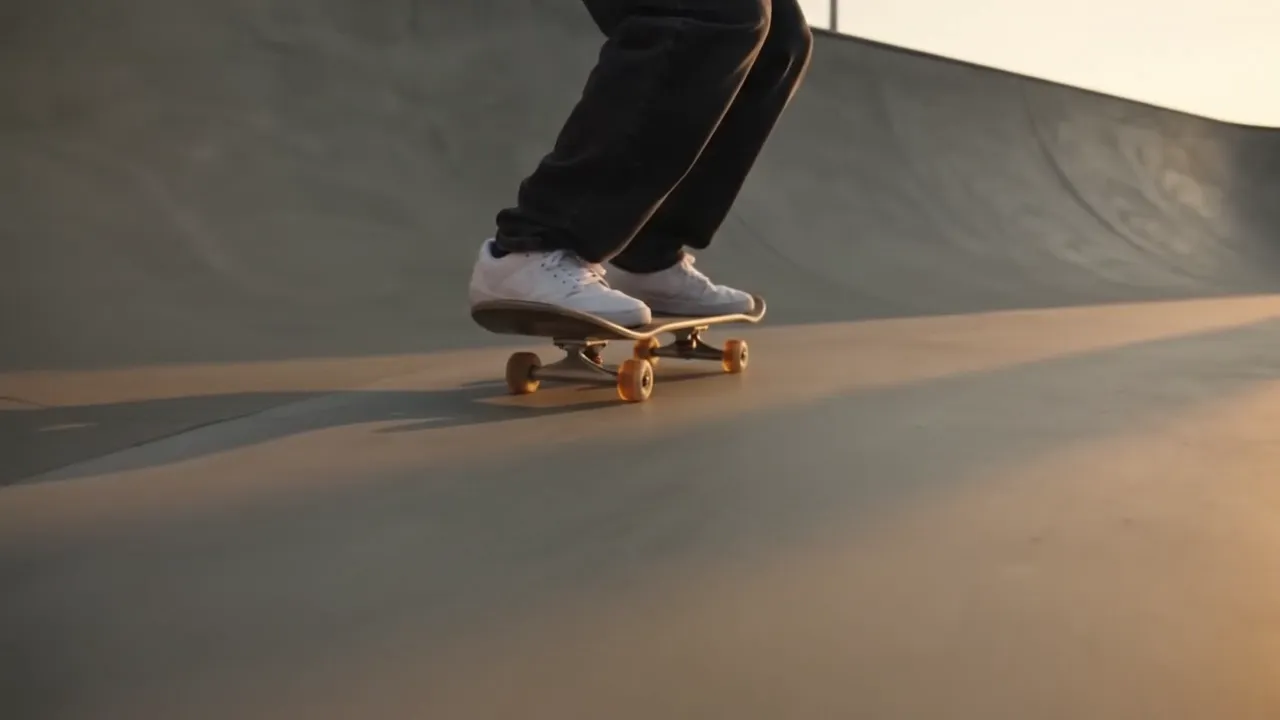
Kept take: the world around the rider
Edit this clip and change one thing only. THE TARGET: the plain black skateboard under the rider's white sneakers. THE NEW OBJECT: a long walnut wood longboard with a natural grain finish and translucent amber wheels. Replace the target with the new object at the same position and scale, moving exactly as the target moved, with matching shadows and reflections. Keep everything else the same: the same people with the same faces, hair and clothes, the same background, the same camera move, framing and cuts, the same lighting and colour, nothing else added or removed. No on-screen text, no watermark. Use only the brand names, logos and trademarks the customer includes in their request; never add real-world brands, logos or trademarked designs the customer did not mention.
The lesson is in the second half of that prompt: it tells the model to keep the background, the light and the colour. To change the world, the prompt has to say the world changes, and then protect the subject on its own terms.
Does it repeat? Six runs, five clips
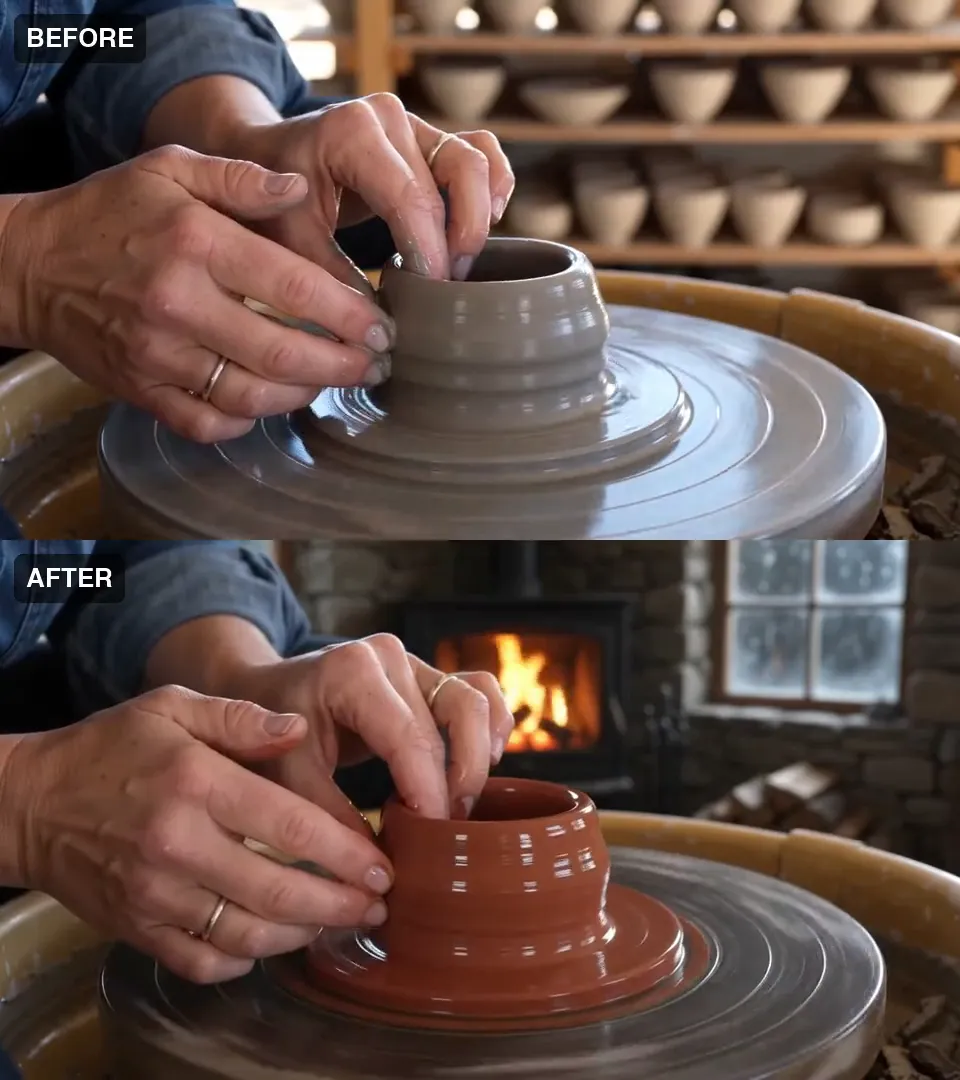
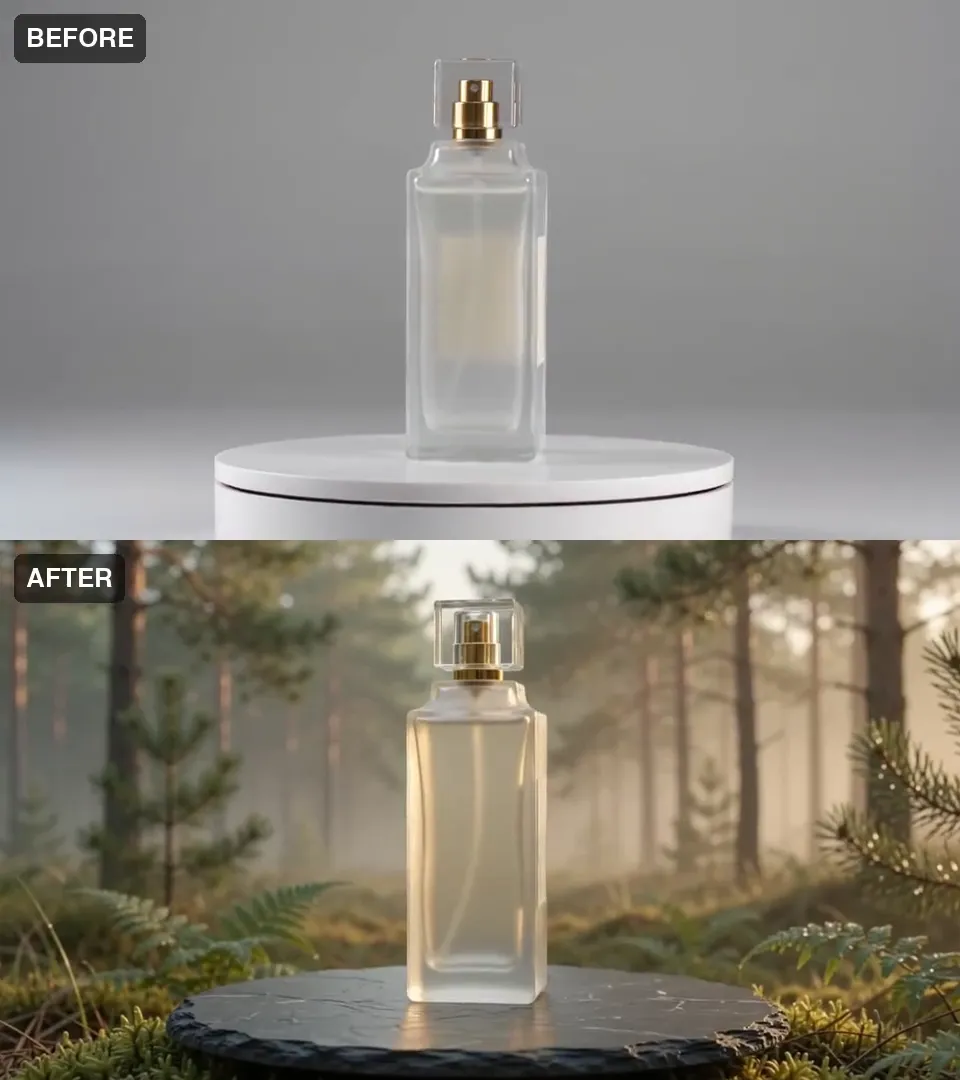
One good result is not a method, so we ran the same prompt shape on four more clips and ran the skate clip a second time. The subject held in 6 of 6 runs.
| Run | Kept subject | Outline overlap | Held |
|---|---|---|---|
| Glacier | Legs and sneakers | 0.93 | Yes |
| Glacier, run again | Legs and sneakers | 0.80 | Yes |
| Stone cabin | Two hands | 0.97 | Yes |
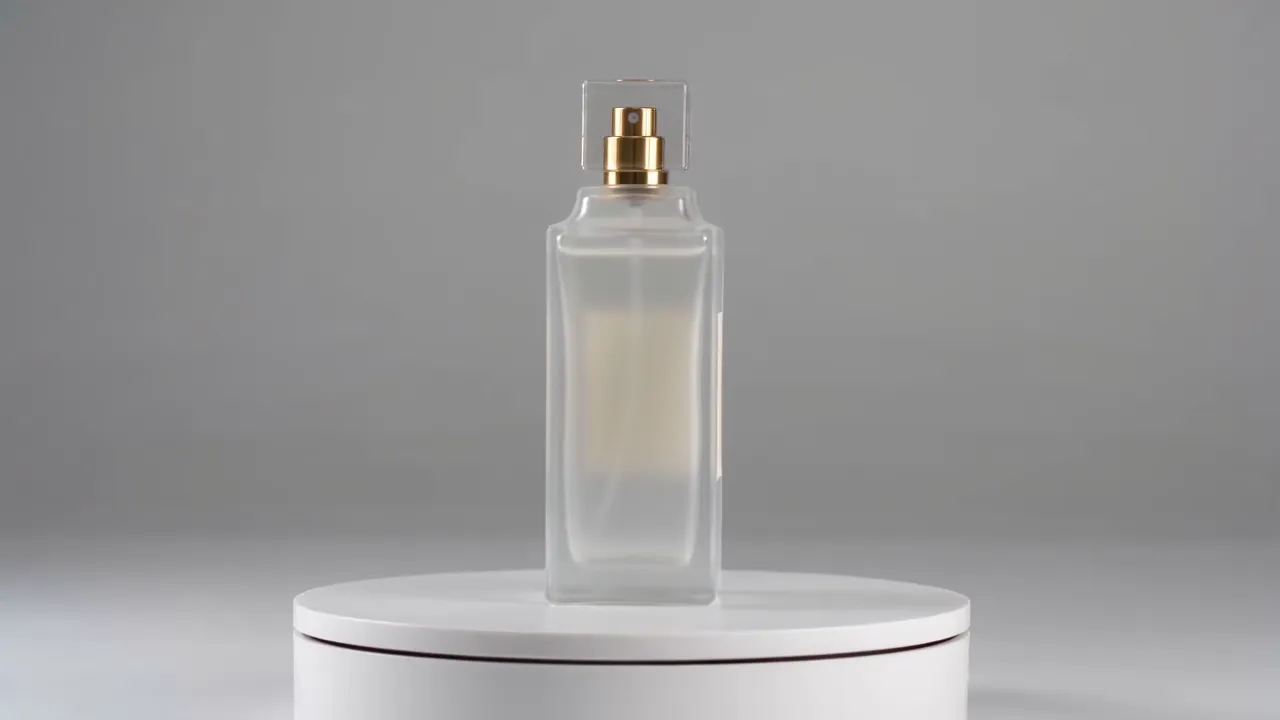
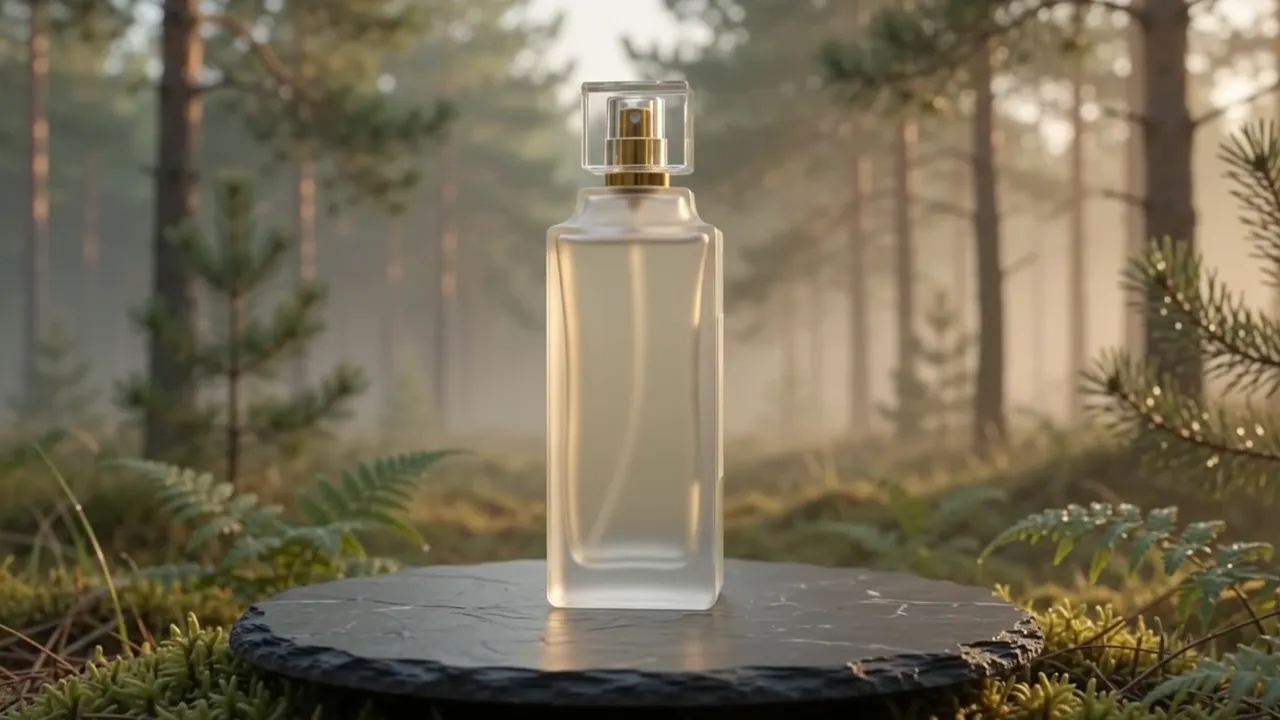
| Pine forest | Glass bottle | 0.94 | Yes |
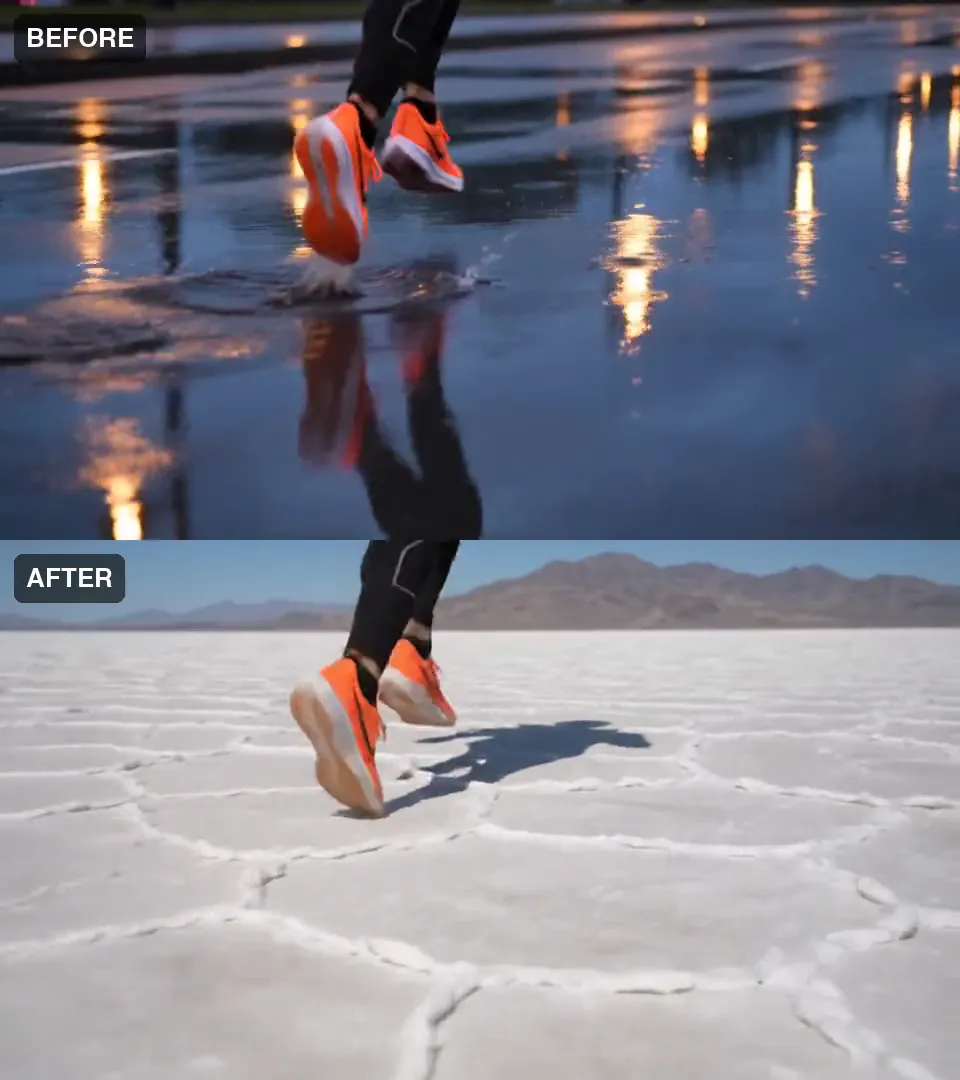
| Salt flat | Legs and shoes | 0.75 | Yes, framing lower |
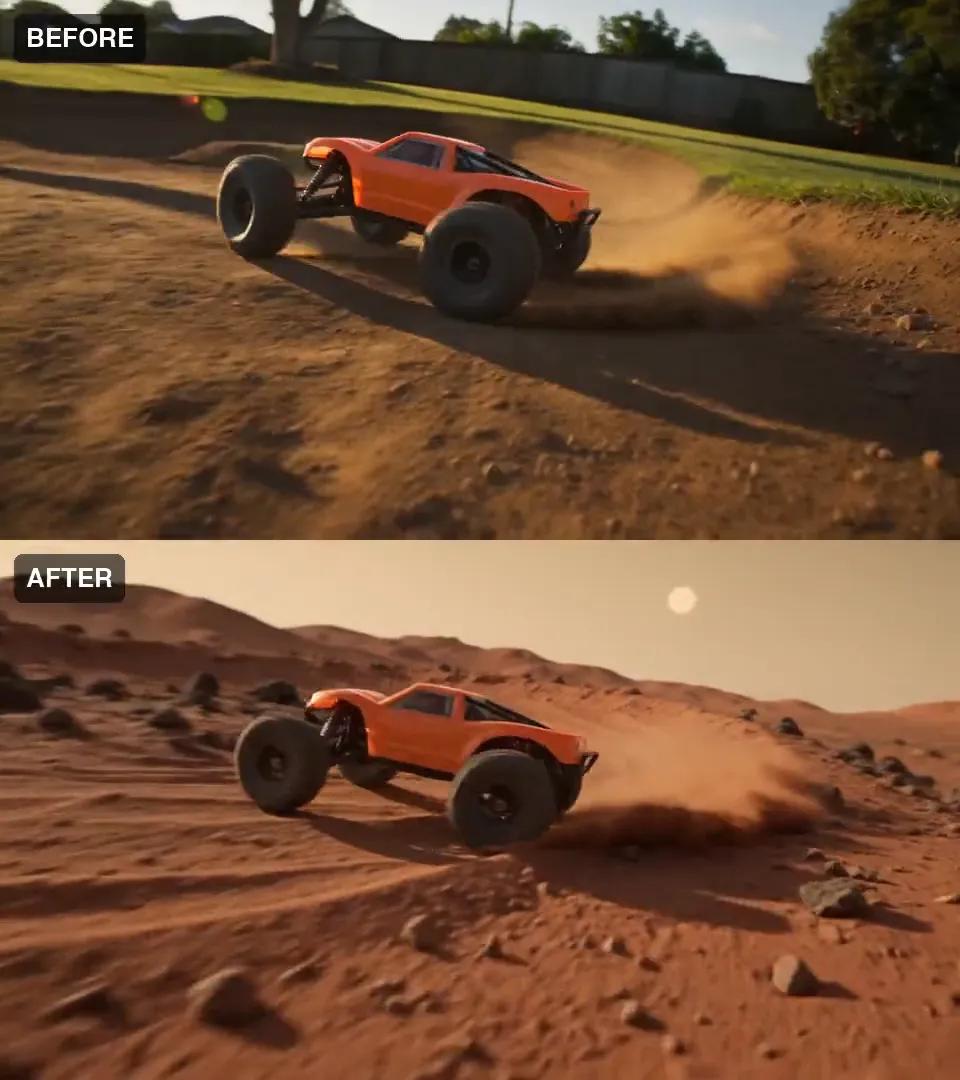
| Mars | Toy buggy | 0.69 | Yes |
Watch for these
Watch for this:The place is redrawn, not kept. The model keeps the subject and invents a new world around it. It does not keep the old layout. The first glacier run flattened the curved bowl into open ice; the second run kept some of the curve. The runner's horizon moved too.
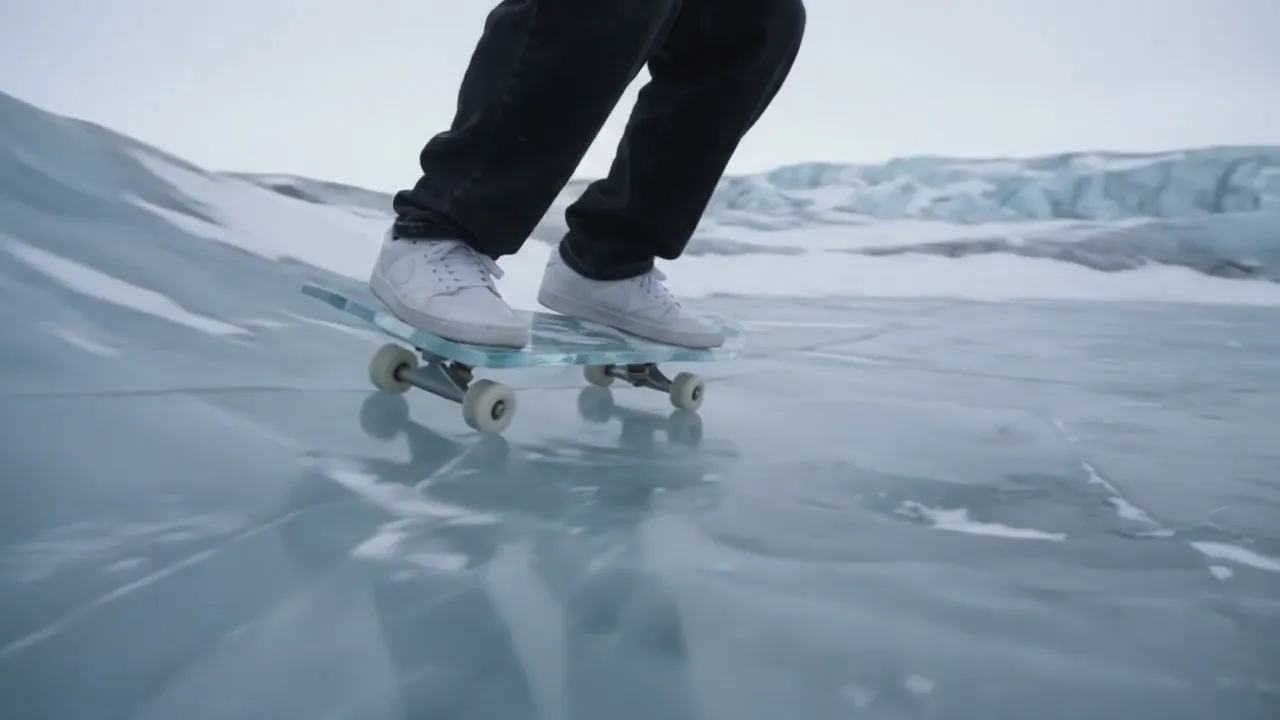
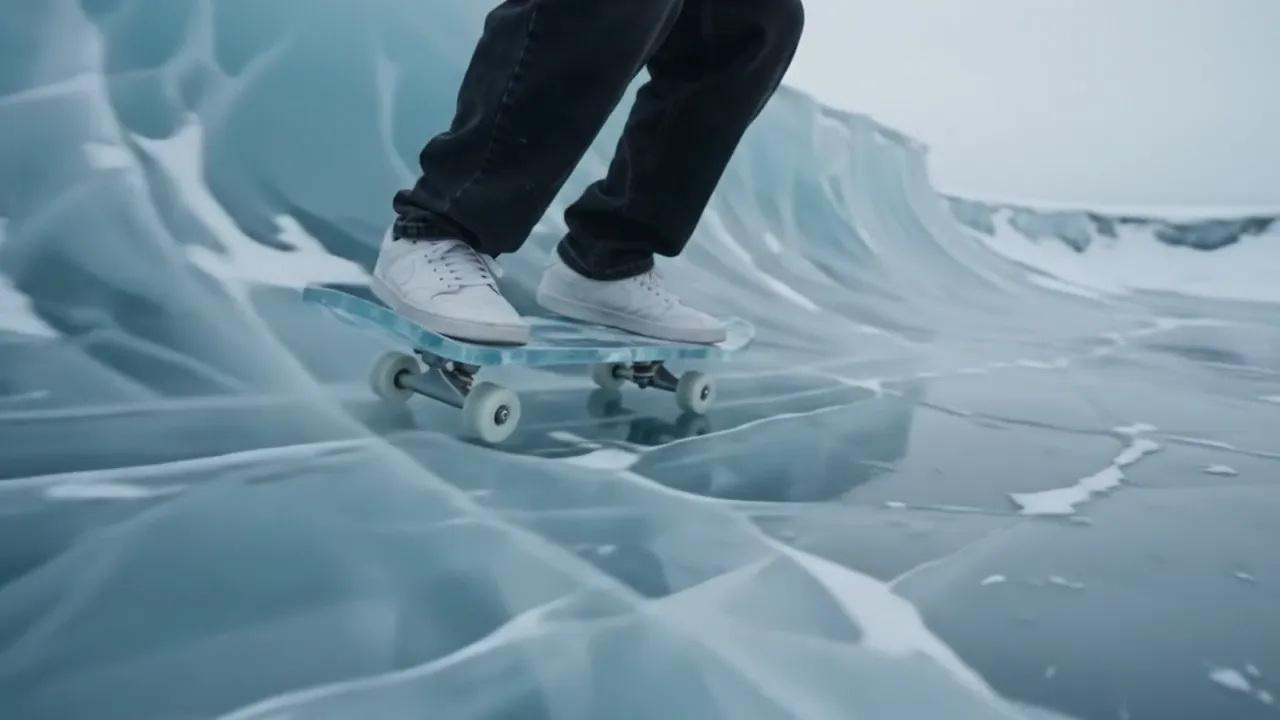
Watch for this:The same prompt twice is not equally tight. Both glacier runs used one prompt. The first overlapped the source at 0.93, the second at 0.80. If the first take drifts, run it again before you rewrite the prompt.
Watch for this:The camera move is close, not identical. On the skate and buggy clips, the edit followed the source's camera path closely but not exactly. The board-only takes, which left the world alone, followed it almost perfectly.
Watch for this:Glass shows the new world through it. The bottle's own label held, but the label seen through the glass from the other side is gone from the first frame: the glass now shows the forest light instead. Anything seen through the subject belongs to the world, and the world is redrawn.
 SourceEdit
Watch for this:The sound is new. The edit comes back with a soundtrack the model made, even from a silent source. If your clip has dialogue or sound you need, put your original audio back under the edit.
What it costs
You pay for the length of your source clip. The price is shown before you generate.
- Miroge: recast your clip
Priced on the Generate button
Takes A few minutes
Gemini Omni 1.1Pro and up
Per 5s clip
Standard 50 credits
Read live from the catalog when this page loads. Every price is shown before you generate. See every rate.
Questions and answers
- Can I keep a person's face this way?
- We have not tested it with a face in frame, so we do not promise it. In an earlier test with a whole person in the shot, the person was redrawn along with the place.
- How long can my clip be?
- Three to ten seconds. For a longer film, change one shot at a time and cut them back together.
- Why not use the Miroge form?
- The form changes one object and keeps everything else, including the background and the light. That is the right job for a prop swap and the wrong one for a new location.
- Will the new place keep the layout of the old one?
- No. The subject holds; the world around it is invented fresh. If the shape of the place matters, describe it in the change, and expect to run it more than once.
Change the world around your own clip.
Open MirogeRelated guides
Product video
Product videos without filming: pick the format
Seven product video formats, from a how to clip to an unboxing to hands only, each with a real example, what it is for and when to pick it.
· 7 min read
Product images
One phone photo to a full shop set
Turn one clear phone photo into a studio hero, a seasonal version, a product page banner and a short clip, with the preset for each step and what the set costs.
· 6 min read
Video editing
A clip came out wrong: fix it or make it again
Most wrong clips do not need a new render. Swap the one thing that is off, move the scene, clean up the picture or extend it, and make it again only when the shot itself is wrong.
· 5 min read