

100 ad variations from one master: swap hooks, products and sizes
You do not make a hundred ads. You make one good one and change one layer at a time. Here is the maths, the tools for each layer, and the grid we produced.
- 11 min read
- Presets: Miroge: recast your clip, Ad variant pack
To make a hundred ad variations, make one master clip and change one layer at a time: the hook (the first words on screen), the product in the shot, and the size for each placement. Each layer multiplies the last, so five hooks, five products and four sizes are a hundred ads with three kinds of work, not a hundred renders from scratch.
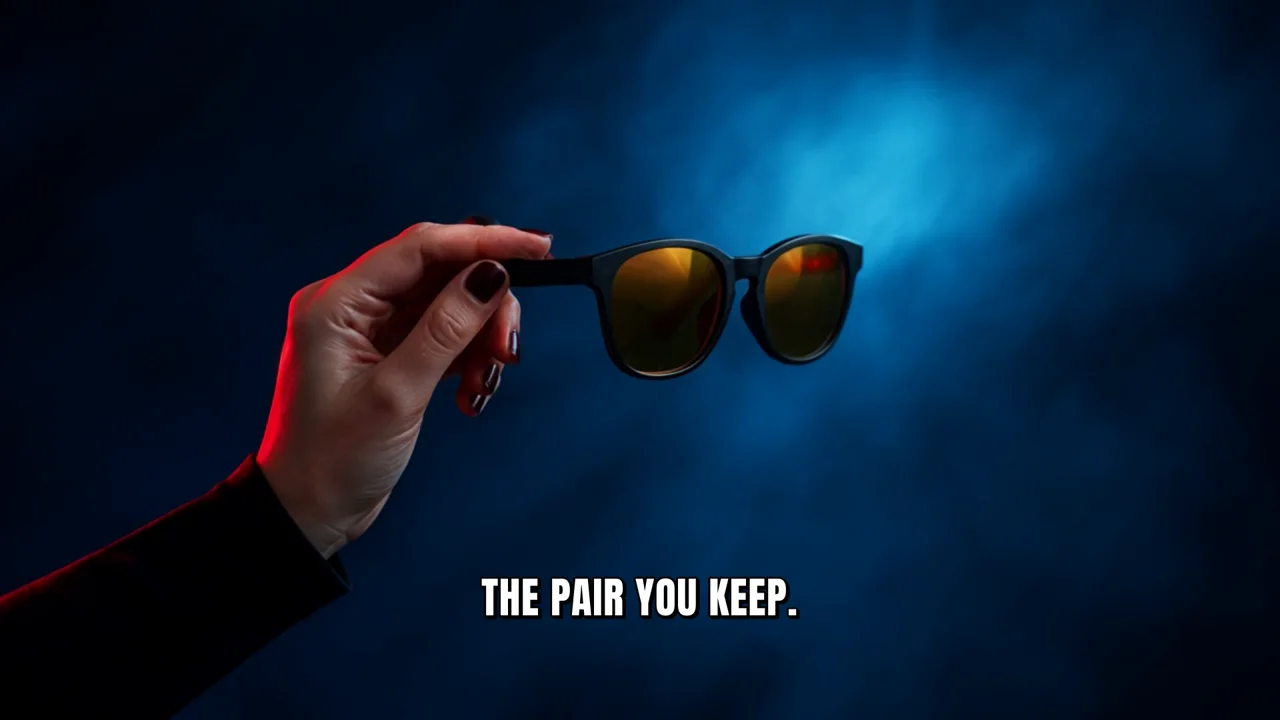
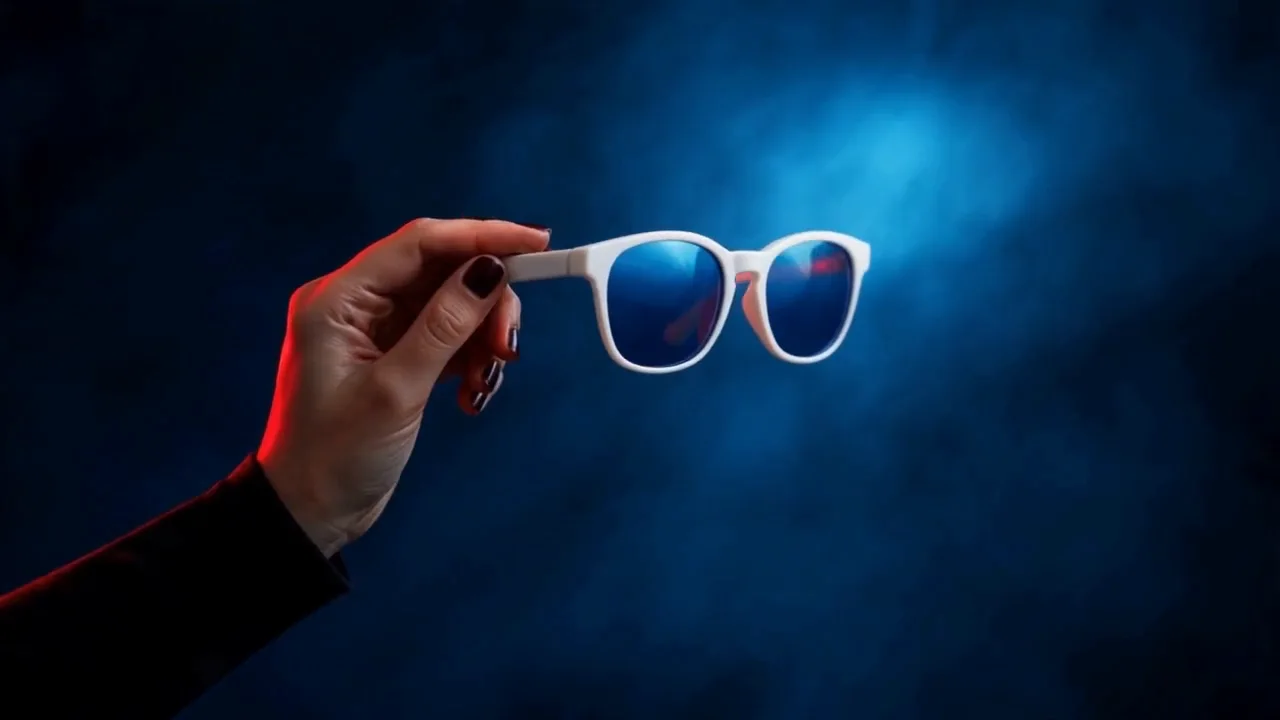
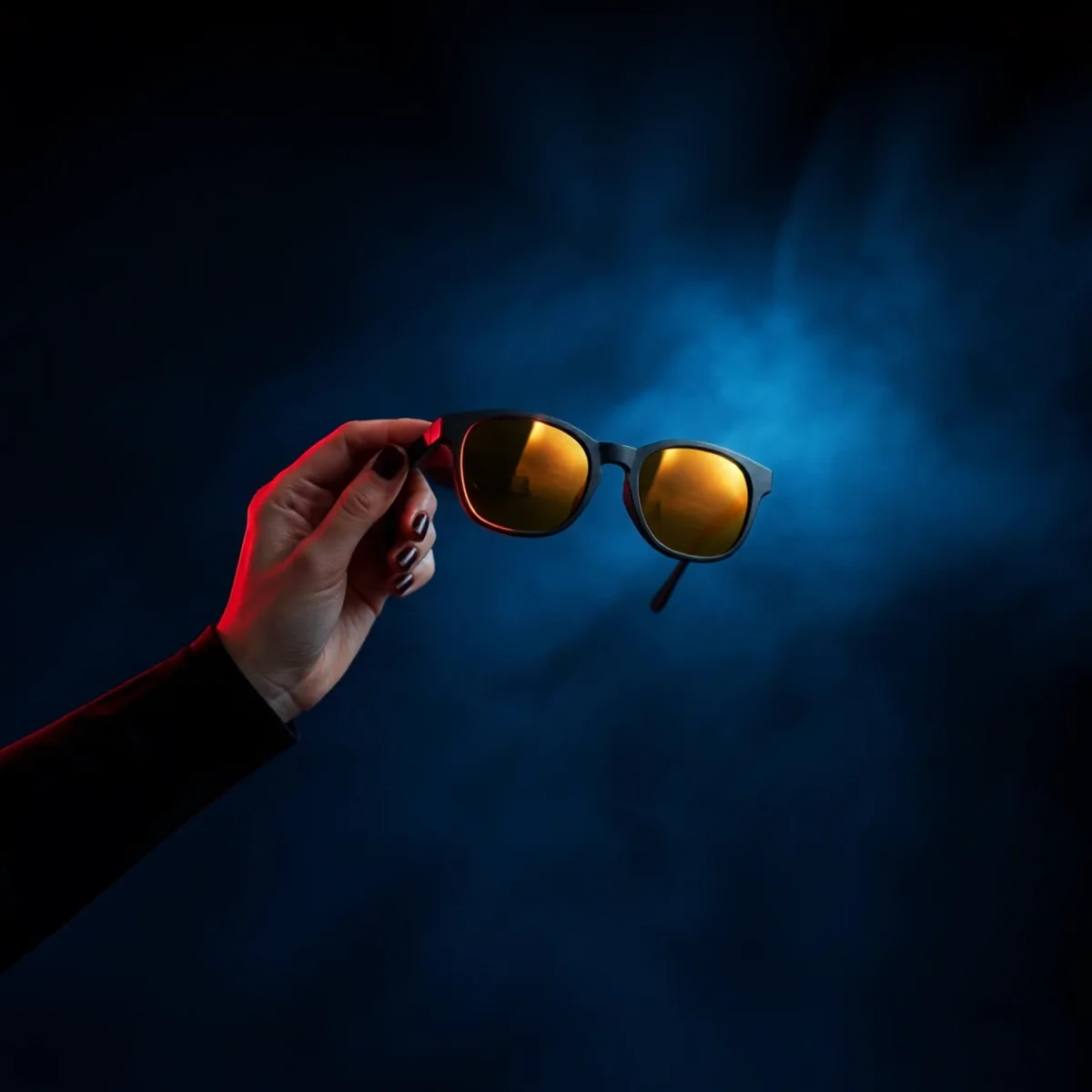
This page runs the method on a fictional eyewear ad: a hand raising sunglasses into red light. The master is one 5 second clip. Two Miroge swaps put two other frames from the same line into the same hand. Every clip and still here is real output, and the grid at the end is the one we made.
The variation maths
| Layer | How it is made | Count | Running total |
|---|---|---|---|
| The master | One clip you are happy with | 1 | 1 |
| Hooks | Text layers typed in Studio over the first seconds | 5 | 5 |
| Products | Miroge swaps of the product in the master, one per product | 5 | 25 |
| Sizes | Reframed stills, or the clip rendered again per size | 4 | 100 |
Watch for this:Languages are not a layer here. We do not dub, translate or re-voice an existing ad, and we do not move a presenter's performance onto another person. If your master has a spoken line, a new language is a new voice track and a new render, not a variation of this one.
Before you start
- A master worth multiplying: one product, held or shown clearly, a simple action, a composition with room for a hook line. Ours is a hand holding sunglasses by the arm; the hand and the light do all the work.
- Products of a similar size and shape. A swap keeps the hand's grip and the object's place in the frame, so a frame of glasses becomes another frame of glasses well and becomes a watch badly.
- One product photo per swap, on a plain background, the same angle as the master roughly. Ours are generated from the master's own frames as references.
- The sizes you will actually run. Every size beyond the master's is either a reframed still or a second render.
Make the master
Make a start frame in the image console, then animate it. We wrote the frame first because the hand's grip and the product's position are what every swap inherits.
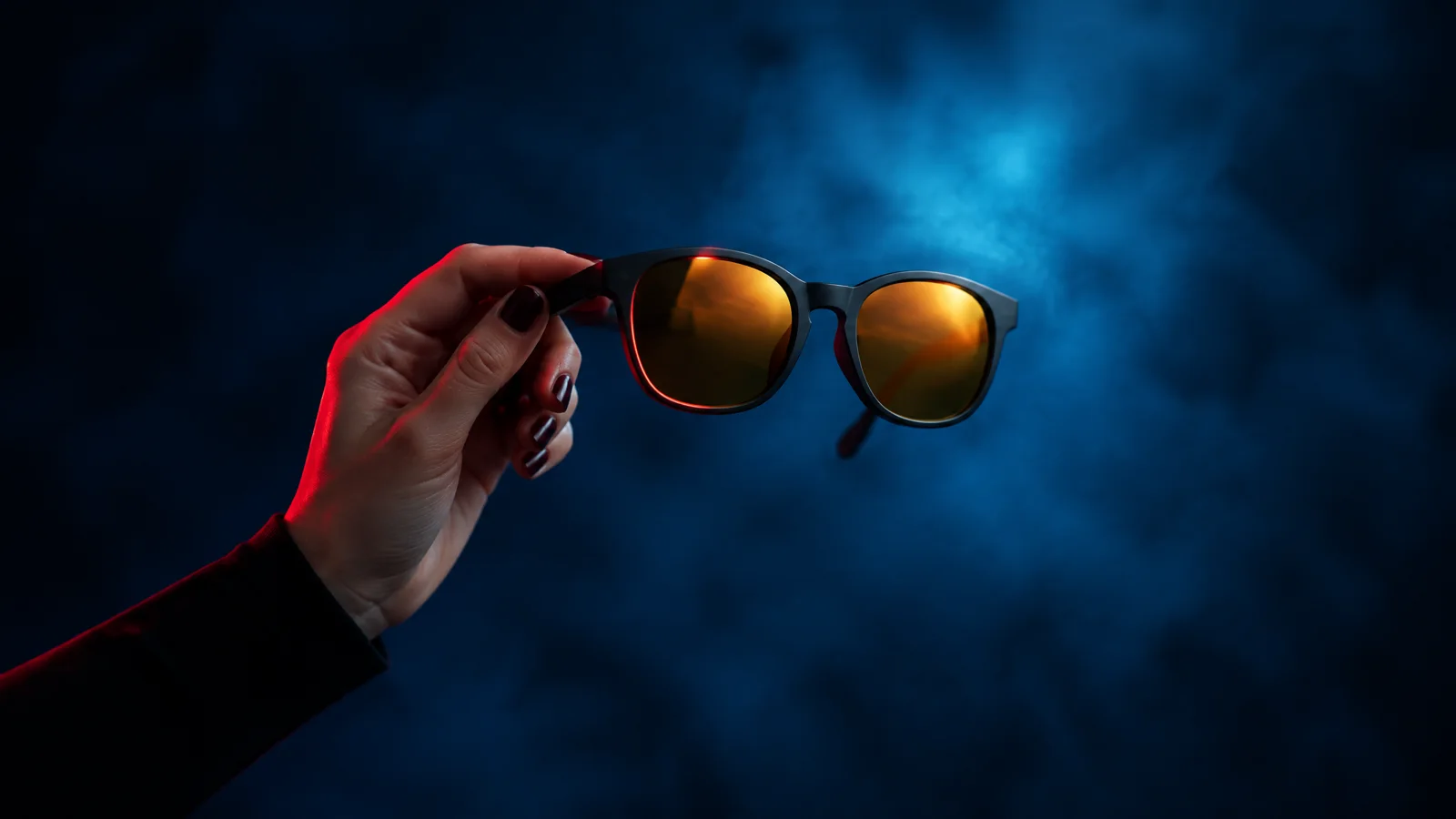
Premium eyewear advert still. A hand with short dark polished nails, forearm in a black long sleeve, holds a pair of sunglasses up into a hard beam of red light: matte black rounded square acetate frames with amber mirrored lenses, no logos. Background a wall of deep blue haze with a soft cyan glow, strong contrast, the red light catching the lens edge and the knuckles. Frames held by the temple arm at chest height, centred, plenty of dark space around. 50mm lens, shallow depth of field, photoreal, five fingers, natural hand. No text, no letters, no words, no logos, no brand marks, no watermark, no readable signage.
Premium eyewear advert, one continuous locked-off shot. The hand slowly lifts the sunglasses a little higher and turns them a few degrees toward the camera so the hard red light rakes across the amber mirrored lenses; the blue haze behind drifts slowly. The hand keeps five fingers and the same grip on the temple arm. Nothing else enters the frame. Photoreal, strong contrast. No text, no letters, no logos, no badges, no watermark.
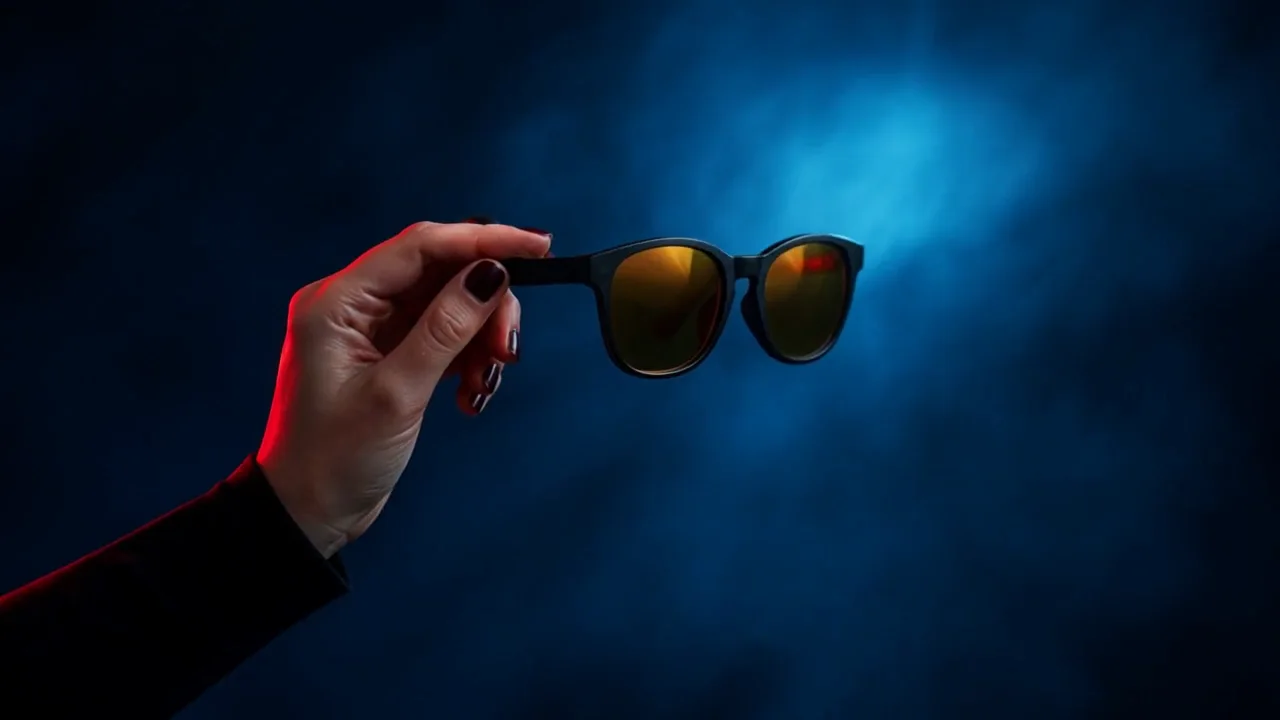
Tip:Trim the master to whole seconds. Miroge reads the clip's length and rounds it up to whole seconds for the price. Our 5.04 s render was quoted as 6 s; the same clip trimmed to 5.00 s was quoted as 5 s. Trim in Studio or in any editor before you swap.
Hooks: type them, do not render them
A hook is the first line on screen. Open the master in Studio with Open in Studio from your Library, press Text to add a text clip at the playhead, type the line in Source text, pick a preset and set the position. Change the words and export again for each hook: the PNG still and the video export are renders, and they added nothing to our bill.
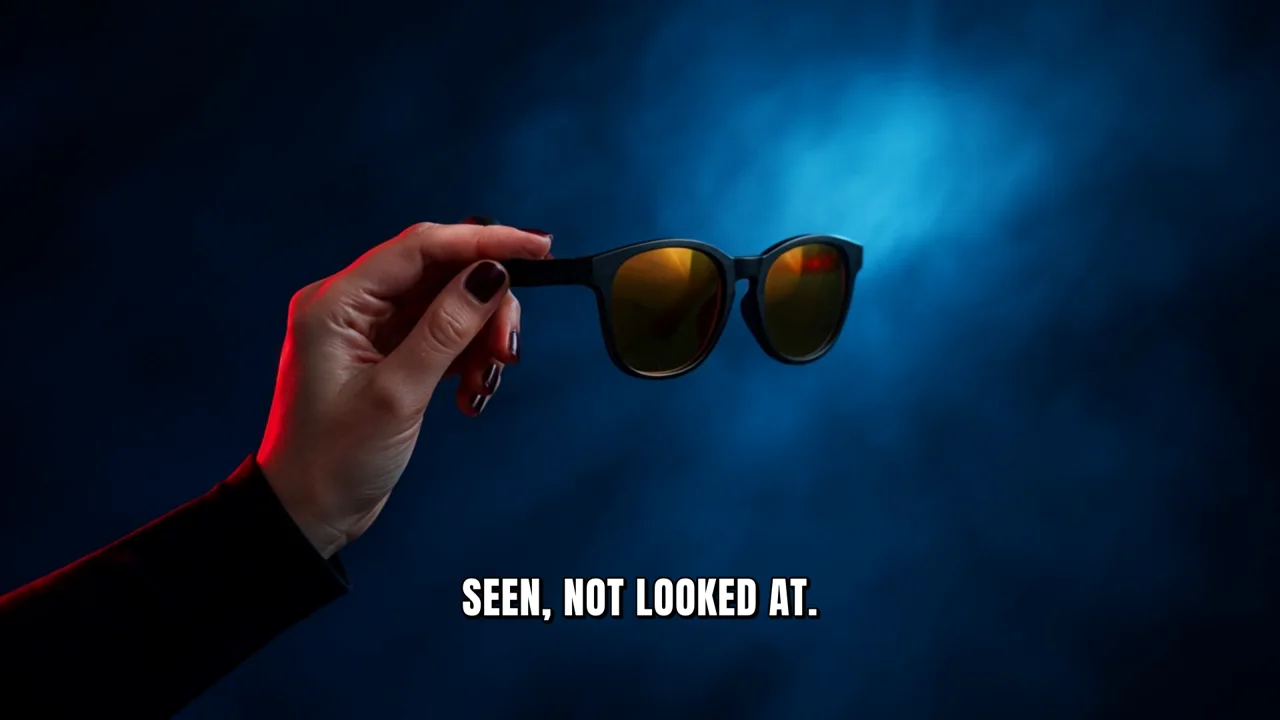
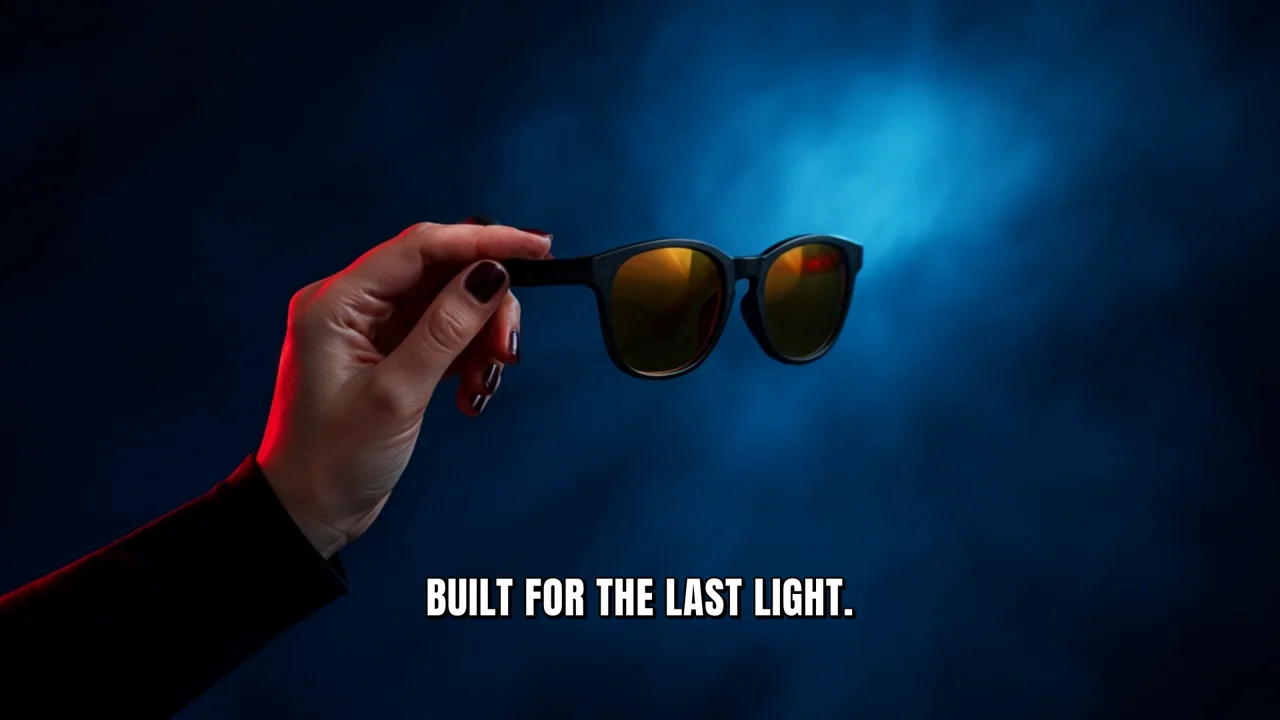
Watch for this:Wait for each export before the next edit. A still export renders the timeline as it is saved when the render runs, not as it was when you clicked. Our first pass changed the text again before the previous still had rendered, and three stills came back with the wrong line. Let each export finish, then change the words.
Products: swap the object in the master with Miroge
Open Miroge, choose Swap, add the master under Your clip and the new product's photo under What goes in. Turn on Prompt and name the target: "replace the sunglasses with @Image1", then say what stays. Pick Seedance 2.5 as the model and 720p; the length follows your clip. The Generate button shows the price for this clip, and if the price moves under your click nothing is charged and the button shows the new one.
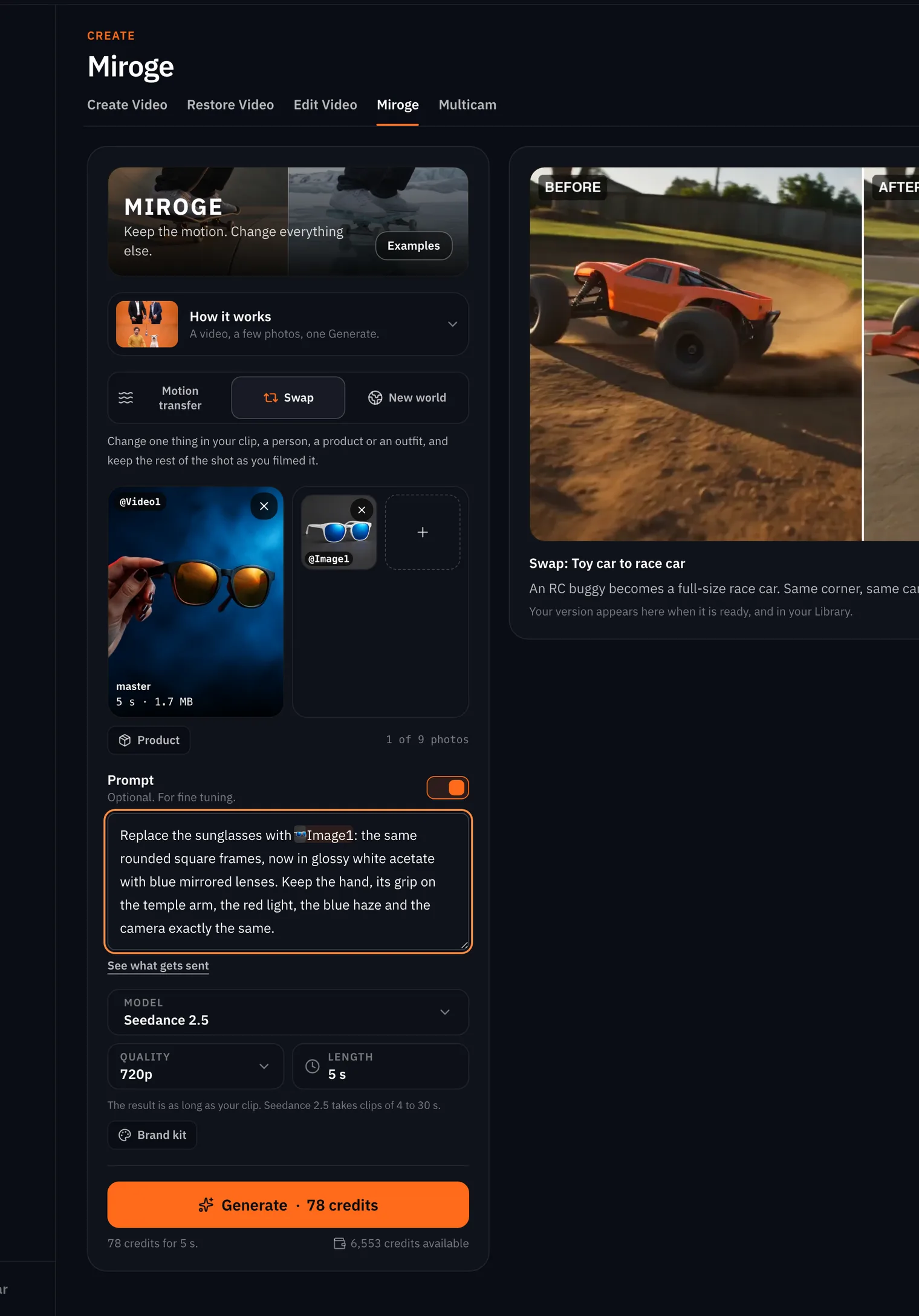
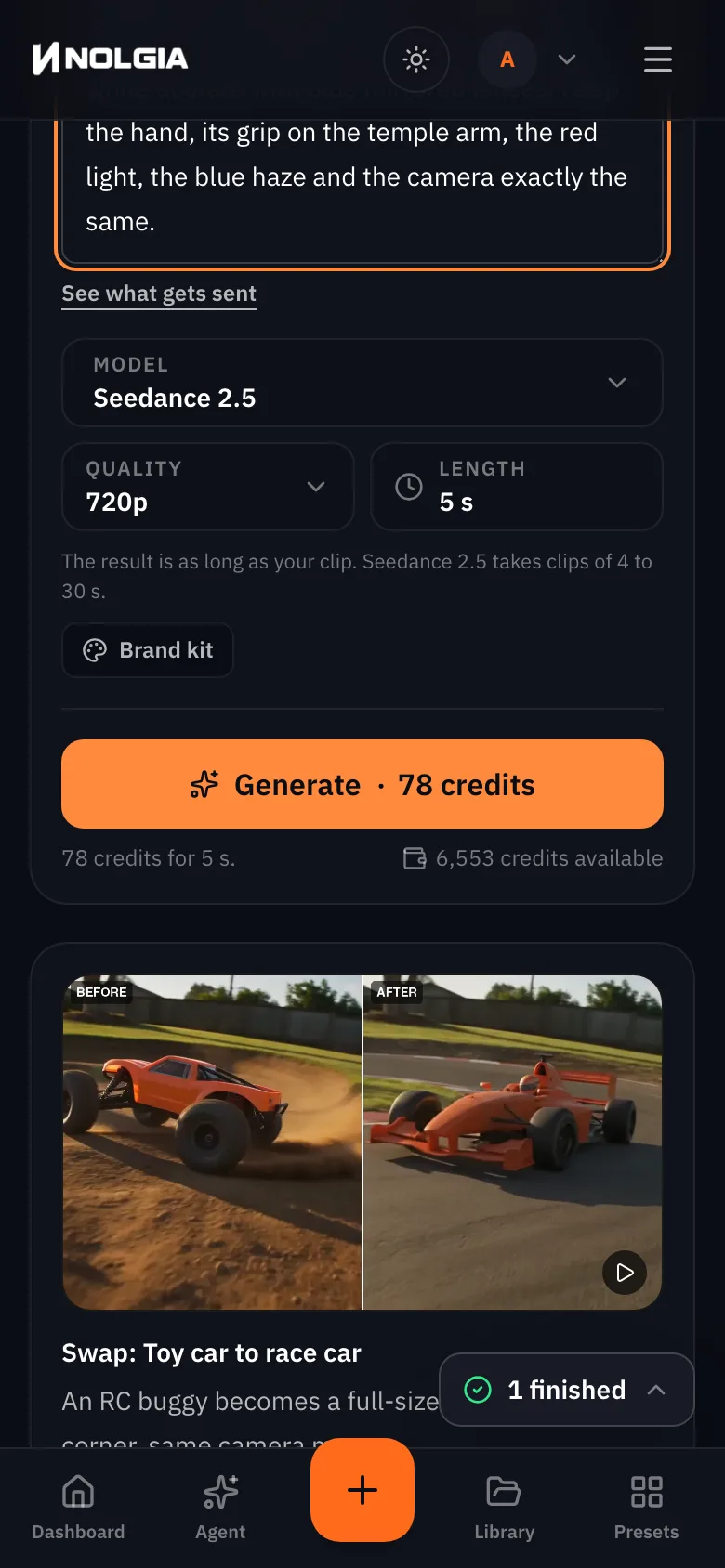
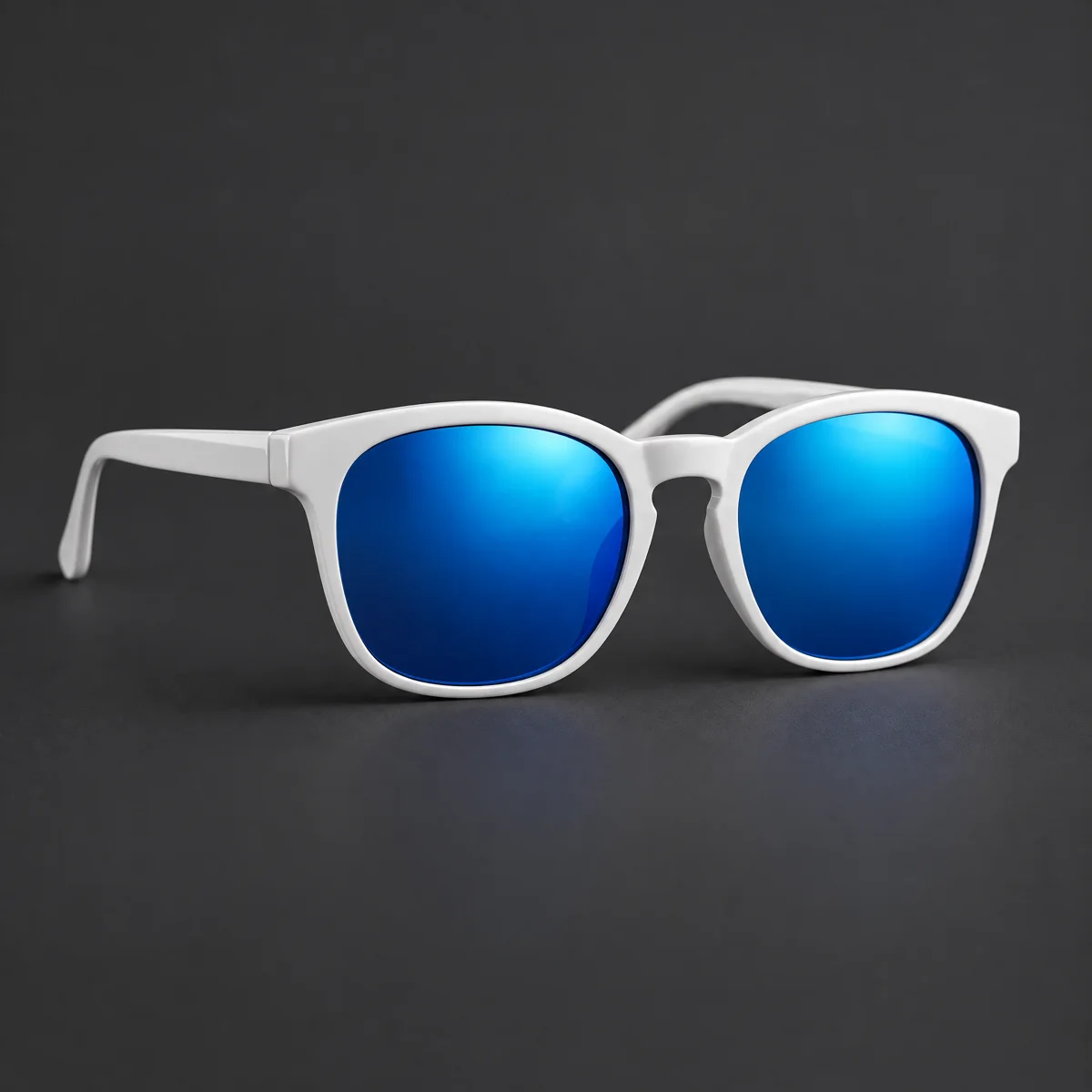
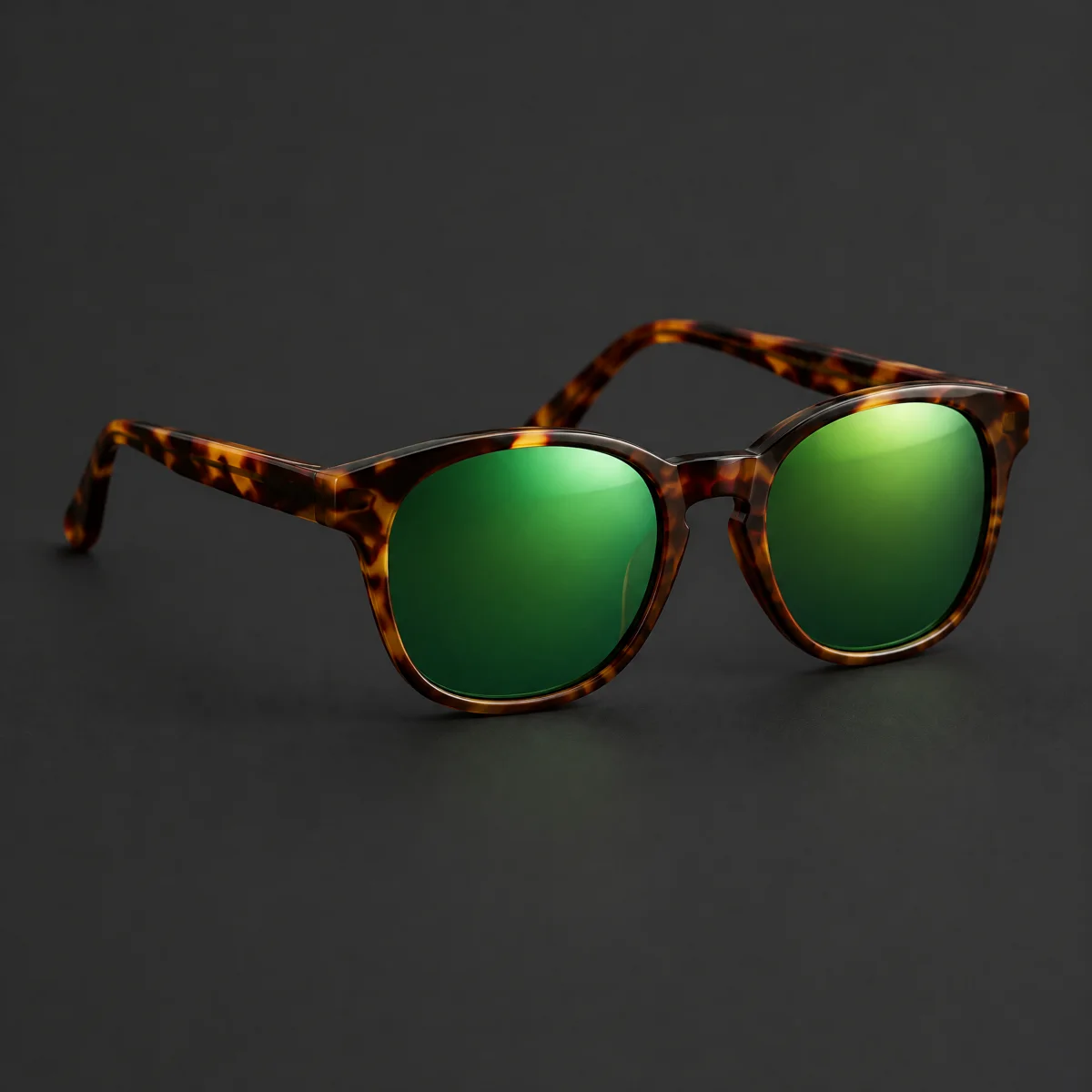
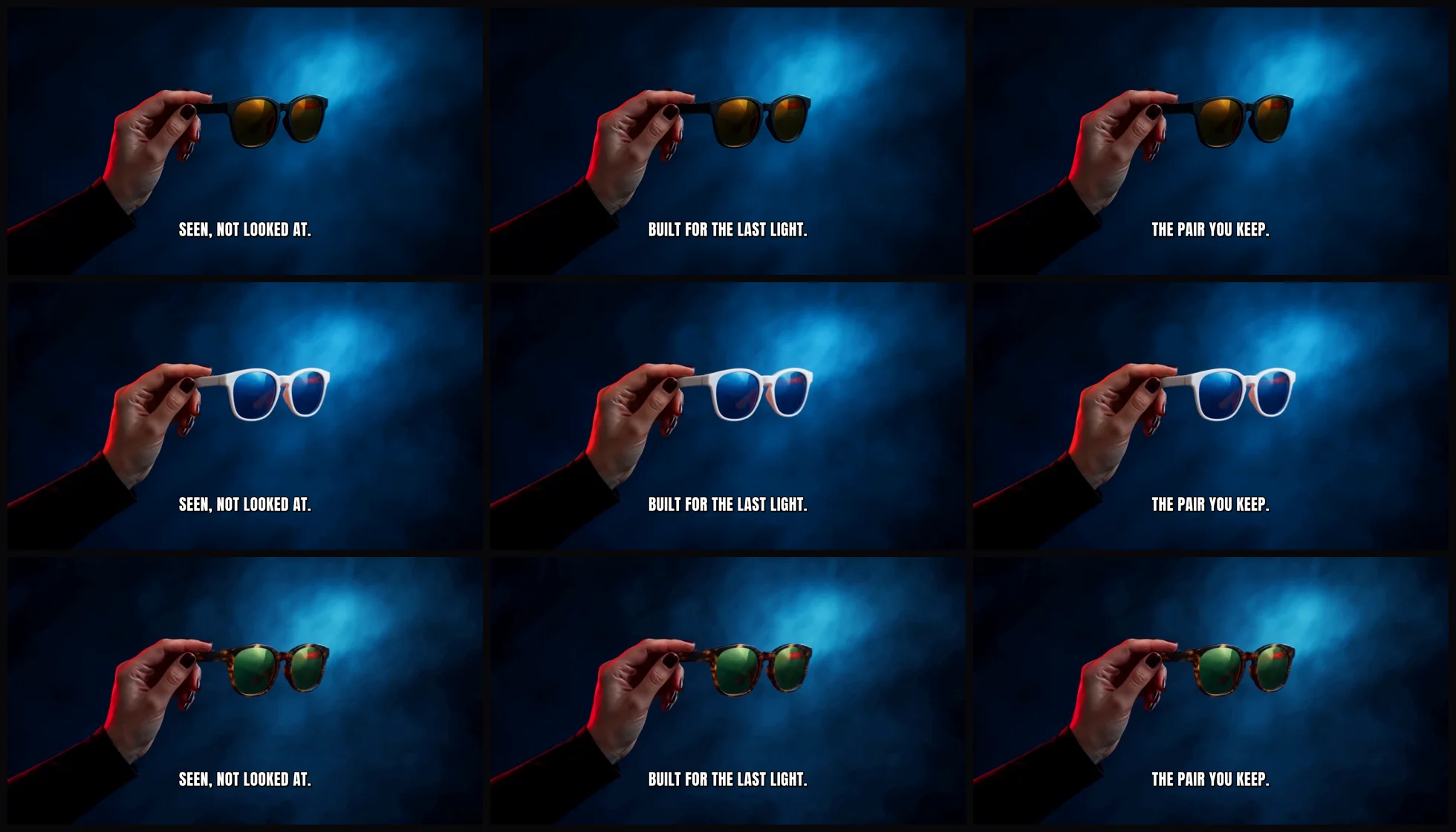
Replace the sunglasses with @Image1: the same rounded square frames, now in glossy white acetate with blue mirrored lenses. Keep the hand, its grip on the temple arm, the red light, the blue haze and the camera exactly the same.
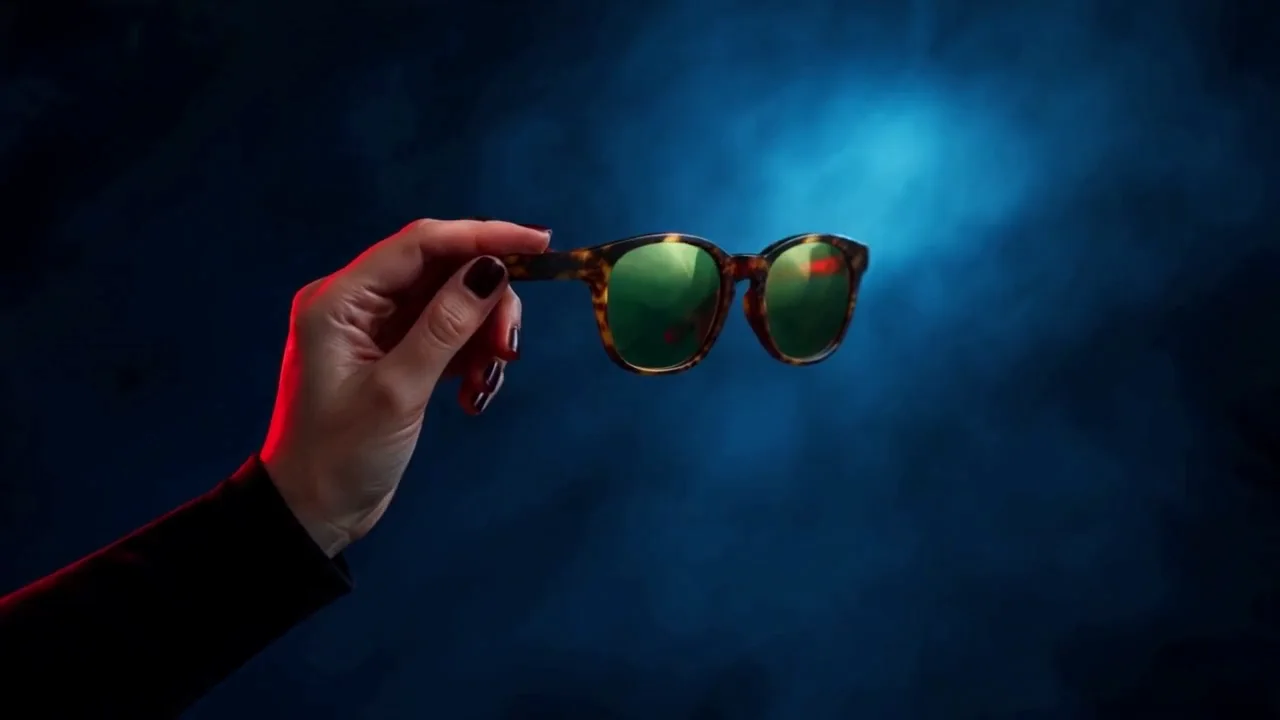
Tip:The product photos came from the master. Each colourway is a product photo made in the image console with the master's start frame as the reference and the new material named. That keeps the frame shape the same, which is what makes the swap clean.
Sizes: reframe stills, re-render clips
Reframe works on stills. Open any picture in your Library and use Reframe to with 9:16, 1:1 or 4:5: the model paints new picture into the margins rather than cropping, and each one is priced on the chip. For a clip, a new size is a new render at that size, so make the master at the size you will run most, and reframe a still from it for the placements that take a picture.
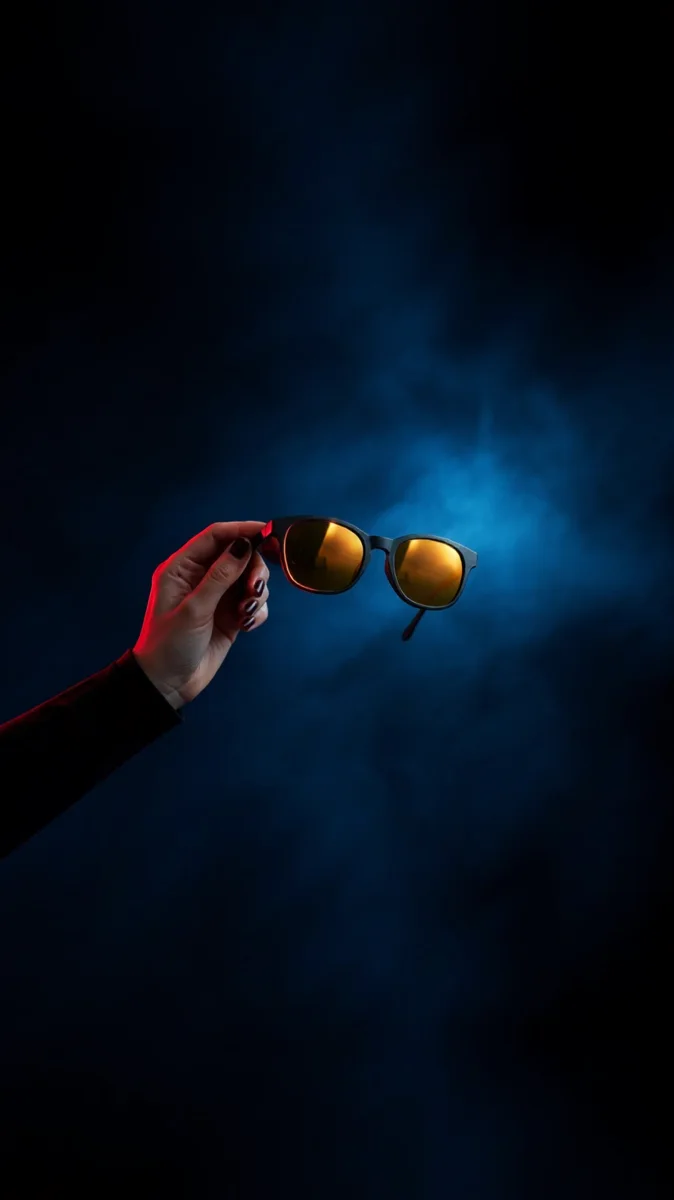
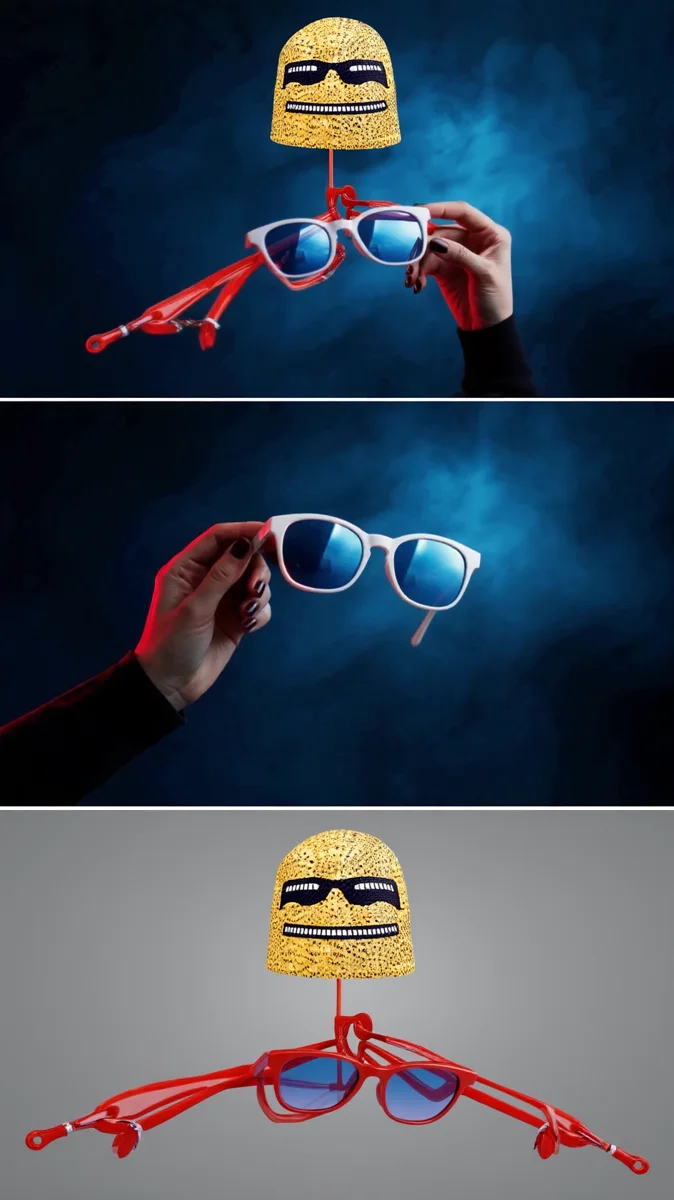
Watch for this:Reframe can invent a whole advert in the margins. On the master's frame both reframes painted plain haze. On the two swap frames all four reframes filled the new space with mascots, title cards and garbled words. Reframe takes no prompt, so you cannot steer it: check every reframe at full size, and keep a still with plain space around the product for the sizes that need it.
The 3 by 3 we made
What goes wrong
| Mistake | Why it hurts | Fix |
|---|---|---|
| Swapping to a product of a different shape | The hand's grip and the object's place come from the master; a bigger or differently held object breaks both | Keep swaps within a line: colourways, materials, sizes of the same thing |
| A master with the hook baked in | Every variation carries the same words | Keep the master wordless; type hooks in Studio |
| Reframing the clip, or trusting a reframe unseen | Reframe is for stills, and it can fill the margins with invented adverts | Render the clip at each size you need; check every reframed still at full size |
| Ten swaps before checking one | A bad first swap means ten bad ones | Swap once, check the grip and the lenses at full size, then batch |
| Counting languages as a layer | We do not dub or re-voice | Treat a new language as a new master |
Which tool for which job
| Layer | Use | Notes |
|---|---|---|
| The master | Video console, Animate an image | Or the API and CLI for a model the console does not roster, as here |
| Hooks | Studio, Text | Typed, not rendered; export each version |
| Products | Miroge, Swap | One photo per swap; priced by clip length |
| Sizes for stills | Reframe to, on any picture | 9:16, 1:1, 4:5; paints margins |
| Sizes for clips | A new render at that size | Decide the main size before the master |
| Static ad versions | Ad variant pack | Four static formats from one product |
| A hundred at once | The API, the CLI or the agent | Same requests, scripted; see the cookbook |
Where you still regenerate
- A swap can move the object. Compare the swap with the master frame by frame at the same moment; if the grip changed, run it again before you build on it.
- Lenses and glass show the world through them. A mirrored lens takes the new colour well; a clear one shows whatever the model paints behind it.
- The master's size is the master's size. A vertical version of the clip is a second animation from a vertical start frame.
- No voice, no language. A spoken hook is a new track and a new render, not a swap.
What it costs
The master is one clip. Each swap is priced on Miroge's Generate button by the length of your clip, and each reframe is priced on its own chip. Hooks are free until you export.
- Miroge: recast your clip
Priced on the Generate button
Takes A few minutes
- Ad variant pack
32 credits for the pack of four
Takes under 3 min
Seedance 2.5Pro and up
Per 5s clip
480p 26 credits · 720p 56 credits · 1080p 137 credits
1080p renders at 16:9 and 9:16
GPT Image 2.5 FlareEvery plan
Per image
Native 8 credits · 2K 21 credits · 4K 58 credits
Read live from the catalog when this page loads. Every price is shown before you generate. See every rate.
Checklist before you scale
- The master is wordless and the product is held clearly.
- The first swap matches the master's grip and framing at the same moment.
- Every product photo shows the same angle and a plain background.
- Each size was made at that size or reframed from a still, never cropped.
- The hook text is spelled right on every export.
Try it yourself
Download the master and one product photo, open Miroge, choose Swap, upload the clip under Your clip and the photo under What goes in, turn on Prompt and paste the swap prompt, pick Seedance 2.5 and 720p, and generate. We ran this exact recipe on the live composer; both swaps above came from it.
The inputs
Questions and answers
- How many variations can I really get from one master?
- As many as the layers multiply to. Five hooks, five products and four sizes are a hundred. The renders you pay for are the swaps and the extra sizes; the hooks are typed.
- Can I swap in a completely different product?
- You can try, but the hand's grip and the object's place in the frame come from the master. Swaps within a line, such as colourways and materials, held on every run here; a different shape is a new master.
- Can I translate or dub the ad into other languages?
- No. We do not dub, translate or re-voice an existing ad. A new language is a new voice track and a new render.
- Can I reframe the finished clip to 9:16?
- Reframe works on stills. For a vertical clip, animate a vertical start frame; for a vertical picture, reframe a frame of the clip.
- How do I run a hundred of these without clicking a hundred times?
- The same requests go through the API and the CLI, or you hand the list to the agent. The agent cookbook shows the shape of that brief.
- Why was the master made with a model the console does not offer?
- Kling v3 Turbo runs from the API and the CLI. In the console, Animate an image with Seedance 2.5 or Kling v3 takes the same start frame and the rest of the method is identical.
Swap the product in your own master
Open MirogeRelated guides
Video editing
Keep the subject, change the world around it
Keep the legs, hands or product in a clip and redraw the place around them. The prompt order that held in 6 of 6 tests, and where it breaks.
· 9 min read
Product video
Product videos without filming: pick the format
Seven product video formats, from a how to clip to an unboxing to hands only, each with a real example, what it is for and when to pick it.
· 7 min read

Ads
A car commercial with AI: hero, drive-by, interior and night gels, with the prompts
Design a badge-free car once, then animate every shot from that still. The full prompts for a hero, a drive-by, an interior and night gels, and which model kept the car's shape.
· 10 min read